Exposure X7 for macOS
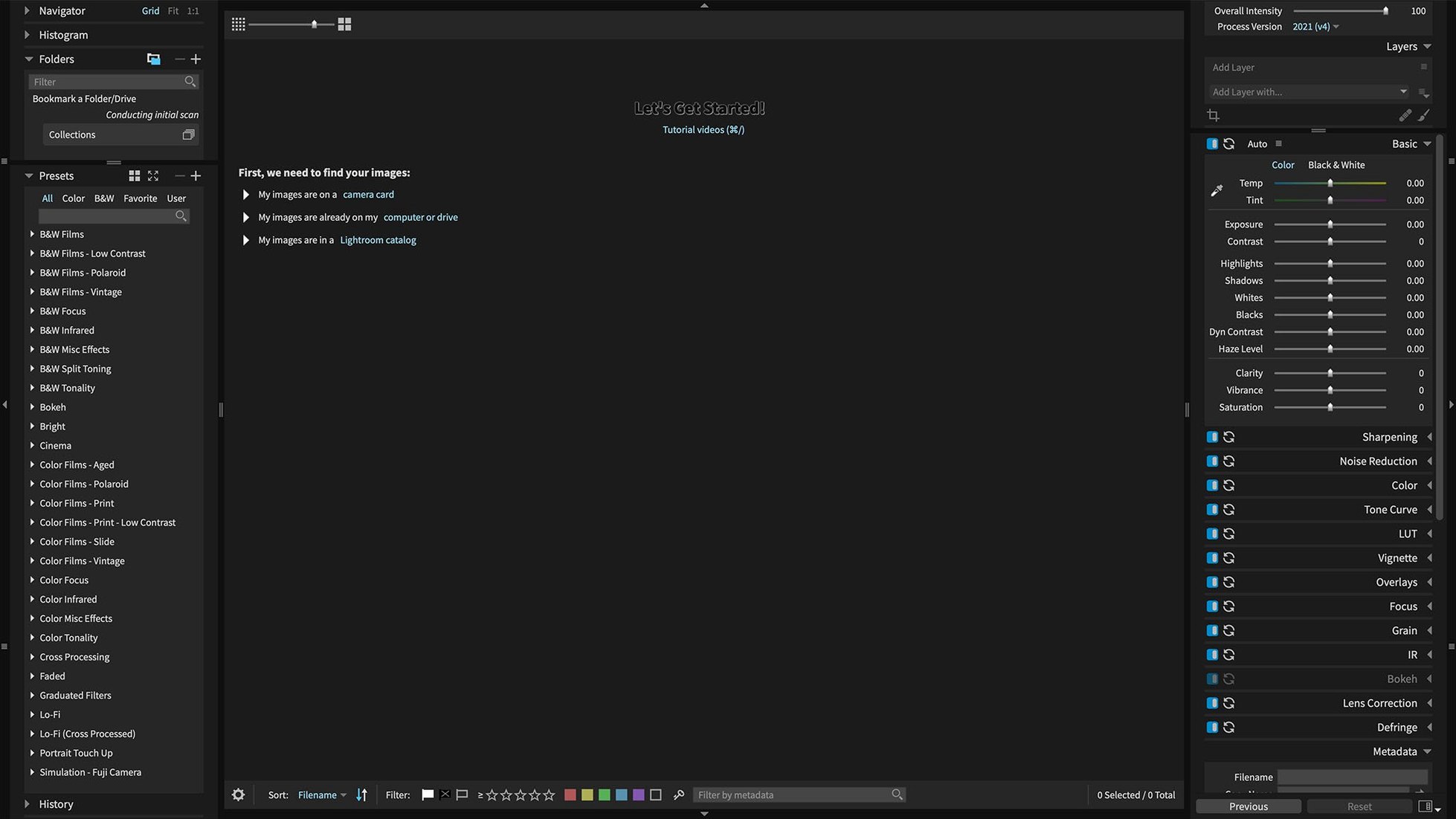
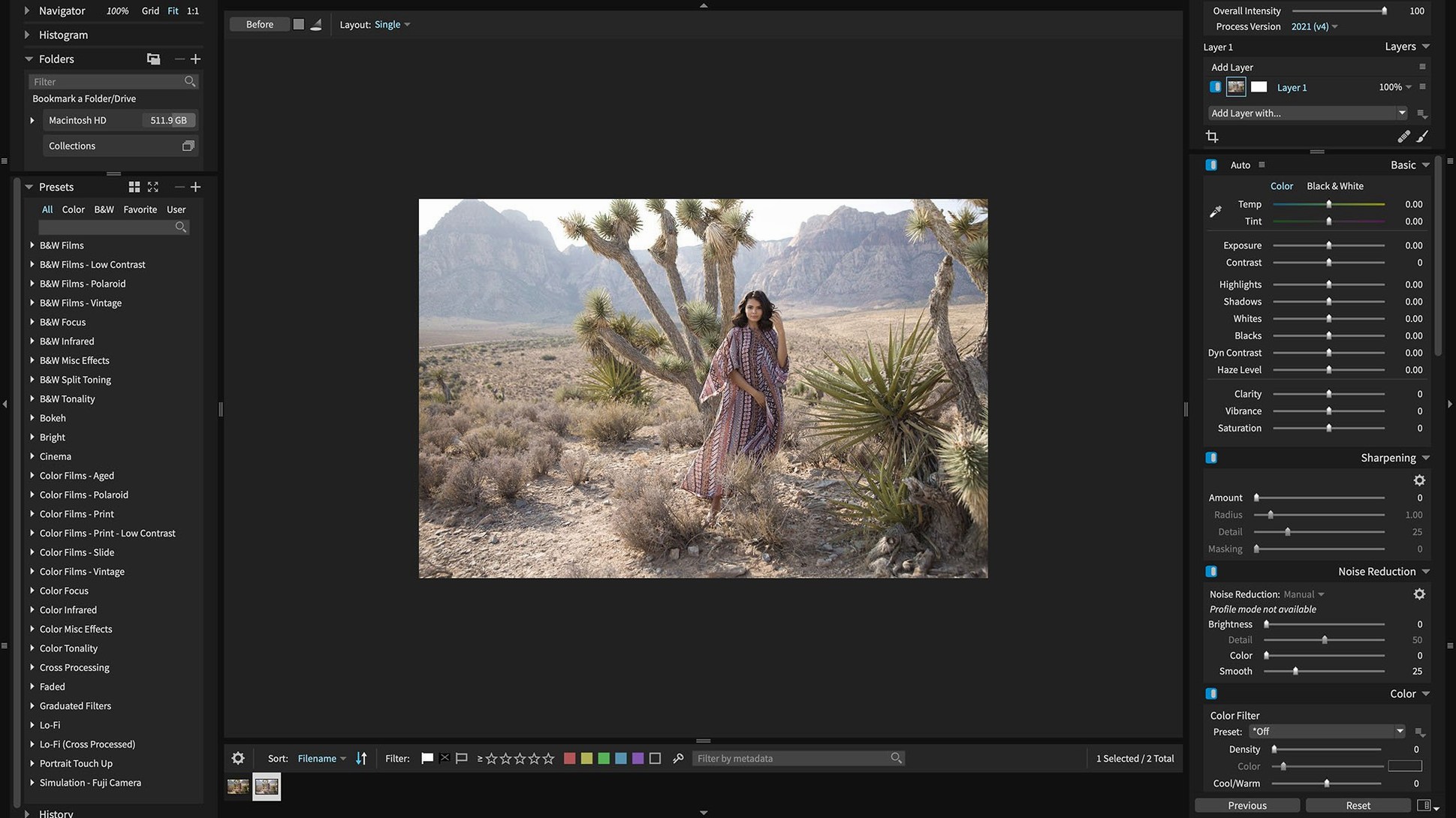
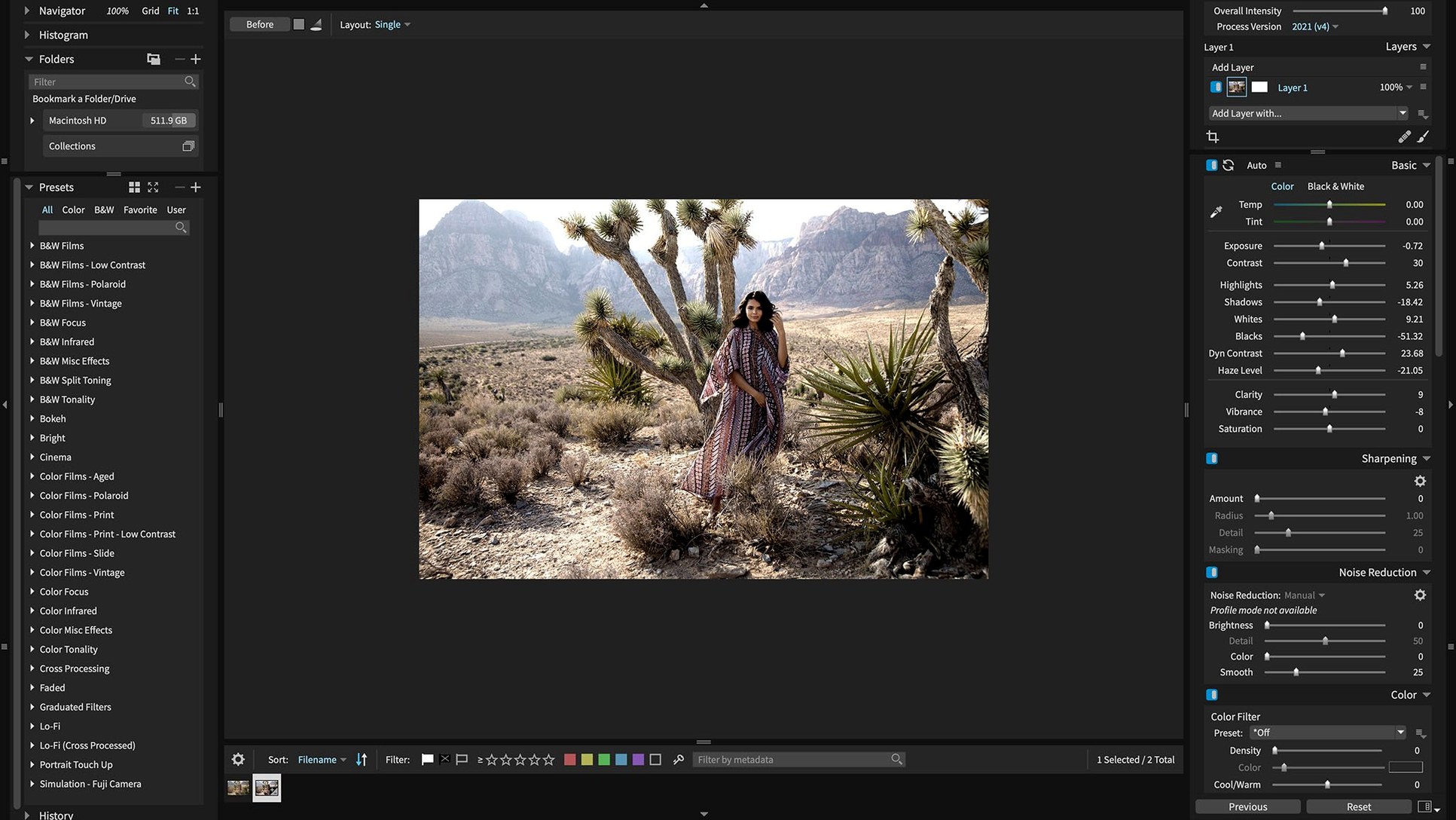
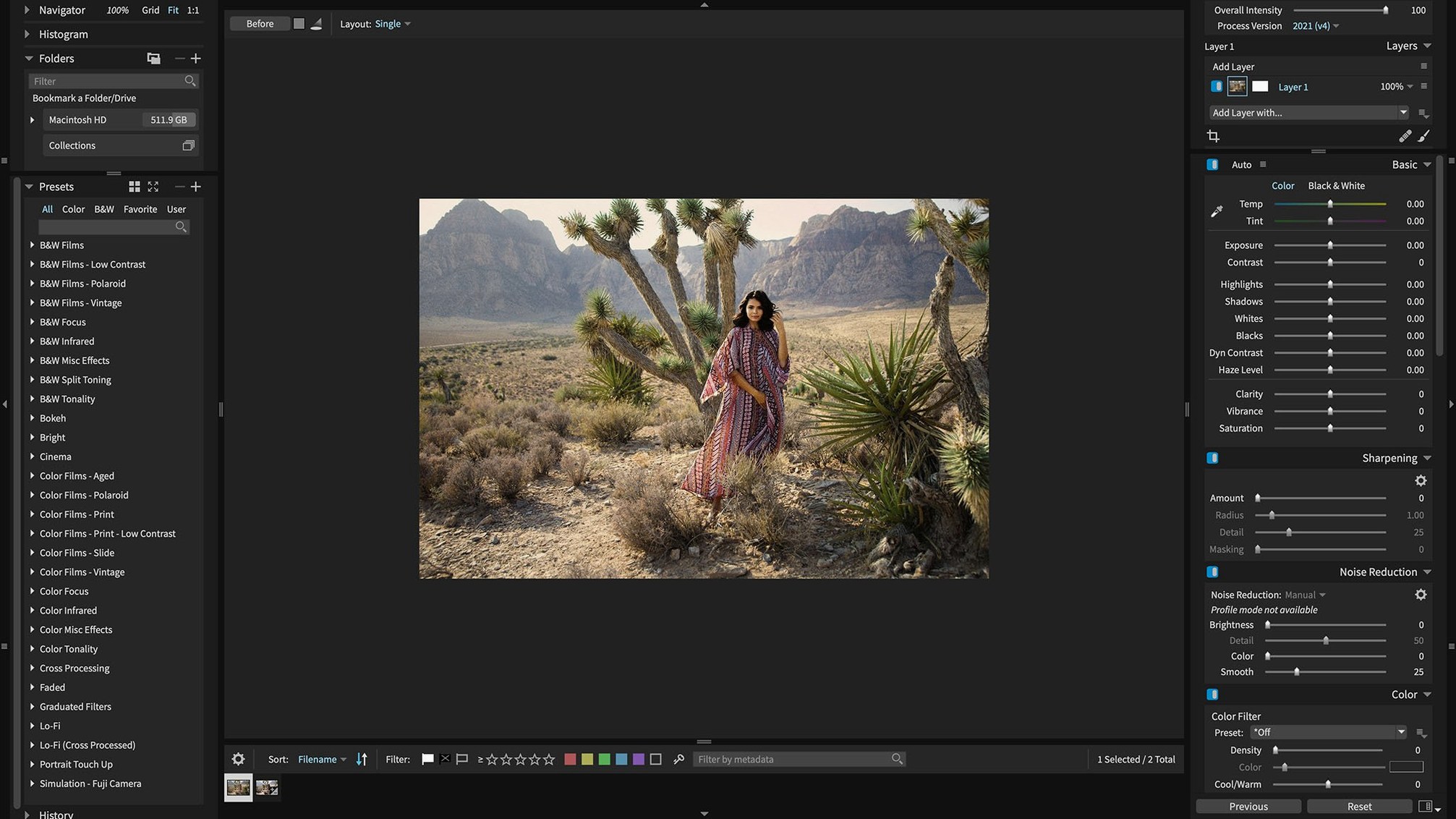
Exposure X7 runs on any Mac with macOS 10.13 High Sierra or later, 64-bit only, across both Intel and Apple Silicon machines. The build is a universal binary, so it runs natively on M-series chips without Rosetta overhead. You can think of it sitting in two spots during a session. First, as a standalone application for culling and developing a full shoot — it opens a folder of RAW files, applies automatic adjustments, and lets you work through keepers with a non-destructive pipeline that never touches the original .CR3 or .NEF. Second, it slots in as a plugin for Photoshop and Lightroom Classic, where it hands off layered edits via its own masking engine.
On the bus that handles organization, Exposure X7 skips catalogs entirely. It reads the folder structure you already have on disk, so there is no import step. Keyword tagging, collections, and virtual copies all sit in a sidecar database. That makes it fast to pick up a session mid-way — you point it at a directory and start rating before the grid finishes loading. The masking track is where the brush, gradient, and radial tools live, all with luminance and color range constraints. Portrait retouching runs on the same layer stack, so skin softening and blemish removal are non-destructive adjustments you can fade or mask further.
A typical job might start by running one of the 500-plus customizable presets as a baseline look, then pulling the tone curve and HSL sliders to match across a set. If you need to send a layered file to Photoshop for pixel-level retouching, the plugin round-trip preserves the RAW adjustments up to that point. For compositing work it is less of a fit — there are no blend modes or channel operations — but for a photographer processing a wedding or editorial set, it covers the core tracks without forcing a catalog rebuild.
No-import editing for wedding photographers with 2,000-frame Saturdays
Photographers who live in the Finder and have no interest in catalog hand-holding tend to click with Exposure X7 immediately. Wedding and event shooters with a 2000-frame Saturday sitting on an external SSD get the biggest win — no import step, no database migration, just point the browser at the folder and start culling. The same goes for photojournalists and editorial photographers who need a fast turnaround on a single assignment folder, apply a consistent look across selects, and export without the overhead of a managed library.
Artists already deep in a Photoshop or Lightroom Classic pipeline get a different kind of value: they keep their existing workflow but drop into Exposure for the masking and film-emulation presets, then hand the layered result back. The plugin path means they never leave the host application's organization system. The application is less of a natural fit for compositors or heavy retouchers who rely on frequency separation, liquify, and channel-based masks — that work still belongs downstream in Photoshop — but for the RAW development and grading stage, it covers the essentials without forcing a catalog import.
A black-and-white portrait workflow from card to export
Imagine a folder of 300 portraits shot on a Sony A7 IV under mixed window light. The workflow starts by pointing the standalone app at the SD card copy on your working drive. Exposure reads the folder structure, and the grid populates with .ARW files. A quick pass with the numeric keys drops star ratings on the strong frames, and a smart collection set to rating >= 3 pulls the keepers into a focused view without duplicating a single file.
On the first select, you browse the black-and-white film presets and land on a pushed Ilford Delta 3200 look. A gradient mask pulls the exposure down on the window side of the face, and a luminance-range mask isolates the highlight on the cheek for a soft roll-off. The same preset plus a slight clarity bump gets copied to the remaining selects via the copy-and-paste adjustments panel. Portrait retouching sits on its own non-destructive layer — blemish removal and a subtle skin-softening brush stay editable even after the preset stack is baked into the look. Finally, the export preset writes full-resolution TIFFs to a delivery subfolder, and an optional Photoshop round-trip is ready for the handful of frames that need a liquify pass or detailed dodge-and-burn.
How it dovetails with other apps and macOS features
Exposure X7 reads directly from folders that other applications have created, so it slots into a multi-app workflow without a conversion step. A shoot imported into Lightroom Classic stays in its dated folder hierarchy; Exposure opens the same tree and picks up the job mid-stream. Likewise, if you hand a set of TIFFs to Photoshop for finishing, Exposure sees those exports as soon as you navigate to the folder — no need to re-import or synchronize catalogs.
On the macOS side, the app ties into the system color picker and supports drag-and-drop of folders from Finder, so you can pull a directory straight from a stacked desktop workspace. The built-in HEIC support in version 7.3.0 means photos synced from an iPhone via iCloud or AirDrop open directly without a conversion step. Quick Look does not preview RAW adjustments, but the Finder-friendly folder-based approach means you can use Finder tags and Spotlight comments alongside Exposure's own keywords and collections for a lightweight hybrid organization system that works across tools.
- macOS 10.13 or later
- Apple Silicon & Intel 64-bit native
$ man exposure-x7 | grep -A2 "?"
Can Exposure X7 edit photos without changing the original file?
Yes, all edits in Exposure X7 are non-destructive. Adjustments are stored as instructions in a sidecar database, so the original RAW file on disk is never modified.
Comments 0
Sign in or create an account to leave a comment.
No comments yet. A codec, a slice, a machine — they appear after moderation.