
Find Any File for macOS
Spotlight indexes around 4.5 million files on a typical Mac, but that index has deliberate blind spots. Find Any File (FAF) searches the file system directly, so it sees everything the Spotlight daemon is told to ignore — system folders, bundle internals, and any directory you point it at.
Runs natively on Intel and Apple Silicon from El Capitan onward
Version 2.6.1 requires macOS 10.11 El Capitan or newer, up to the latest macOS release. It is a universal binary that runs natively on both Intel and Apple Silicon Macs.
Reaches inside .pkg installers and application bundles the Finder ignores
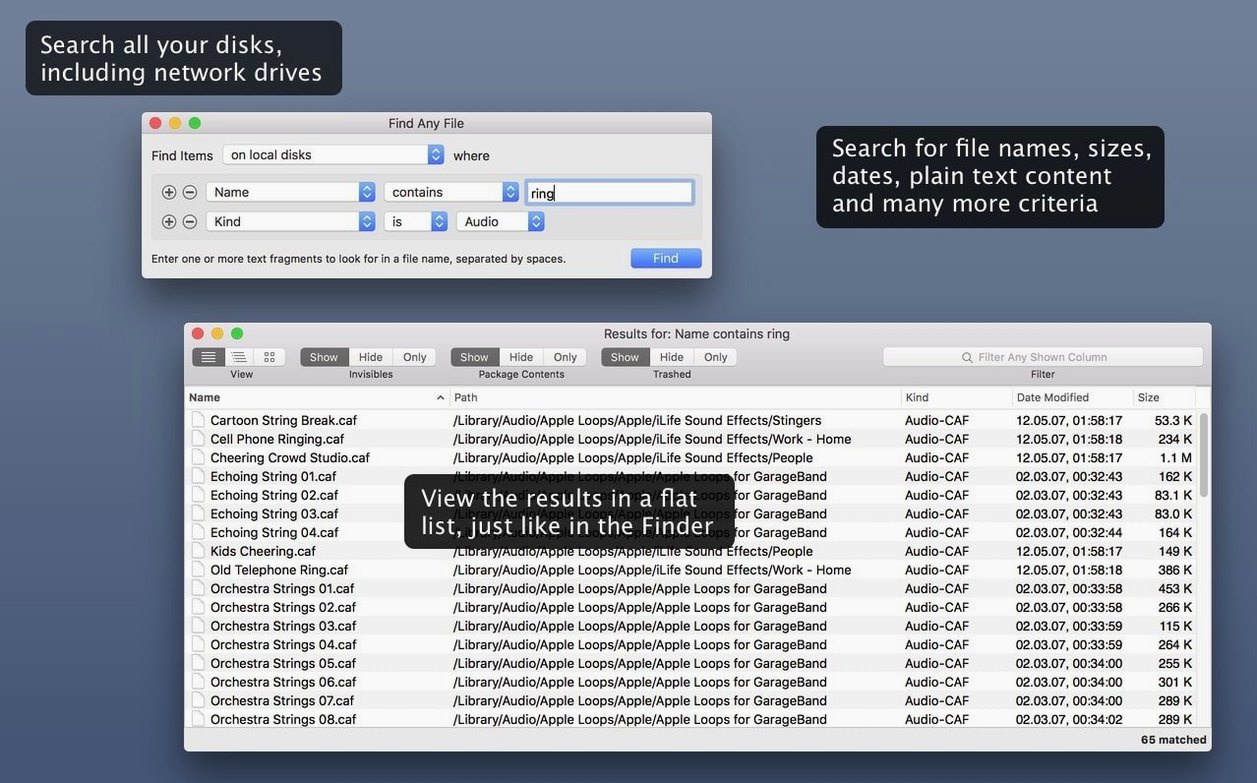
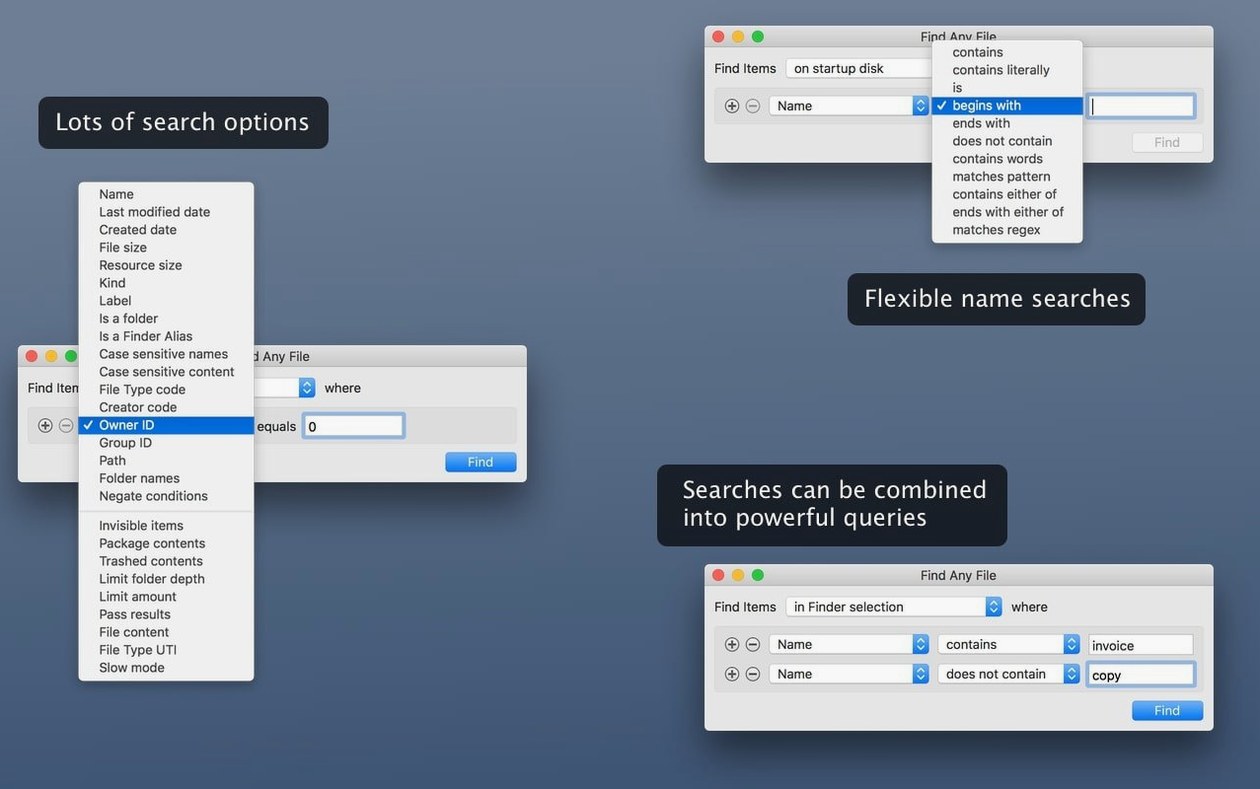
It searches files by name, modification date, size, and plain text content. Because it bypasses the Spotlight index, it reaches inside system directories, .pkg installers, and application bundles — locations where a normal Finder search returns nothing.
What doesn't it search?
It does not parse rich document formats like Word, PDF, or Mail archives. For those, Spotlight or a companion tool like Tembo fills the gap; FAF is strictly a raw filesystem scanner with plain‑text awareness.
Digs up orphaned preference files and leftover daemons in /Library
System administrators are the natural power users. They deal with orphaned preference files, leftover daemons, and configuration plists buried deep in /Library that Spotlight will never reveal. When a managed Mac behaves oddly after an uninstall, FAF finds the stray .kext or LaunchDaemon in seconds.
Developers benefit next most. Searching inside .app bundles, .framework folders, and Xcode-derived data means you can trace exactly which version of a dylib ended up where — no index lag, no guessing whether the Finder is showing you everything.
Forensic-minded home users — the kind who migrate old drives and want to know what really got left behind — also find it indispensable. If you ever plugged in a network drive from a decommissioned Mac and wondered “did I actually copy all the family videos or just the aliases?”, FAF answers bluntly.
A cold full-disk scan populates results in 10–20 seconds without locking the UI
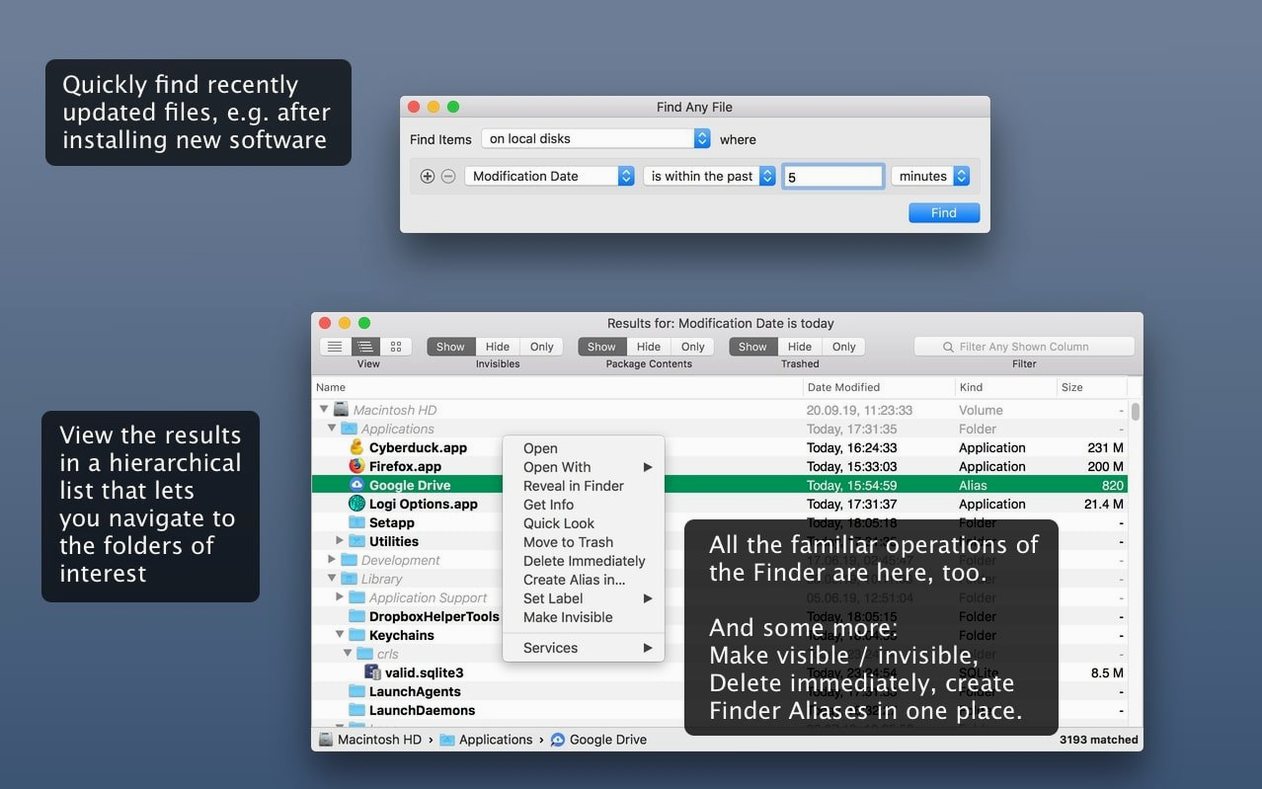
A cold scan of an entire startup disk takes a breath — ten to twenty seconds on a modern NVMe drive with a few hundred thousand files — but the UI never locks. The hierarchical result list populates while the scan runs, so you can drill into a folder before the full sweep finishes. Memory consumption stays modest; a full‑disk text search rarely pushes the app past 200 MB of RAM.
Stability is unremarkable in the best way. Version 2.6.1 handles deep directory trees on SMB shares and HFS+ volumes without beachballing, and the new AppleScript support means you can trigger scans from a script without babysitting the GUI. The Comments, Trashed, and Hidden columns added in this release cut out the guesswork when hunting invisible leftovers.
Tracking down a single .caf take among thousands across three drives
Imagine a post‑production freelancer who just finished a six‑month documentary project. Their Mac has accumulated thousands of temporary .caf takes, redundant Pro Tools session backups, and .aaxplugin duplicates scattered across three drives. They remember a specific sound effect named wind_mojave_take7_trimmed.caf but have no idea where it lives.
They launch Find Any File, point it at the /Volumes/ root, and search for wind_mojave_take with the Name contains criterion. Results appear in a collapsible folder tree within seconds. They spot the file on an old FireWire drive they forgot was still mounted, drag it directly from the results window into their current Logic project, then add a secondary filter for files over 200 MB modified before January to identify bulk candidates for archival. Thirty minutes of cleanup that would have taken an afternoon with Spotlight alone.
Not a Spotlight front-end—scans file system directly without an index
EasyFind
EasyFind also bypasses the Spotlight index and searches raw filesystem data, and it includes Boolean operators and a live preview pane. Where Find Any File pulls ahead is the hierarchical folder view — EasyFind shows a flat list, which turns into a wall of identical filenames when you search inside versioned backup folders. FAF’s tree structure preserves the context that tells you which copy you need. EasyFind also lacks the column‑based filtering for hidden and trashed items that the 2.6 release added.
HoudahSpot
HoudahSpot is a Spotlight front‑end, not a direct filesystem scanner. It constructs far more detailed queries — nested conditions, saved templates, location‑radius filtering for photos — but it can only see what Spotlight indexed. That makes HoudahSpot superb for curated document triage and terrible for finding files inside /usr/local or a Time Machine backup volume. The two tools are complementary rather than competitors; many Mac users keep HoudahSpot for daily email and PDF searches and open FAF when the query truly needs to reach everywhere.
Tembo
Tembo sits closer to HoudahSpot’s philosophy, layering a friendlier interface atop the Spotlight engine with grouped result categories. It simplifies finding contacts, bookmarks, and mail messages. But Tembo shares Spotlight’s blind spots — it cannot dig into system directories or unindexed volumes. For the kind of user who types find any file mac into a search field because the built‑in tools already failed them, FAF is the logical next step, not another Spotlight wrapper.
- AppleScript support added, letting you script searches from outside the app.
- New result columns for Comments, Trashed, and Hidden status.
- Comment detection is now more reliable across different file systems.
- macOS 10.11 (El Capitan) or newer
- Intel or Apple Silicon Mac
Comments 0
Sign in or create an account to leave a comment.
No comments yet. A codec, a slice, a machine — they appear after moderation.