
Folder Quick Look for macOS
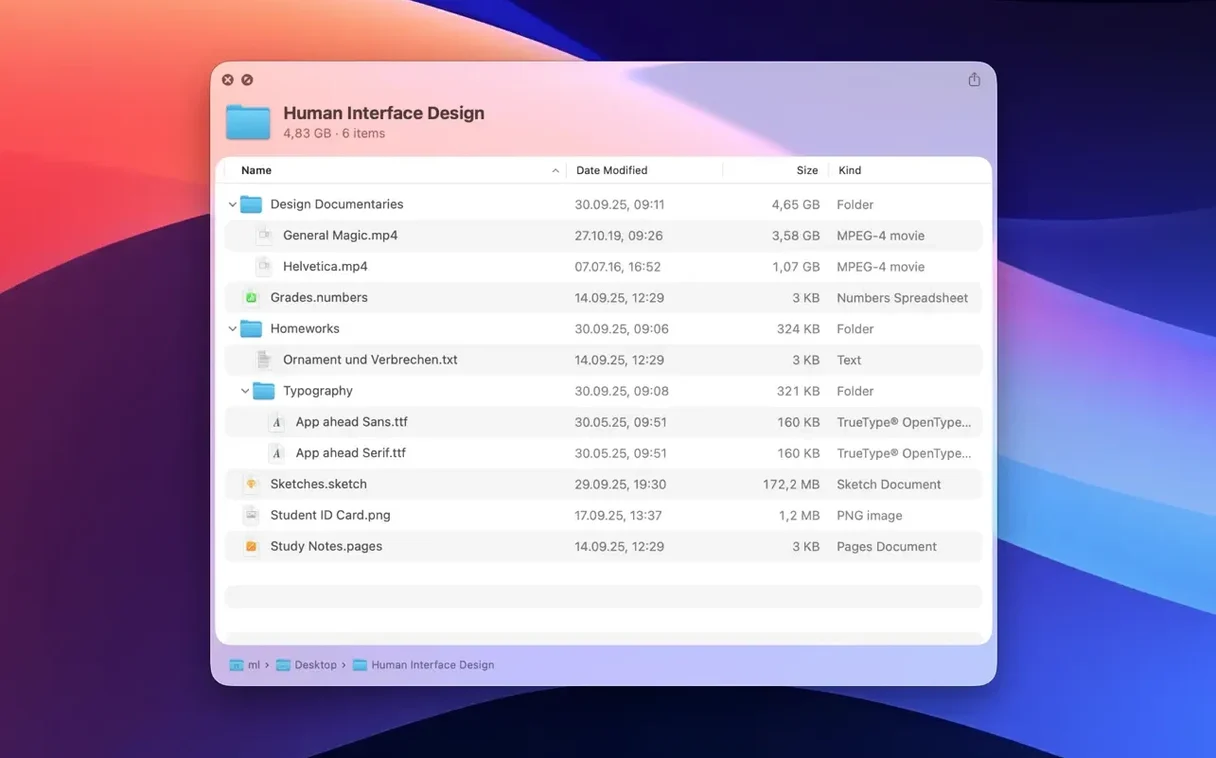
Folder Quick Look runs on any Mac with Apple Silicon or an Intel 64-bit processor, as long as you are on macOS 15.6. The app plugs straight into Quick Look so you can peek inside archives without unpacking them first—something Finder never learned to do on its own.
- Select a ZIP or RAR file in Finder and hit the spacebar to see its contents in a floating preview panel.
- Version 1.5 introduces grid view: the preview lists files as thumbnails instead of a plain text list, which makes spotting images or PDFs inside an archive much faster.
- Navigate nested folders right inside the preview window—no extraction, no temporary files cluttering your desktop.
- The interface switches cleanly between English, German, Spanish, Italian, Simplified Chinese, Portuguese, French, Hindi, and Japanese.
- Works with the standard
.zipand.rarformats you encounter daily, plus other compressed containers the system already knows about.
Installation is a single drag to the Applications folder, and once launched, the extension integrates automatically. From that point on, any archive you highlight gets a proper content preview the moment you press the spacebar—grid or list, your choice.
How thumbnail grid replaces the old text list
Before 1.5, the Quick Look panel showed archive contents as a flat text list: filenames, sizes, modification dates, and that was it. The list worked, but recognizing a specific photo meant reading names like IMG_4403.CR3 and guessing. Grid view flips the preview into a thumbnail browser. You see the actual images, PDF cover pages, and icon representations of other files arranged in rows inside the same floating Quick Look panel.
The grid does not replace the list—it is a toggle. If you are hunting for a .csv by name, the list remains faster. If you are scanning a zipped folder full of screenshots, grid view lets you identify the right one without extracting a thing. The switch happens instantly; no preferences window, no restart.
Where to find it working on day one
The extension kicks in automatically after you launch the app once, but macOS does not advertise the new capability. Here is where to test it on day one so you build the muscle memory:
- Hit the spacebar on any folder. Finder normally shows a folder's icon and size in Quick Look—not its contents. With the extension active, you get a scrollable list of everything inside. This alone changes how you browse project directories, photo libraries, and backup folders.
- Peek into a
.rarfile someone sent you. macOS has no built-in RAR support. Select the file, press space, and the preview panel shows what is inside—no third-party unarchiver needed just to see the file list. - Navigate nested archives without littering your desktop. Open a ZIP that contains another ZIP, click into it inside the preview, and keep drilling down. Nothing gets extracted to
/tmpthat you later have to clean up.
Make grid view your default for media folders
Folder Quick Look stays deliberately minimal, but a few adjustments make it fit how you work:
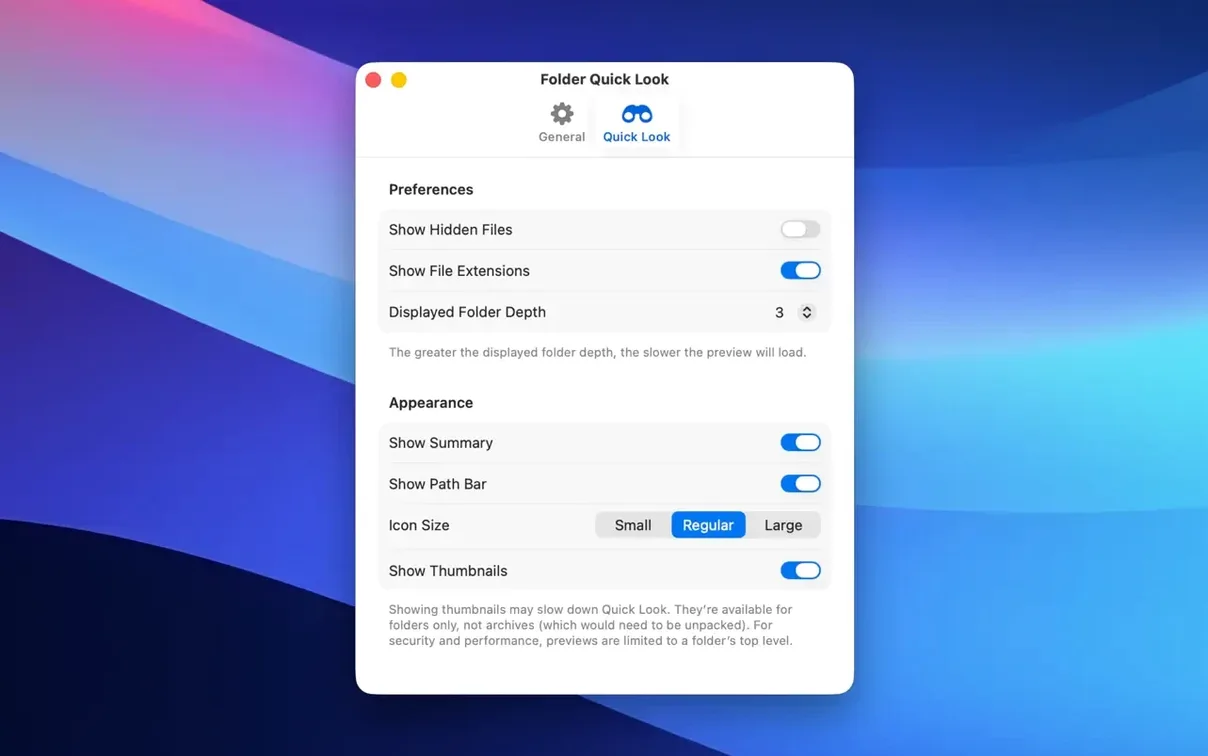
- Set grid view as the default if you preview media-heavy folders. The toggle sticks between previews, so switching once in the panel keeps it for every subsequent Quick Look until you switch back. If most of your archives contain images or design assets, go grid and leave it there.
- Adjust the preview panel size. The Quick Look window is resizeable by dragging its edges, and grid view benefits from a larger panel—more thumbnails visible at once, less scrolling. Set it wide enough to show three or four columns and macOS remembers the dimensions.
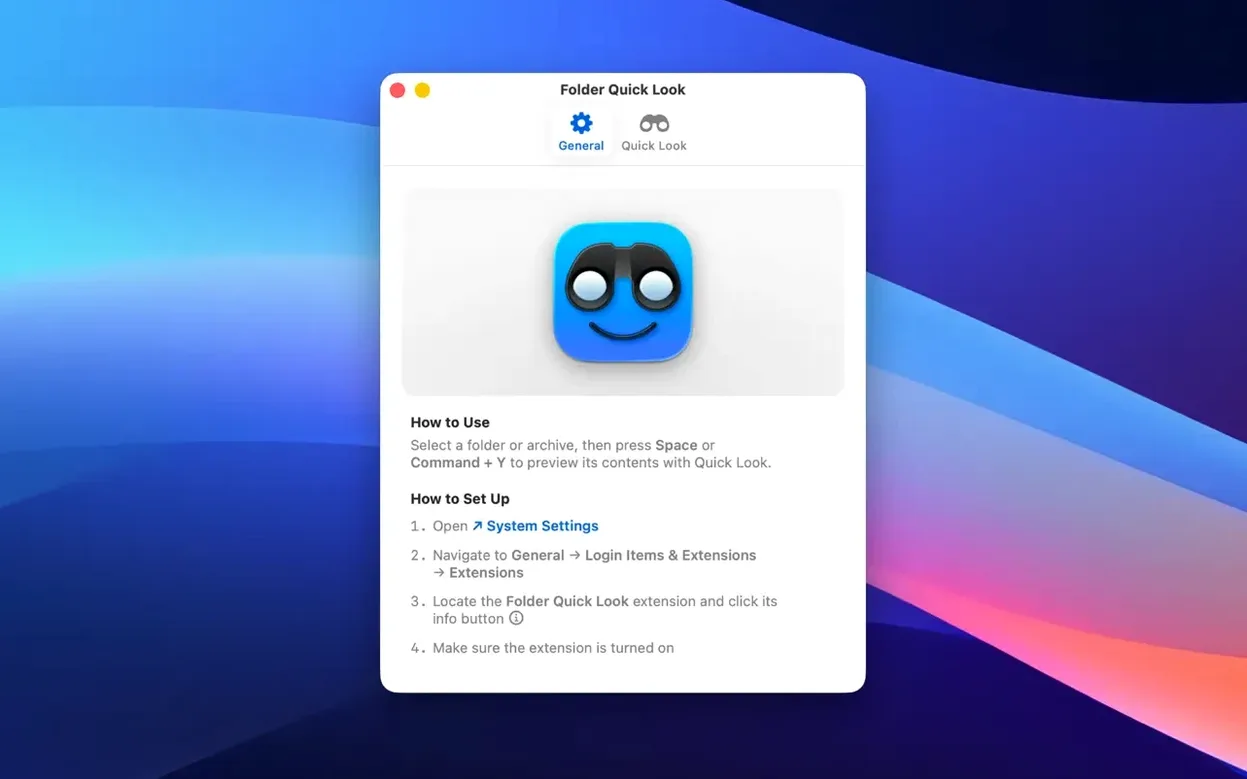
- Check System Settings if the spacebar stops working on folders. After a macOS update, Quick Look extensions can sometimes get disabled. Head to System Settings > General > Login Items & Extensions, find Quick Look extensions, and confirm Folder Quick Look is checked. This is rare but worth knowing before you assume the app broke.
One workflow worth adopting early: use folder quick look for Mac cracked archives you downloaded from forums or project sites where filenames are cryptic. The grid preview often reveals what is actually inside—samples, project files, presets—before you decide whether to extract the whole thing.
- Quick Look previews can now be shown in a grid view, laying out archive contents as thumbnails instead of a linear list.
- macOS 15.6 or later
- Apple Silicon or Intel 64-bit Mac
$ man folder-quick-look | grep -A2 "?"
What archive formats can Folder Quick Look preview?
It previews the contents of standard ZIP and RAR files, along with other compressed formats macOS already recognizes.
Comments 0
Sign in or create an account to leave a comment.
No comments yet. A codec, a slice, a machine — they appear after moderation.