iMazing for macOS
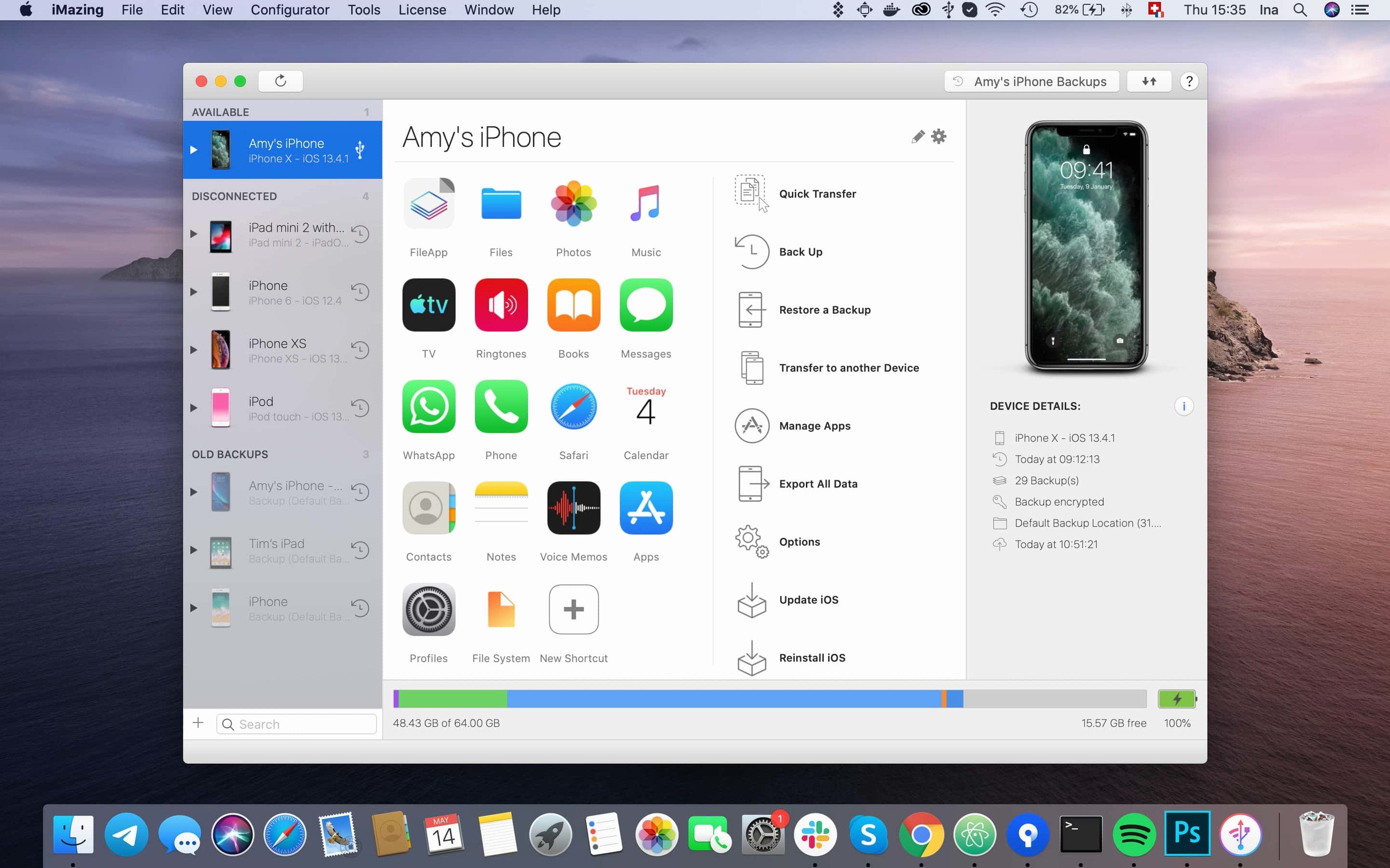
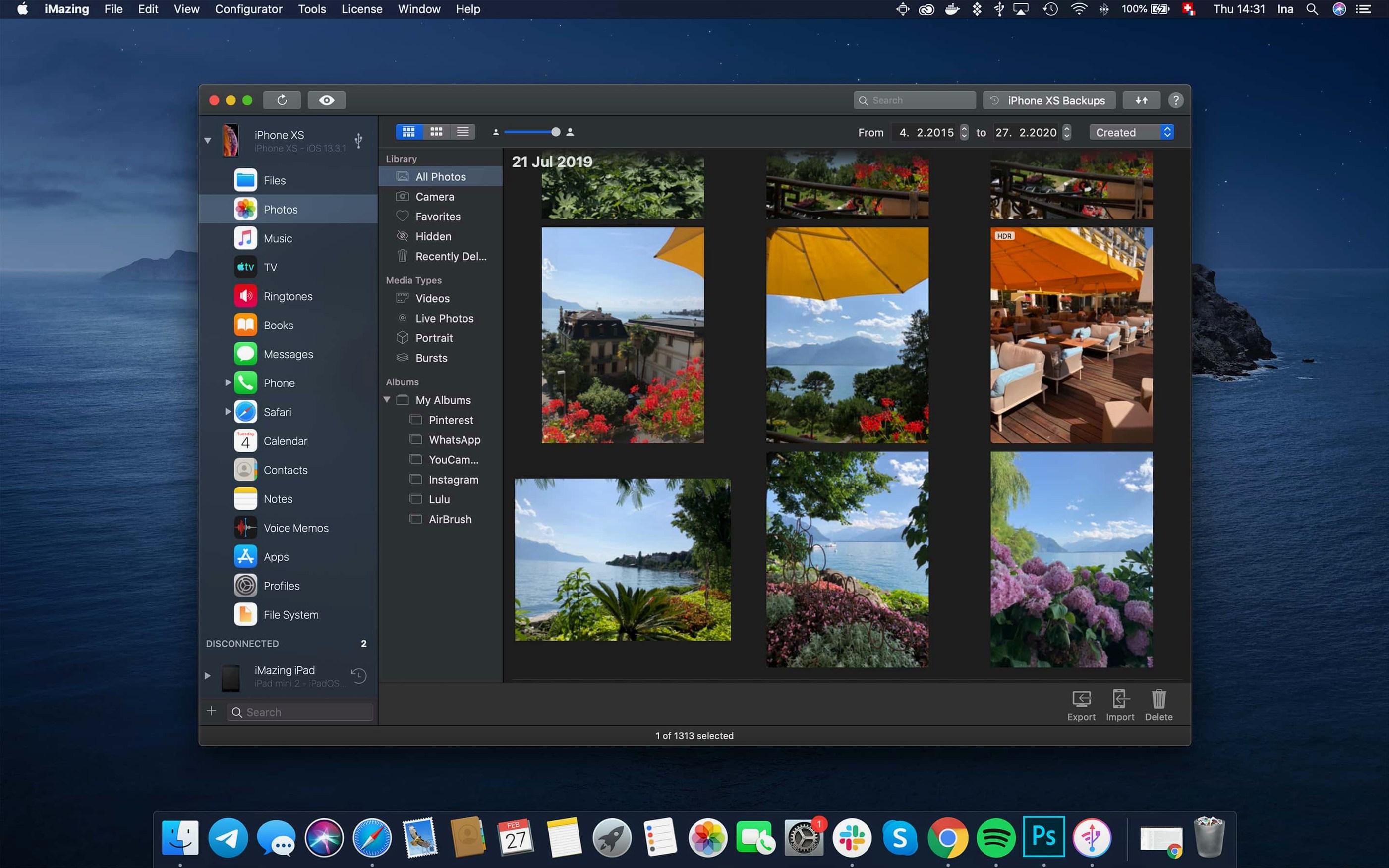
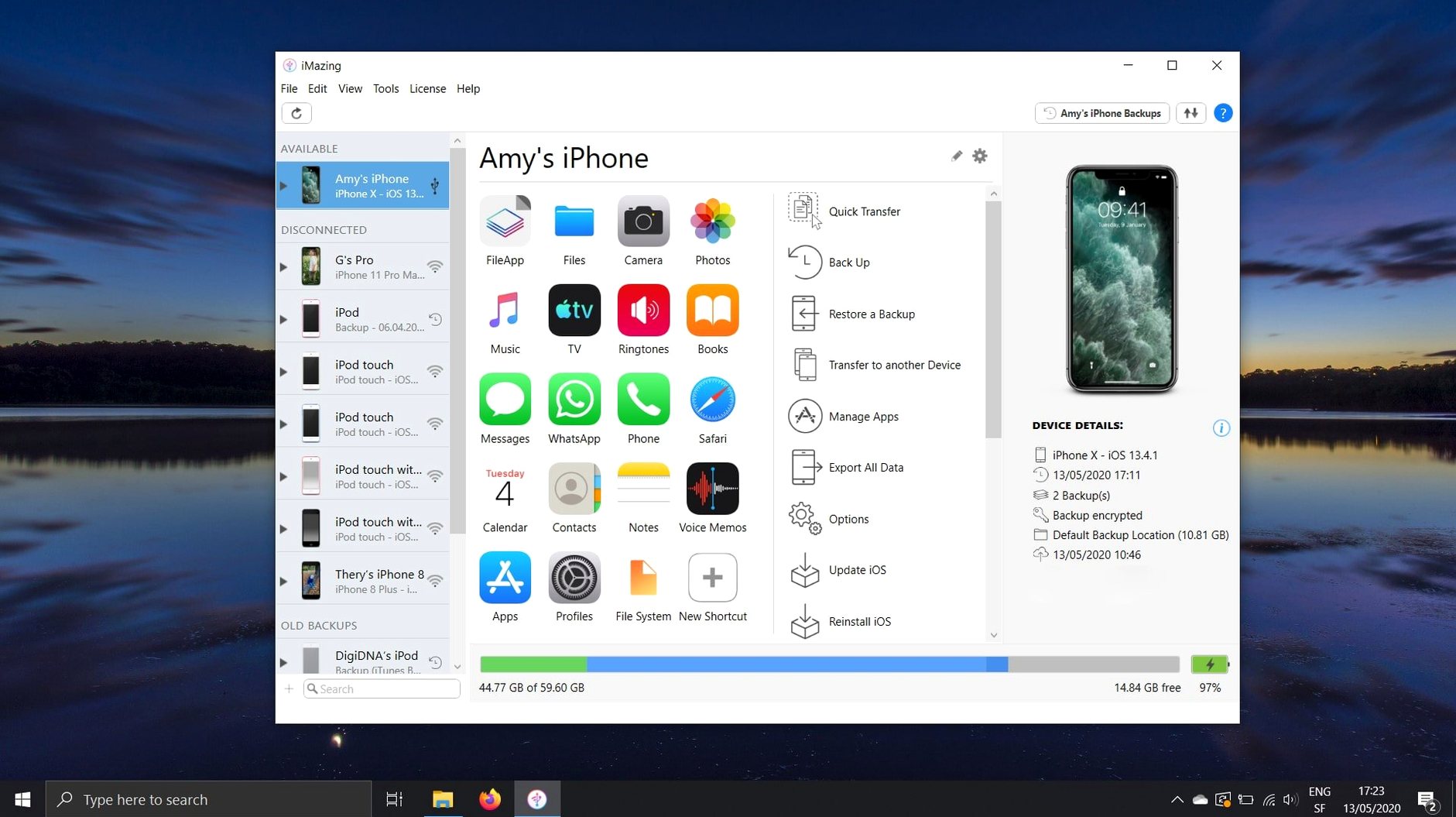
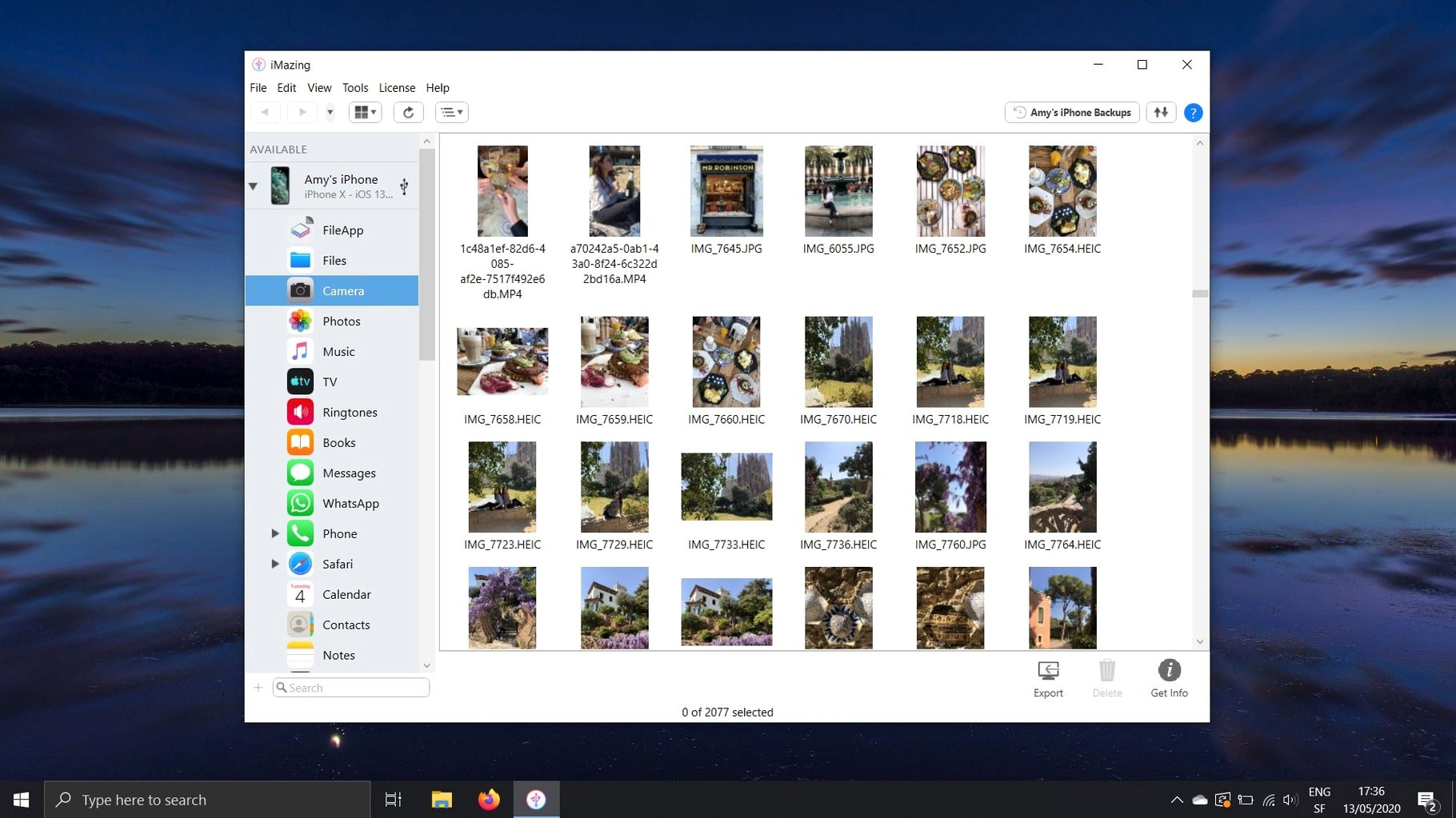
Finder and iTunes give you the basics, but they stop short when you need to pull a voice memo off without syncing, grab an app's .ipa for archival, or reach into an encrypted backup to restore a single file. That walled-garden frustration is exactly what iMazing tears down—it talks directly to the iOS file system and backup data, skipping the middleman.
- Raw backup access. Browse and extract files from unencrypted and encrypted iOS backups. If you need one plist or a forgotten document from a backup you made six months ago, you can get it without restoring the whole device.
- App and .ipa management. Copy .ipa files from an iOS device to your Mac for safekeeping, then push them back later—useful for preserving a version of an app before an update changes it.
- File system bridge. Move voice memos, Safari bookmarks, and media libraries between a Mac and an iOS device with drag-and-drop. No iCloud account required for the bookmarks, and no iTunes library tie-in for the media.
- Message and contact extraction. Pull SMS threads with their attachments off an iPhone and onto a computer, or transfer contacts directly without an intermediary sync service.
- App data migration. When moving to a new iPhone, transfer an app's documents, settings, and even game scores—things a standard device-to-device transfer can miss.
These are the tools you reach for when the official flow says no. The 3.6.5 update keeps the underlying engine current with new device support, and the log archive export is a quiet nod to anyone who has ever needed to hand a developer a full diagnostic dump without jumping through hoops.
Pair your iPhone with a cable before the first emergency backup
Install iMazing and connect your iPhone or iPad with a cable. The first thing the app will ask is whether you trust the Mac — confirm on the iOS device screen, then enter your device passcode when prompted. This pairing step stores an authentication token so future connections, including wireless ones, work without repeating the dance.
Once the device appears in the sidebar, do three things right away:
- Turn on automatic backups. Click the device, open the Backups section, and enable Wi‑Fi backups. Pick a schedule — daily at a time when the Mac is awake and the device is on the same network. Check Encrypt backup if you want account passwords and Health data preserved. The encryption password is stored in your Mac keychain.
- Create a manual snapshot. Before changing anything, run one full backup so you have a clean restore point. The progress bar will show which file domains are being copied. When it finishes, right‑click the backup in the list and choose Archive. Archived backups are excluded from automatic cleanup, so they survive even if you later rotate out routine snapshots.
- Check app access. Go to Apps in the device view. If you see a list of installed bundles but some show a lock icon, those apps were installed from another Apple ID. iMazing cannot extract their .ipa files unless the Mac is authorised for that account — a limitation inherited from Apple’s code‑signing rules.
One small workflow worth setting up early: in Preferences → General, change the default export folder to a directory inside your home folder that gets picked up by your regular backup routine. That way any message PDFs, call‑log CSVs, or voice memos you drag out land somewhere you are already protecting.
Grab a text thread, save voice memos, and sideload an ePub on a Tuesday evening
It is a Tuesday evening. You want to grab a long SMS thread from your iPhone, save a few voice memos recorded during a meeting, and push an ePub onto the iPad for reading on the train tomorrow. Here is the flow:
- Open iMazing. The iPhone connects automatically over Wi‑Fi — no cable needed because the first‑time pairing is done. The device icon lights up with a green dot.
- Click Messages in the device sidebar. The app reads the SMS database directly, which takes a few seconds on a phone with tens of thousands of threads. A search bar appears at the top.
- Type the contact name. The thread loads with timestamps and attachment thumbnails on the right. Select conversations by checking the boxes, then click Export as PDF. Pick a folder. The resulting file includes inline images and preserves the chat layout.
- Switch to Voice Memos. The list populates with every recording currently on the device, including ones you forgot about. Drag two of them straight onto the Desktop. They land as
.m4afiles with original creation dates intact. - Click the iPad in the sidebar — yes, you can switch between devices without disconnecting anything. Navigate to Books, then drag an
.epubfrom Finder into the window. iMazing imports it into Apple Books on the iPad. No sync cable, no iTunes. - Before closing the app, glance at the backup schedule indicator. Tonight’s automatic backup ran at 21:00, the green checkmark confirms it. Nothing left to do.
The whole session took under four minutes, and none of it touched iCloud or the Finder sync flow.
Scenario — the developer who archives every build
Someone maintaining a test device fleet needs to keep specific app versions around. An .ipa file downloaded from the App Store today might be gone tomorrow when an update drops. iMazing gives that person a straightforward archive pipeline.
After installing a build, the developer connects the test iPhone to the Mac, opens the Apps section, and drags the .ipa to a folder named with the version number and date. Because the .imazingapp export format added in recent builds includes shared app group containers, the archive now captures sandbox data that older exports missed — useful when the team needs to reproduce a bug tied to shared defaults or container files. When the next TestFlight build arrives, they can delete the current app and push the archived .ipa back onto a fresh device in seconds.
For call‑log analysis, they export the last month as a CSV once a week. The columns — call type, duration, date, contact — drop straight into a spreadsheet that feeds their internal usage dashboard. The log archive export from 3.6.5 simplifies the other side of the job: when a beta app crashes, the unified logs view now offers a one‑click dump of the complete log archive, which gets attached to the bug report without extra steps.
This is not about managing personal media. It is about treating an iOS device like a data source you can query directly, and iMazing fits that workflow because it does not try to hide the file system behind a simplified interface.
Does it already support iPhone 18 Pro and Apple Watch Ultra 4?
New device support — iPhone 18 Pro, iPhone 18 Pro Max, iPhone Duo, Apple Watch Series 12, and Apple Watch Ultra 4 — is the kind of update that does not change how the app looks but is essential the moment the hardware lands. Without it, connecting a brand‑new device would throw an unrecognised‑device error. With it, pairing and backup work on day one.
The unified logs export button is a small addition that removes friction for anyone troubleshooting iOS behaviour. Previously you could inspect logs inside iMazing, but getting a full archive out required work outside the app. Now it is a single click from the unified logs view. The same release fixes a rendering bug where scanned documents from iOS 26 showed only the first page — if you rely on device‑scanned PDFs, that fix restores a workflow that was broken.
The shared app group containers included in .imazingapp files make exported app archives more complete. If you archive apps for future restoration, this means fewer missing‑data surprises when you push an old version back onto a device. And the error‑code‑429 fix for app downloads quietly removed a server‑side throttling issue that could block legitimate downloads.
Also new in the toolbar: a direct link to the iMazing Chatbot. It sits there as a quick way to ask syntax questions or debug a connection problem without leaving the app window. Whether you use it daily or ignore it entirely, it does not get in the way.
If you are running iMazing on a Mac, some users search for things like iMazing cracked Mac or iMazing Mac torrent when looking for the software. Others specifically look for iMazing torrent or iMazing crack Mac or even iMazing 3 torrent. These searches often lead to versions with custom tweaks — the 3.6.5 build from this page is clean, signed, and ready for both Apple Silicon and Intel Macs running OS X 10.11 or later.
- Adds support for iPhone 18 Pro, iPhone 18 Pro Max, iPhone Duo, Apple Watch Series 12, and Apple Watch Ultra 4.
- Unified logs view can now export complete log archives—useful for grabbing a full diagnostic snapshot.
- A link to iMazing Chatbot now sits in the main window toolbar.
- macOS 10.11 or later
- Intel and Apple Silicon Macs
$ man imazing | grep -A2 "?"
Can iMazing pull files from an encrypted backup?
Yes—as long as you know the backup password, you can browse and restore individual files from encrypted iOS backups without restoring the whole device.
Does it let me save .ipa files from my iPhone?
It does. You can copy the .ipa for any installed app to your Mac, which is handy for archiving a specific version or sideloading it to another device you manage.
How does it handle Safari bookmarks?
iMazing can transfer Safari bookmarks from an iPhone or iPad to a Mac or PC directly over USB or Wi-Fi, with no iCloud sync required.
Comments 0
Sign in or create an account to leave a comment.
No comments yet. A codec, a slice, a machine — they appear after moderation.