Iridient Developer for macOS
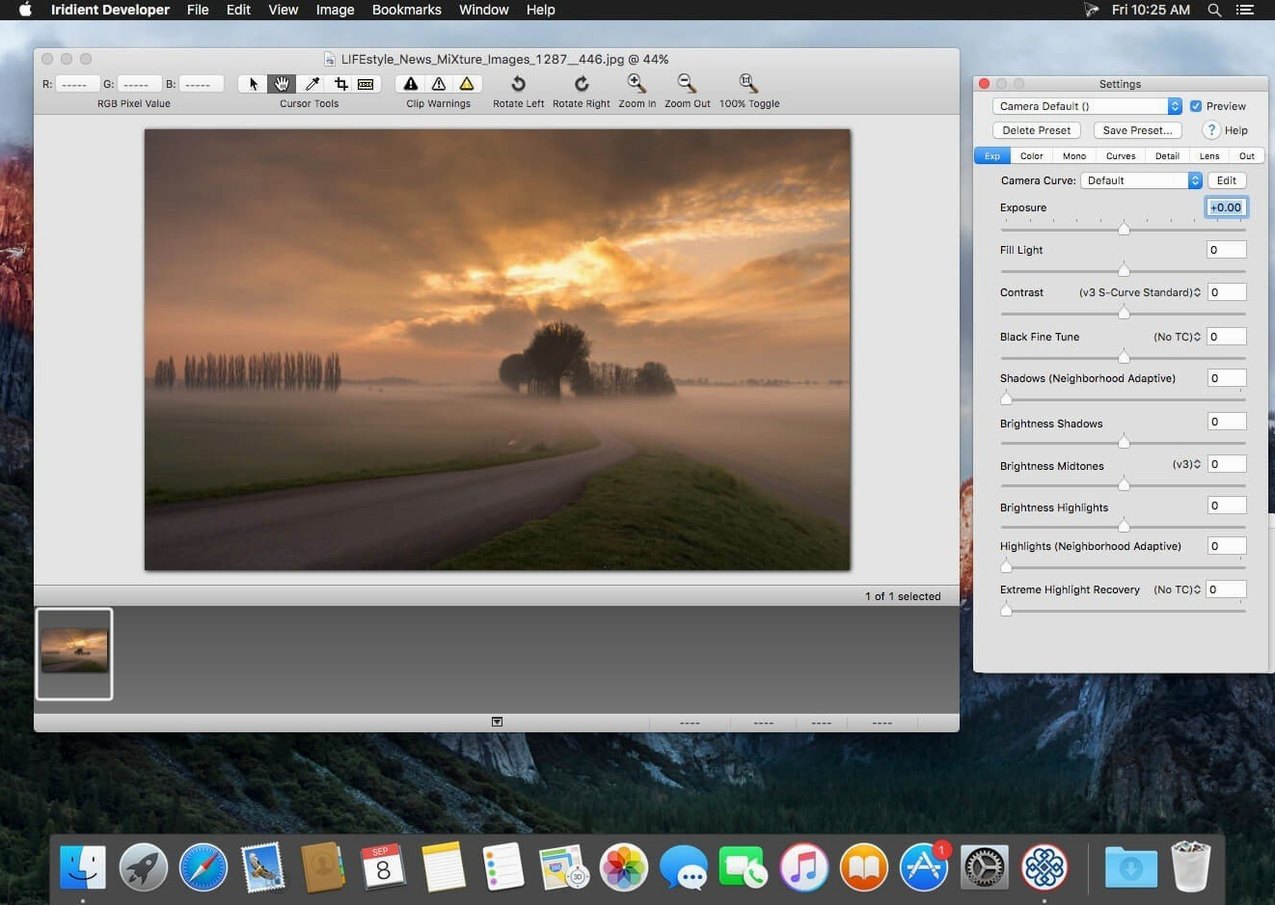
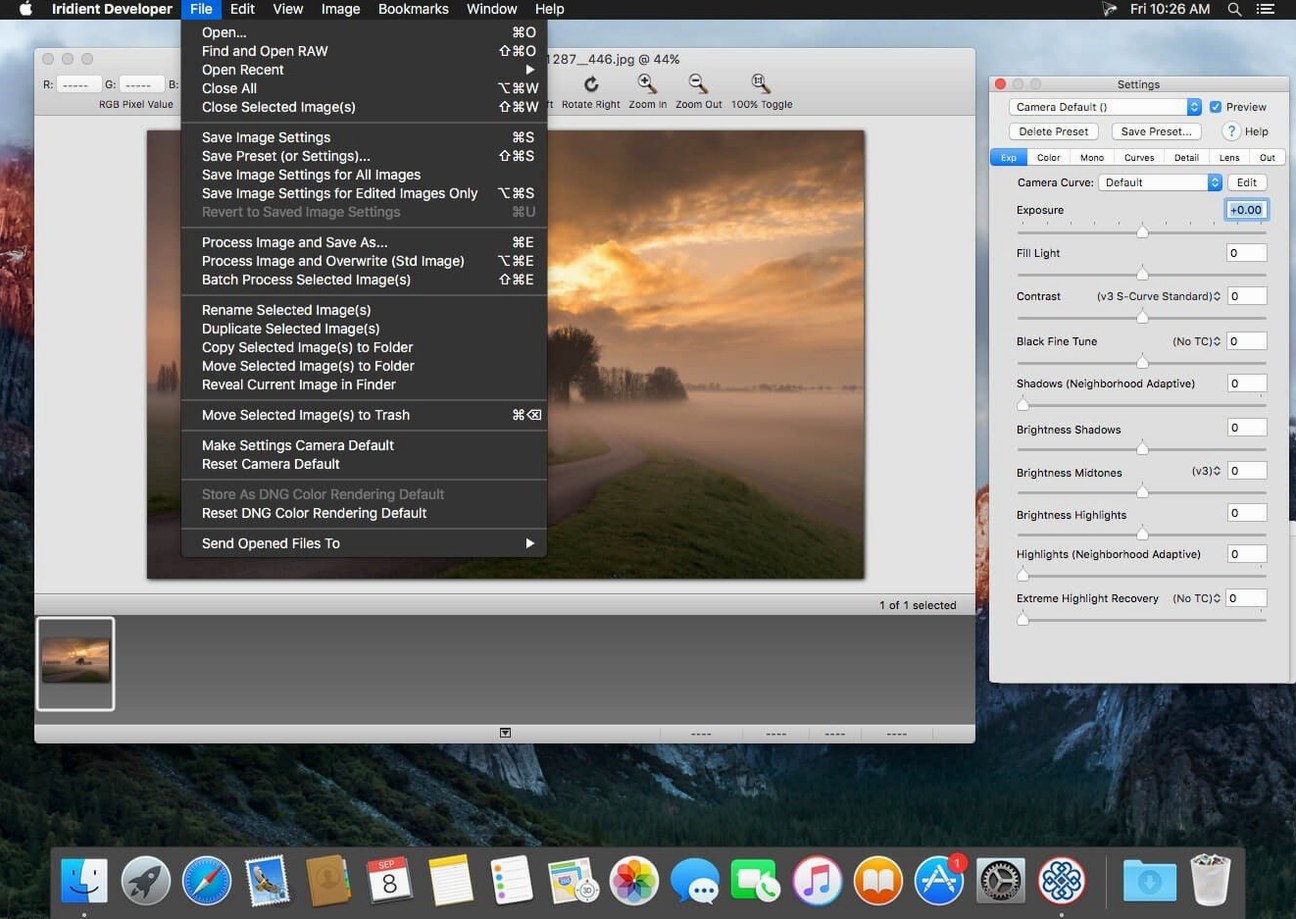
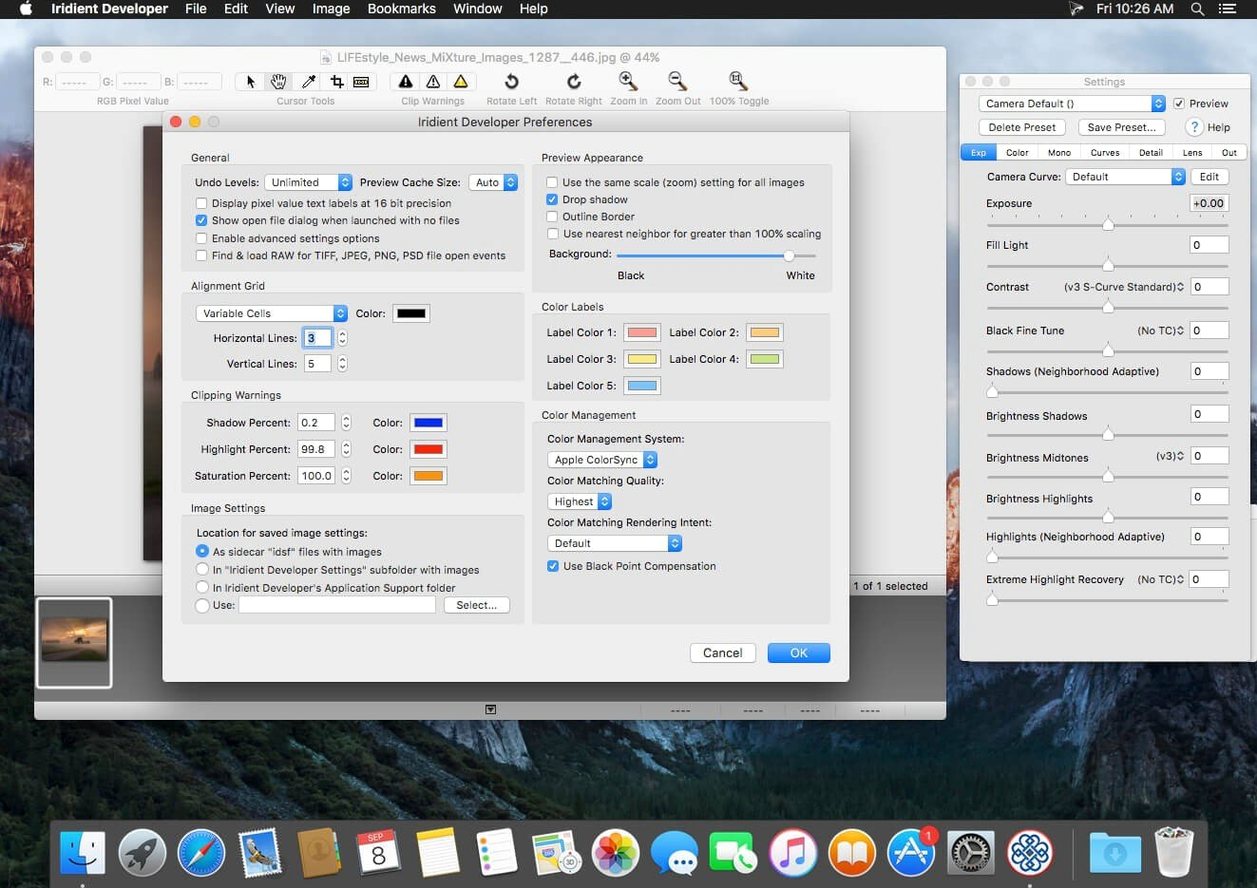
Iridient Developer is a dedicated RAW image processor built from the ground up for macOS. Let's walk a single image through it: a backlit portrait that needs careful tonal separation without the typical HDR look.
Rebuilding tone with LAB curves
The initial RAW decode in Iridient is deliberately neutral—no hidden contrast boosts. Opening the tone curve panel, you can switch the working space to LAB. This lets you steepen the Lightness curve to pull the subject out of the shadows while leaving the a and b color channels untouched. No color shifts, no saturation spikes. The 32-bit-per-channel pipeline means those shadow pulls stay smooth, even when you push hard.
Exporting the finished frame, and the rest of the shoot
With the master edit done, you can save a preset and hand it off to the batch processor. For this particular shoot, selecting JPEG XL as the output format keeps the high bit depth intact at a reasonable file size—the new JPEGLI-based compression in version 5.5.0 helps here. If you need a flat reference for later compositing, the output mode that disables all processing and color matching gives you a literal sensor dump to disk.
Change the demosaic algorithm before processing a single frame
Out of the box, Iridient Developer defaults to a safe, general-purpose setup. A few quick changes make a noticeable difference before you process a single frame.
- Default interpolation method — The RAW demosaic algorithm lives under
Preferences > RAW Processing. If you routinely shoot high-ISO or astro work, switching from the default to Detail+ or Iridient Reveal extracts finer luminance detail with fewer demosaic artifacts. The trade-off is processing time per frame, so leave it on the default for fast batch runs and switch to a heavier method for hero shots. - Color profile auto-detection — The app can guess the input profile from EXIF data, but you can lock it. Under
Input Profile, set the default to Auto (from file) only if you trust the camera metadata. If you work across multiple bodies or use custom DCP profiles, pin it to a manually loaded profile instead; it prevents subtle color shifts when a file's embedded tag is missing or generic. - Preview rendering resolution — The default preview is full-resolution and color-managed, which is accurate but costs GPU time on older Intel machines. In
Preferences > Preview, dropping the preview to half or quarter resolution during culling speeds up scrolling through a card dump considerably. The histogram and pixel-level edits still reference the full image data.
Switch the histogram mode before touching any sliders
Iridient Developer expects you to build your own toolchain rather than hand-hold you through a guided workflow. Here is what helps in the first week.
- Make the histogram work for you before touching sliders — Switch the histogram to 1024-level mode. On a large display, the extra bins expose banding risks and highlight clipping thresholds that coarser histograms hide. This is especially useful when pulling delicate detail from near-white skies or near-black fabric.
- Map a preset to a batch, not the other way around — It is tempting to open the batch window first. Instead, edit one representative image, save the processing settings as a named preset, then point the batch processor at that preset. This keeps your starting point clean and versionable. The preset files are plain XML, so you can diff them to trace exactly what changed between revisions.
- Use the "no processing" output mode as a reality check — When a RAW conversion feels off, export one frame with all processing and color matching disabled. It gives you a literal sensor-level baseline. Comparing it side by side with your edit tells you whether the issue is in the demosaic, the tone curve, or the output profile. It is also a fast sanity check before handing files to someone else who expects untouched linear data.
Will it open my camera's RAW files without Apple's engine?
Does it replace my general-purpose editor, or sit alongside it?
Most photographers use Iridient Developer as the first stage in a pipeline. It excels at the RAW decode and global adjustments—demosaic, chroma noise reduction, precise tone mapping. It does not do local retouching, layers, or compositing. A common pattern is to export a high-bit-depth TIFF from Iridient and finish elsewhere. It pairs naturally with any editor that reads a 16-bit TIFF without flattening the color space.
How does batch processing handle mixed file types?
You can drop a folder containing RAW files, JPEGs, and TIFFs into the batch queue. Each file type receives its own processing path: RAW files go through demosaic and lens corrections; non-RAW files skip those stages but still pass through tone curves, resizing, and output color management. The queue respects per-file overrides, so you can flag a single image for a custom preset while the rest follow the batch default.
Is it genuinely Intel-native at this point?
Version 5.5.0 ships as a 64-bit Intel binary. It runs on Intel Macs under macOS 10.13 and later without any translation layer. The code path hits the CPU directly for demosaic and export routines, which matters on older hardware where Rosetta 2 is not an option. That native execution keeps memory usage predictable and avoids the warm-up penalty you get with translated apps on the first few frames.
- macOS 10.13 or later
- Intel 64-bit processor
$ man iridient-developer | grep -A2 "?"
What color spaces can I use for tone curve adjustments?
You can apply tone curves in RAW, RGB, and LAB color spaces, giving you precise control over how contrast edits affect color saturation.
Does Iridient Developer 5.5.0 support batch exporting?
Yes. You can batch process images after setting your adjustments, and version 5.5.0 adds JPEG XL export alongside improved JPEGLI-based compression for JPEG output.
What bit depth does the internal processing pipeline use?
Iridient Developer supports high-bit-depth image processing at both 16 and 32 bits per channel to preserve fine gradations during heavy edits.
Comments 0
Sign in or create an account to leave a comment.
No comments yet. A codec, a slice, a machine — they appear after moderation.