JixiPix Artista Impresso Pro for macOS
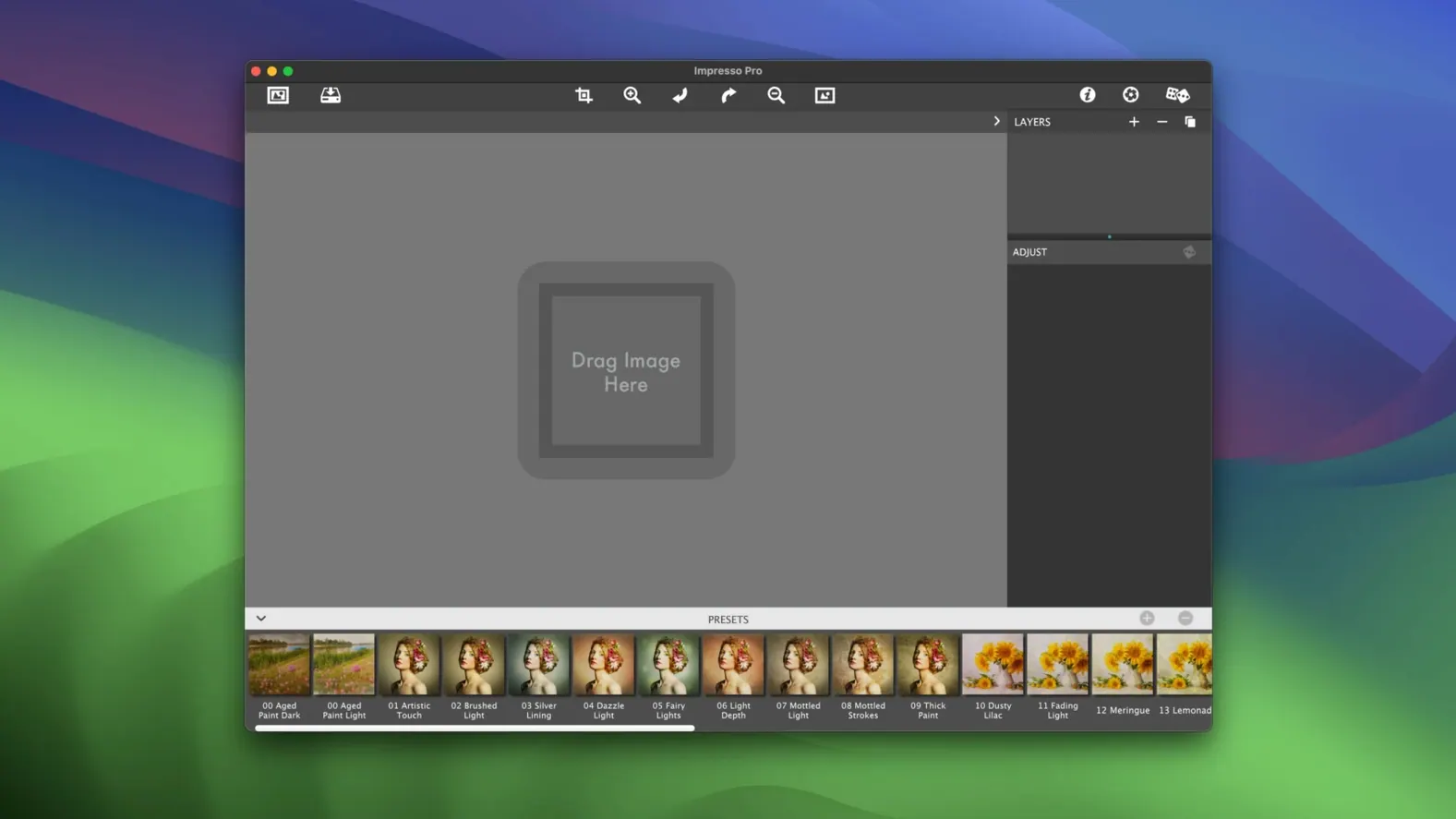
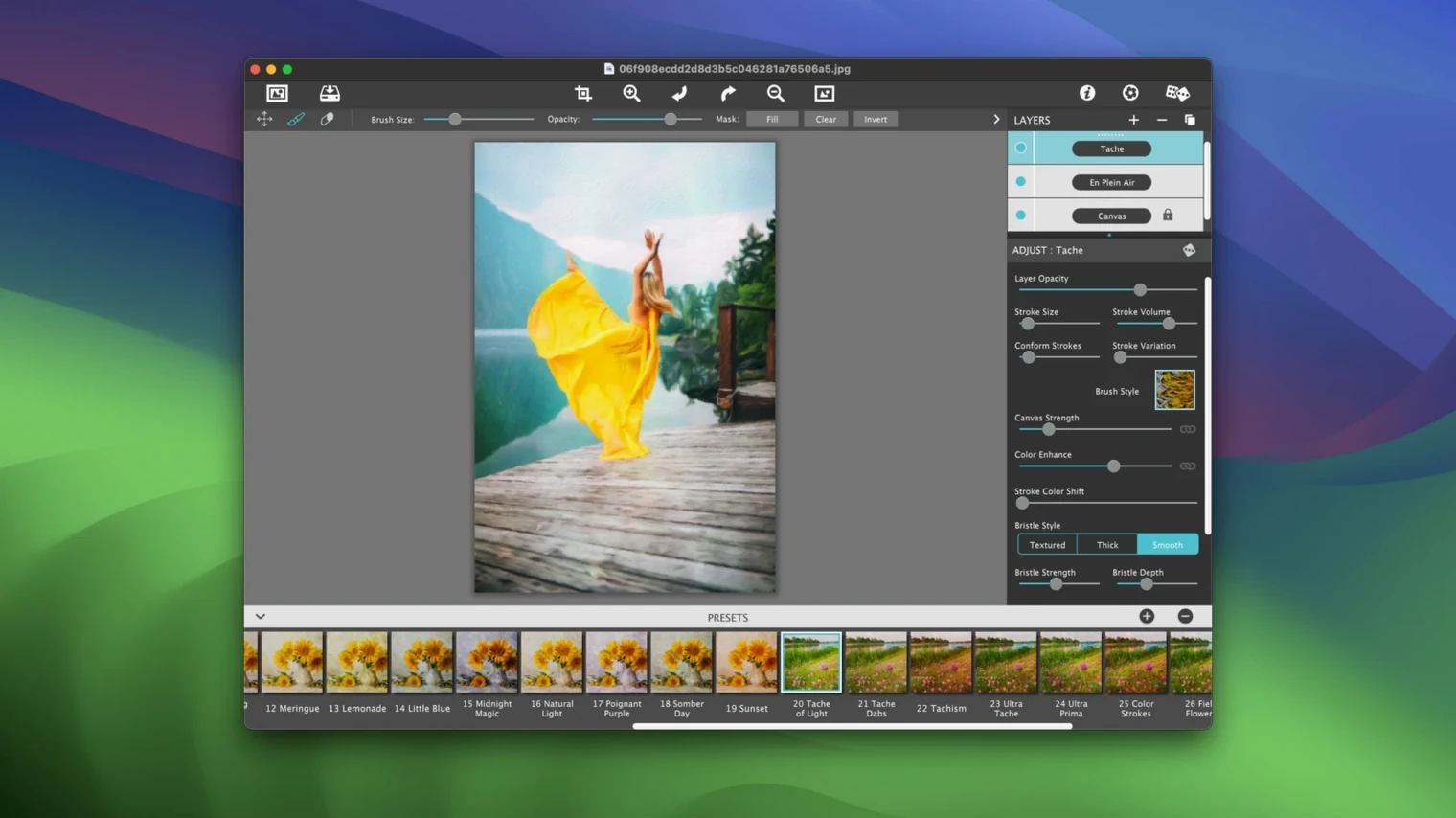
You open a portrait in Photoshop, but instead of frequency separation you want the brush economy of an Alla Prima study. Artista Impresso Pro lives for that moment — it’s a dedicated paint renderer that turns raster images into layered impressionist pieces, right on the canvas or as a standalone app.
What paint styles does it include?
Six engines ship with the app, each modeling a different historical technique:
- Alla Prima — wet-on-wet blending with visible stroke overlap.
- En Plein Air — outdoor-light simulation with looser, faster brushwork.
- Soft Paint — smooth gradients that read almost like a pastel underdrawing.
- Background Paint — pushes detail back so your subject stays sharp.
- Aged Paint — adds craquelure and a darkened palette for a vintage feel.
- Tache — broken color patches that let the viewer’s eye mix the tone.
How the layering system works
The standout feature is Smart Layers. Unlike a single-pass filter, Impresso Pro lets you stack paint styles, blending effects, and transparency controls. You can, for example, use En Plein Air as a base layer and then brush in Aged Paint selectively with the built-in Brushes. Painted Edges preserve the canvas boundary so the image reads as a physical piece. The app also ships as a plugin for Photoshop, Lightroom, and Elements, so you can stay in your normal editing flow while the paint engine does the heavy lifting.
Walk through a session
Let’s say you’ve got a RAW shot of a farmer’s market — sharp faces, busy stalls, harsh midday shadows. You open Artista Impresso Pro and the image lands on a fresh canvas. First move: switch the base layer to En Plein Air. Dial the stroke size up until the vegetable crates soften into blocks of color, then pull the detail slider back just enough that the vendor’s face still reads. The preview updates live, so you watch the brush marks settle in real time.
Next, you add a Smart Layer set to Tache. Instead of painting the whole frame, you grab a soft round brush and sweep it across the background crowd — broken daubs of orange and blue now vibrate against each other. You drop the layer opacity to 45% so the En Plein Air structure still holds underneath. For the edges, you turn on Painted Edges at about 12 pixels; the canvas boundary roughens into a deckled paper feel.
Finally, you export as a layered .tiff back to Photoshop, where you spot-correct a few shadows with a Curves adjustment. The whole session — paint, blend, edge, export — runs inside fifteen minutes, and the market scene reads like a study rather than a tourist snapshot.
Can it live fullscreen on a second display alongside Lightroom?
Artista Impresso Pro slides into a Mac workflow in a couple of useful ways. As a standalone app, it respects macOS window management and Spaces, so you can keep it fullscreen on a secondary display while Lightroom occupies the main one. The plugin installer drops a .plugin file into Photoshop’s Filters menu and a matching entry into Lightroom’s Edit In list; summoning it from either host passes the current layer state directly to the paint engine. Batch processing hooks into Automator too — point a folder action at the app, pick a preset, and let it render an afternoon’s worth of timelapse stills while you grab coffee. Because the app runs natively on Intel Macs back to OS X 10.7, it plays nicely on older machines that still earn their keep in a studio.
What makes its brush engine different from Exposure’s painterly presets?
Put it next to Exposure X (now Exposure by Alien Skin) and you’ll notice the difference in scope. Exposure is a full photo editor with an analog-film heart; its painterly presets are convincing but they live inside a broader raw-development pipeline. Impresso Pro doesn’t do raw processing — it assumes you’ve already developed the image elsewhere — so its brush engines feel more single-minded and tactile.
Corel Painter is the obvious heavyweight for digital painting, and its auto-painting feature maps a source photo to brush dabs in real time. But Painter wants you to keep painting after the auto-pass. Impresso Pro is more of a renderer: you build a layer stack, hit Export, and call it done. For a photographer who needs a repeatable paint treatment rather than a blank canvas, that’s often the faster route.
Then there’s FotoSketcher, which runs on the Mac through Wine or a wrapper. It’s free and cheerful, with a pile of effects, but it lacks native macOS integration, Smart Layers, and plugin hosting. If you only need a quick watercolor filter, it works. If you need editable layers, stroke-by-stroke control, and a direct pipeline to Photoshop, Impresso Pro sits in a different class.
- macOS 10.12 or later
- Intel 64-bit processor
$ man jixipix-artista-impresso-pro | grep -A2 "?"
Can I use it directly inside Photoshop?
Yes, Artista Impresso Pro includes a plugin that runs inside Photoshop, Lightroom Classic, and Photoshop Elements.
Does it support transparency for overlays?
It does — you can export with transparency and use blending effects to composite paint layers over original photos or other artwork.
Comments 0
Sign in or create an account to leave a comment.
No comments yet. A codec, a slice, a machine — they appear after moderation.