
Navicat Premium for macOS
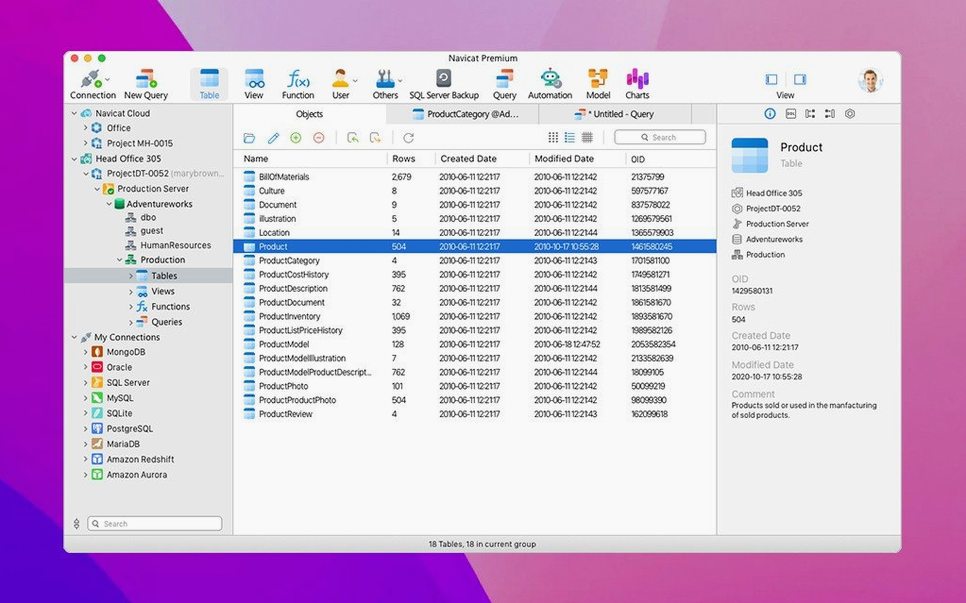
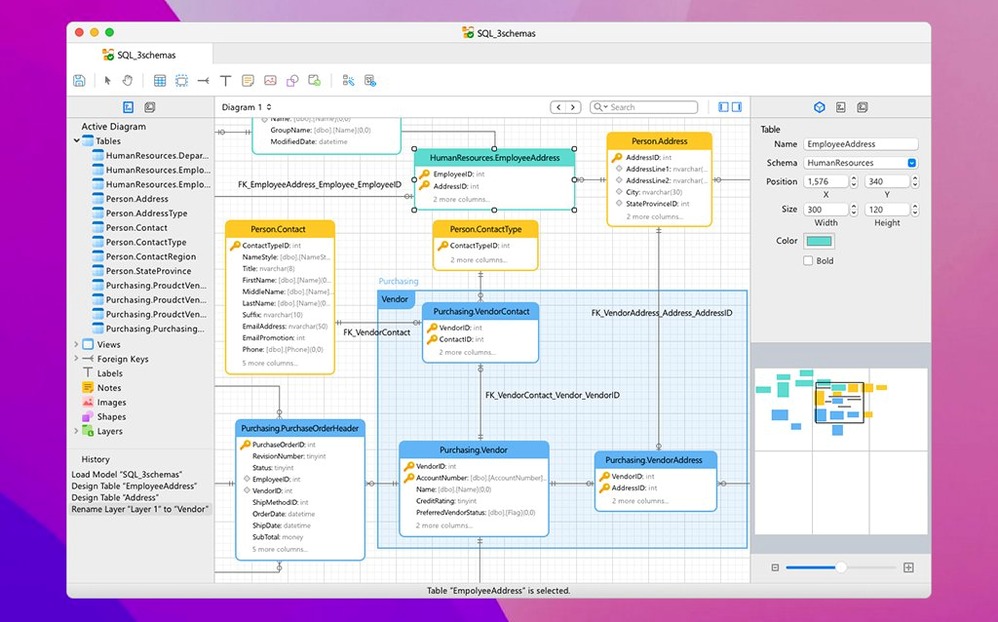
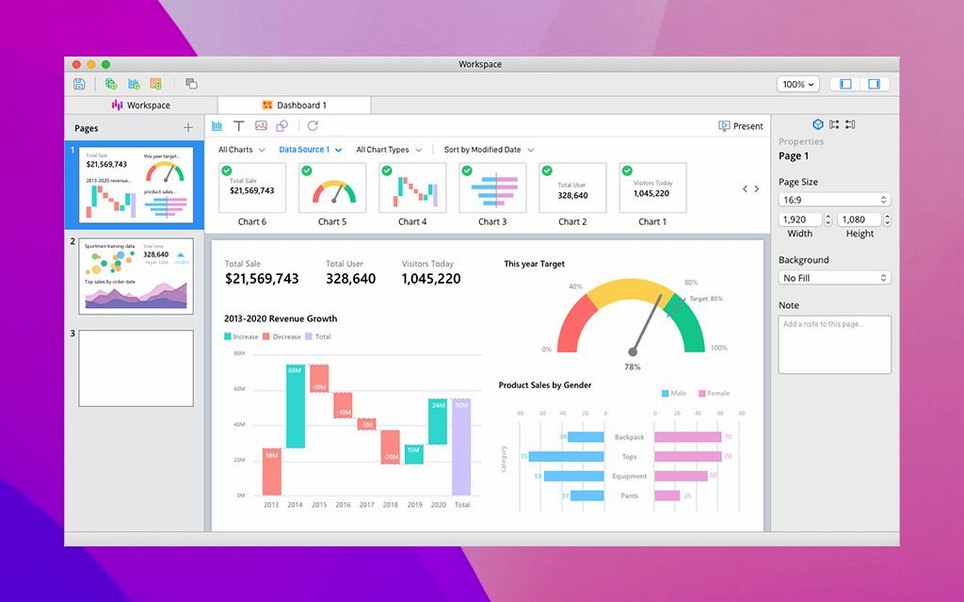
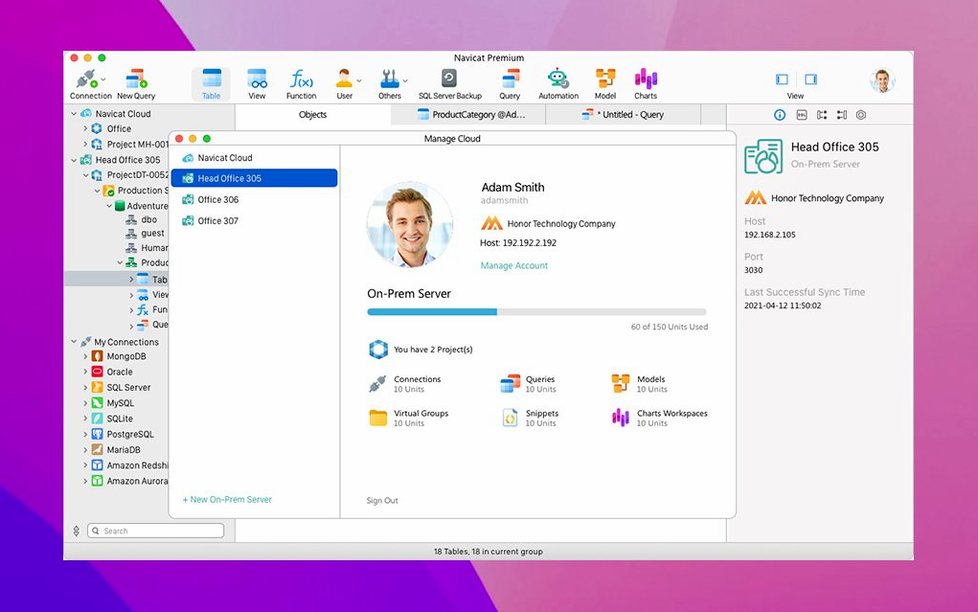
The Data Transfer tool doesn't just copy rows — it handles type mapping between MySQL, Oracle, and PostgreSQL in one drag-and-drop panel. That’s where Navicat Premium 17 carves out its niche: instead of juggling a separate app for each database engine, you get a unified editor, query builder, and ER diagram view that all speak the same interface language.
Mixed backends and visual ER diagrams in one tool
- Teams or solo devs working with mixed database backends daily.
- Quick schema design — the built-in ER data model gives you a visual overview without leaving the app.
- Scheduled batch jobs that touch different database types from a single schedule.
- Import/export chores with XLS, CSV, TXT, DBF, and XML formats.
Backup limited to InnoDB and BI tools are a bonus, not a replacement
- Database backup is limited to MySQL InnoDB tables; other engines need manual steps.
- The business intelligence tools are included, but they’re not a replacement for a dedicated BI platform.
- The interface combines features from several Navicat editions — if you only use PostgreSQL, a single‑engine license feels leaner.
Does it run natively on Apple Silicon?
Does Navicat Premium 17 for Mac run natively on Apple Silicon? Yes — the build is universal, so it loads as an ARM binary on M-series chips without Rosetta. The installer ships as a standard .dmg; you mount it, drag the app into /Applications, and macOS prompts you through the Gatekeeper dance once. After that, the binary sits directly on the metal.
Will it bog down my machine with background processes? Navicat itself stays quiet when idle — one main process, no daemons lurking in the background. Connection overhead depends entirely on how many database tunnels you keep alive. Opening six simultaneous SSH tunnels to remote PostgreSQL and MongoDB instances will push memory usage past a gig, but on a modern Mac that’s hardly a surprise. Close connections you’re not using and the footprint shrinks back down.
What happens to my Oracle connections when I upgrade from an older Navicat version? The connection profiles live in a preferences file that version 17.3.8 reads without complaint. You won’t lose stored queries or saved SSH tunnel configs. Still, exporting your connection list before upgrading is two clicks and it saves a headache if something goes sideways.
Cold startup under three seconds on an M1 MacBook Air
Startup is brisk — under three seconds cold on an M1 MacBook Air, and almost instant when reopening from the dock. The query editor feels responsive even with 200‑line SQL scripts, and the syntax highlighting doesn’t lag behind typing. The real test is data sync jobs across engines. A mid‑sized migration between MySQL and PostgreSQL — say 80,000 rows with a handful of JOINed source tables — completes without the beachball, though the progress bar can feel optimistic until the final commit phase.
Stability holds up well over eight‑hour sessions. The app has survived sleep‑wake cycles, VPN drops, and one forced kill when a remote Redis server went unresponsive. It tends to freeze the offending connection tab rather than crashing outright, so you can close that tab and keep working. Memory creeps upward during long import/export runs; after a 2 GB CSV import, the process sat around 1.4 GB of RAM and released most of it within 30 seconds of completion.
The SQL Minifier and beautifier are small touches that save friction. You paste a gnarly query from a log file, hit a button, and get something readable — no external formatter needed. The ER diagram tool redraws schemas as you drag tables around, and it handles 40‑table maps without turning into a slideshow. Rendering stays snappy because the layout engine works locally, not through a web view.
Editing a MySQL procedure while a PostgreSQL pipeline loads in the sidebar
Picture someone maintaining a legacy MySQL inventory system while a new PostgreSQL analytics pipeline is being built in parallel. They open Navicat Premium 17 and see both connections listed in the left pane. A stored procedure in MySQL needs a tweak — they open it in the visual editor, change a parameter, and save it without leaving the app. Ten minutes later, a data sync job copies yesterday’s orders from MySQL into the PostgreSQL staging schema. The transformation step runs a quick SQL script that the query builder helped assemble, mapping VARCHAR date strings to proper TIMESTAMP columns. By coffee, the analytics team has fresh data and the legacy system hasn’t been touched directly. No export files, no intermediate CSV step — just one app handling the pipeline.
Copying a connection string to Terminal with one keystroke
Navicat Premium 17 slots into a Mac workflow without demanding attention. It respects standard macOS text behaviors — ⌘C / ⌘V work inside query tabs and across apps, so copying a connection string to a terminal window is one keystroke. The app registers itself as a handler for .sql files, which means double‑clicking a SQL file in Finder opens it directly in the query editor. That’s useful when you’re digging through a project folder in VS Code and want to run a migration script without copy‑pasting.
Export formats play nicely with spreadsheet apps: XLS and CSV output opens directly in Numbers or Excel, and the TXT output uses UTF‑8 with no BOM by default, so Python scripts and psql imports don’t choke on invisible headers. If you’re using Sequel Ace or TablePlus for quick MySQL look‑ups, you can still keep Navicat around for the cross‑engine data transfer — the connection profiles don’t conflict, and they can both point at the same local mysql.sock without issues.
SSH Tunnel support means you don’t need a separate SSH client running. You configure the tunnel once inside Navicat, point it at your jump host, and the connection encrypts automatically. For developers who already have ~/.ssh/config entries for their bastion hosts, this feels familiar — the same key‑based authentication works, and the app respects the system’s ssh-agent if it’s running. HTTP Tunnel gives you an alternative for networks where SSH is blocked; it wraps the database protocol in HTTPS, which gets through most corporate firewalls without extra pleading with IT.
The job scheduler leans on macOS’s own launchd‑style timing without exposing it. You set a batch export for 2 AM, and it fires as long as the app is open. If you need guaranteed execution even when the lid is closed, pairing Navicat with a lightweight helper that prevents sleep during the scheduled window does the trick — no deep integration required, just standard macOS power management awareness.
Version 17.3.12 brings the latest maintenance batch — stability adjustments and general corrections throughout the multi-engine client.
- macOS 11 or later
- Apple Silicon (native) or Intel 64‑bit
$ man navicat-premium | grep -A2 "?"
Can Navicat Premium back up my databases automatically?
It can back up MySQL InnoDB databases, but for other engines you’ll need to script backups or use native tools.
Comments 0
Sign in or create an account to leave a comment.
No comments yet. A codec, a slice, a machine — they appear after moderation.