Nova for macOS
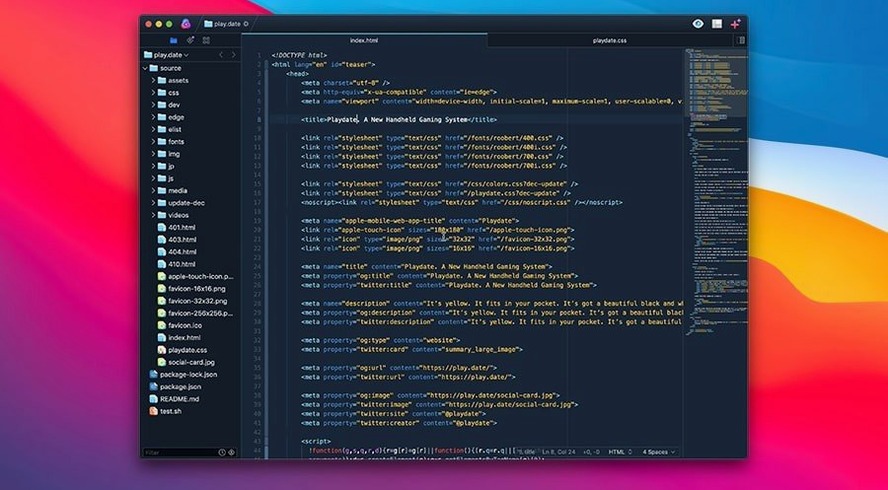
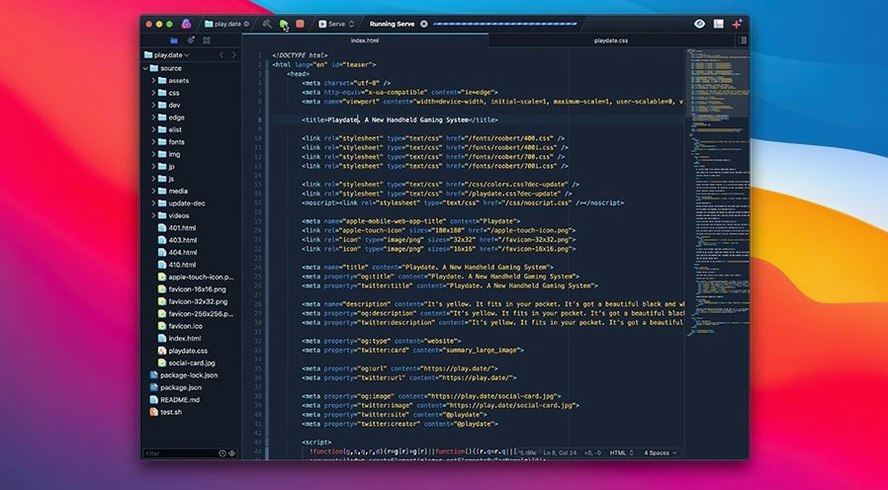
The extension browser is where a working editor turns into your editor. You pull in language definitions, themes, and deeper integrations without leaving the workspace. It connects to a genuinely extensible API — the same one Panic used to build features like the minimap and the task automation system.
What the custom layout manager actually does
Most editors lean on Apple’s text system and inherit its quirks — flickering glyphs, weird line-height math, sluggish scroll on large files. Nova ships its own text layout manager written from scratch. That means editor scrolling stays smooth, line wrapping behaves, and syntax highlighting doesn’t stutter when you hold down the arrow key. It’s a foundational piece you notice only when it’s missing.
Tasks as a power tool
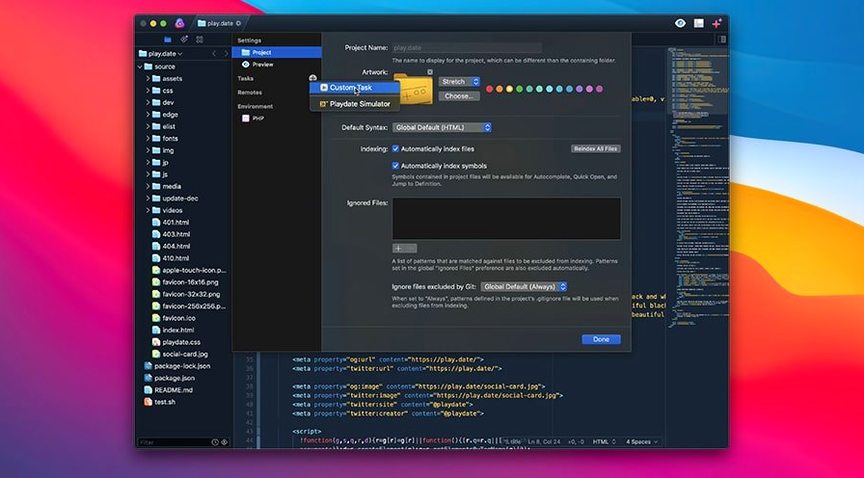
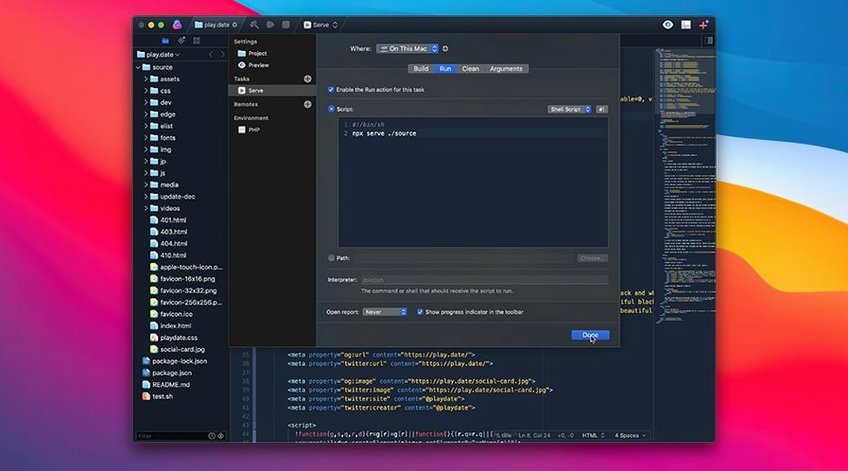
You can define custom task scripts per project — build runs, linters, deploy commands — and fire them from toolbar buttons or keyboard shortcuts. Combine that with the extension browser and a project stops being a folder of files and starts acting like a tailored dev environment.
How Nova compares with similar Mac editors
Nova sits somewhere between the lightweight fleet of general-purpose text editors and full IDEs. Next to BBEdit (long the Mac-native workhorse), Nova feels more project-aware: tasks, a built-in extension browser, and a far more visual interface. BBEdit still wins on raw grep speed and industrial-strength find-and-replace across terabytes of logs, but it has no minimap and its UI is a relic of the classic Mac OS era. Nova’s custom layout engine alone gives it a readability advantage on long scrolling sessions.
Against Visual Studio Code, the comparison is trickier. VS Code’s extension library is vast, and its remote development features are genuinely useful. But Nova is a Mac app through and through — it uses native text rendering, respects your system keybindings, and doesn’t silently eat battery. If your workflow doesn’t require live-share or container-based dev, Nova delivers a quieter, faster editing experience. You lose some extension breadth; you gain an editor that feels like it belongs on macOS.
Sublime Text is the other natural reference point. Both chase speed and multiple-cursor editing. Sublime’s gone cross-platform and developed a loyal following around its Python plugin system. Nova’s advantage is tighter OS integration and a task runner that feels less like an afterthought. Sublime remains slightly faster to open cold, but Nova’s scrolling and text layout are noticeably more polished on Apple Silicon.
A front-end developer’s afternoon
Imagine you’re building a design-system documentation site — a mix of HTML, CSS, and TypeScript with a dozen components. You open the project folder in Nova, and the sidebar already shows your last open files and the git branch name. The extension browser pulled in a Tailwind CSS language definition and a theme that’s easy on the eyes for late-afternoon work.
You jump between a TSX component and its corresponding SCSS file using the fuzzy file opener. Multiple cursors let you rename the same prop across three components in one motion. When you need to rebuild the static site and run a linter, you hit a custom task bound to Cmd-Shift-B — it invokes your build script and pipes output into Nova’s terminal panel. No window switching, no mental context loss. That’s the quiet value proposition: the editor recedes, and the work stays in flow.
Task automation walkthrough: lint-on-save for a Python project
Here’s a specific workflow you can set up without writing an extension. Suppose you have a Python project and want flake8 to lint the active file every time you save.
- Open your project in Nova, then go to Project → Tasks.
- Click the + button and choose New Task. Name it “Lint current file.”
- In the Run field, enter the command:
flake8 "${NOVA_FILE_PATH}". Nova expands the variable to the active document’s full path. - Set Output to Show in Sidebar so results appear without stealing focus.
- Switch to the Triggers tab and check On Save. Optionally assign a keyboard shortcut like
Cmd-Opt-Lfor manual runs. - Close the task editor. Save any
.pyfile — the lint output pops into the sidebar panel instantly.
You can extend this pattern endlessly: run prettier on save for JavaScript, chain make test after a build task completes, or trigger a nova roma free download script you’ve written for asset processing. The task system treats your shell commands as first-class citizens, not as a buried preferences checkbox.
- macOS 15.6 or later
- Apple Silicon or Intel Mac
$ man nova | grep -A2 "?"
Can I trigger build scripts without leaving the editor?
Yes, you define custom tasks per project and trigger them via toolbar buttons or keyboard shortcuts.
Does the minimap help with navigation?
It renders a zoomed-out view of your file so you can click to jump to any section quickly.
How does Nova handle large files?
Its custom text layout manager avoids the performance issues common with Apple’s default text system, keeping scrolling and highlighting responsive.
Comments 0
Sign in or create an account to leave a comment.
No comments yet. A codec, a slice, a machine — they appear after moderation.