OmniPlayer: MKV Video Player Pro for macOS
OmniPlayer is a macOS media player that treats playlists, streaming sources, and fine-grained playback controls as first-class features rather than afterthoughts. Version 2.1.22 is an Intel build that runs on macOS 11 and later.
The most practical workflow centers on the playlist panel. Media files land inside automatically as you open them, and you can search, reorder, or delete entries without hunting through the Finder. When you close the player, the list clears itself — handy for one-off viewing sessions where you don't want stale items hanging around. Repeat modes toggle straight from the playlist sidebar, so looping a single .mkv or cycling through a batch of clips takes one click.
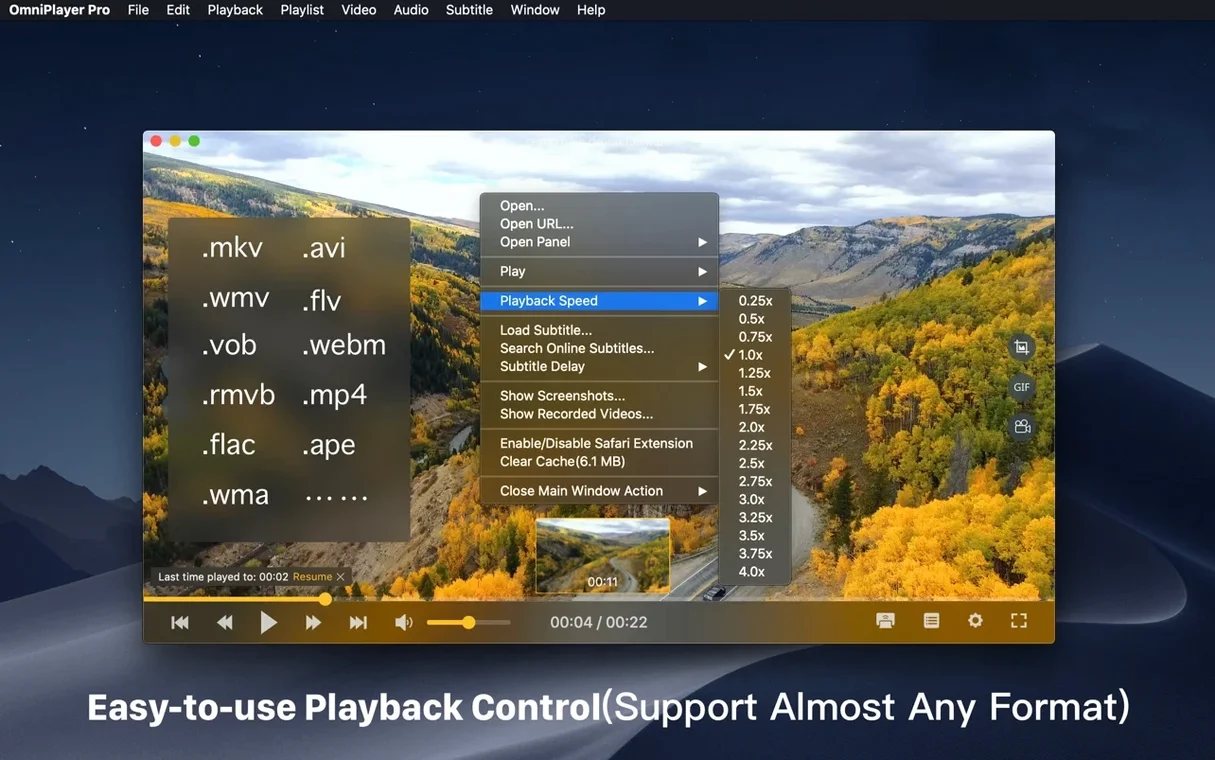
Under playback controls, the app exposes sliders for brightness, contrast, and saturation that operate directly on the video renderer. You can also switch aspect ratios and resize the video window independently of the player chrome. For local files, thumbnail previews appear on the progress bar as you hover, making it easy to spot a scene visually. Speed control spans 0.25x to 4x, which covers everything from frame-by-frame analysis to a quick skim.
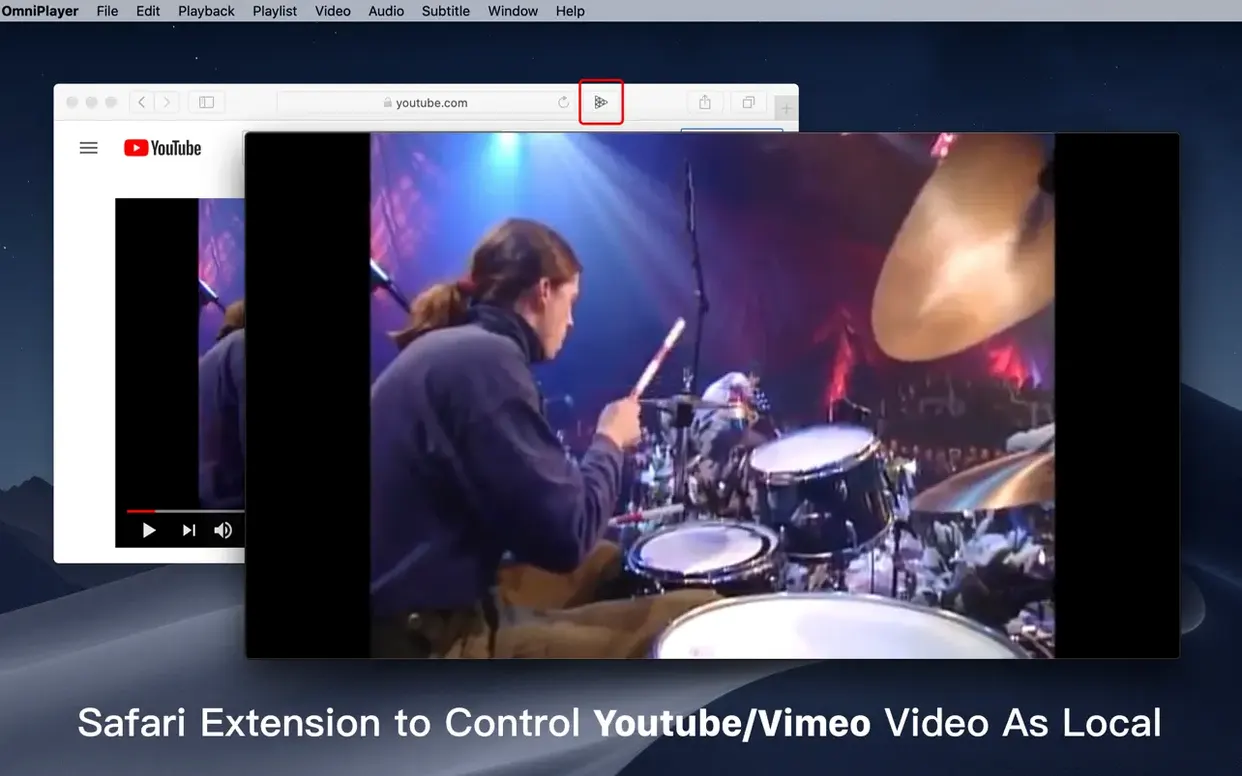
On the networking side, OmniPlayer pulls media over HTTP and HTTPS, including YouTube and Vimeo videos when you paste a web page URL. It also reaches remote files through SAMBA and FTP connections. The 2.1.22 release included a targeted fix for loading a 30 GB MKV file — a stress test that a surprising number of parsers fail silently.
Does it handle 3D MKV files?
One question I hear a lot is whether OmniPlayer handles 3d mkv files properly. The player reads the MKV container just fine — side-by-side and top-bottom 3D encodes load without errors — but there's no built-in anaglyph or frame-packing mode. You get both eye views on screen as-is, which is exactly what you want if your display or TV handles the merging itself. For passive 3D monitors, that means it's ready to go.
Another common concern is how the player fits alongside other Mac media apps. OmniPlayer runs as a standalone .app bundle you drag into /Applications. It doesn't install kernel extensions, doesn't register itself as the default handler unless you set that in Finder, and won't hijack your file associations. You can keep it around specifically for the streaming and playlist features without disturbing whatever you use for quick previews.
People sometimes ask whether omniplayer mac means there's a separate paid tier. The download is a single build — the playlist controls, Chromecast support, and online subtitle search are all present. There's no feature-gating that unlocks after activation.
How do you bypass the Gatekeeper block after installing?
The Gatekeeper hurdle trips up first-time launchers. After mounting the .dmg and dragging the app into /Applications, macOS will block it with an unidentified-developer warning. The fix is quick: open Terminal, type xattr -cr /Applications/OmniPlayer.app, press Enter, then launch normally. That clears the quarantine flag Apple attaches to downloaded apps.
If a large MKV file stutters or takes forever to start, check whether audio track switching is set to auto. Some files embed half a dozen audio streams, and the parser spends cycles enumerating them on open. Switch to a specific track once playback begins and the seeking smooths out. The 2.1.22 patch specifically addressed a 30 GB file that hung during load, so if you're on an older version, that's the first thing to update.
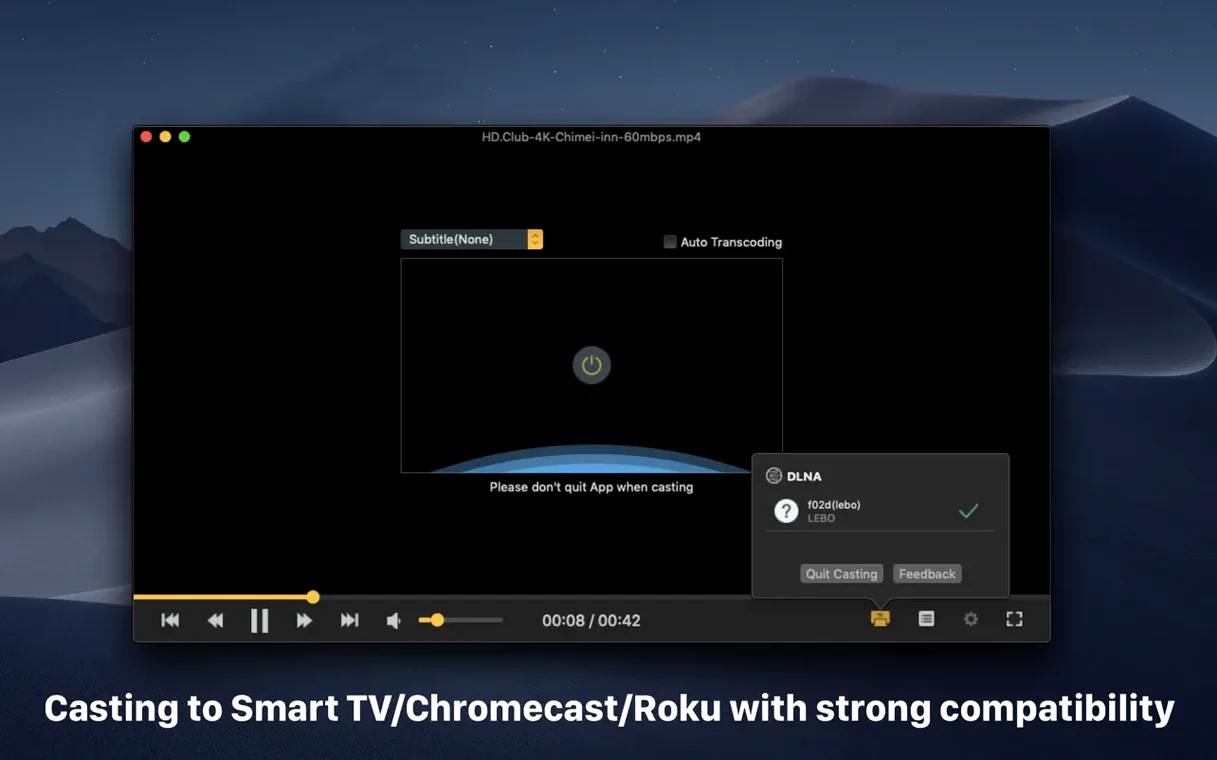
DLNA and Chromecast discovery can be fussy on networks with VLANs or client isolation. If OmniPlayer doesn't see your device, make sure multicast traffic isn't filtered between your Mac's subnet and the target device. The player uses standard SSDP for discovery — no proprietary handshake, so it's usually the router's mDNS settings that break the path.
First days with OmniPlayer: what to set up straight away
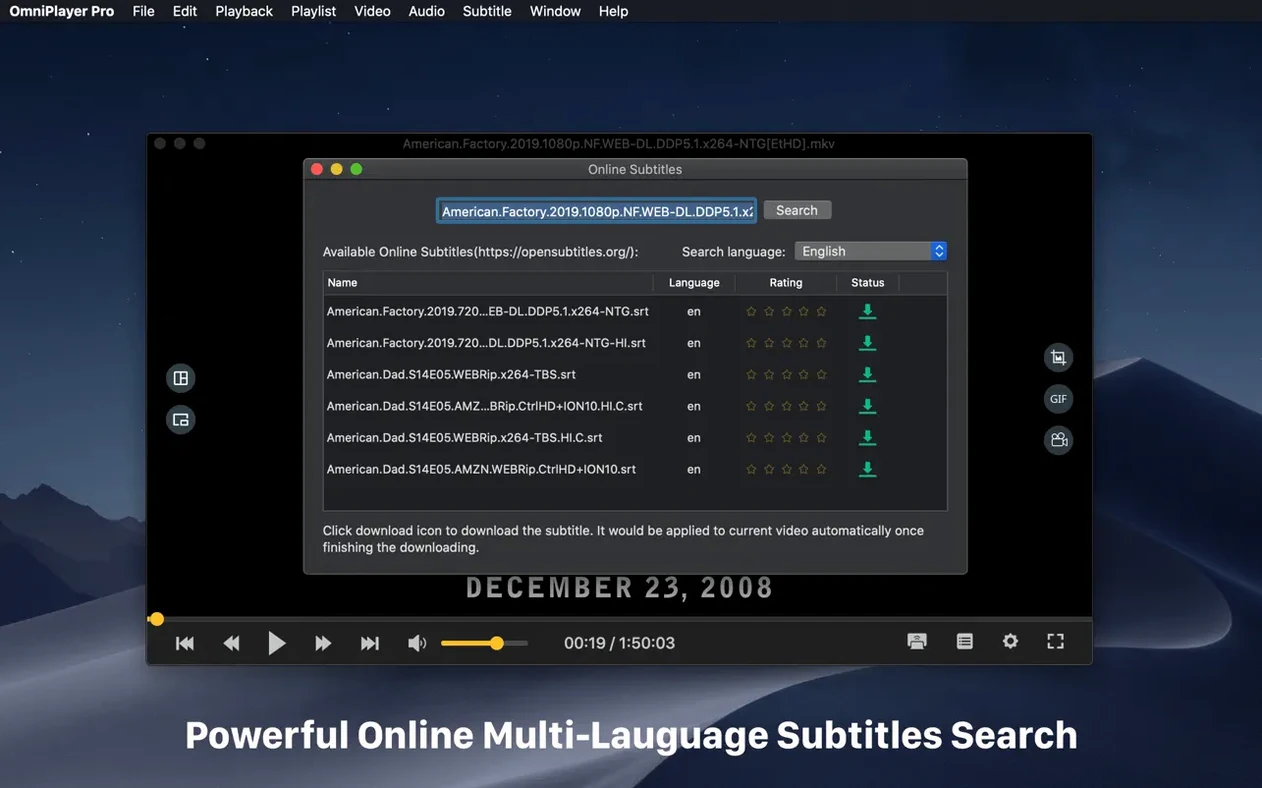
Tweak the subtitle download behavior before you need it. By default, the subtitle search uses the video's file name and computed hash. If you regularly watch content with non-English titles, set the preferred language in the subtitle panel early — otherwise the online search returns results in the file's original language, which may not be what you want. You can adjust encoding on the fly too, so if downloaded subs show as gibberish, switch to UTF-8 or a language-specific code page right in the same dropdown.
Set your screenshot format once so you're not thinking about it when you actually want to grab a frame. The player can write stills in multiple formats, and the choice affects file size and compatibility with image editors. If you plan to capture frames for reference or color work, pick PNG; if you're just sharing a quick shot, JPEG is smaller. The GIF recorder caps at 60 seconds, which is generous — most players cut you off at 15 or 30 — so you can capture a whole short scene without needing a separate screen recorder.
If you use a multi-monitor setup, take two minutes to test the wireless display options. Chromecast and Roku casting appear as output choices in the playback menu, and the video resize controls apply to the stream independently of your Mac's display. That means you can shrink the local preview window while the TV gets the full-resolution feed — useful for keeping an eye on other work during a long video.
- Fixed a parser bug that prevented loading a 30 GB MKV file.
- Fixed some other bugs.
- macOS 11 or later
- Intel 64‑bit (runs via Rosetta 2 on Apple Silicon)
$ man omniplayer-mkv-video-player-pro | grep -A2 "?"
What video controls are available beyond playback?
The player includes sliders for brightness, contrast, and saturation, plus options to adjust the video window size and aspect ratio independently.
Can OmniPlayer stream media from network sources?
Yes — it supports online media over HTTP and HTTPS, playback from SAMBA and FTP servers, and can play YouTube or Vimeo videos via a web page URL.
Does the playlist persist between sessions?
No, media files are automatically added to the playlist as you open them and the entire list clears when the player exits, which suits temporary viewing sessions.
Comments 0
Sign in or create an account to leave a comment.
No comments yet. A codec, a slice, a machine — they appear after moderation.