Pacifist for macOS
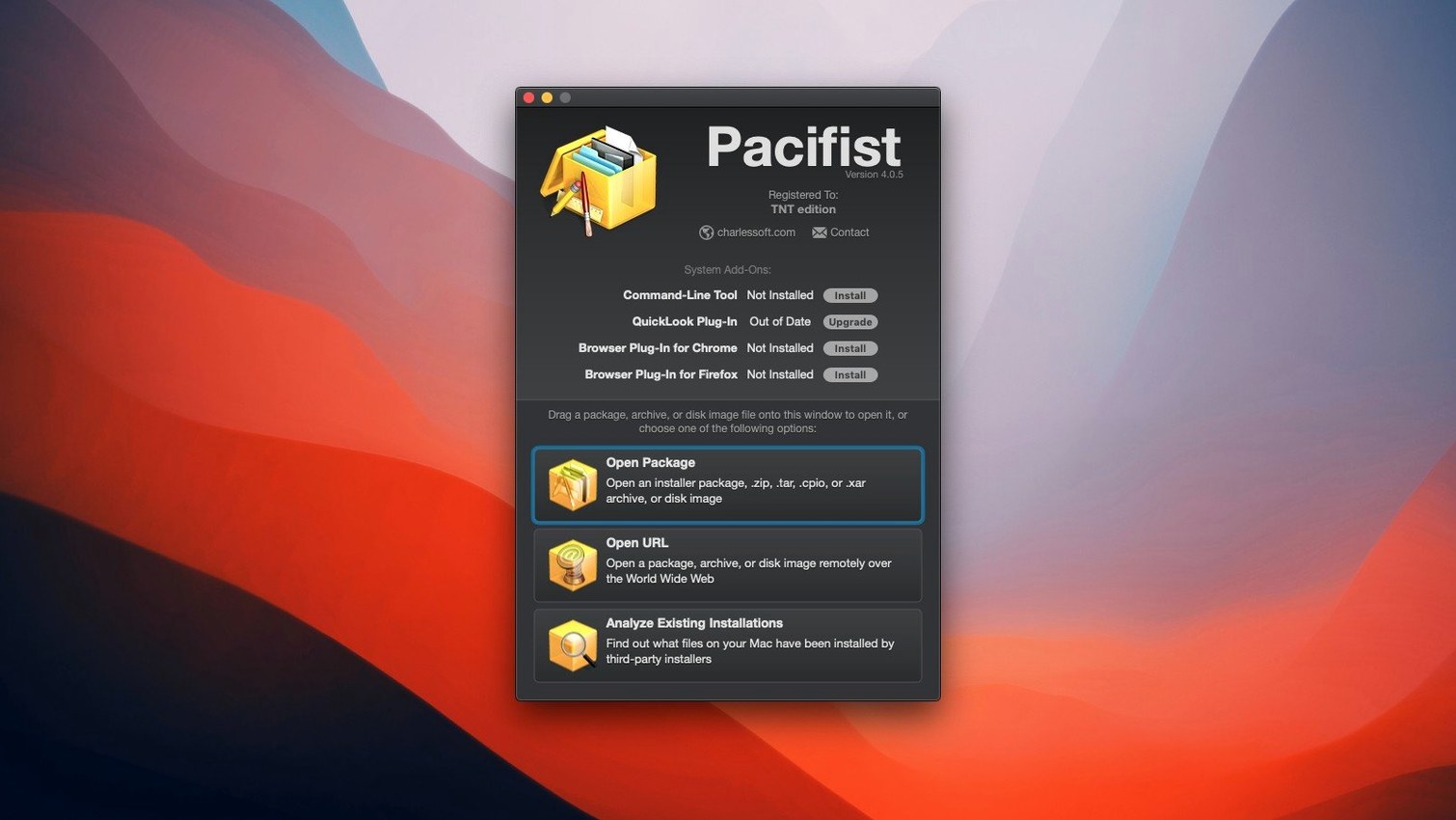
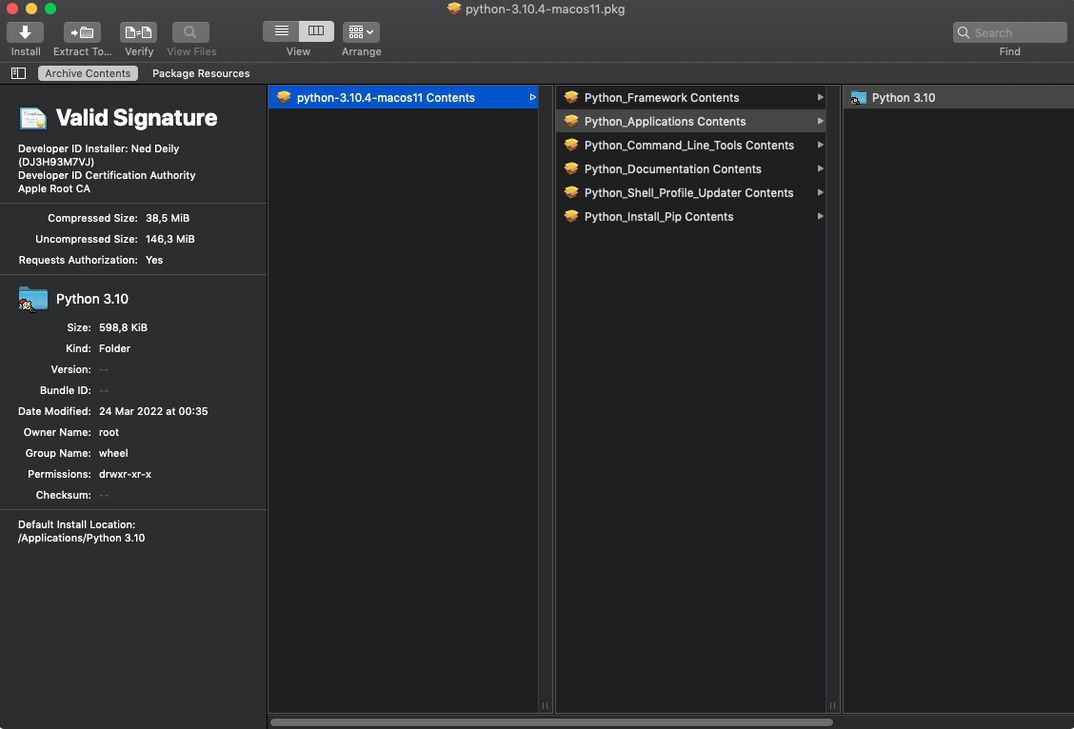
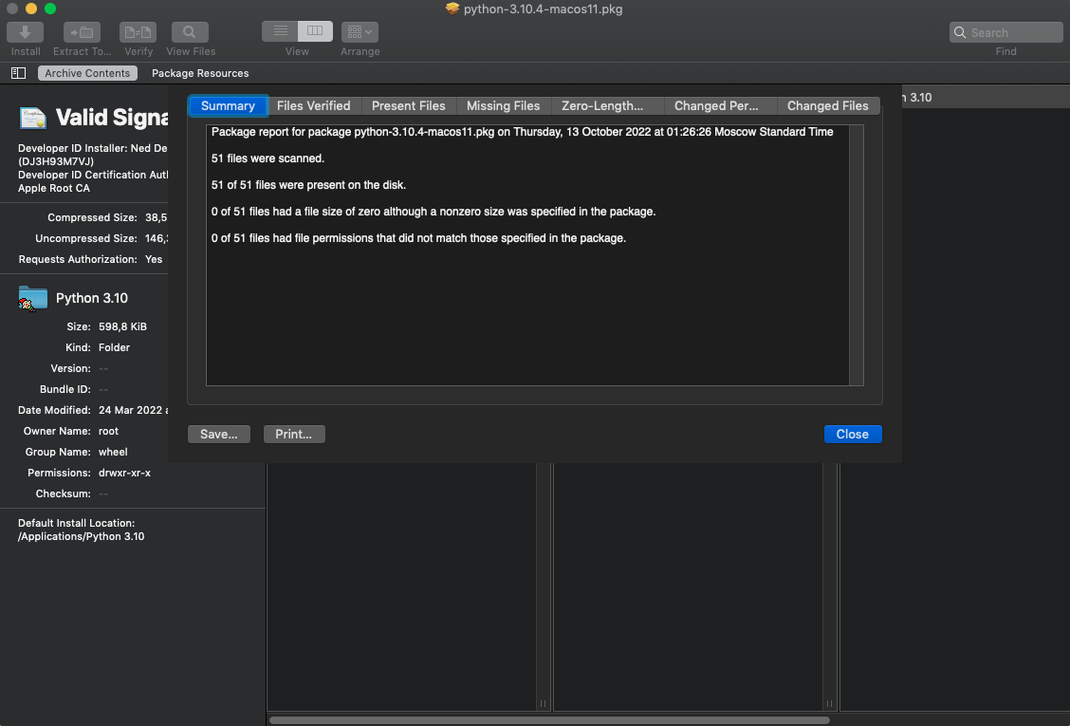
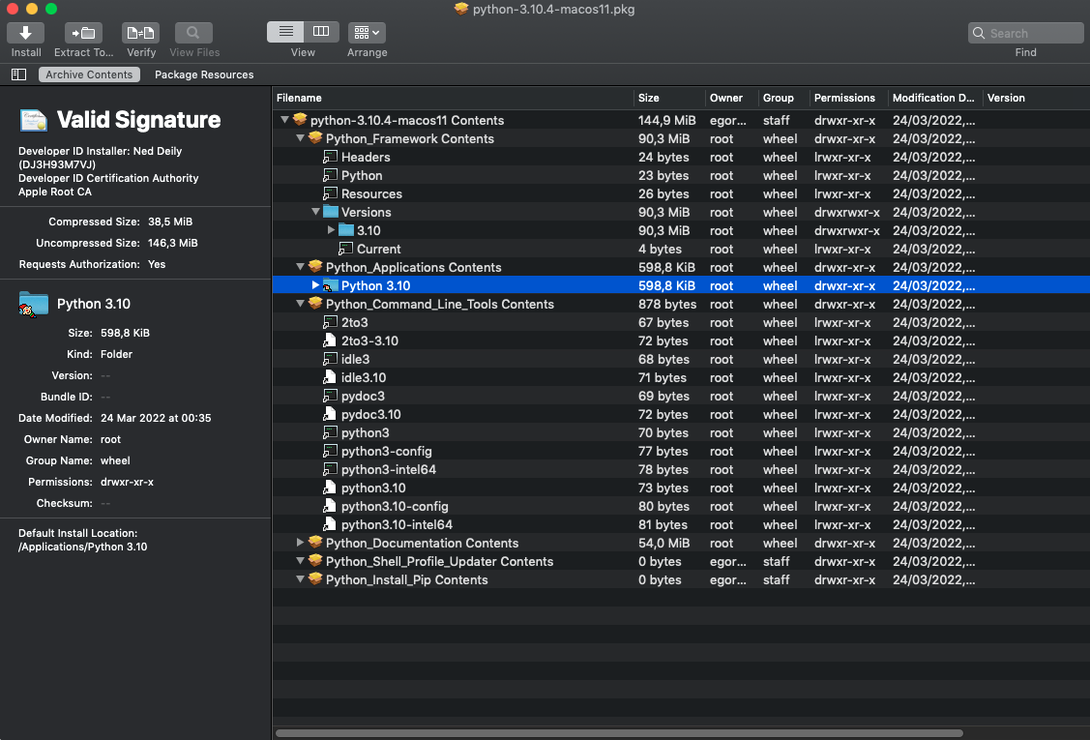
By default, a standard .pkg installer gives you no file-by-file control. Pacifist changes that—it lets you inspect the raw payload and pull out single components before the system runs a single script.
Package — a macOS installer bundle ending in .pkg or .mpkg
Payload — the actual files the package would place on disk
Kernel extension — a low-level driver; Pacifist can identify whether one came from Apple or a third party
Pick a realistic task: you need one font from an old printer-driver package without re-running the whole installer. Drag the .pkg onto Pacifist, let it parse the bill-of-materials, then browse to /Library/Fonts inside the package view. Select the .otf you want, hit Extract, and it lands on your desktop. The rest of the package never touches your system. The same flow works for .dmg images and common archives, and the app can cross-check installed applications for missing or outdated files when you want a quick audit.
Does it run on macOS Tahoe now?
The 4.1.4 update brought official compatibility with macOS Tahoe, so if you had been holding off on a system upgrade because of a critical extraction tool, that blocker is gone. The other listed improvement sounds niche but matters if you work with app bundles: parsing and extracting images from asset catalogs is now more accurate. In practice, that means when you pull a .car file out of a package and inspect its contents, the icons and image assets come out correctly instead of as broken or oddly-dimensioned blobs — relevant for anyone auditing what an installer actually ships in its visual resources. The "miscellaneous bug fixes" note is vague, but previous point releases have quietly fixed crashes on malformed .xar headers and improved handling of packages with unusually long file paths.
What do people ask before trying it out?
Does it hijack the default Installer?
No. Pacifist reads packages passively. It does not replace installer or intercept .pkg file associations unless you explicitly set that in Finder's Get Info panel. You can keep double-clicking packages to run the standard Installer app and only use Pacifist when you want granular extraction.
Does it handle everything the Finder's archive utility handles?
Mostly, but with a different emphasis. Where Archive Utility silently unpacks a whole .tar.gz, Pacifist shows you the file tree first and lets you pick what to extract. For large archives served over HTTP it can pull a single file without downloading the entire tarball — a feature the stock tool does not offer. The trade-off: it is not a general-purpose unarchiver for formats like RAR or 7z; its strength is Apple-native packaging and common Unix archive types.
What about System Integrity Protection?
SIP prevents even root-owned processes from modifying certain system directories. If you plan to extract files into SIP-protected locations, you will need to disable SIP first. For everyday extractions to your home folder or an external drive, SIP can stay on and Pacifist will not complain.
How fast does it parse a 200 MB package?
On Intel machines running anything from Catalina upward, the app launches in about three seconds and parses a 200 MB .pkg in roughly the same time it takes the stock Installer to reach its Introduction screen. Memory usage sits around 60–80 MB for typical package browsing and does not balloon unless you load an exceptionally large disk image with thousands of items. The archive extraction thread runs at a low quality-of-service level by default, so background music playback and browser scrolling do not hitch while it works.
Stability is solid for the supported formats. The most common crash scenario is feeding it a partially-downloaded .dmg — the parser expects a complete UDIF header and will abort cleanly with an alert rather than spinning indefinitely. If you are after a pacifist mac download that just works without background daemons or telemetry, this is a straightforward single-window app that does not install kernel extensions or launch agents of its own.
Why did extracting that plist to the desktop change nothing?
The most frequent error is extracting system files to the wrong place and then wondering why nothing changed. A user pulls a plist from a package, drops it on the desktop, and expects the application to behave differently. Pacifist extracts the bits — it does not place them in their intended destination unless you explicitly choose that path in the save dialog. If you are restoring a missing framework, you need to extract it to the matching location inside /Library or /System/Library, not to your Downloads folder.
Another trap: opening a .pkg and immediately clicking Extract All without checking the pre- and post-install scripts. Pacifist shows those scripts in the sidebar under the "Scripts" entry. Skipping them is the whole point of a surgical extraction, but if you later run the actual installer, those scripts will execute. Knowing which script does what helps you decide whether a manual extraction is really what you want, or whether the package's logic is worth running in full.
Finally, some users grab a pacifist pkg version from a third-party source and try to double-click the .dmg without reading the Gatekeeper instructions. On modern macOS, launching an unsigned app requires either right-clicking and selecting Open from the contextual menu, or mounting the image and using the Terminal workaround that bypasses the quarantine flag. If the app bounces once in the Dock and vanishes, that is usually Gatekeeper blocking it — not a corrupted download.
- Updated for macOS Tahoe.
- Improved accuracy when parsing and extracting images from asset catalogs.
- Includes miscellaneous bug fixes.
- macOS 10.14.6 or later (Intel only)
- English interface
$ man pacifist | grep -A2 "?"
Can Pacifist extract just one file from a macOS installer package?
Yes. It parses the package's bill-of-materials and lets you browse and extract individual files or folders to a location you choose.
Does Pacifist work with disk images and archives too?
It does. Beyond.pkg files, it handles .dmg disk images and several standard archive formats the same way.
Can it tell me where a kernel extension came from?
Yes. Pacifist can identify the installer source for kernel extensions and show whether they were signed by Apple or a third-party developer.
Comments 0
Sign in or create an account to leave a comment.
No comments yet. A codec, a slice, a machine — they appear after moderation.