PhotoSweeper for macOS
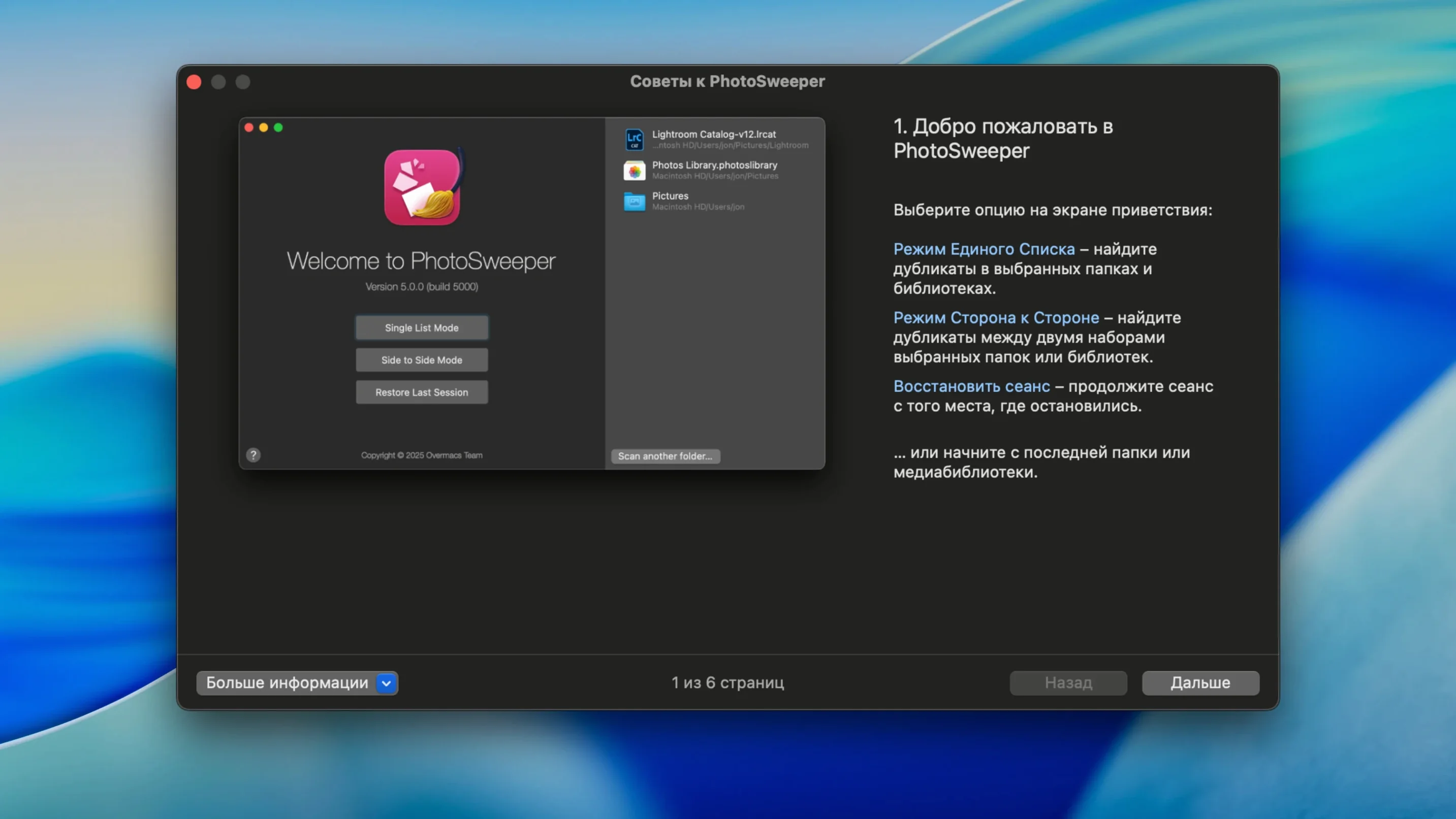
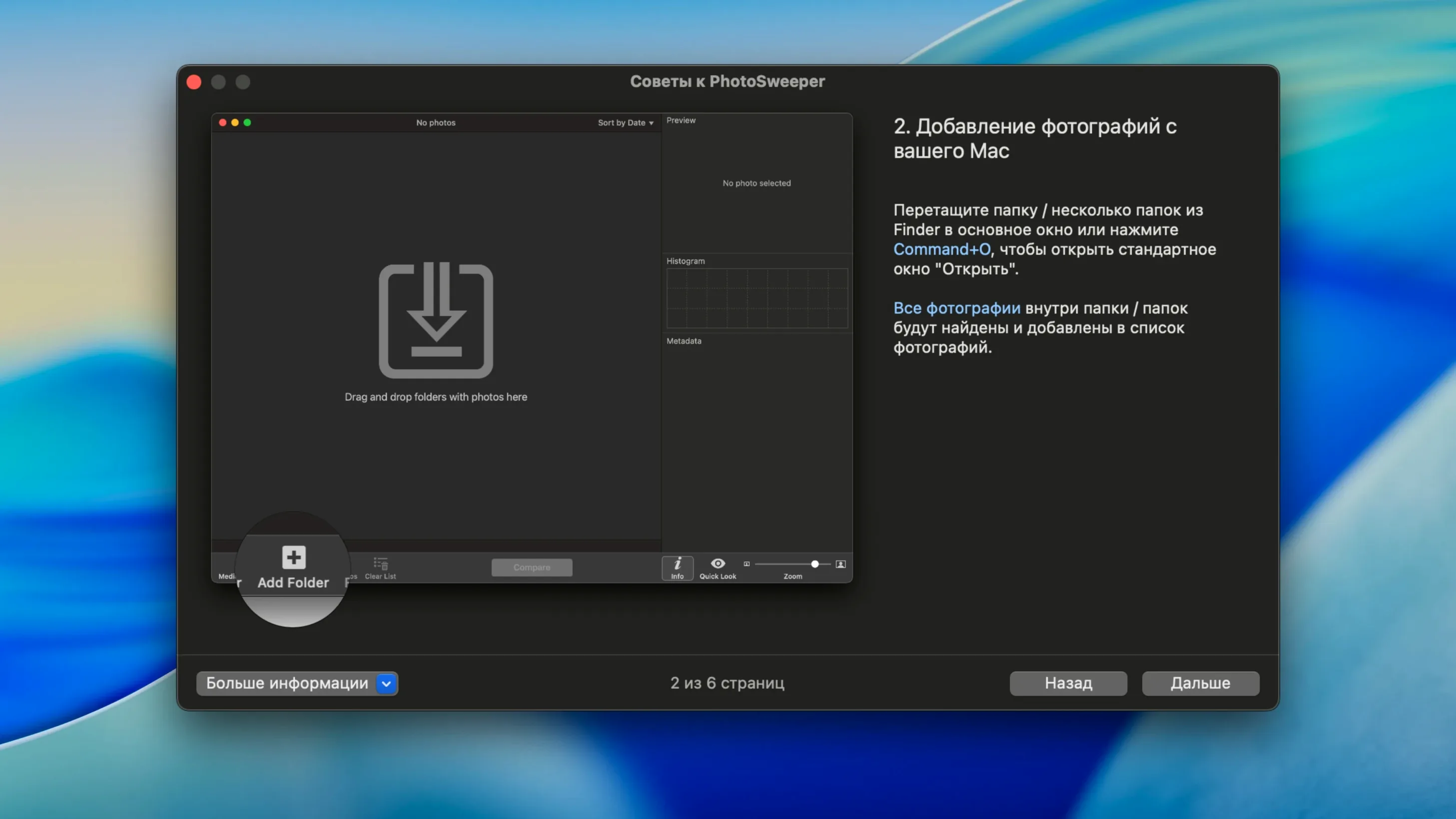
You come back from a shoot with four hundred frames, and thirty of them are the same portrait with barely different expressions. PhotoSweeper is the Mac utility you point at that folder or library to sort out which ones actually earn their disk space.
Scans inside Apple Photos, Lightroom, and edited sidecars
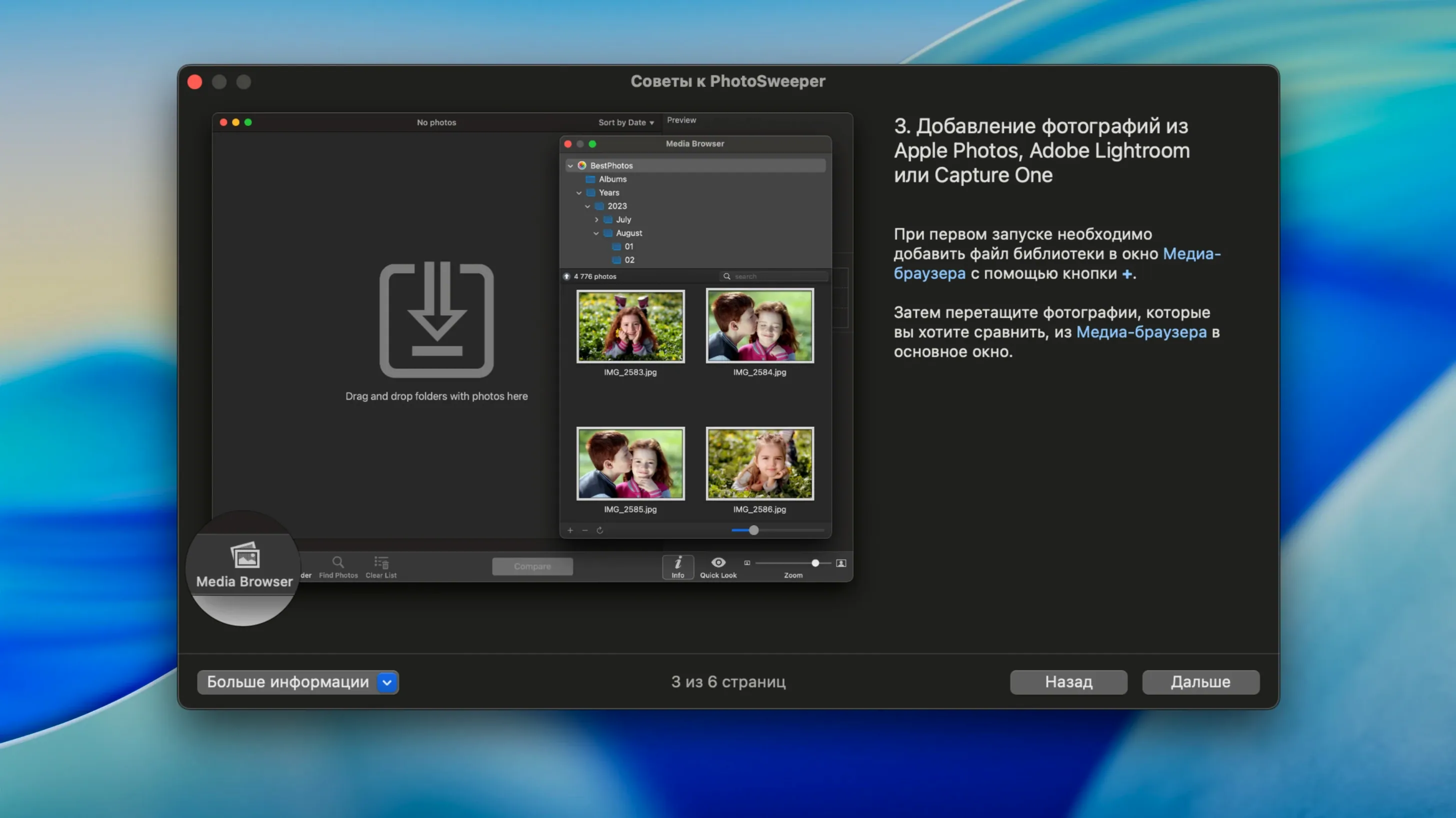
- Scans Apple Photos, iPhoto, Aperture, Capture One, and Lightroom libraries, plus folders on internal drives.
- Compares duplicates even after external edits in Photoshop, using EXIF, IPTC, and XMP metadata.
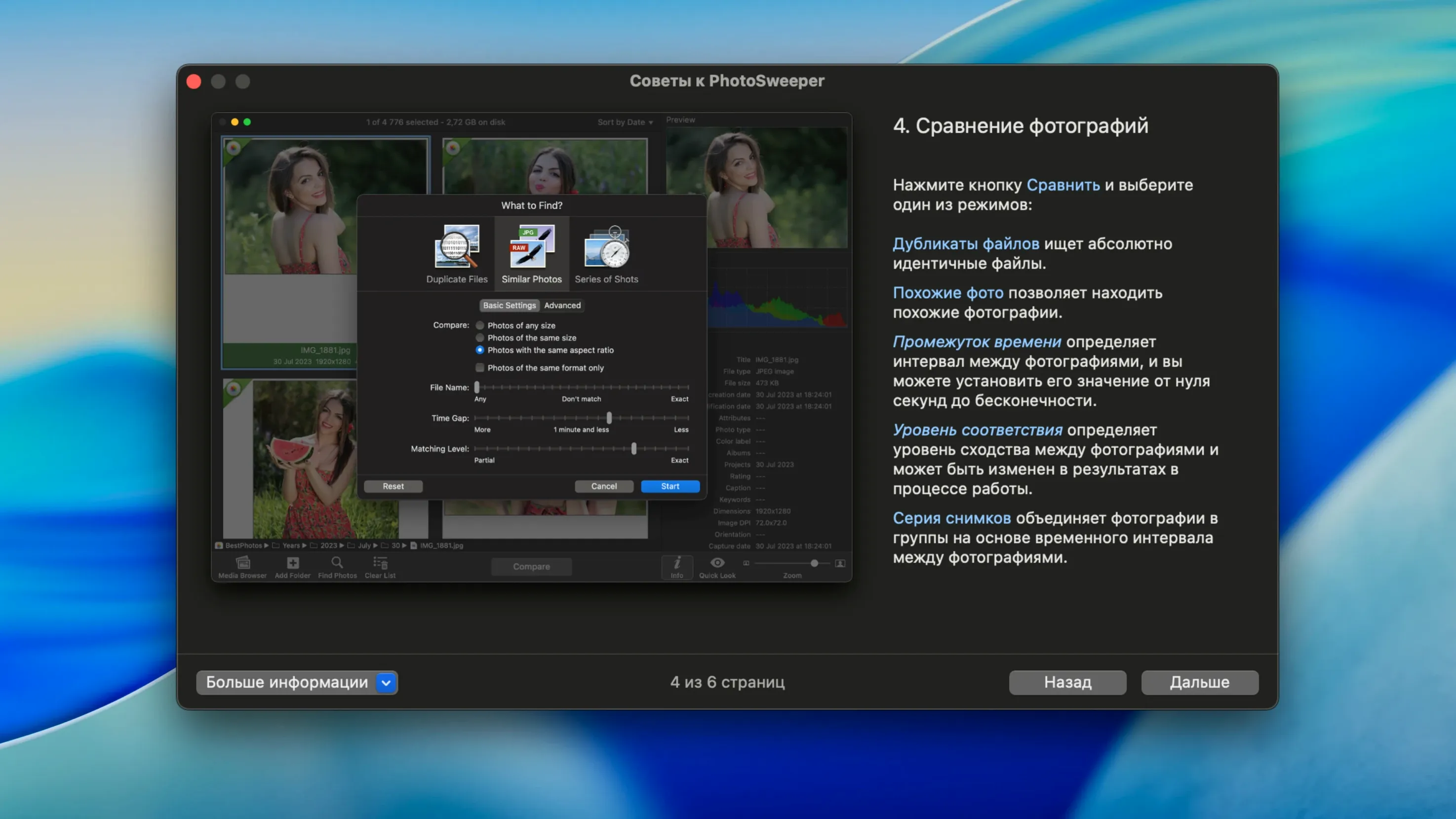
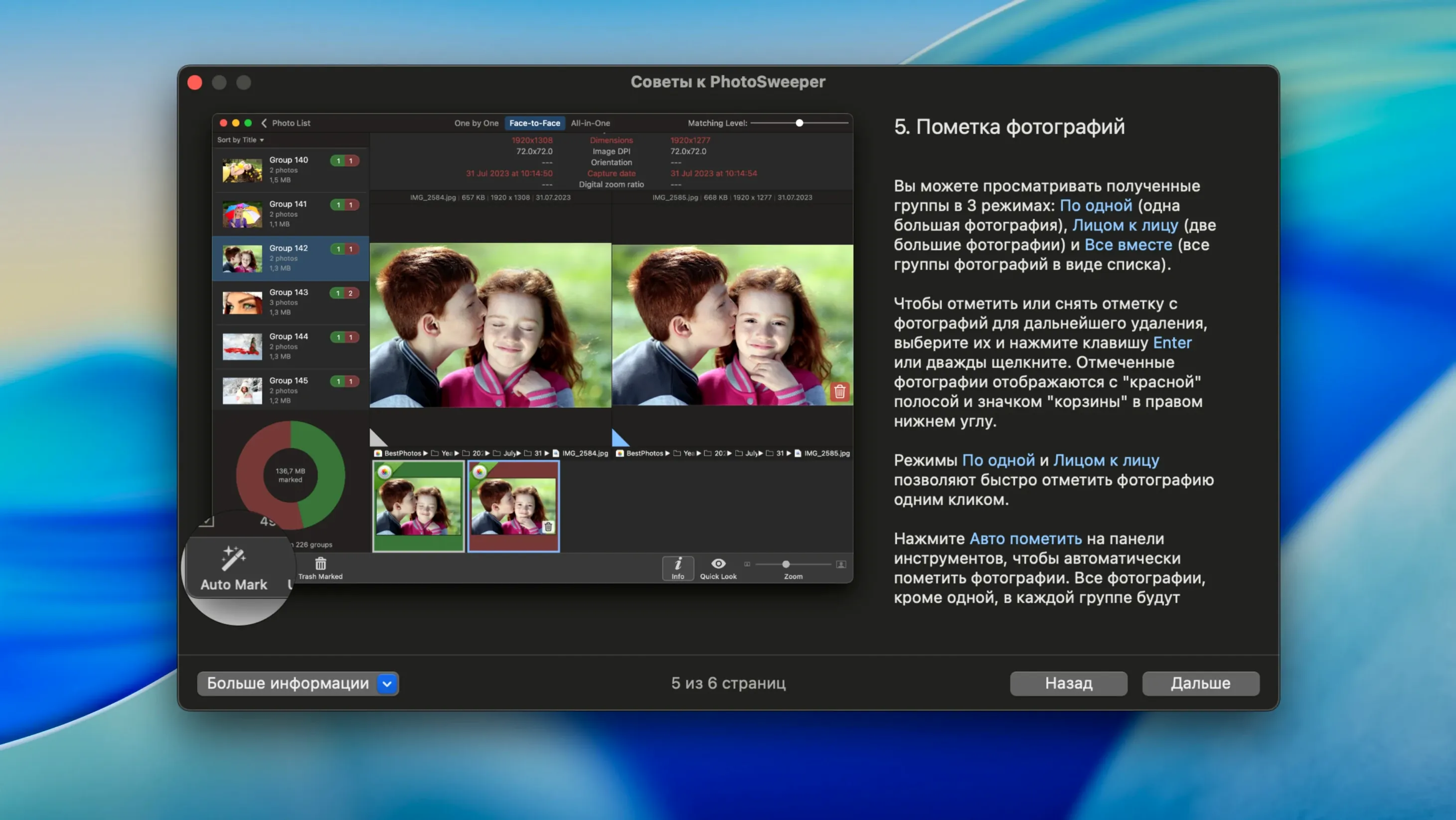
- Marks duplicates automatically based on rules you configure, with histograms and metadata shown for each match.
Why it pairs well with editors and managers
PhotoSweeper doesn't try to replace your catalog tool. It sits between the import and the edit, catching near-identical frames before Lightroom previews or Capture One sessions get bloated. The metadata view is genuinely useful here: comparing histograms and shooting info side by side makes it clear whether two files are true duplicates or just visually similar, which matters when you're cleaning a library you've been building for years.
XMP sidecar metadata keeps external edits in sync
For everyday use, the biggest practical shift is XMP sidecar metadata support. If you rate or keyword a raw file in an external editor, PhotoSweeper now reads that sidecar alongside the image, so your culling decisions stay consistent with edits you already made elsewhere. The improved DNG reading means fewer false mismatches on Adobe Digital Negatives — something anyone with a mixed raw-and-DNG library will notice immediately when scan results feel tighter.
The new import options cut out noise. You can tell PhotoSweeper to ignore hidden Apple Photos items and rejected Lightroom photos, so your duplicate scan stops including files you already flagged as discards. In practice, that turns a 45-minute review session into a 20-minute one, because you aren't re-evaluating rejects you already eliminated inside Lightroom.
Does it touch originals inside an Apple Photos library?
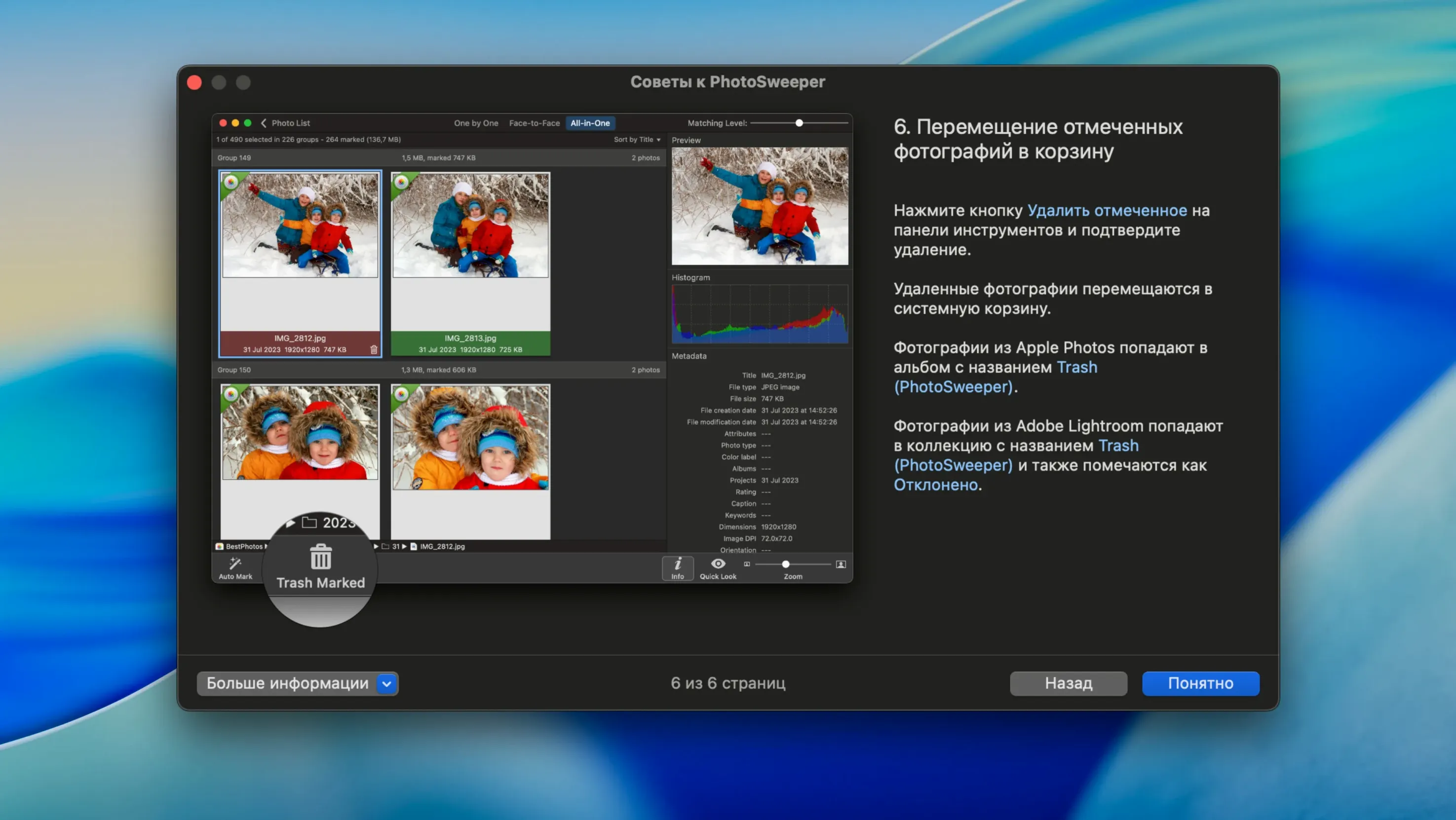
People often ask whether PhotoSweeper touches the originals inside an Apple Photos library. It doesn't — it reads the library structure to present matches, but deletion or moving happens only when you confirm it. Your Photos library stays intact unless you explicitly act on a result. Another common question is whether the app handles photos stored across multiple external drives. Yes: you can add folders from as many volumes as you have connected, and PhotoSweeper compares across all of them in a single session. Those searching for a PhotoSweeper Mac torrent usually want to try before committing — the app does one thing and does it without a subscription model, which matters if you're cleaning a library once a quarter rather than daily.
Scanning 60,000 photos on an M1 MacBook Pro
On a 2021 M1 MacBook Pro with a library of 60,000 photos spread across an external SSD, the initial scan takes about four minutes with the default similarity threshold. Memory pressure stays modest — around 400 MB for the scan itself, climbing closer to 1.2 GB when flipping between face-to-face comparisons of high-resolution raw pairs. The interface doesn't stutter during Quick Look previews, even with 45-megapixel files, because preview generation runs on background threads. Search strings like photosweeper x for mac often come from users upgrading from much older versions; those users will notice that version 5.5.5 launches natively on Apple Silicon, which shaves about a third off scan times compared to Rosetta-translated builds. Stability-wise, I've left it comparing 10,000-image folders overnight without a crash or beachball, though the auto-marking rules are worth dialing in carefully — the default rule set is conservative and leaves genuinely ambiguous pairs for manual review, which is the right tradeoff for a first pass.
- Added XMP sidecar metadata support.
- Improved Adobe DNG image reading and Lightroom preview handling.
- New import options to ignore hidden Apple Photos items and rejected Lightroom items.
- Bug fixes and performance improvements.
- macOS 10.15 or later
- Runs natively on Intel and Apple Silicon Macs
$ man photosweeper | grep -A2 "?"
Which photo libraries does PhotoSweeper work with?
It works with Apple Photos, iPhoto, Aperture, Capture One, and Adobe Lightroom libraries.
Can PhotoSweeper find photos that are similar but not exact duplicates?
Yes, it finds both similar photos and exact duplicates, and it can compare files even after they've been edited in external programs like Photoshop.
Comments 0
Sign in or create an account to leave a comment.
No comments yet. A codec, a slice, a machine — they appear after moderation.