Tayasui Sketches Pro for macOS
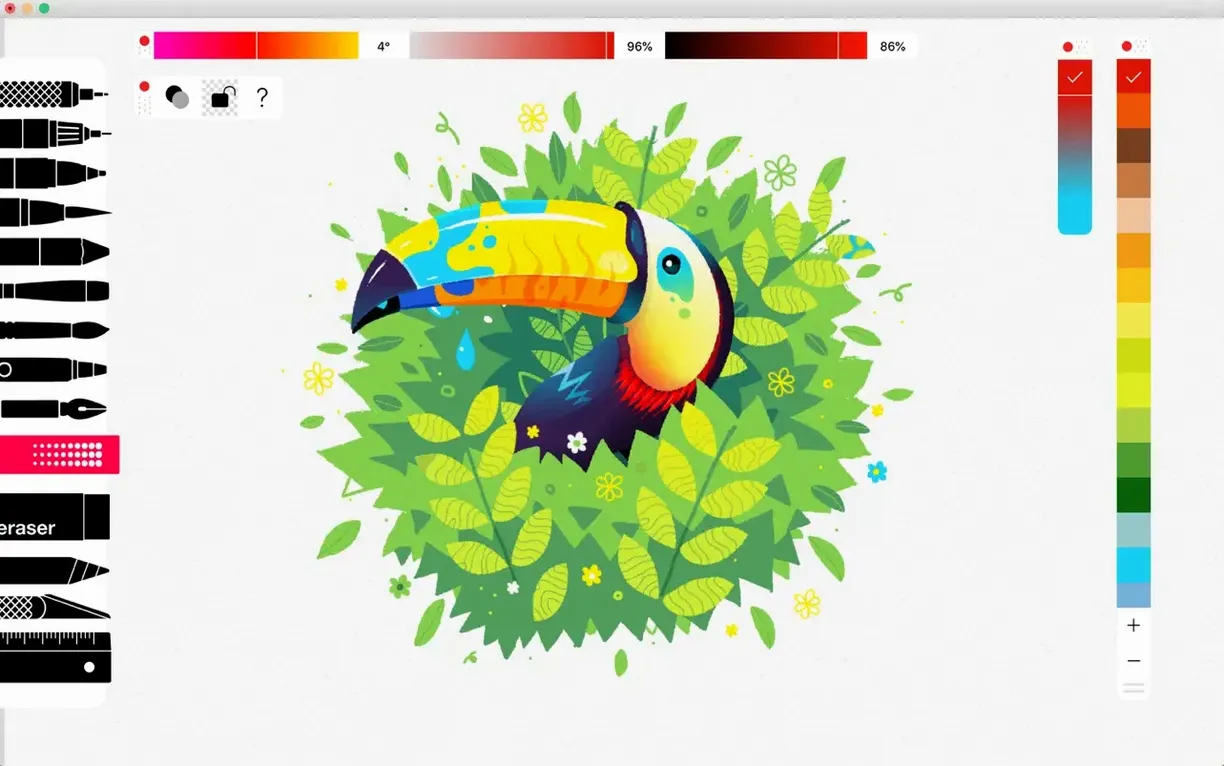
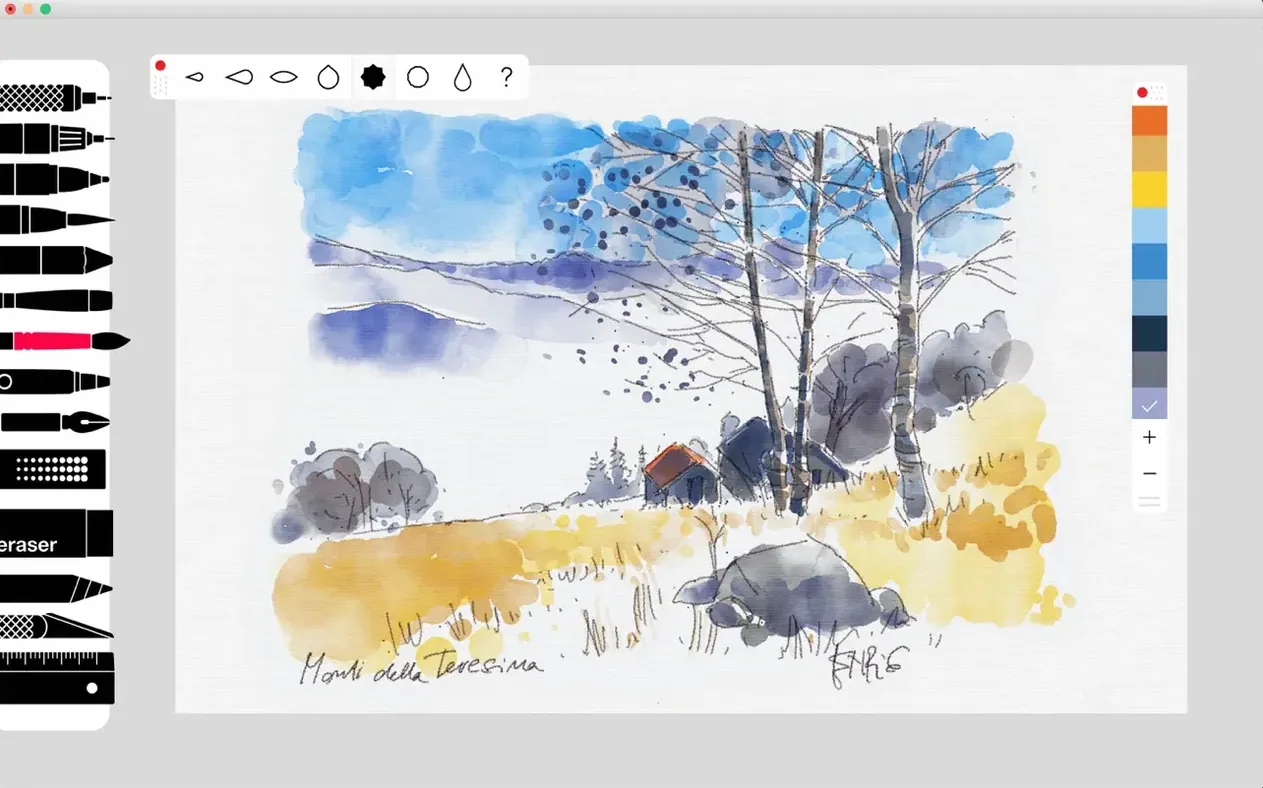
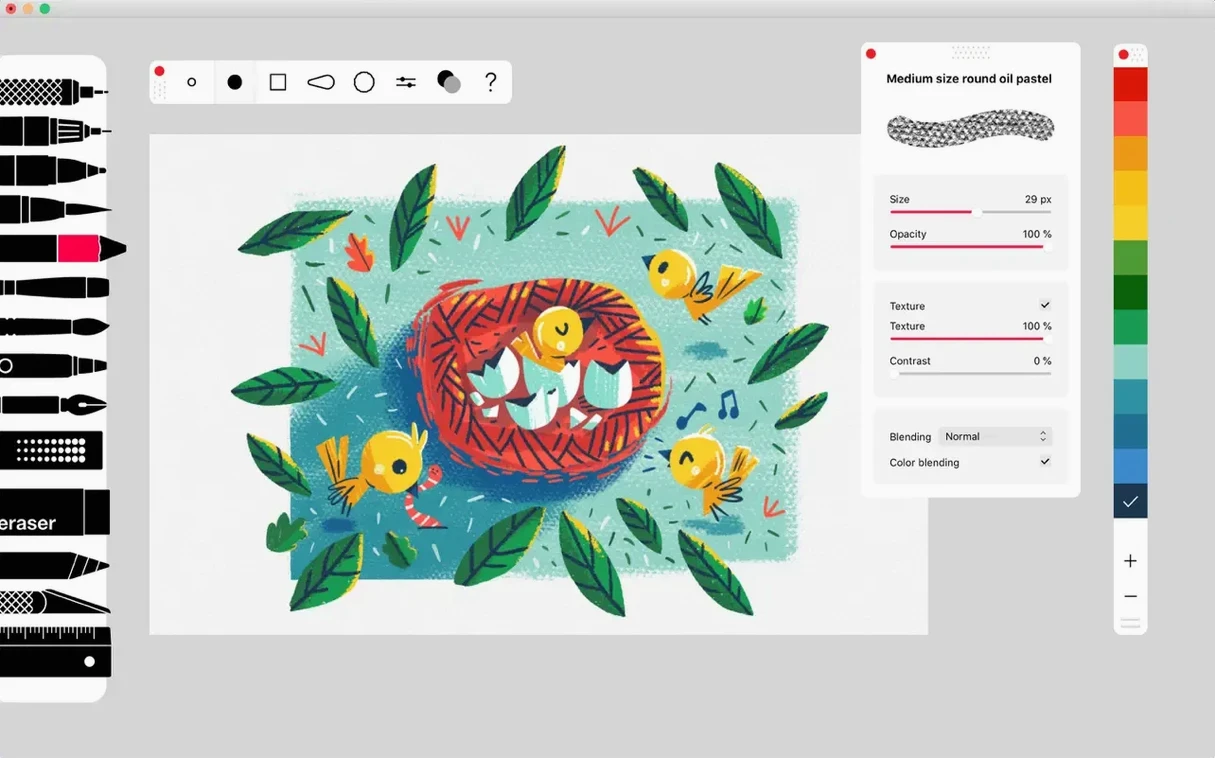
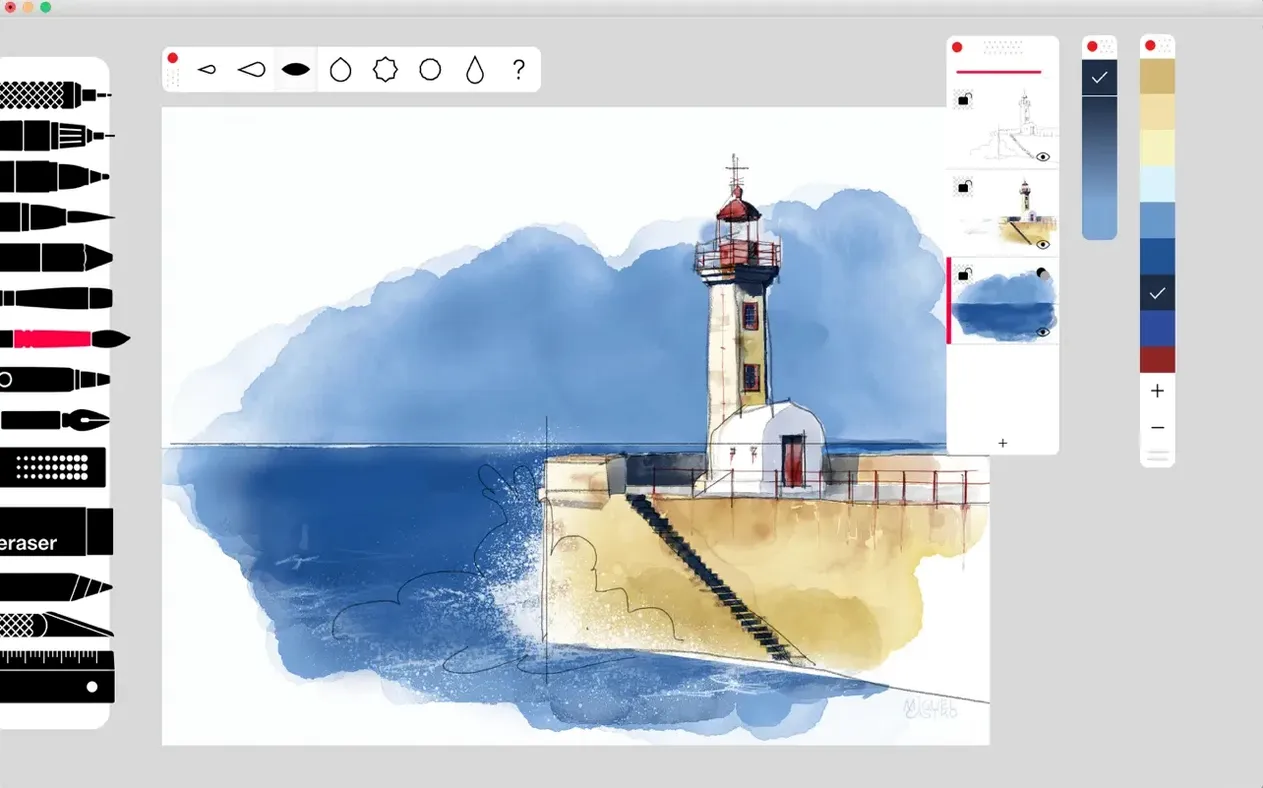
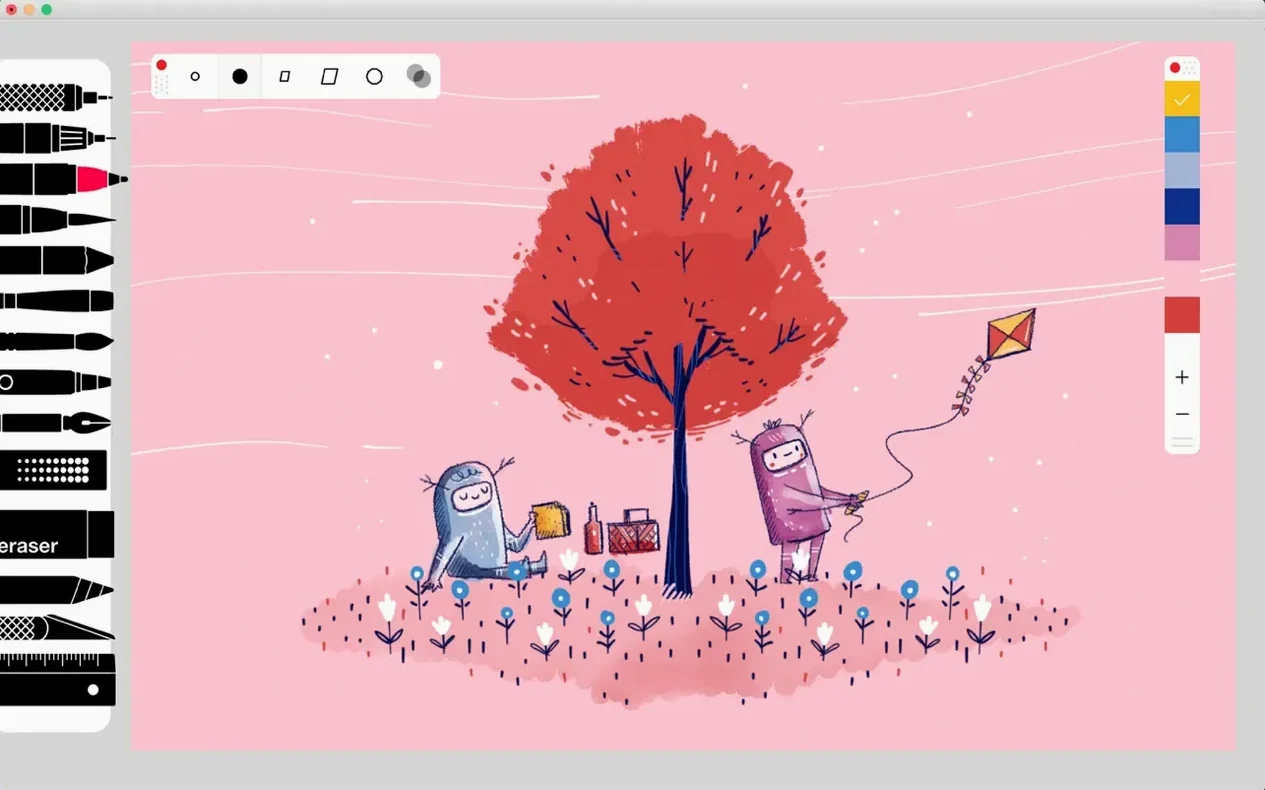
If you've ever used a simple note-taking app and wished it had the nuance of a real pencil, Sketches Pro is that gap filled. It takes the immediacy of digital sketching and layers on tools that feel physically familiar, from the scratch of a Rotring to the blend of an oil pastel. The current version, 36.8, lands as a stability release but tucks in a quiet structural change: layer organization finally gets the hierarchy it deserved.
Layer grouping arrives in the bug-fix update
Version 36.8 is officially about bug fixing, and the drawing surface does feel more predictable after the update. The bigger news sits in the layer panel. You can now nest layers into groups and subgroups, which changes how complex sketches are built. Merge, reorder, and move actions are all present, so restructuring a drawing with dozens of strokes stops being a chore. These layer controls bring the Mac version closer to a proper digital studio without leaving the app's uncluttered feel.
Core Pro brushes that still carry the toolkit
The Pro tool bundle remains the core draw. The Pen, Rotring, Felt Pen, and Pen Brush cover precise line work, while the Oil Pastel, Acrylic brush, and Airbrush handle textured fills. A Smudge tool and a digital Ruler are still part of the Pro package, and the brush editor gives you live feedback as you tweak wetness or grain. File-wise, .psd export is still there, which means you can start a sketch on your Mac and hand off layered files to another application. The app requires an Apple M1 chip or later and macOS 12.0, and iCloud sync quietly keeps drawings available across devices.
Spend your first twenty minutes inside the brush editor
After you install, spend twenty minutes inside the brush editor. It is the single control that changes how the entire toolset behaves. Drag the wetness slider on the Acrylic brush until the stroke breaks, then dial it back until it pools just enough — that spot becomes your default for shading work. Save that preset. Do the same for a dry Oil Pastel variant and a fine Pen Brush tip. Naming presets after the feeling ("chalky sky", "tight ink") makes the palette usable weeks later when you have forgotten the slider positions.
Second habit: before you start any real piece, build a three-layer group template. One layer for loose gesture, one for cleaned line work, one for tone blocking. Store it as a project called _start.sketch. Opening that file and immediately hitting Save As keeps the layer structure consistent across drawings, and the new subgroup support in 36.8 means you can nest detail passes inside the tone layer without cluttering the root stack.
Third: decide on day one whether iCloud sync fits your workflow. If you also sketch on an iPad, it is worth toggling on early — the sync merges drawings, but only if the app has permission before you scatter files across devices. If you work only on one Mac, leave it off and keep the library local; the app starts faster and avoids sync conflicts when a sketch auto-saves mid-stroke.
Who connects with this app fastest
Concept artists and illustrators who already think in layers get the most from the Pro bundle within the first hour. The .psd export slot directly into a Photoshop or Affinity workflow, so Sketches Pro can become the ideation front-end while finishing happens elsewhere. The Smudge tool and brush editor reward pressure-sensitive tablet use — if you work with a Wacom or a pen display, the Oil Pastel and Acrylic brush respond to tilt in ways that a mouse cannot trigger.
Casual sketchers who want a clean interface without vector complexity also settle in quickly. The app does not push you toward bezier curves or node editing; it stays in the raster world. That simplicity means someone keeping a visual journal or storyboarding a short film can open the app, pick a Rotring or Felt Pen, and work without friction. People who need precise geometric guides — product designers, pattern artists — will lean on the Pro ruler set (arc, circle, spline, grid) more than the freehand crowd, and those tools are easy to miss on first launch because they sit behind a small icon in the toolbar.
How a storyboard artist might spend an afternoon
A storyboard artist on a tight deadline opens Sketches Pro with a blank canvas and builds a layer group for scene three. The base layer gets a quick gesture pass with the Rotring — loose, searching lines that block out character positions. A subgroup holds the cleaned frames: tighter Pen Brush strokes on top of the gesture, each frame isolated on its own sublayer for easy reordering. The Smudge tool pushes charcoal-like shadows across the background without switching tools, and the Felt Pen drops broad tone into negative space. When the panel is approved, merging the subgroup flattens the frames into one clean layer, and the whole sequence exports as a .psd for the editor to place into the timeline. Nothing left the raster domain, and no file conversion interrupted the flow.
- Bug fixing and stability improvements across the drawing engine.
- Added layer groups and subgroups for hierarchical layer organization.
- Added merge, reorder, and move actions within the layer panel.
- macOS 12 (Monterey) or later
- Apple Silicon or Intel 64-bit processor
Comments 0
Sign in or create an account to leave a comment.
No comments yet. A codec, a slice, a machine — they appear after moderation.