Things for macOS
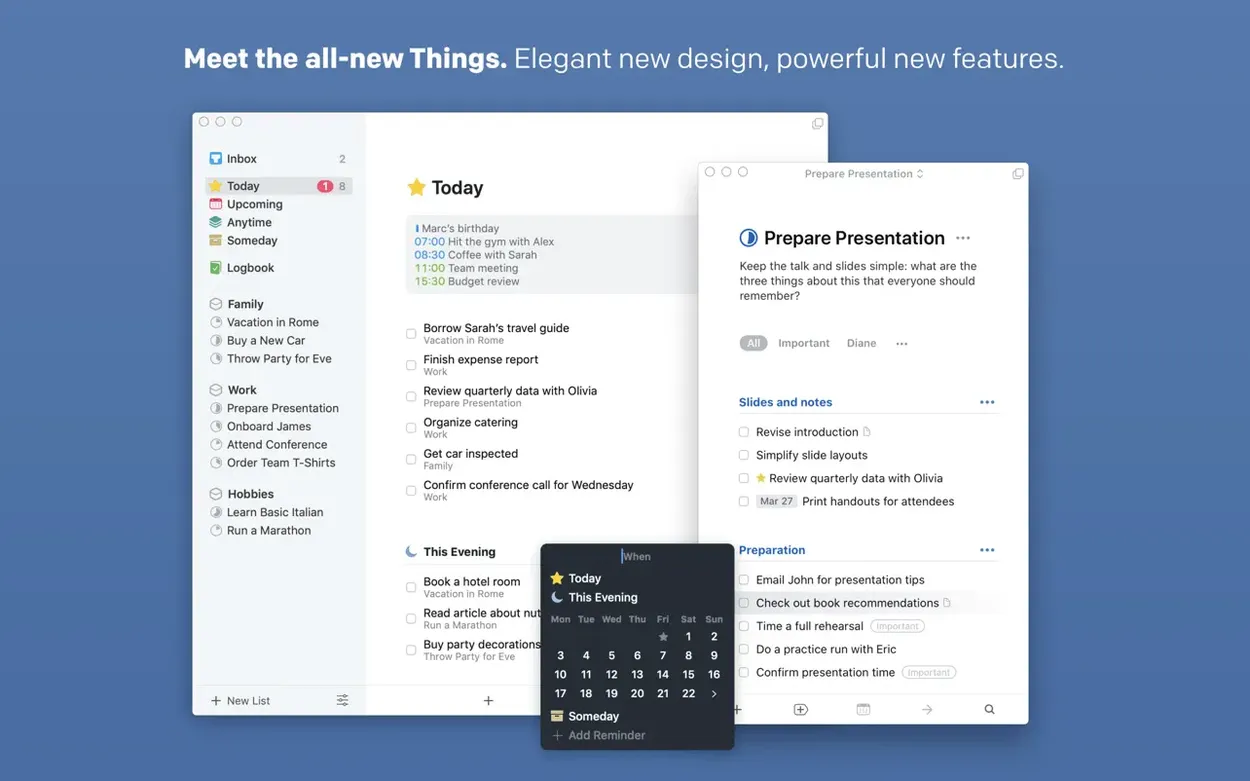
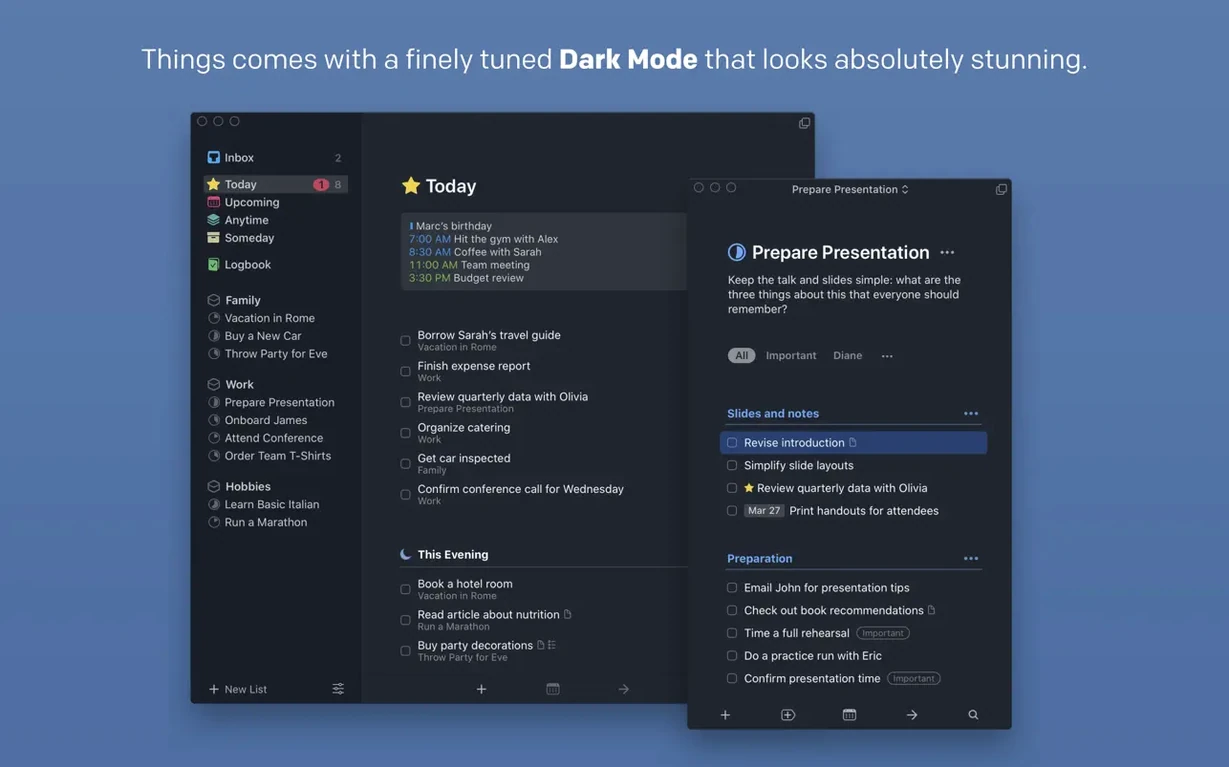
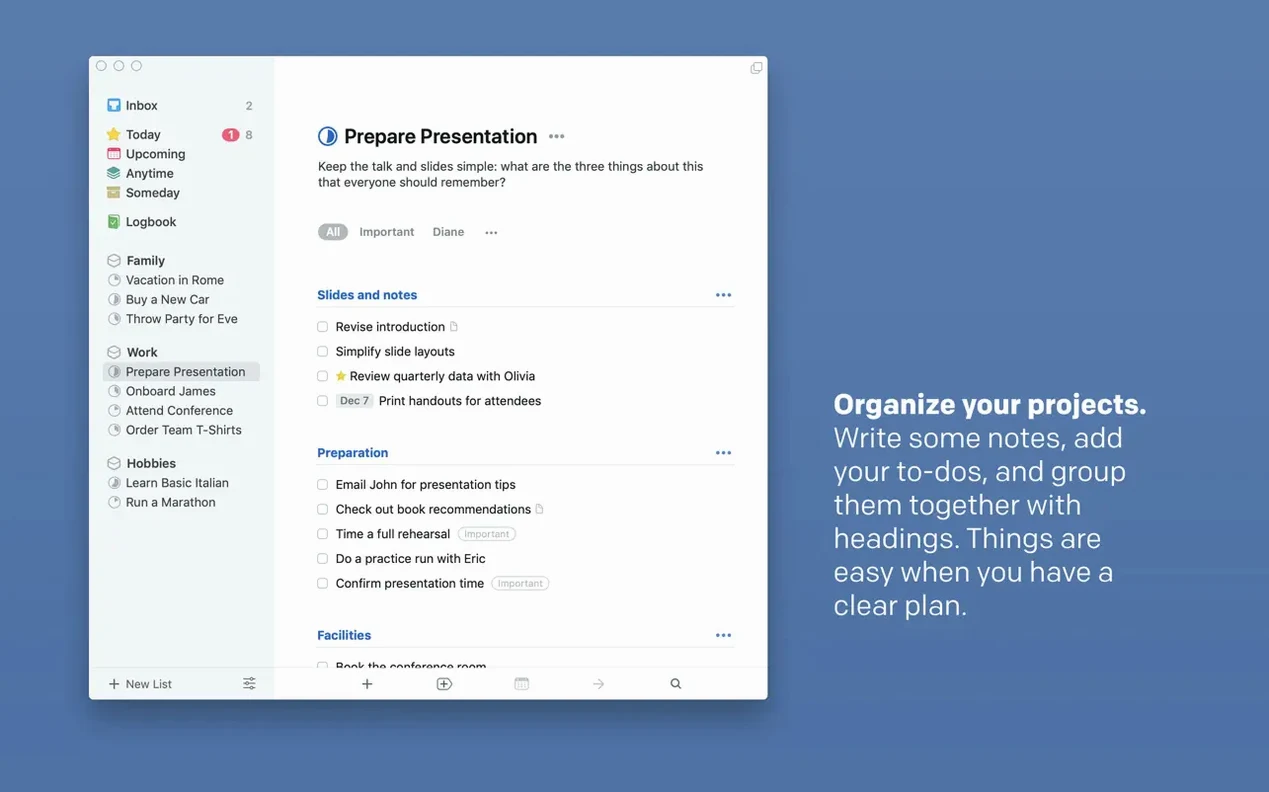
Things is the app you see open on the laptop of a writer who is actually getting words down, or a CS grad juggling paper deadlines and a side project. It leans toward people who think in projects and subtasks, not just a flat list.
Remember what you meant to do
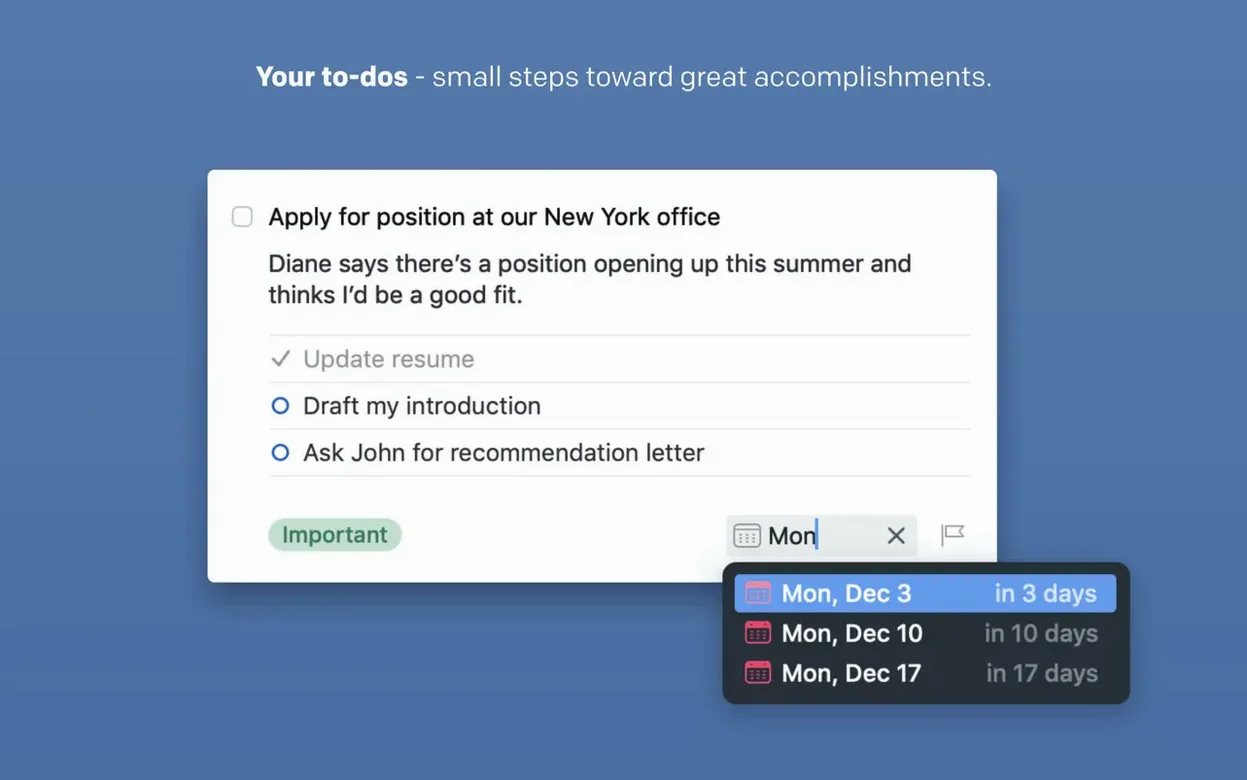
Quick entry with a keyboard shortcut pulls a window over whatever you are working on, so an idea lands in the inbox before you forget it. Once it is there, adding a deadline, a reminder, subtasks or notes makes it a real task instead of a stray sentence.
See only what matters right now
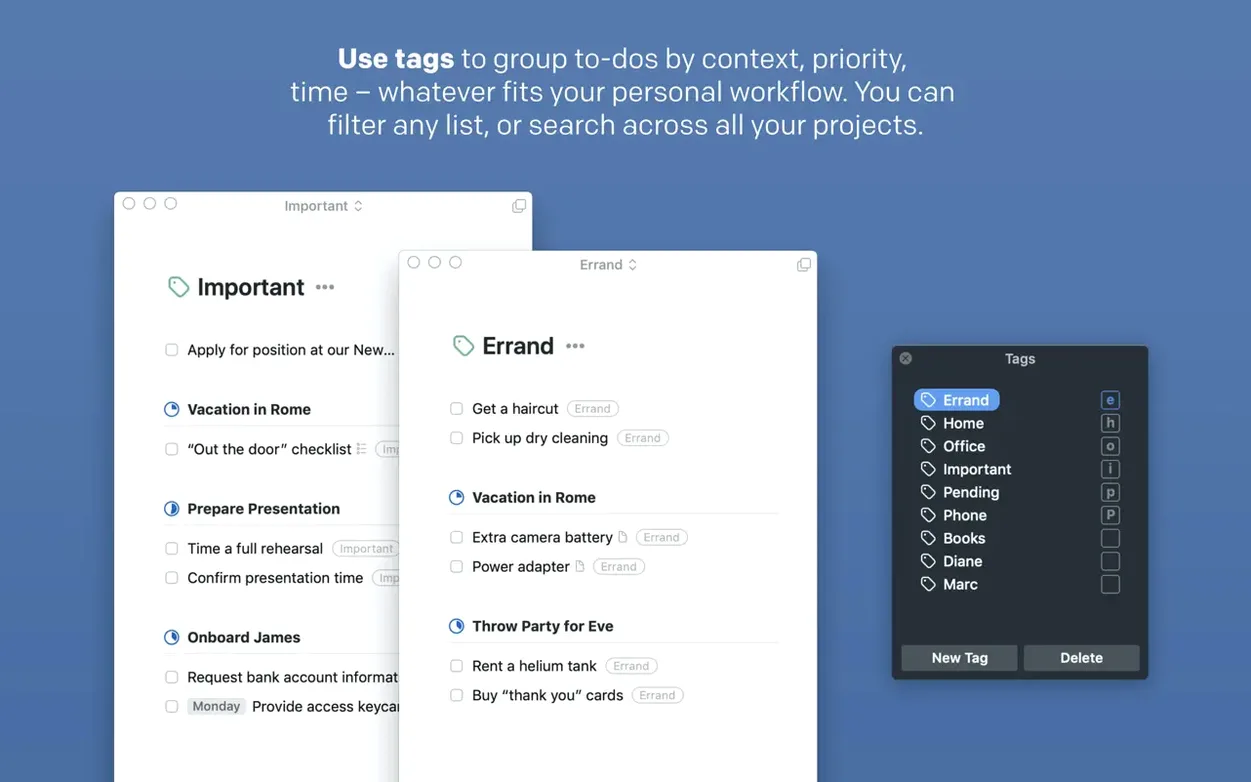
Tags and projects turn a long list into a filtered view. You might have a project for a course, another for a hobby, and a tag for anything requiring campus Wi‑Fi — the sidebar shows just that slice.
Pick up where you left off
Handoff moves a task list between Mac and iPhone without thinking about it. A free Things Cloud account keeps everything in sync, and the Mac app is sold separately from the iPhone, iPad and Vision versions.
Which keystroke pulls up the capture window instantly?
Things ships with sensible defaults, but a few tweaks make it feel like less of a generic tool and more like your own workspace. Open Preferences and hit the Quick Entry tab first. Enable the shortcut — the default is ⌃Space, though I remap it to ⌥⌘Space because Spotlight already owns Control-Space on my machine. Tick the box for Create to-dos with Quick Entry and check the setting that includes the selected text as a note. If you highlight a sentence in Mail or a line in Xcode, that text becomes the task’s note automatically. It saves a copy-paste round trip every time.
Next, head to General and set the default list for new items. I keep mine pointed at the Inbox. The Inbox is the holding pen — nothing gets a deadline until I triage it later. If you create tasks straight into Today, you lose the buffer that makes GTD-style workflows click.
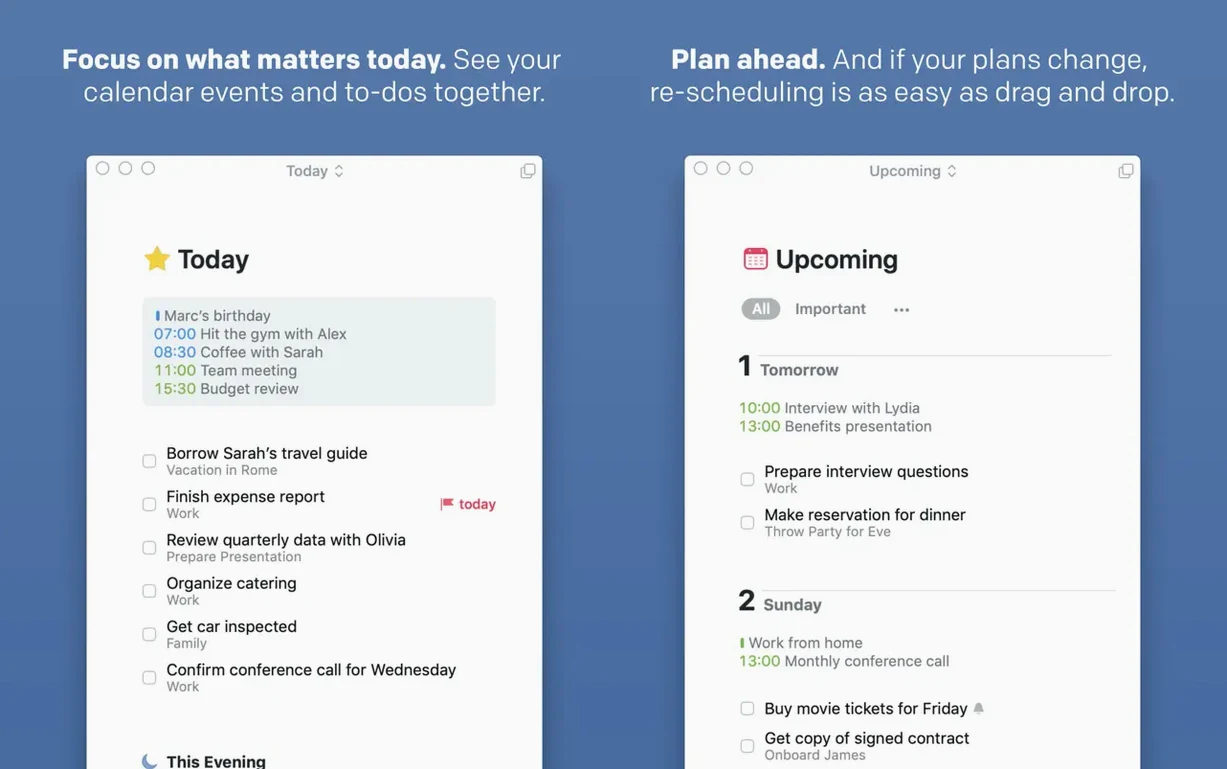
In the Today preferences, decide whether items due tomorrow appear in Today. I switch this off. My Today list shows only what I actually need to finish before I close the lid. Tomorrow’s work can wait in Upcoming, where it belongs.
Finally, open the Widgets pane and add the extra-tall widget to Notification Center if you are on 3.24.0. It shows a full project list at a glance without opening the app. On a wide display, it earns its screen real estate quickly.
Why dumping everything into the inbox early builds trust
The first 48 hours with any task manager feel fragile — you are not sure you will stick with it, so you add tasks hesitantly. Resist that. Dump everything into the Inbox. Every half-thought, every deadline whispered by a professor, every “I should really look at that library” goes in. Use Quick Entry from any app. Do not tag, do not schedule. Just capture. You are teaching your brain that Things catches what you throw at it.
On day two, sit down with the Inbox and triage. Move items into projects, set deadlines, add tags. A tag like 10min helps surface quick wins when you have a gap between lectures. Another tag like laptop-only filters out tasks you cannot do on the train with just a phone. Tags in Things are global, so you can reuse them across every project — spend ten minutes setting up a handful, and they pay out for months.
If you are using the Mac app alongside an iPhone, enable Things Cloud on both devices and leave the app open on the Mac for the first day so the initial sync completes without interruptions. The sync runs quietly; the only sign it is working is a small spinner in the sidebar. Once it settles, adding a task on the phone appears on the Mac in seconds.
For students and researchers, a small habit that sticks: when a syllabus lands, create a project for the course and add every assignment as a task with a deadline. Then add a subtask under each for “review rubric” or “format citations.” You will feel ahead before the semester even begins.
What formats does it handle?
Does this app lock me into a subscription or an ecosystem I cannot leave?
Things uses a free Things Cloud account for sync, not a recurring payment. The Mac app is a standalone purchase — you own the version you download. If you ever stop using Things, your tasks are not locked away. You can export individual projects or your entire database as plain text or structured data from the File menu. The Mac version runs on both Intel and Apple Silicon Macs, and the minimum requirement of macOS 10.15 means even older machines can run it without issue.
Why do my appointments show up in the Today list?
Things pulls in calendar events and displays them inline with your tasks in the Today and Upcoming lists. It reads from the system Calendar app, so any account macOS already knows about — iCloud, Google, Exchange — shows up automatically. You do not schedule tasks inside Things, but seeing a meeting followed by the task you planned to tackle right after it removes the mental juggling.
Can I add tasks without typing?
With the 3.24.0 update, Siri on macOS can create tasks. The integration also extends to Spotlight — start typing a task title in the search field and Things surfaces matching items alongside files and bookmarks. If you prefer dictation, Siri AI on OS 27 understands natural phrasing like “remind me to email Dr. Keller about the lab results tomorrow morning,” and the task lands in the Inbox with the appropriate deadline.
Will this slow down if I have hundreds of projects?
Things keeps its database local on the Mac. The sync protocol exchanges only deltas through Things Cloud, so the app does not wait on a remote server when you click between lists. I have seen users with 80-plus active projects and thousands of tasks navigating the sidebar without lag. The Spotlight integration added in 3.24.0 means you can bypass the sidebar entirely for lookups — just hit ⌘Space, type part of a task, and jump straight to it.
Can I run it next to my current system for a week?
Since you are reading this catalog, you already have access to the app. The smart move is to run Things alongside whatever you currently use for a week. Let it capture everything new while your old system goes stale. By Friday you will know whether the project-and-tag mental model clicks, and you will have a full backup of tasks ready to triage if it does.
Things 3.24.1 ships with the developer’s latest quiet corrections and stability work for macOS.
- macOS 10.15 (Catalina) or later
- Apple Silicon or Intel 64-bit processor
$ man things | grep -A2 "?"
Does Things 3.24 run natively on Apple Silicon?
Yes, the app is a universal binary that runs natively on both Intel and Apple Silicon Macs.
What languages is the interface available in?
Things speaks Russian, English, German, Spanish, Italian, Traditional Chinese, Simplified Chinese, French and Japanese.
Comments 0
Sign in or create an account to leave a comment.
No comments yet. A codec, a slice, a machine — they appear after moderation.