TouchDesigner for macOS
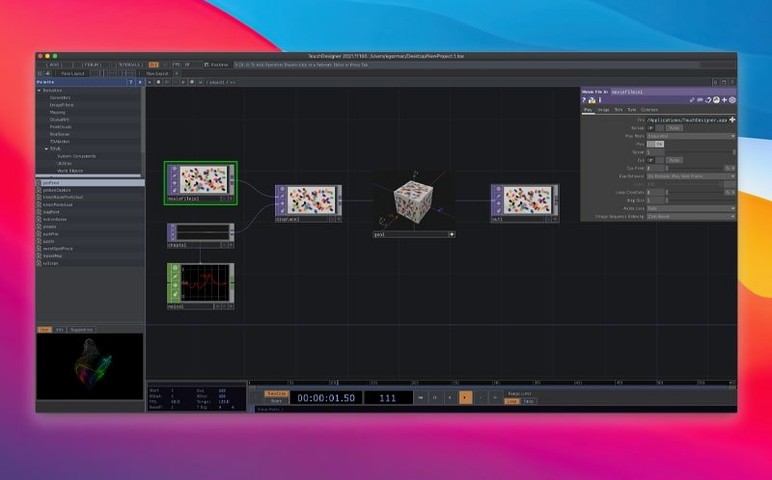
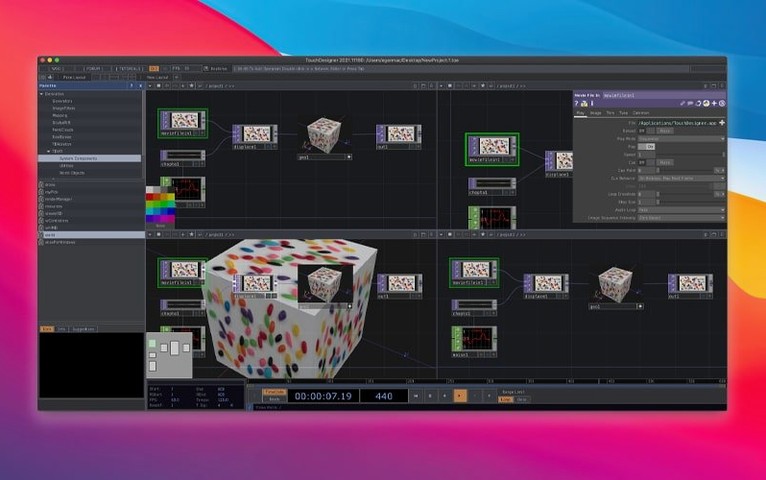
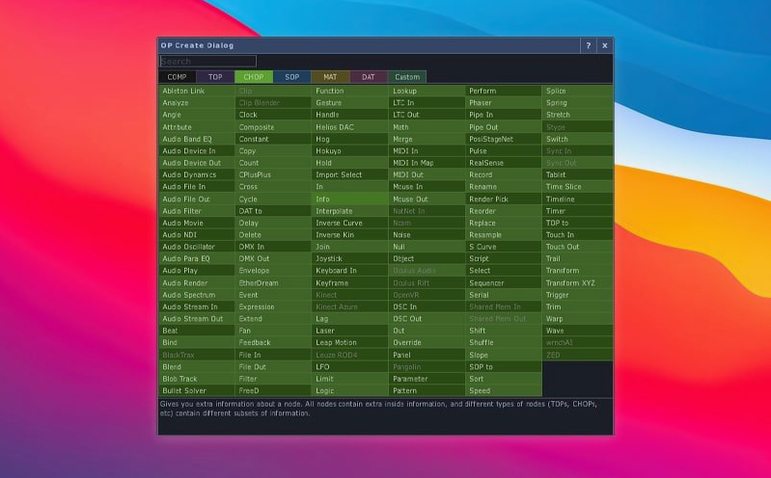
If your Mac is running an Intel chip on macOS 10.14 Mojave or later, the .dmg for the current 2025.31550 build will install cleanly. The environment is still Intel-only — there is no native Apple silicon slice in the package, so M-series machines run it through Rosetta 2. For a tool pushing real-time 3D buffers and compositing chains, that can matter once scene graphs get dense.
Tools an experienced builder will care about
- POPs on the GPU. Point Operators create and modify 3D data directly on the graphics hardware. That keeps particle sets and point-cloud transforms inside the same memory space as your render pipeline.
- 3D textures and 2D arrays in TOPs. Most Texture Operators now understand volume data natively. This simplifies work with simulation look-ups, slice-based rendering and shader-heavy compositing chains.
- Hardware integration. The Orbbec SDK bump to 1.10.16 and the Kinect Azure wrapper at 1.10.3 mean depth-sensor projects tie in with fewer abstraction-layer headaches.
Extending the environment
TouchDesigner is a separate visual development platform — it does not squeeze into a standard macOS document-model app. That independence shows in the extension points. Custom C++ operators, Python scripting hooked into the event loop, and protocol support for OSC, MIDI, DMX and web APIs let you shape the runtime around a project rather than the other way around. For projection mapping or gallery installations that need to talk to odd hardware while holding 60 fps, those seams are where the real work gets done.
First 72 hours: what to set up before the real work starts
Right after you drag the app into /Applications and get past the Gatekeeper dance, spend an afternoon on the things that stop being fun once a deadline is breathing down your neck. First: pick a scratch disk. TouchDesigner writes cache files for Movie File In TOPs, geometry caches and the real-time compositing engine. By default that lands on your boot volume. If your boot drive is a small-ish internal SSD, set a custom cache path under Edit > Preferences > General and point it at a fast external Thunderbolt drive with plenty of headroom. You will feel the difference the first time you scrub through a 4K image sequence in a network with twelve TOPs downstream.
Second thing: get the MIDI, OSC and DMX device mappings sorted while your brain is fresh. Open the Dialogs > MIDI Device Mapper panel, plug in any controllers you own, and rename the entries to something human-readable — nobody wants to debug nanoKONTROL2 SLIDER/KNOB at two in the morning during a tech rehearsal. Same goes for OSC addresses: sketch a naming convention for your control surface early, even if it is just a sticky note. TouchDesigner will happily route a hundred unlabeled /1/fader37 messages through your project; finding which one kills the master volume later is on you.
Third: test your real-time output target. Whether your end goal is a projector via Syphon, a Blackmagic capture card over PCIe, or a virtual webcam through the Video Stream Out TOP, fire up a minimal network — a Constant TOP into a Null — and confirm the signal chain reaches its destination at the frame rate you need. Nothing is more demoralising than building a gorgeous generative scene and discovering on show day that your Thunderbolt-to-HDMI adapter introduces a three-frame lag the venue's video distribution system cannot compensate for.
Treating the network like an After Effects timeline
The most common one I see in forums: treating the network like an After Effects timeline. TouchDesigner is a real-time engine; every frame gets cooked from scratch unless you explicitly cache or freeze a result. Dragging in ten Movie File In TOPs playing back 6K ProRes clips unpacks each file on the CPU before the GPU ever sees a pixel. The fix is almost always a Cache TOP placed after expensive read operations, or — better — pre-transcoding source footage to a GPU-friendly format like Hap or NotchLC before it ever enters the project.
Another pattern: beginners often ignore the difference between cooking and displaying. A panel in Perform Mode showing a rendered view does not guarantee the upstream network is still cooking at full rate. Toggle on the Performance Monitor (Dialogs > Performance Monitor) and watch the cook times on any operator marked red or yellow. A single Python script CHOP doing heavy math inside while loops will stall the entire frame budget, and TouchDesigner will not politely warn you — it will just drop frames silently until you investigate.
Watch out for GPU memory bloat from 3D textures. The new 3D texture and 2D array support in TOPs is fantastic, but a 2048×2048×256 RGBA volume texture eats over four gigabytes of VRAM by itself. On Intel Macs with discrete AMD GPUs that have 4 GB or 8 GB of VRAM total, you can overshoot faster than expected. Use the TOP viewer's info popup (middle-click the node) to check texture dimensions and format, and keep an eye on the VRAM readout in the Performance Monitor. If your Intel Mac runs out of VRAM, macOS will start swapping into unified memory over the PCIe bus; performance tanks immediately.
How TouchDesigner compares with similar tools on macOS
Compared to Max/MSP/Jitter, TouchDesigner leans harder into the GPU. Max's Jitter matrix operations can do real-time video, but the patcher environment was built around message-passing and audio-rate signal processing first, visuals second. TouchDesigner flips that: the TOP and CHOP families are first-class citizens, and the node graph cooks in a deterministic frame loop that suits rendering pipelines. Where Max offers finer audio DSP control with gen~ and MC objects, TouchDesigner covers lighting desks, DMX universes and sensor hardware with less patching overhead. For an installation that mixes 3D projection mapping with an Art-Net-controlled LED wall, TouchDesigner is the more direct path.
Next to Unity — which some artists turn to for real-time visuals — TouchDesigner trades a compiled C# scripting environment for live, hot-reloaded Python and a node graph you can rewire while the timeline runs. Unity is a game engine with a visual layer bolted on; TouchDesigner is the opposite: a visual synthesis environment that can incorporate game-engine-like scene graphs when you need them. If you enjoy building scenes in a 3D viewport with drag-and-drop prefabs, Unity feels more familiar. If you think in signal flows — video in, transform chain, shader, output — TouchDesigner maps more directly onto that mental model.
Against vvvv (which remains Windows-only, so the comparison is conceptual for Mac users who dual-boot), TouchDesigner's macOS build carries its own quirks — the Intel-only binary being the most obvious. However, vvvv's VL language is a typed, compiled visual programming model, while TouchDesigner keeps scripting in Python and leaves performance-critical work to compiled C++ operators or GLSL shaders. On a Boot Camp partition, a user might pick vvvv for heavy .NET interop; on macOS, TouchDesigner is the only one of the three that runs natively beside Quartz Composer's long-gone ghost.
Workflow: building a beat-reactive visualiser from scratch
Here is a start-to-finish workflow for a common task — a music-driven shape system that reacts to an audio file, suitable for a livestream background or club VJ set.
Step 1: audio analysis. Drop an Audio File In CHOP into the network and load your track. Set the output to Time Slice so the CHOP cooks per-frame. Branch from it into an Audio Spectrum CHOP — a short FFT length like 1024 samples gives you snappy transients for beat detection; a longer 4096 gives smoother frequency curves. For a simple kick-and-snare feel, route the spectrum into a Math CHOP set to Combine Channels > Sum on the low-mid range (roughly 20–400 Hz) to create a single "energy" channel.
Step 2: geometry generation. Create a Circle SOP with a high division count — say 128 points — and pipe it into a Noise SOP. The Noise SOP's amplitude parameter will be driven by our audio energy. Right-click the amplitude field, choose Reference > CHOP, and point it at the Math CHOP from step one. Enable Export on the Math CHOP to push its value into the parameter. On each beat, the circle's perimeter distorts outward in a spiky, breathing movement. Add a Twist SOP downstream, referencing a different frequency band — maybe the hi-hat range around 8–16 kHz — for secondary motion that does not fight the kick.
Step 3: rendering. Place a Geometry COMP and drag the Twist SOP into it. Inside the COMP, set up a basic Phong MAT with an emissive channel driven by the same energy channel — the shape glows hotter on strong beats. Add a Camera COMP and position it for a three-quarter view. Now pipe the Geometry COMP into a Render TOP. The resulting texture runs at your project's frame rate (60 fps by default) and can be fed downstream into compositing effects.
Step 4: compositing and output. Chain the Render TOP into a Blur TOP with a small radius for bloom, then into a Level TOP to crush the blacks slightly for a cinematic contrast curve. Finally, connect a Syphon Out TOP if you are sending the signal to OBS or MadMapper, or a Window COMP for direct fullscreen output. Press F1 for Perform Mode, hit play on the Audio File In CHOP, and watch the shape pump in time with the track. The entire network remains live-editable — you can swap the Circle for a Torus, change the noise algorithm, or add a feedback loop with a Feedback TOP, all while the music plays.
Where TouchDesigner fits into a larger Mac toolset
TouchDesigner does not pretend to be a DAW, an NLE, or a 3D modelling package, and that is its strength in a pipeline. I routinely see setups where Ableton Live sends MIDI clock and OSC track-state data into TouchDesigner over the IAC Driver bus — Live handles the arrangement and warping, TouchDesigner handles the real-time visual response. The Link protocol makes tempo sync trivial across both apps on the same machine. For content creation, Blender models get exported as FBX or OBJ and loaded into Geometry COMPs; animation rigs stay
- Point Operators (POPs). A new operator family that creates and modifies 3D point data directly on the GPU.
- 3D textures and 2D array support. Most TOPs now handle volume textures natively, opening up tighter integration with simulation data and multi-slice compositing.
- Orbbec SDK 1.10.16. Updated depth-camera SDK for cleaner hardware communication.
- macOS: 10.14 or later
- Architecture: Intel (Apple Silicon runs via Rosetta 2)
$ man touchdesigner | grep -A2 "?"
Does it support real-time 3D rendering and compositing together?
Yes — the platform combines a real-time 3D renderer with a GPU-based compositing pipeline, so geometry and image layers stay in sync per frame.
Can I extend it for a specific installation or performance?
Project-specific customization is built into the architecture. You can write custom operators, script the runtime with Python, and interface with external hardware over multiple protocols.
Comments 0
Sign in or create an account to leave a comment.
No comments yet. A codec, a slice, a machine — they appear after moderation.