TunesKit iPhone Unlocker for macOS
What macOS version does it need?
The current build (2.7.0.16) is an Intel x86 64-bit binary, so it runs natively on Intel Macs and under Rosetta 2 on Apple Silicon machines. The floor is OS X 10.11 El Capitan—if your Mac is stuck on an older OS, it won't launch.
What does the workflow look like?
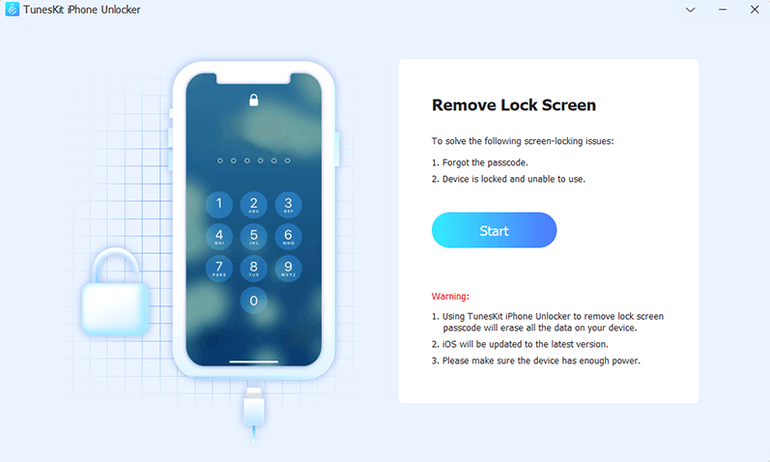
- Connect the locked iPhone, iPad, or iPod touch to the Mac with a USB cable.
- Launch TunesKit iPhone Unlocker and let it detect the device. If the screen is smashed or the digitizer isn't responding, detection still works as long as the device powers on.
- Download the matching iOS firmware—the app fetches it for you, so you don't need to hunt for an
.ipswmanually. - Start the unlock. The tool wipes the passcode, Face ID, Touch ID, and any associated Apple ID from the device, bringing it back to a clean setup state.
The interface is English-only and fairly direct: pick a lock type, grab firmware, go. It's built for the moments when repeated failed passcode attempts have disabled the device, Face ID refuses to scan, or a cracked display makes entering a PIN impossible. One limitation worth knowing: removing the passcode also removes the Apple ID, so you'll set the phone up from scratch afterward.
What actually happens when a toddler disables an iPhone 13?
Let me walk you through what actually happens when you sit down with a locked iPhone 13 and TunesKit iPhone Unlocker. The screen is disabled after a toddler mashed the passcode field one too many times—the classic "iPhone is disabled, connect to iTunes" message is staring back at you.
You mount the .dmg, run the Open Gatekeeper friendly script, and hit Enter in the Terminal window that pops up. Drag the app to /Applications, launch it, and plug the phone in. The app takes about four seconds to recognize it—the device icon flips from "searching" to a green connected state.
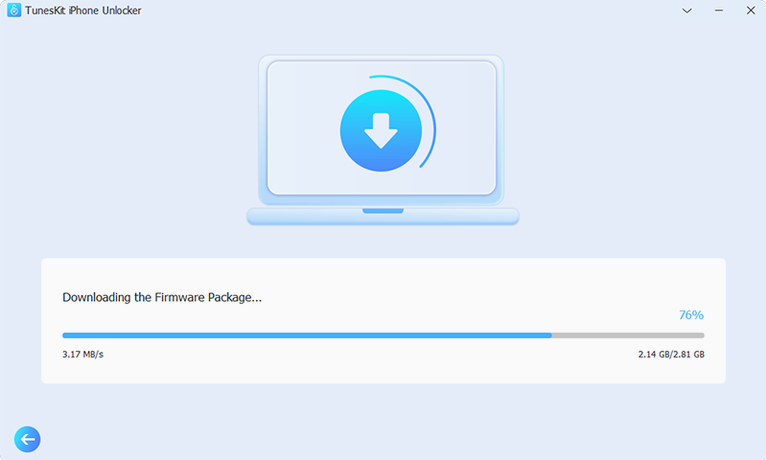
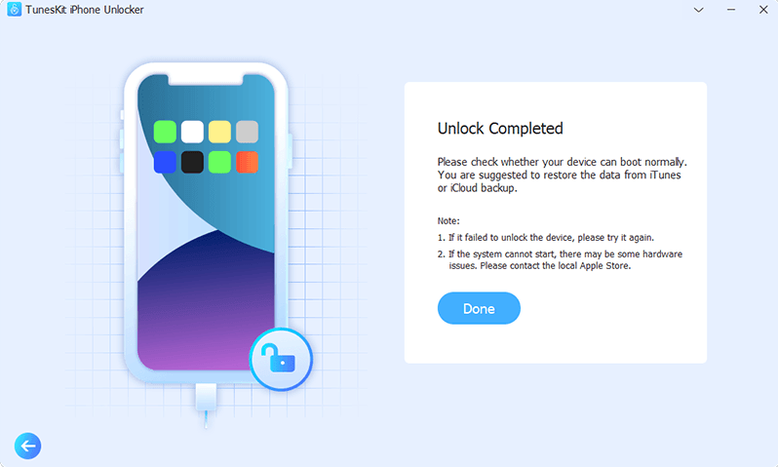
Next, you pick "Unlock iOS Screen" from the three options on the left panel. The app asks you to confirm the device model—it usually auto-detects correctly, but if you've got an obscure regional variant, double-checking saves time. Then comes the firmware download. The app pulls a roughly 6 GB .ipsw from Apple's servers. On a decent connection this takes eight or ten minutes; the progress bar is honest, no surprises. Once the firmware is cached locally, you hit "Start Unlock" and the app puts the iPhone into recovery mode—the screen goes black, then shows the "connect to computer" graphic. The actual flashing step runs about fifteen minutes. When it finishes, the phone reboots to the Hello screen, clean and ready for setup.
The whole thing—download included—took me just under half an hour. No command-line fiddling, no DFU-mode timing games, no iTunes.
Where does it stash firmware to save a second download?
- Firmware caching. If you unlock a second device of the same model, the
.ipswdoesn't download again. The app keeps it in~/Library/Application Support/TunesKit iOS Unlocker/—worth knowing if you're short on disk space and want to clear it later. - Recovery mode one-click. There's a button to kick the device into recovery mode without going through the unlock flow. Handy if iTunes refuses to see a device and you need to nudge it.
- Device model override. The auto-detection is solid, but the dropdown lets you pick manually. Useful when the phone won't identify itself over USB—happens more often than you'd think with water-damaged logic boards that still partially boot.
- Log window. Under the View menu, there's a plain-text log that shows every handshake with the device. If something fails mid-flash, the log usually tells you whether it was a USB dropout, a firmware mismatch, or a device-side refusal. Most people never open it, but it's the first thing to check when things go sideways.
Which recovery roadblocks appear with a disabled phone?
Device not detected
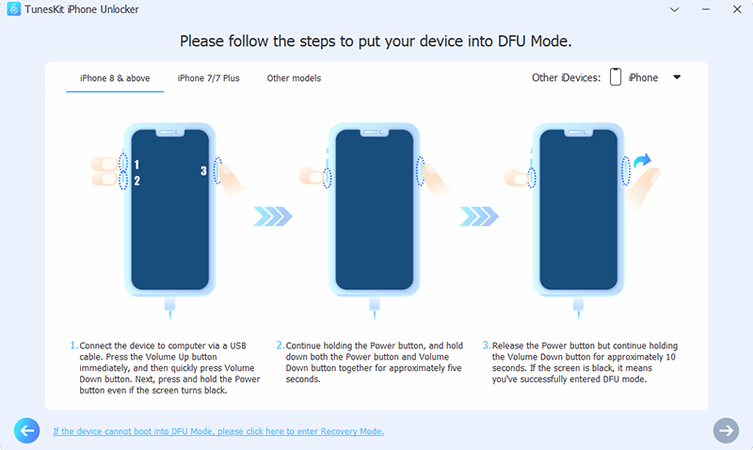
If the app doesn't see the phone, the USB connection is almost always the culprit. Try a different cable—preferably the one that came with the device, since third-party cables sometimes drop the handshake voltage the recovery protocol needs. If you're on a MacBook with only USB-C ports, a direct USB-C-to-Lightning cable works more reliably than a hub. Still nothing? Put the device into recovery mode manually (button dance varies by model), then plug it in. The app picks up recovery-mode devices even when normal-mode detection fails.
Firmware download stalls or fails
Apple's firmware CDN occasionally throttles large downloads. If the progress bar freezes for more than five minutes, cancel and restart the download—the app doesn't resume partial downloads, so you'll start fresh. On metered connections or slow Wi-Fi, the 6 GB payload is a real consideration. The app doesn't let you provide your own .ipsw, so the download step is unavoidable.
"Failed to restore" error mid-unlock
This usually means the firmware version the app downloaded is no longer signed by Apple. Apple un-signs old iOS versions quickly—sometimes within days of a new release. If you hit this, the fix is to let the app re-download the latest signed firmware. It picks the newest compatible build automatically, but if you started a download before Apple pulled a version, the cached file might be stale. Delete it from the Application Support folder and try again.
Activation Lock remains after unlock
On devices running iOS 12.0 through 16.7.15 (iPhone 5s through iPhone X), the app can strip the iCloud Activation Lock. Outside that range, or if Find My is tied to an Apple ID with two-factor authentication hardened in a particular way, the lock may survive the passcode removal. The phone will boot to the Hello screen but still ask for the original owner's credentials during setup. This isn't a bug—it's Apple's server-side check kicking in—but it catches people off guard.
Why pick this over iMazing or Tenorshare?
TunesKit vs. 4uKey
4uKey covers roughly the same ground: screen unlock, Apple ID removal, Screen Time and MDM removal. The interface is a bit more polished, with larger icons and a clearer "what do you want to do" landing screen. Underneath, both tools flash firmware the same way—they download an .ipsw, put the device in recovery mode, and wipe the passcode partition. 4uKey adds a "retain data" option on some iOS versions, which tries to preserve user files during screen unlock. TunesKit doesn't offer that—a wipe is always a wipe. If you need data preservation, that tips the scales. If you just need a clean unlock and want something lightweight, TunesKit gets the job done with fewer menu screens to click through.
TunesKit vs. iMyFone LockWiper
LockWiper has broader Apple ID removal compatibility across iOS versions and tends to update faster when Apple patches the signing loopholes. It also handles MDM profiles with a dedicated bypass module that works without a full restore—useful if you're dealing with a company-managed device and only need the remote management profile gone. TunesKit's MDM removal requires a full device wipe, same as the screen unlock path. For pure passcode removal on a disabled personal device, the two are functionally identical. For Apple ID and MDM edge cases, LockWiper has the wider net.
Where TunesKit pulls ahead is simplicity. It doesn't try to upsell you at every screen, and the download-and-flash pipeline is linear—pick lock type, grab firmware, go. If your needs are straightforward and the iOS version falls within the supported range, the leaner tool is often the faster one to actually use.
- OS X 10.11 or later
- Intel x86 64-bit (Apple Silicon via Rosetta 2)
- USB port for device connection
$ man tuneskit-iphone-unlocker | grep -A2 "?"
Does it work when the screen is completely dead?
No. The device must power on and be recognized over USB. A cracked but functioning display is fine; a device that won't boot or shows no signs of life cannot be detected.
Will it keep my data after unlocking?
No. Removing the passcode or Apple ID through this tool erases all content and settings. The phone returns to the Hello screen and you restore from a backup if you have one.
Comments 0
Sign in or create an account to leave a comment.
No comments yet. A codec, a slice, a machine — they appear after moderation.