uDock for macOS
Version 5.3.1 is a maintenance release focused on stability. No new surface features are listed, but the update ensures smooth operation on current macOS builds. The package is a standard .dmg containing the app binary.
Check compatibility with your Mac
uDock requires macOS 11 (Big Sur) or later and ships as a universal binary. It runs natively on both Apple silicon and Intel processors, so there is no translation overhead regardless of your architecture. The footprint is small, and the app lives quietly in the system toolbar.
Set up quick access to what you use
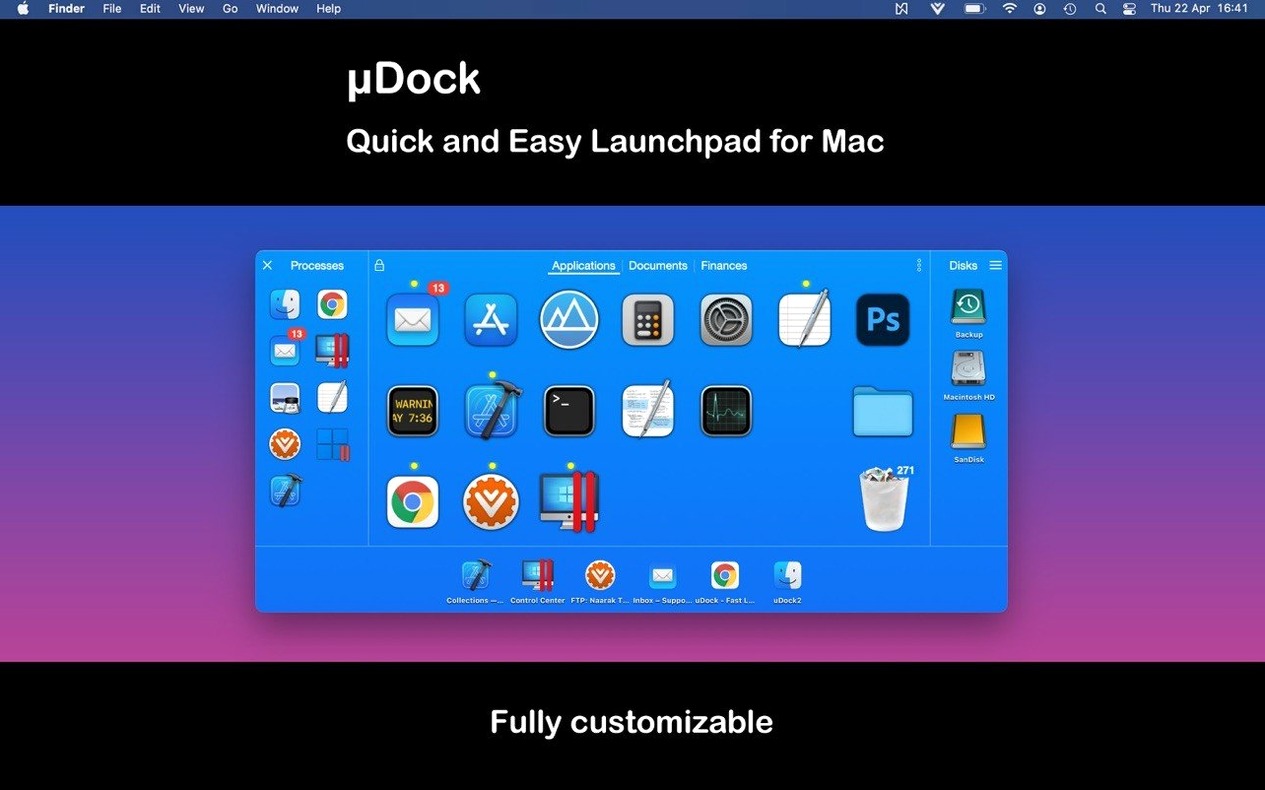
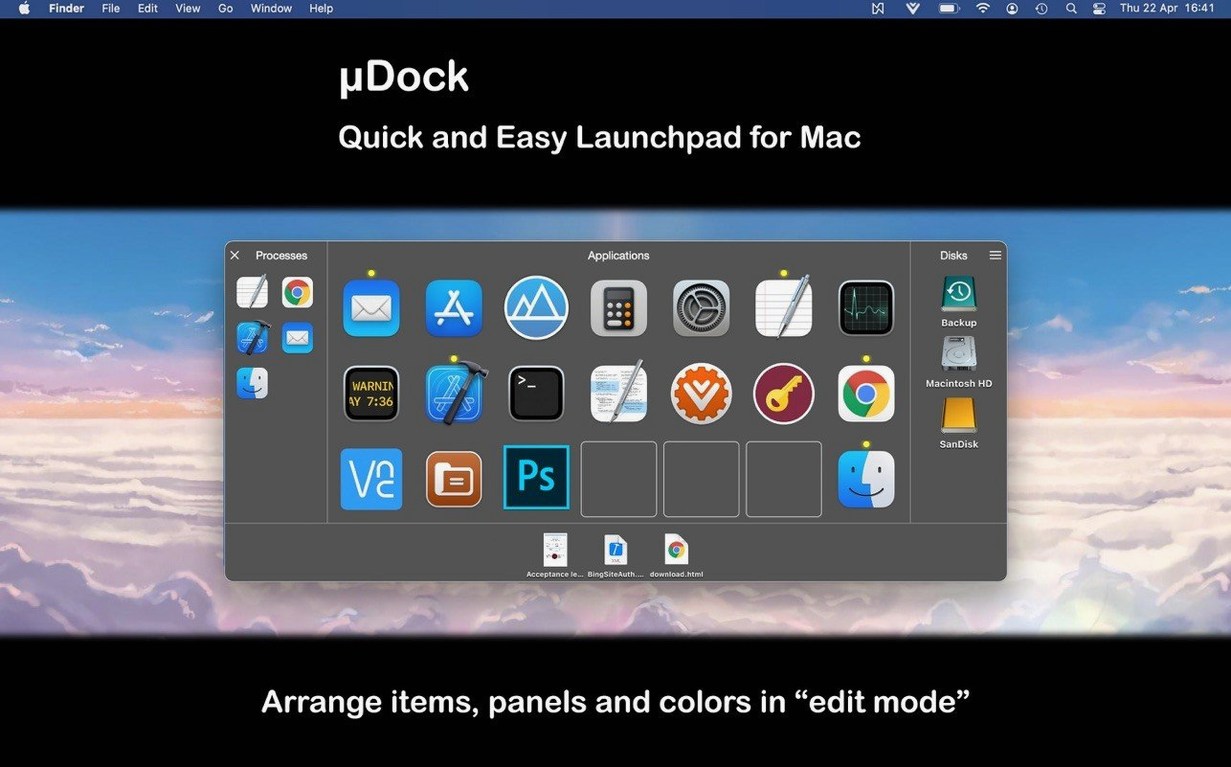
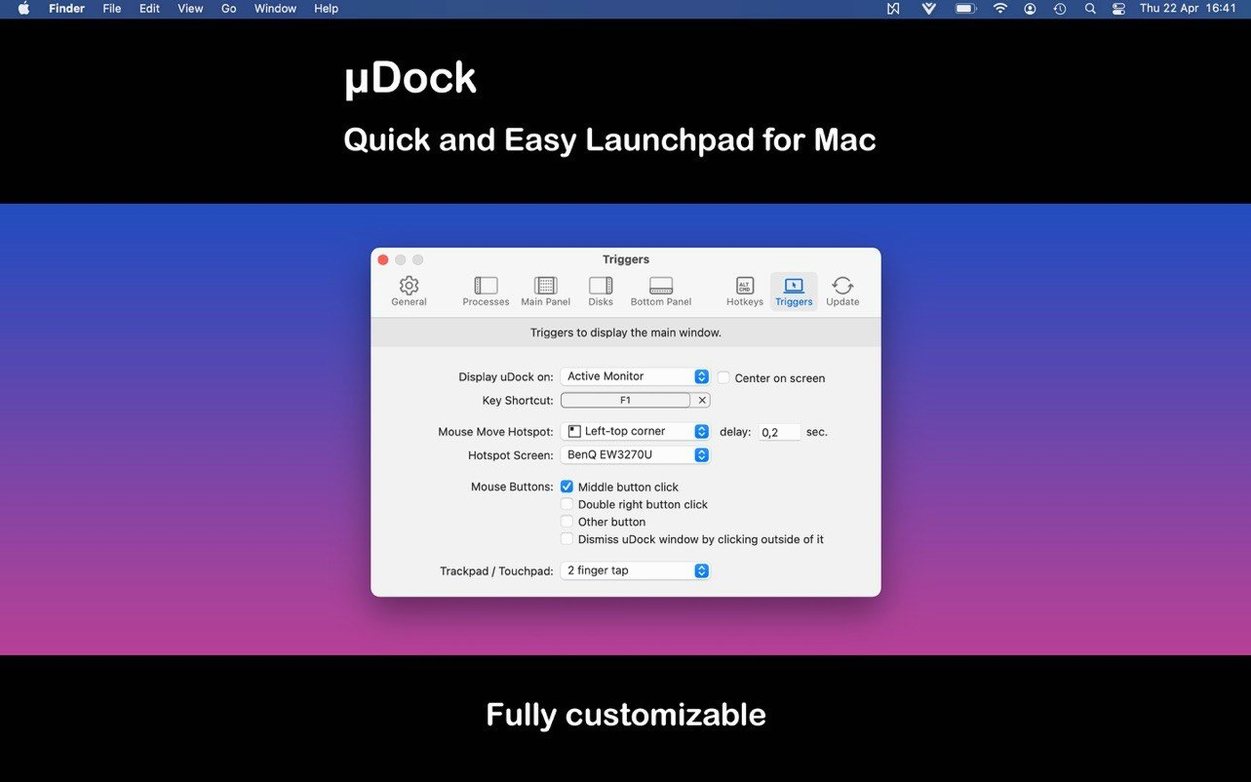
Once installed, you trigger the interface with a configurable keyboard shortcut or a mouse hotspot. The tabbed panel organizes applications, documents, music, and folders into separate panes, and you can browse running processes and connected drives directly from it.
Manage files and remote connections
Beyond local file management, uDock includes a built-in SFTP client. You can bookmark remote servers and open them from the same launcher interface, keeping terminal sessions for quick transfers out of the way until needed.
How does uDock fit with other apps and macOS features?
uDock doesn’t replace Mission Control, Spotlight, or the native Dock — it sits alongside them. Think of it as a supplementary access layer that you summon on demand. Active tasks like Finder Quick Look, Stage Manager window sets, and full‑screen Spaces all keep working normally while the panel is open. That matters: I have seen some third‑party overlays grab window focus and break Spaces, but uDock stays unobtrusive.
What makes it click with a larger workflow is the hotkey system. You can assign a shortcut directly to an app or a folder without needing to wrap it in an Automator Quick Action or a shell script. For example, mapping ⌃⌥⌘T to your ~/Dev folder opens it immediately in Finder — no open command, no extra tool. If you already use a launcher like Alfred or Raycast for web searches and snippets, uDock handles the other half: instant access to local resources, processes, and SFTP bookmarks. The two categories rarely collide, so they complement each other rather than compete.
Some users looking for a quick way to get uDock for Mac cracked will find the packaged build is already universal and lightweight; there is no activation circus, just a clean installation routine.
Sits idle until invoked and draws only with standard AppKit controls
Flat memory pressure on a 2015 Intel MacBook Air
Not in any measurable way. The process sits idle until you invoke it, and even when visible, it draws a simple panel with standard AppKit controls. On a 2015 Intel MacBook Air running Big Sur, the memory pressure stays flat. The universal binary means no Rosetta 2 translation tax on Apple silicon, and no extra background daemon runs when the panel is closed.
Only needs standard Accessibility access for global hotkeys
No. uDock asks for standard Accessibility access if you want global hotkeys to work reliably — that is the same permission any keyboard‑driven tool needs on macOS. It does not disable SIP, load kernel extensions, or patch system files. Uninstalling is simply moving the app to the Trash after quitting it from the toolbar icon.
Per‑folder hotkeys work fine without ever adding a server
Absolutely. The SFTP client is tucked behind a bookmarks panel; if you never add a server, you never see it. The file browser, process list, and tabbed launcher work independently. Some people install it purely for the per‑folder hotkeys and never touch remote connections.
Recent Apps tab skips scrolling through the full Applications pane
The App Store release notes point to three practical shifts. First, the Recent Apps tab means you can now reach the last few applications you closed without scrolling through the full Applications pane. If you cycle between a code editor, a browser, and a design tool all day, that tab saves a couple of seconds every switch.
Second, user interface refinements cleaned up spacing and alignment in the panel — nothing dramatic, but the tab bar labels no longer clip on non‑English localizations like German and French. Third, the bug fixes addressed a crash that could occur when waking a Mac from sleep while an SFTP session was still active. In practice, that means you can leave a remote bookmark open, close the lid, and come back without losing the connection state.
The overall feel of 5.3.1 is quieter than earlier 5.x releases. No workflow has been redesigned; instead, rough edges that appeared on recent macOS versions have been sanded down. If you held off updating because of sleep‑wake quirks, this build resolves the main reported issue.
- macOS 11 (Big Sur) or later
- Apple Silicon or Intel 64‑bit Mac
$ man udock | grep -A2 "?"
Does uDock work on Apple silicon Macs?
Yes, the developer states it supports Apple silicon natively without Rosetta 2. The app runs as a universal binary on both M-series and Intel Macs.
How do you uninstall uDock?
The official guide says to quit the app and move it from the Applications folder to the Trash. No kernel extensions or background daemons need manual removal.
Comments 0
Sign in or create an account to leave a comment.
No comments yet. A codec, a slice, a machine — they appear after moderation.