
Vellum for macOS
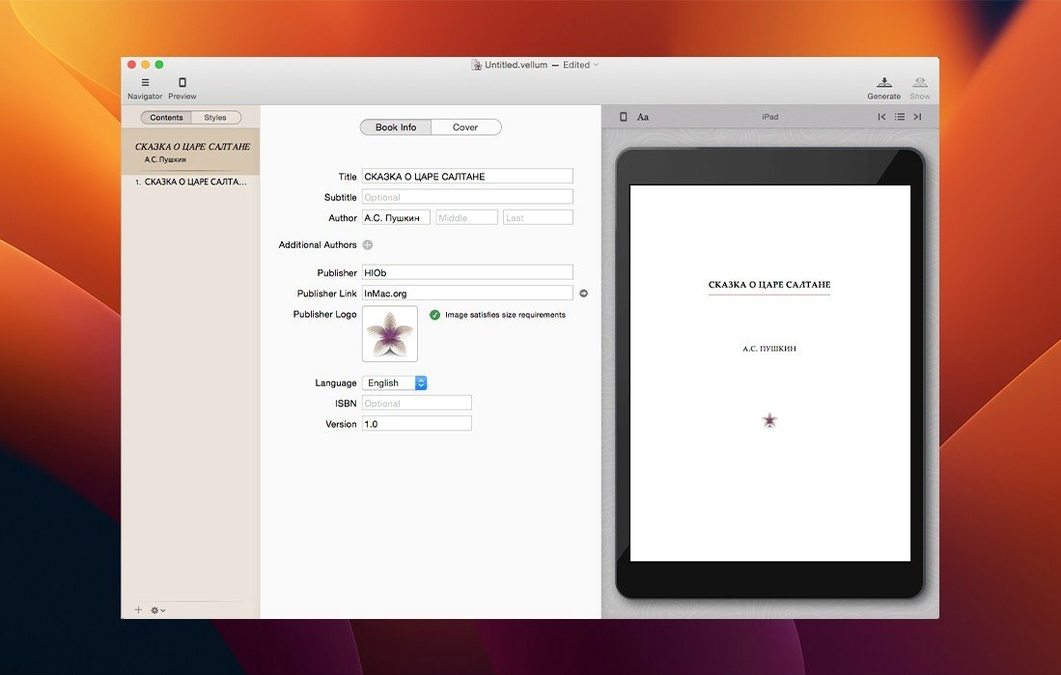
You drop a finished .docx manuscript onto Vellum and it immediately builds a title page, a copyright page placeholder, and a table of contents from the chapter headings it found. No template-hunting, no starting from a blank screen. The book already looks like a book, and you can start refining from there.
The right side shows a live preview that updates with every change you make — adjust a heading, and the table of contents refreshes instantly. Switch the preview between iPhone, iPad, Kindle, Nook, or a print edition to see how margins, page numbers, headers and footers shift. Pick a trim size for print and the app recalculates the layout on the spot, handling widows and spread balancing so you don’t have to chase orphans page by page.
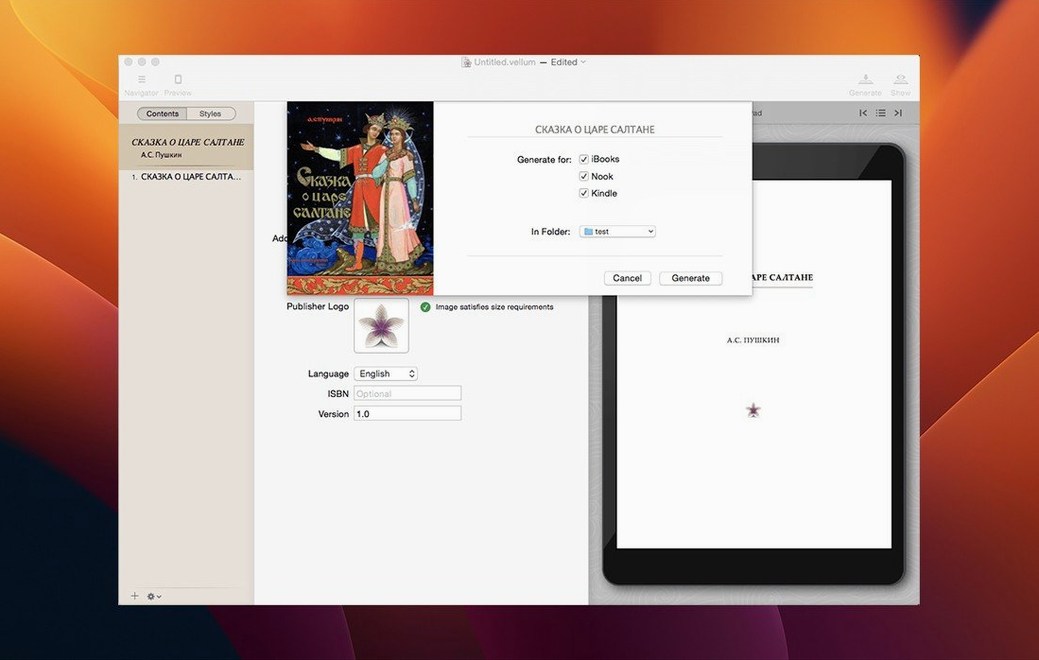
Copyright-page text gets entered directly inside the app in a dedicated editor, not patched in later. When the text is final, you generate the ebook files. If the author sends a correction three days later, you edit the manuscript, regenerate the files, and the whole output stays consistent — no rebuilding from scratch.
What do people trip over most when they first open Vellum?
One recurring snag is the chapter-import logic. Vellum maps chapter breaks to Heading 1 styles in a .docx file. If your manuscript uses centered bold text instead of actual heading styles, the app sees one long body-text block, not a structured book. The fix is quick: open the original document, apply Heading 1 to each chapter title, save, and re-import. The title page and table of contents appear immediately.
Another point of confusion is the copyright-page editor. People sometimes paste their full copyright block only to find line breaks have vanished. The editor respects plain text, not rich-text formatting, so pasting from a styled source can collapse paragraphs. Typing directly into the copyright field, or pasting from a plain-text editor, keeps the spacing intact.
Print-preview zooming catches a few newcomers flat-footed. Moving from a trim size of 5×8 inches to 6×9 inches changes the page proportions, and the preview window doesn't always resize to match unless you toggle the device selector once. A quick flick between Kindle and print preview forces the redraw and shows the correct layout.
Boxed-set creation has a subtlety worth flagging. When you pull multiple books together, Vellum expects each one to share the same style settings — element styles, font choices, chapter-heading treatments. If your individual projects use different Vellum styles, the boxed set previews fine, but the generated ebook may carry mismatched formatting into later chapters. Applying one consistent style to all the component books before bundling avoids the problem entirely.
A faster preview engine now redraws page layouts without the pause
Version 4 brought a revised preview engine that draws page layouts faster — noticeable when flipping between an iPhone 12 view and a Kobo Forma view while adjusting paragraph spacing. Earlier builds would pause a beat before the new device preview appeared; the current release draws it in real time on Apple silicon Macs, and the lag on Intel machines is barely a flicker now.
The 4.1.x line tightened how spread balancing works for print. Previously, a short last line on a recto page could sit awkwardly alone. The newer algorithm pushes an extra line forward from the next spread more aggressively, which produces cleaner page-breaks in trade-paperback layouts without manual nudging. For anyone preparing a paperback edition, that means fewer rounds of tweaking widow and orphan settings.
Memory use during generation has improved as well. Older versions could spike RAM noticeably when building a 400-page epub with embedded images; the current build keeps the footprint flatter and releases memory faster after the export completes. On an 8 GB M1 MacBook Air, generating a full ebook-plus-print bundle now finishes without the system feeling bogged down by background tasks.
Why a 90,000-word manuscript styles itself in four seconds
Speed is Vellum's quiet strength. Importing a 90,000-word manuscript and having a fully styled book ready to preview takes about four seconds on Apple silicon, maybe seven on a 2019 Intel MacBook Pro. The instant-preview update — changing a chapter title and watching the table of contents reflect it — stays responsive even in a manuscript with forty chapters. There is no compile step for previews; the rendered page is always live.
Stability holds up well across long editing sessions. Leaving the app open for six or eight hours while making incremental edits across fifty chapters rarely triggers a crash on the current build. The one fragile spot reported is rapid toggling between element styles on older Intel machines — applying a new style, undoing, applying again in quick succession can occasionally stall the preview pane for a couple of seconds. It catches up on its own without a relaunch.
Resource use is modest given the work it does. Idle memory sits around 180 MB with a manuscript open; generating a Kindle, Kobo, and print bundle pushes that briefly to roughly 400 MB before it drops back. The app doesn't write large temporary files into ~/Library/Caches during export, which keeps SSD wear low even if you regenerate the same book twenty times in an afternoon.
No, your exported ebook files don't link back to the app
Do I need to keep Vellum around after my book is finished? No — the generated ebook files are standalone and don't link back to the app. But if you plan to make corrections later, keeping the .vellum project file is far easier than re-importing the manuscript and redoing every style choice from memory. The project file is tiny, so there's little reason to delete it.
Will it handle a manuscript that's already formatted with custom styles in Word? It will import the text and preserve italics and bold, but it strips Word's paragraph-level formatting — indents, line spacing, custom fonts — and replaces everything with the Vellum style you pick. That's by design, and it's usually faster than cleaning up inconsistent formatting by hand.
Does the print output need any external layout software? No. Vellum generates a print-ready PDF with trim marks and bleed if you need them. The PDF drops straight into KDP Print or IngramSpark without extra steps, though you may want to check the cover is supplied separately, since Vellum handles only the interior layout.
- macOS 11 or later
- Intel 64-bit
$ man vellum | grep -A2 "?"
Can Vellum generate updated ebook files after changes?
Yes. You can edit the manuscript or metadata inside Vellum and regenerate the ebook files, which keeps the formatting consistent across revisions.
What kind of preview does Vellum offer?
It provides a live device preview that lets you see the book as it would appear on iPhone, iPad, Kindle, Nook, or as a print edition.
Comments 0
Sign in or create an account to leave a comment.
No comments yet. A codec, a slice, a machine — they appear after moderation.