ViWizard Spotify Music Converter for macOS
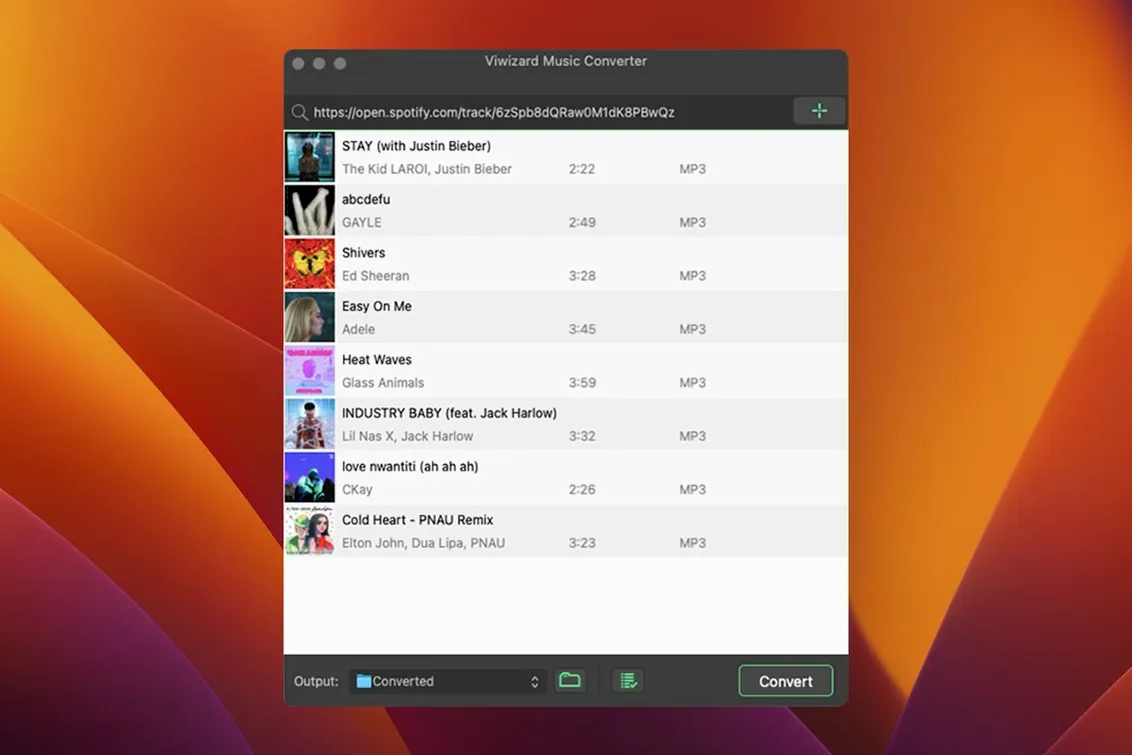
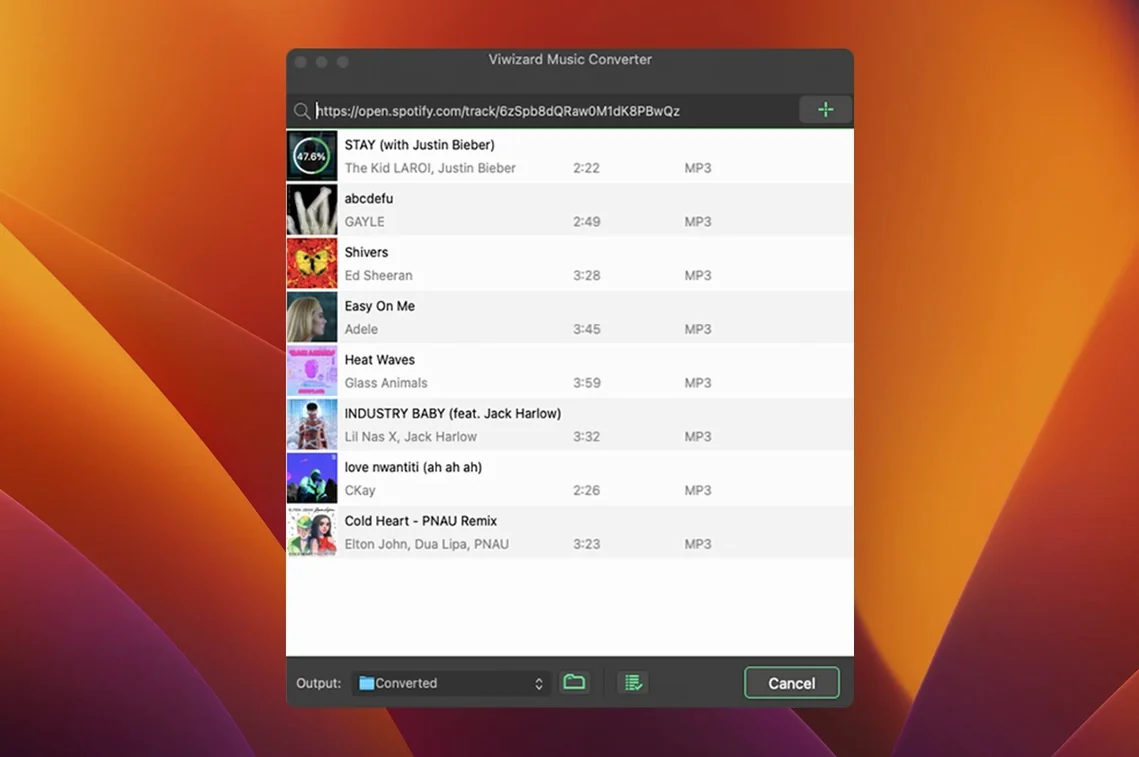
You’ve got a curated playlist for a long flight, but the Wi-Fi will be patchy and offline sync isn’t playing nice with your non-mobile devices. That’s the kind of gap ViWizard Spotify Music Converter is built for. It pulls tracks through the built-in Spotify Web Player and writes them out as plain audio files you can throw onto any player, old or new.
Why keeping FLAC archives of playlists is the core use case
- Archiving playlists in open formats like
FLACorWAVwhere Spotify’s own offline mode doesn’t reach. - People who organize libraries meticulously — the app can auto-sort output by artist or album and preserves metadata.
- Machines stuck on older macOS releases, since it runs back to OS X 10.10.
Where the web player source sets the audio quality ceiling
- It speaks English, German, French, and Japanese — fine for those, but no wider localization.
- Audio quality is bounded by what Spotify’s web player streams; you’re capturing the source, not re-encoding a lossless master.
- Intel-only architecture on the Mac side means it runs through Rosetta 2 on Apple Silicon.
Built-in Spotify player means no desktop app needed
A few details make daily use smoother once you know they're there. The converter reads directly from the Spotify Web Player embedded in its own interface — you don't need the desktop Spotify client installed at all. That also means you can stay logged into a different account in your regular Spotify app without conflicts.
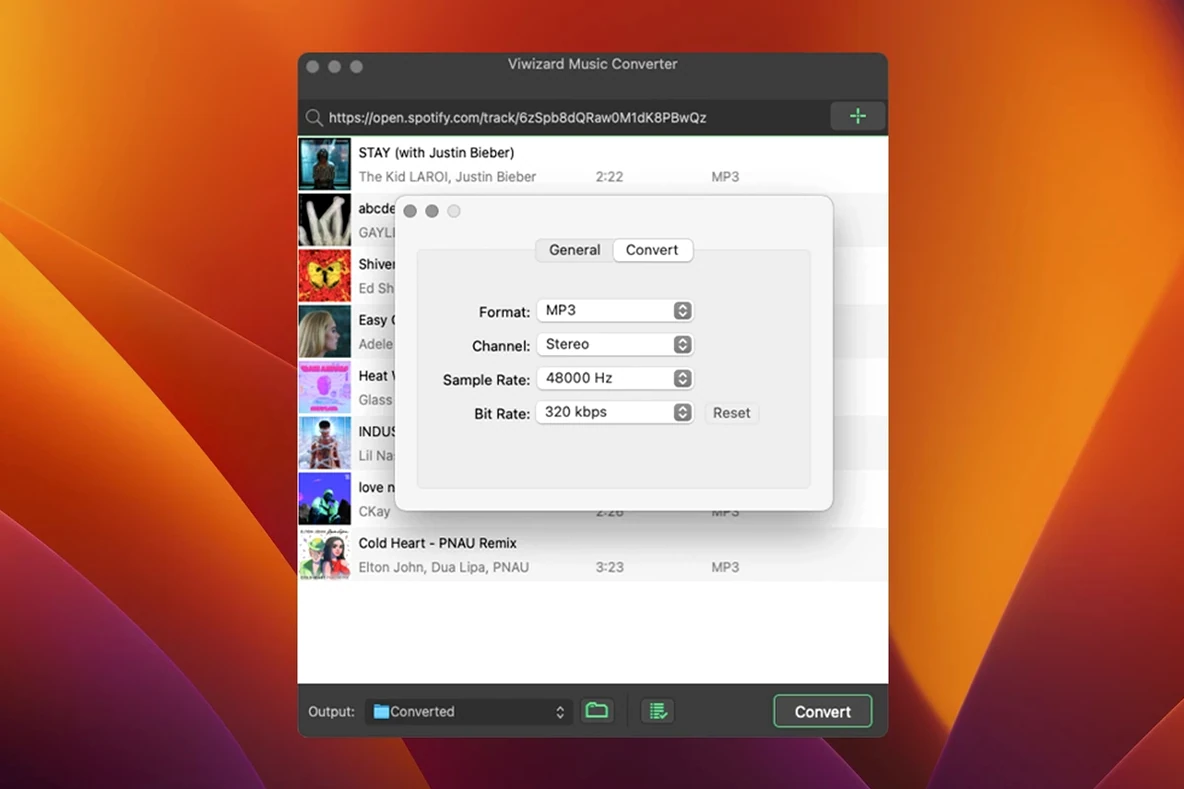
The output path editor supports variables. Instead of dumping everything into one folder, you can set it to {Artist}/{Album}/{TrackNumber} - {Title} and never hand-sort again. The same dialog lets you pick channel count (mono, stereo), bitrate, and sample rate per format, so a podcast might go out as 64 kbps mono M4B while an album stays at 320 kbps stereo MP3 in a different folder — all set once, applied automatically.
Batch conversion respects the order of tracks in a playlist, not some internal hash. If you drag a curated sequence, the output files are numbered and ordered the same way. Small thing, but it saves renaming later if your car stereo sorts by filename.
When DJs pull discovery playlists straight into rekordbox
DJs and live performers who still rely on offline crates tend to appreciate this tool the most. They can pull a discovery playlist from Spotify, convert to WAV or FLAC, and drop the files straight into rekordbox or Serato without a streaming dependency. The metadata preservation means artist, title, and album fields survive the move, so the CDJ screen shows something useful instead of Track 01.wav.
People with large offline music players — old iPods, dedicated DAPs, in-dash SD card readers in cars — are another natural fit. These devices don't run Spotify, and they never will. A playlist converted to MP3 at a sensible bitrate and organized by artist folder just works. The app's habit of keeping album art embedded in the file is a bonus for players that display cover art on screen.
Language learners and podcast archivists also benefit. A podcast series that might disappear from Spotify's catalog can be grabbed as M4B with chapter marks intact, then stored locally. The mono output option for spoken word saves storage without affecting intelligibility.
How the player now pauses and retries instead of stalling
Version 2.17.0 refined the built-in web player's reliability rather than adding splashy features. Where earlier builds could stall on a long playlist if the network blipped, the current release handles transient errors more gracefully — it pauses and retries instead of aborting the whole batch. Users converting overnight queues of several hundred tracks will notice the difference.
Metadata handling improved too. Older releases occasionally left the Album Artist field blank on compilation albums, which caused some library managers to split a single album into one entry per contributing artist. The current build populates that field more consistently, so compilations stay together in apps like Music or Plex.
On the interface side, the language support for German, French, and Japanese received small corrections — menu labels that had been slightly truncated in the French localization now fit properly. No new formats were added, but the existing M4A and M4B containers now embed cover art more reliably on Intel Macs running 10.13 and later.
Is the web player embedded right in the interface?
Does it need the Spotify desktop app, or can I keep things separate?
It uses its own embedded web player. You log in once inside ViWizard's interface, and that session stays independent of any other Spotify app on your machine. You can keep the official Spotify client, uninstall it, or use a different account there — none of that affects the converter.
Is this an Intel binary, and what happens on Apple Silicon?
The build is x86 64-bit. On an M1 or later Mac, it runs transparently under Rosetta 2. There's no Universal binary as of version 2.17.0. In practice, conversion speed depends more on Spotify's web player streaming rate than on CPU architecture — Rosetta doesn't create a meaningful bottleneck here.
Can I convert a podcast at a lower bitrate than a music playlist?
Yes. Output profiles are format-specific, not global. You can set MP3 to 320 kbps for music and M4B to 64 kbps mono for spoken word, then pick the right format per batch. The settings persist between sessions, so you set them once.
Will the output files work with my old iPod or car stereo?
If your device plays standard MP3 or AAC files, then yes. The converter writes plain audio files with no DRM wrapper. Album art and ID3 tags are embedded the same way a ripped CD would be. For car stereos that expect a specific folder structure, the auto-sorting by artist or album handles that before you even plug the USB stick in.
- macOS 10.10 or later
- Intel processor (runs via Rosetta 2 on Apple Silicon)
$ man viwizard-spotify-music-converter | grep -A2 "?"
What output formats can it write?
It handles MP3, AAC, WAV, FLAC, M4A, and M4B, so you can target anything from a lossless archive to a compact audiobook file.
How does it access Spotify's catalog?
The app wraps the official Spotify Web Player internally — you log in with your account and it captures the audio as it plays.
Comments 0
Sign in or create an account to leave a comment.
No comments yet. A codec, a slice, a machine — they appear after moderation.