Wirecast Pro for macOS
People running conferences, recording interviews, or streaming live sports on macOS reach for Wirecast Pro when they need multi-camera switching with broadcast-style overlays. A few questions keep coming up before anyone drops a .dmg onto the desktop, so here is the plain-text definition file.
Wirecast Pro — live video streaming and recording app that handles NDI sources, virtual cameras, and graphic templates.
16.5.4 — the current public build; ships as a 64-bit universal binary for Intel and Apple Silicon Macs running macOS 11 or later.
NDI — Network Device Interface; Wirecast can ingest NDI sources from PTZ cameras on the local network, and the 16.5.4 update fixes detection for certain PTZ NDI models that dropped off the list on macOS.
Virtual camera — the output driver that feeds Wirecast’s program mix into apps like Zoom or Teams; 16.5.4 patches the crash that happened when the virtual microphone driver was blocked by corporate IT policy.
Discontinuous-frame flag — a metadata marker added in 16.5.4 for NDI sources, signaling a gap in the frame sequence so downstream encoders handle the break cleanly.
Graphics — built-in titles, lower-thirds, overlays, and sports score templates that you can switch live without touching an external graphics box.
Running a two-camera interview stream, start to finish
Say you’re streaming a sit-down interview with a remote guest joining via Zoom. You have one camera on the host, a second camera on a product table, and the guest’s Zoom window as a third source. Here’s the play-by-play.
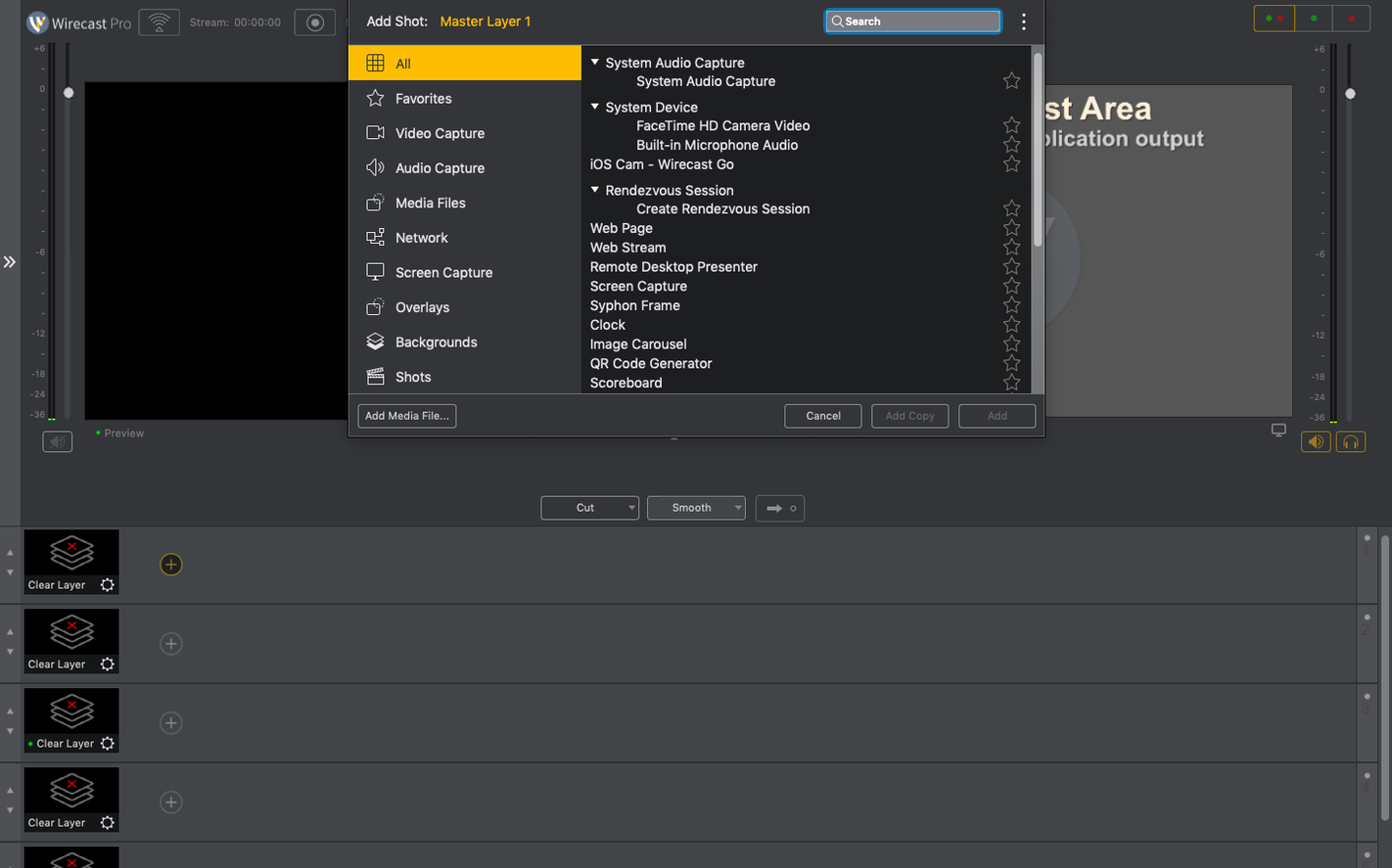
Open Wirecast Pro and give the new document a name right away — untitled documents that crash mid-stream lose their shot layout. Add your two physical cameras under Sources → Add Source → Video Capture. If one is an NDI PTZ camera, 16.5.4 should pick it up on the first scan; if it doesn’t appear, power-cycle the camera and hit Refresh in the NDI source dialog before chasing network settings.
For the remote guest, open the virtual camera output in Zoom’s video settings, then back in Wirecast add a Wirecast Virtual Camera source pointed at a dedicated shot layer. You’re not feeding the virtual camera yet — that’s the return path you’ll use later. Grab the guest’s Zoom window via Desktop Presenter or Display Capture instead, cropping to the video pane so controls and chat don’t leak into the stream.
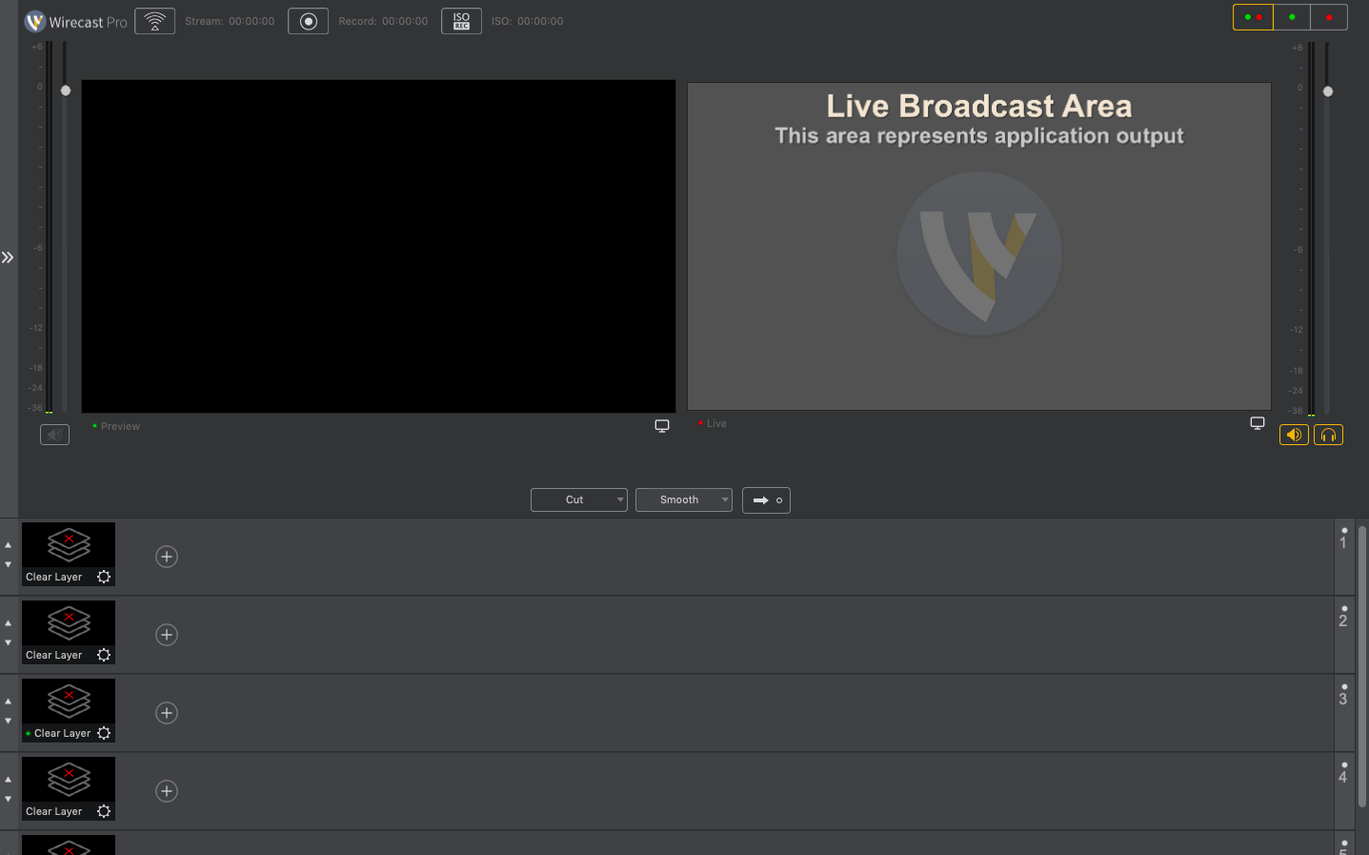
Build three shots in the Shot Editor: a two-box with host and guest side by side, a full-frame on the host, and a full-frame on the product camera. Assign each to a slot in the main switcher row. Drop a lower-third title from the built-in library onto the host’s full-frame shot; double-click the text in the preview pane and type the guest’s name and title. The lower-third sits on that shot only, so switching away removes it cleanly.
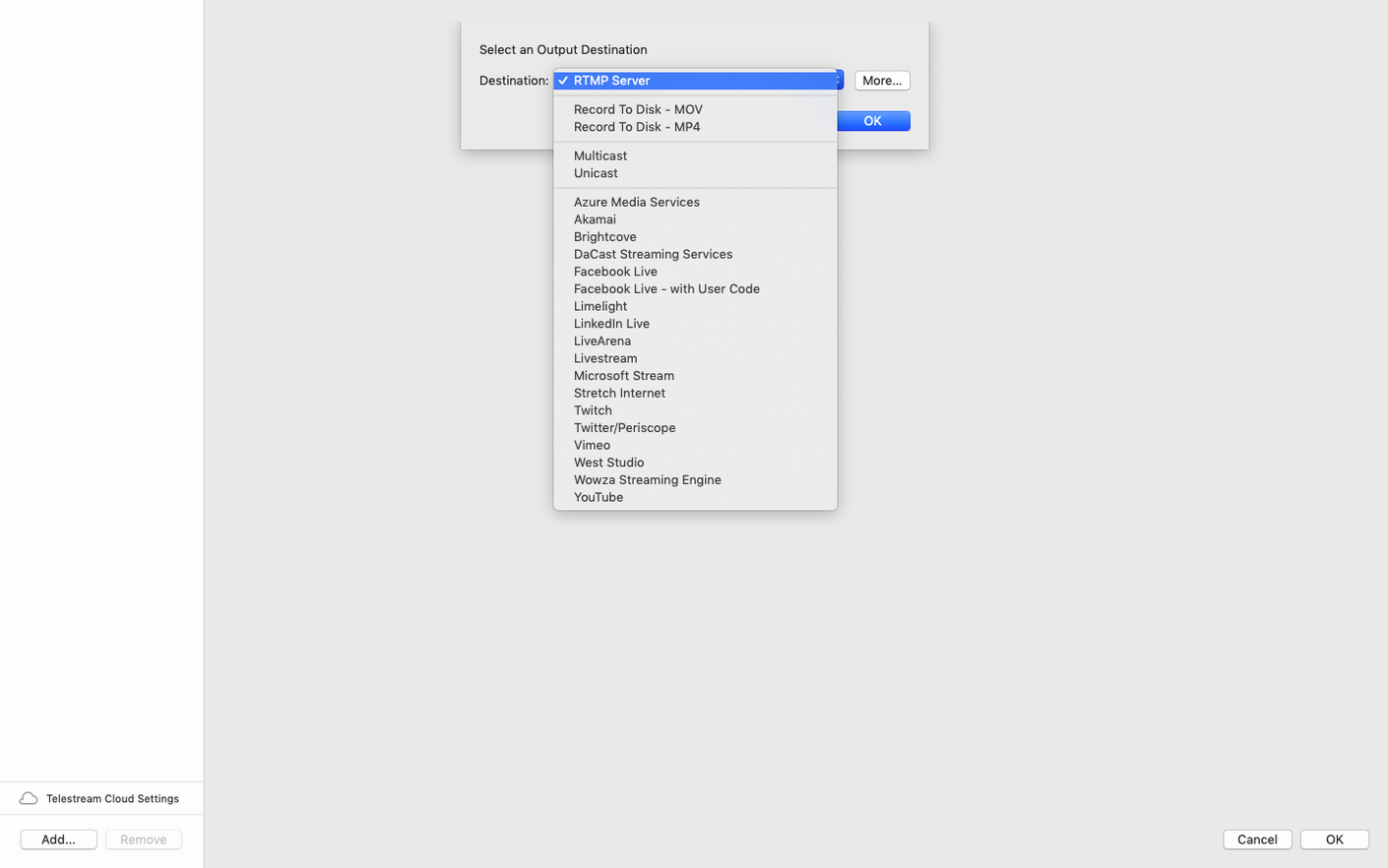
Before going live, set your streaming destination under Output Settings — RTMP server and stream key from whichever platform you’re using. Check the audio mixer: mute any camera mics you aren’t using and bring the host’s dedicated mic channel up to the -12 dB mark. Enable the Record to Disk option with a local path you can find later; Wirecast Pro records an ISO of the program feed, not the individual sources.
When the interview starts, switch with the spacebar or a Stream Deck mapped to the shot slots. The virtual camera driver sends the program mix back into Zoom so the remote guest sees the same two-box layout your viewers see, minus any stream delay. After the stream ends, stop recording before closing the document — stopping the stream doesn’t automatically close the recording file, which is a good thing.
Composing shots live instead of toggling source visibility?
Piling every source into one master shot and switching by toggling source visibility. Wirecast’s shot system exists so you compose once and recall with a single click. Building all combinations on the fly means viewers see the composition happening, and you’ll forget which checkbox you left on.
Ignoring the audio delay offset. Cameras with embedded audio often arrive a few frames ahead of a dedicated audio interface. If the host’s lips move before the words hit, open the offending camera source’s settings and dial in a small delay — 40 to 80 ms is typical — rather than nudging everything else.
Running the stream at the canvas resolution without checking the encoder. A 1080p canvas sent to a platform that re-encodes poorly at low bitrates looks worse than a clean 720p stream. Set the canvas to match the final output resolution and pick a bitrate the upstream can handle without dropping frames.
Letting the GPU memory climb unchecked. Adding high-res NDI sources without an output destination configured keeps frames buffering. Connect an output — even a dummy recording — early in the session so Wirecast Pro flushes the pipeline.
Switcher grid with pre-composed shots or free-form scenes?
OBS Studio takes the same raw ingredients — cameras, NDI, overlays — and assembles them with a scene-and-source model that’s free-form. Wirecast Pro gives you a traditional switcher grid with pre-composed shots, which suits people who think in switcher rows instead of nested scene trees. OBS’s plugin ecosystem is wider, but Wirecast’s title templates and scoreboards ship ready to edit, no hunting through community forums required.
mimoLive layers its approach differently: every source is a stackable layer with its own geometry and transition. That layer model clicks for users coming from video editing, but Wirecast Pro’s shot-based switching is faster when you’re cutting a multi-camera show live and don’t want to manage a dozen layer states. mimoLive’s built-in social media integration is deeper; Wirecast counters with stronger NDI handling, especially after the 16.5.4 PTZ detection fixes.
Ecamm Live leans hard into the Mac-only, single-operator format with interview templates and guest management that feel purpose-built for solo streamers. Wirecast Pro scales further — multiple operators, remote guests via NDI return feeds, and a master-audio bus that Ecamm doesn’t match. The trade-off is complexity: Ecamm’s setup wizard gets a stream running in seconds; Wirecast expects you to understand shot composition before you go live.
Did the NDI source go black after waking the Mac?
NDI source shows black after waking the Mac from sleep. NDI discovery doesn’t always survive a sleep cycle. Close the source’s settings panel, remove and re-add the NDI source — same network, same camera — and it reappears. Better yet, disable system sleep for the duration of a production.
Virtual camera output freezes in the receiving app. Corporate IT policy blocking the virtual microphone driver can bring the whole virtual camera pipe down, which is exactly the scenario 16.5.4 addresses. If it still freezes, open System Settings → Privacy & Security → Camera & Microphone and confirm Wirecast has permission for both. Toggle the permissions off and on again, then restart the stream.
Recorded file has audio but no video track. This happens when the canvas resolution doesn’t match the recording encoder’s profile. Switch the recording encoder from “Same as stream” to an explicit H.264 setting that matches your canvas size — 1920×1080 canvas, 1920×1080 recording — and the video track returns.
Scoreboard template doesn’t update on stream. The built-in sports overlays read from the text fields in the shot’s attributes panel. If you change the score in the floating control window but the stream still shows the old numbers, right-click the shot and choose Update Shot Thumbnail, then re-trigger the shot on the live row. The live output refreshes on the next switch or overlay toggle.
Audio drifts out of sync during a long stream. Different source clocks — camera, audio interface, NDI feed — drift apart over time. Wirecast Pro’s audio sync adjustment in the source inspector is a fixed offset, not a reclocking tool. For long events, feed all audio through a single interface clocked to the video source, or run a sync pulse from the master camera to the audio interface if the hardware supports it.
- macOS 11 or later
- Apple Silicon or Intel 64-bit native
$ man wirecast-pro | grep -A2 "?"
Does Wirecast 16.5.4 run natively on Apple Silicon?
Yes, the 64-bit universal binary includes an arm64 slice, so it runs without Rosetta on M-series Macs from macOS 11 onward.
What gets recorded alongside the stream?
Wirecast records the program feed to disk as MP4 or MOV while streaming, so you leave a live event with an archive copy on local storage.
Comments 0
Sign in or create an account to leave a comment.
No comments yet. A codec, a slice, a machine — they appear after moderation.