Bitwig Studio for macOS
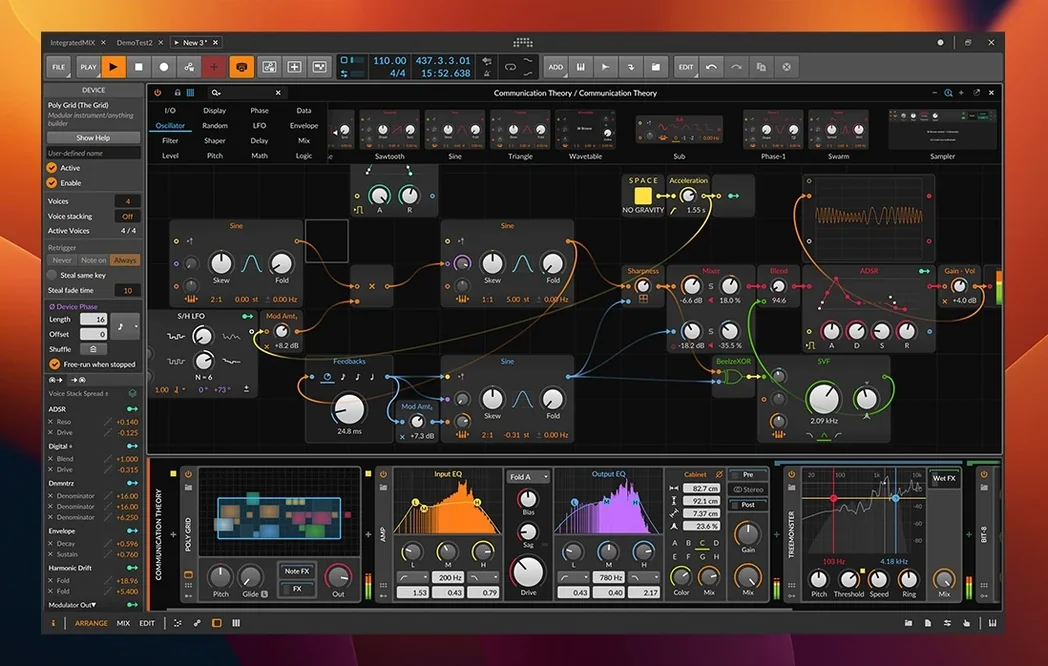
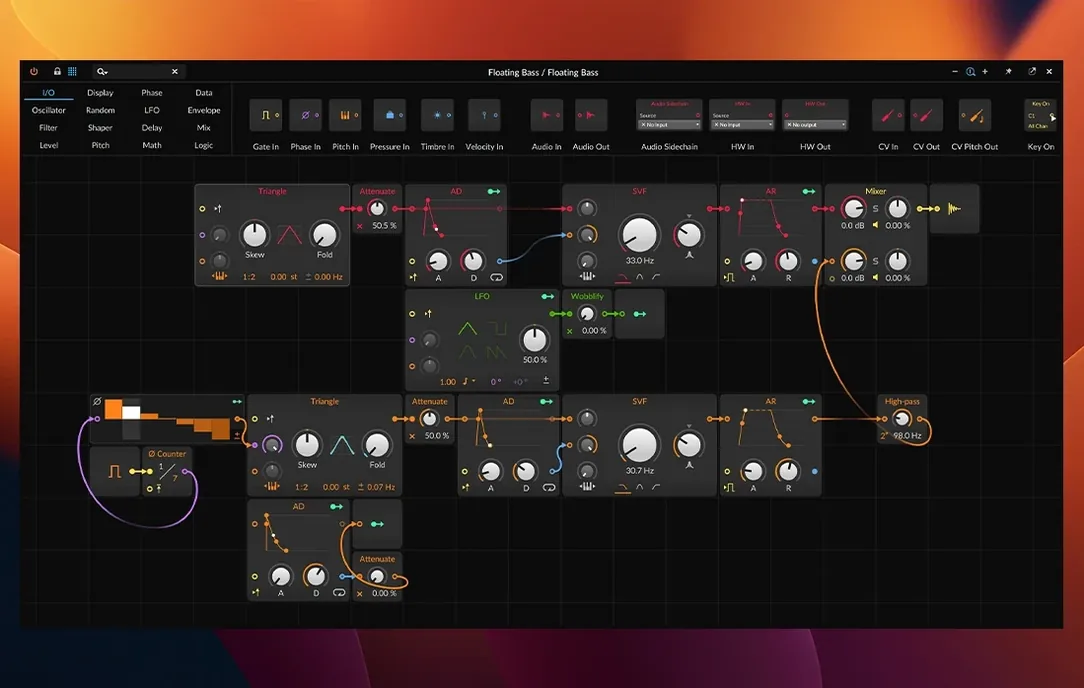
Bitwig Studio 6.1 runs on any Mac with macOS 12 Monterey or newer, native on both Apple Silicon and Intel processors. It is a digital audio workstation built for a particular kind of fluidity — one where recording, arranging, and improvising happen in the same window without stopping the transport. Here is one realistic path through it, from blank project to rough arrangement.
- Set the project tempo by dropping a drum loop into an audio track; the new automatic tempo detection in 6.1 reads the file and adjusts the timeline immediately.
- Launch clips from the mouse or a connected MIDI controller. Clips record Velocity, Gain, Pan, Timbre, and Pressure per note, so controller performances retain their expressive detail.
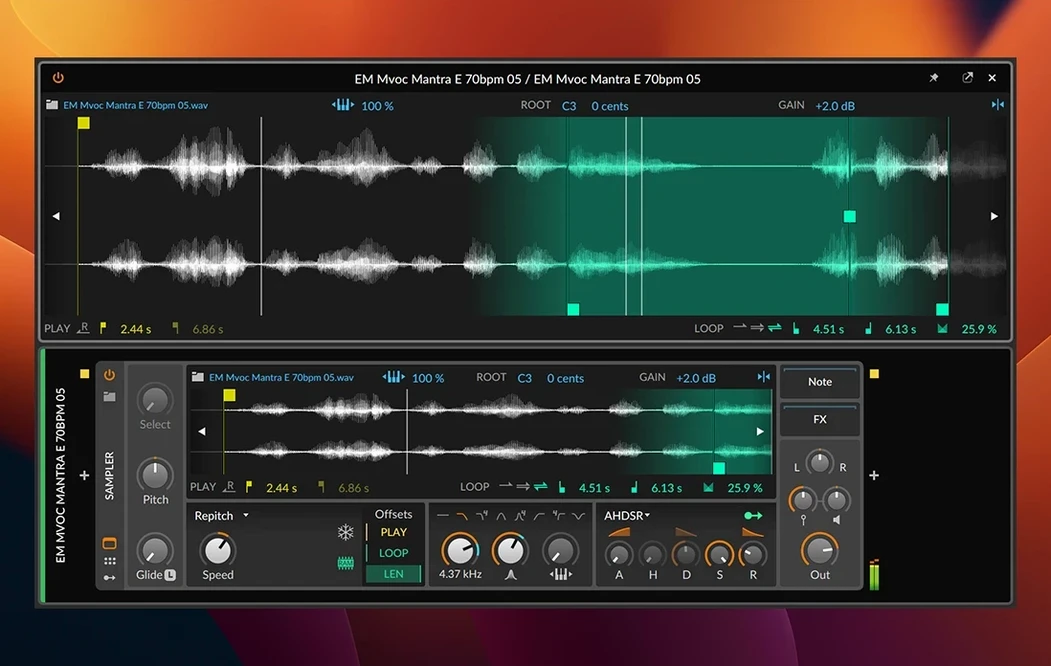
- Slice a vocal phrase in the updated Sampler, then switch its play mode to Spectral or Fragments. Each slice triggers independently and can be repitched with the automatic pitch detection, matching the key of the drum loop without manual tuning.
- Time-stretch a long pad sample to fit the grid using one of eight algorithms — Elastique Pro gives the cleanest results for polyphonic material, while Raw works for lo-fi textures.
- Synchronize an external hardware synth over MIDI. Bitwig sends note and timing signals, and if the synth has a sequencer, Ableton Link keeps its clock phase-locked to the arrangement.
- Record modulation for any device parameter directly into a clip. The window-based, modular layout lets you keep the mixer, piano roll, and device chain visible simultaneously while the transport runs.
The session stays live the whole time. Nothing needs to be committed to the timeline until the arrangement pass, which makes the tool equally useful for studio composition and stage performance.
How does Bitwig Studio 6.1 compare with other Mac DAWs?
Logic Pro ships with an enormous library of instruments and loops that make it immediately useful for songwriters who need acoustic drum kits, string sections, and amp sims out of the box. Bitwig takes the opposite approach — fewer bundled sounds, far deeper modulation routing. Where Logic asks you to reach for a third‑party plug‑in to modulate a reverb decay with an LFO, Bitwig does it natively by dragging a modulator cable. Logic feels like a recording console with a tape machine attached; Bitwig feels like a modular synth rack that also records audio.
Ableton Live shares Bitwig’s clip‑launching DNA and the same non‑stop transport philosophy. The grid is familiar if you have used bitwig studio v5.3.13 or earlier builds, but Bitwig separates the Arrange, Mix, and Edit views so each can live on its own monitor. Live keeps everything in one window. Modulation in Live relies on Max for Live devices; Bitwig builds it into every parameter of every native device. For a controller‑heavy live set where you want three screens and hardware CV integration, Bitwig’s architecture is cleaner. For rapid sketching with tightly integrated Push hardware, Live still pulls ahead.
Why searching before indexing leaves you empty-handed
The most common slip is expecting the browser to work like Finder. Bitwig indexes locations you tell it to index — drop /Samples into the browser sidebar, wait for the spinner to finish, and only then search. Dragging a raw folder onto the window does nothing.
Another is neglecting the audio engine’s plug‑in sandboxing. A crash from a VST3 will not bring down the whole session. Beginners sometimes misinterpret the silent gap while Bitwig revives a crashed plug‑in — a few seconds of no output — as a full crash and force‑quit. Wait a moment; the transport often resumes on its own.
Finally, new users frequently leave the global quantize set to one bar and then wonder why clip launches feel sluggish. Drop it to 1/16 or disable it entirely in the transport bar, especially if you are using a ROLI Seaboard or LinnStrument for real‑time input.
Does it run native on Apple Silicon?
Does it run native on my M1 Mac? Yes. Version 6.1 includes a universal binary; it runs without Rosetta on Apple Silicon and on Intel Macs. The installer is a .dmg and activation is straightforward.
Will my old Ableton Live projects open here? Not directly. Bitwig does not import .als files. You can export stems or MIDI from Live and rebuild the arrangement. The grid‑based clip workflow will feel familiar, but the project format is different.
Can I use third‑party plug‑ins? Bitwig hosts VST3 and CLAP plug‑ins natively. AU plug‑ins are loaded inside the CLAP wrapper and work well. All plug‑ins run in isolated processes, so one rogue synth does not crash your whole project. If you are setting up a bitwig torrent or a bitwig studio torrent, the plug‑in scanning procedure remains identical — just point the plug‑in manager to your /Library/Audio/Plug‑Ins folders and let it analyse.
Is it usable for live performance straight away? Yes. The clip launcher, Ableton Link support, and hardware clock sync over MIDI make it ready for stage use. Many performers build a set from a single project file with multiple scenes, switching between them without stopping playback.
- Sampler rebuilt with non-destructive slicing, plus Spectral and Fragments play modes that process audio in the frequency domain.
- Automatic tempo detection sets the project BPM from imported audio clips.
- Automatic pitch detection reads the dominant pitch of a sample, making repitching to a project key a one-click operation.
- macOS 12 Monterey or newer
- Apple Silicon or Intel processor
$ man bitwig-studio | grep -A2 "?"
Does Bitwig Studio sync with other software and hardware?
Yes, it supports Ableton Link for tempo sync over a network and can send and receive MIDI notes and timing signals for external hardware.
Comments 0
Sign in or create an account to leave a comment.
No comments yet. A codec, a slice, a machine — they appear after moderation.