djay Pro for macOS
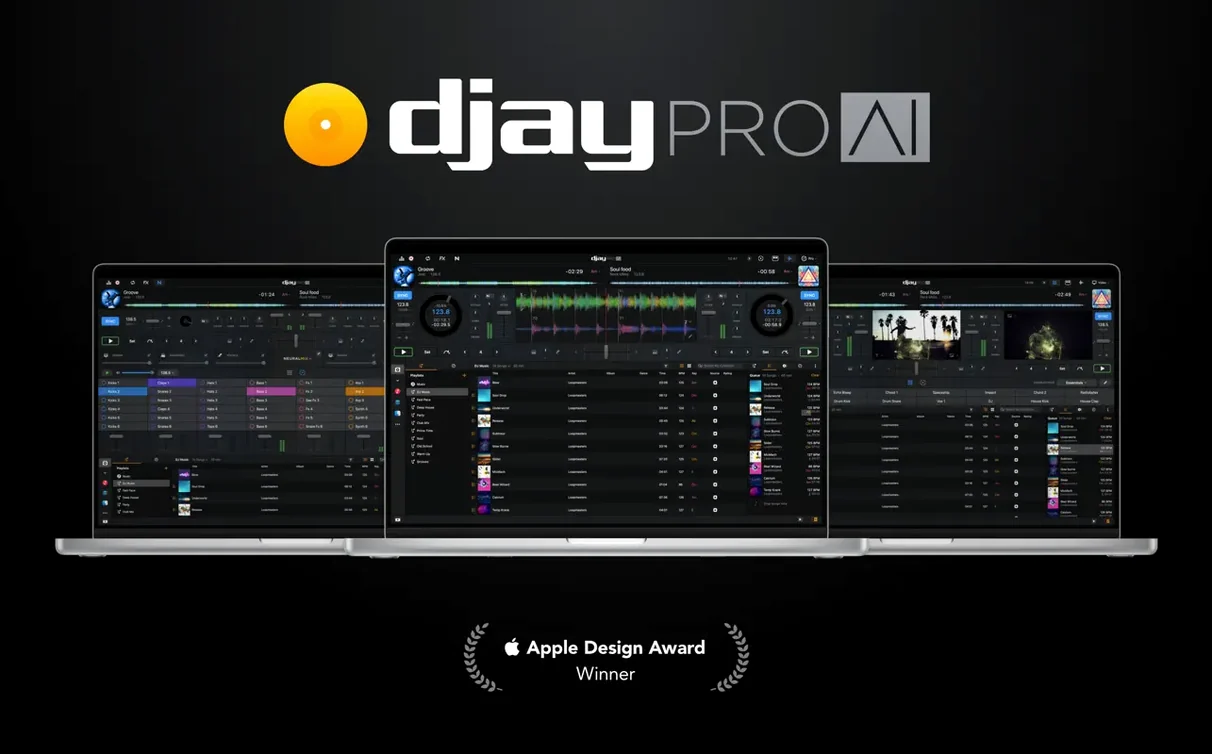
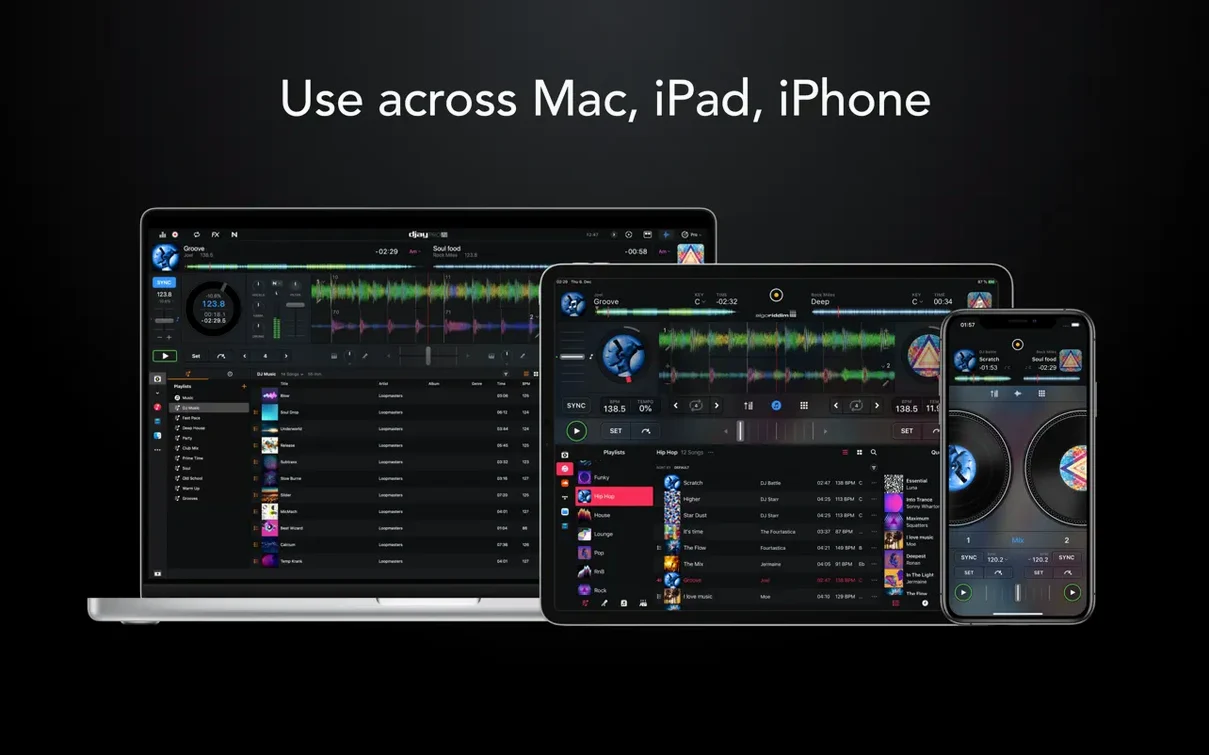
djay Pro is Algoriddim's full-featured DJ software for macOS, built for everything from casual automix sessions to four-deck live performances with hardware integration.
Will it run on your Mac?
- Requires macOS 10.15 (Catalina) or later.
- Runs natively on both Intel and Apple Silicon processors.
- No additional hardware is required to start mixing, but the app integrates with over 100 MIDI controllers if you have them.
What you get
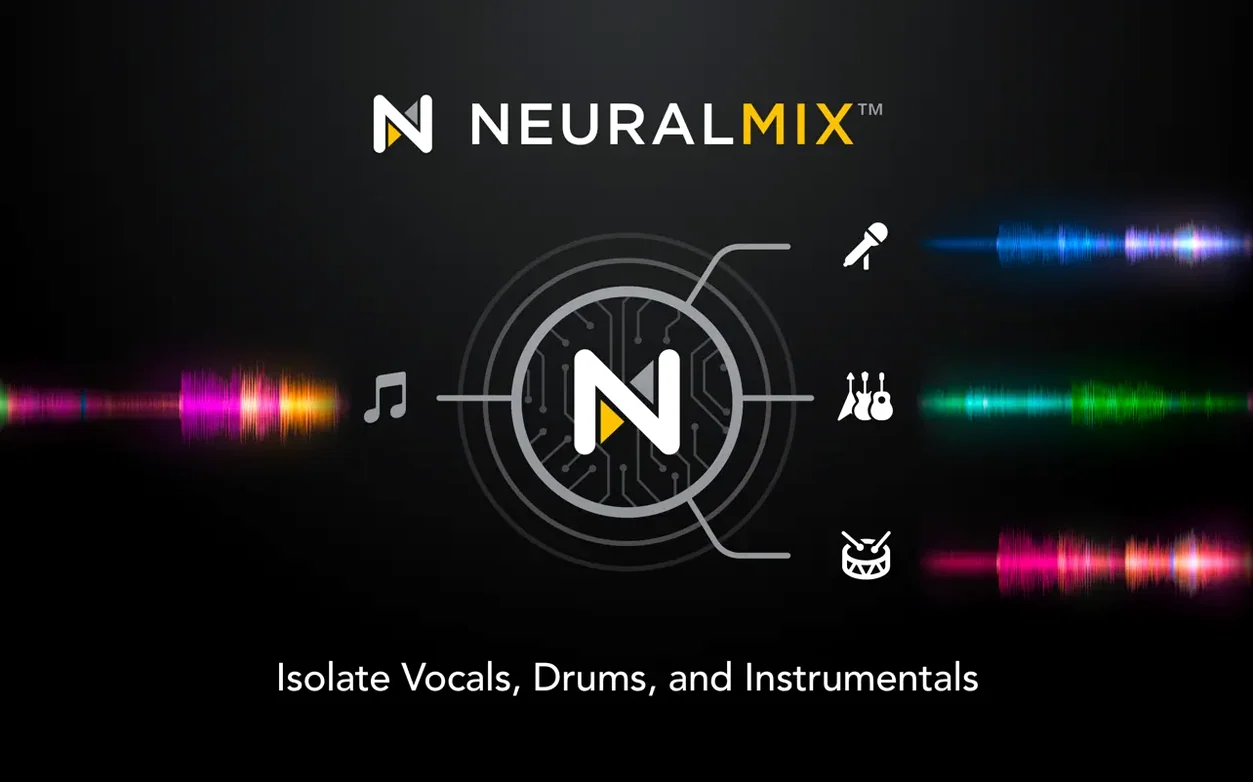
Version 5.6.9 brings real-time stem separation through Neural Mix technology. You can isolate vocals, drums, bass, and instrumental parts on the fly, apply any of the 40-plus built-in effects to individual stems, and route them across four decks. Automix mode handles transitions when you step away, and Ableton Link support keeps everything in sync with other Link-enabled devices on the network. The current update tightens CDJ playlist presentation and adds full RANE System One integration with native display feedback.
Who clicks with djay Pro the fastest
Not every Mac user needs four decks and a looper with 48 slots. In practice, three groups get the most mileage from what's here, and each one uses a different slice of the feature set.
The controller DJ who already owns hardware. If you have a RANE, Pioneer, Reloop, or Numark unit gathering dust because the bundled software felt like a toy, djay Pro is the upgrade that makes that gear feel new. Over 100 controllers are mapped, and with version 5.6.9 the RANE System One gets its own native display output — jog position, track info, waveform overviews right on the hardware screen, no extra configuration file to hunt down. The MIDI learn panel is also surprisingly quick: click a control, touch a knob on your deck, and it's assigned. You're not locked into someone's idea of what a filter knob should do.
The remixer and mashup builder. Neural Mix is the gravitational center here. You're not just EQ-killing a bassline; you're pulling the vocal out of a 128 kbps MP3 in real time and dropping it over a drum pattern you built in the sequencer. This group tends to spend more time in the sampler and looper views than in the library, and they care about things like the crossfader curve editor and per-stem effects routing — features that turn a DJ app into a live remix instrument.
The house-party and wedding DJ. Automix is the obvious draw, but the small touches matter more: the media library can pull from your local Music app playlists without a separate import step, and the CDJ playlist presentation improvements in 5.6.9 mean you can hand a USB stick to someone on Pioneer hardware and the folder structure actually matches what you built at home. Video mixing is another quiet advantage here — if the venue has a screen, you can send a video feed out without running a second app.
Small things you'd miss on the first pass
Some of the best features sit a layer below the surface. After a few sessions, these are the ones that stick.
- Beat jump duration via MIDI. Version 5.6.9 added MIDI actions that let you change beat jump length from a controller pad instead of the screen. If you use beat jump to navigate tracks, mapping a rotary encoder to jump size is a one-time setup that saves a lot of mouse time.
- Cue point accuracy during platter spindown. On motorized controllers like the RANE One or Pioneer DDJ-REV series, cue juggling used to drift as the platter slowed. The 5.6.9 update fixes the timing so cue points trigger where you expect them, even while scratching and releasing.
- 45 RPM stability. If you mix with actual vinyl or motorized platters set to 45 RPM, the pitch tracking is tighter now — less pitch wobble when you nudge a record that's playing at the higher speed.
- Shift-click in the library. You can shift-click to select a range of tracks and drag them into the automix queue in one motion. The queue respects the order you selected, not some alphabetical fallback.
- Per-stem effect chains. The effects panel lets you drop a reverb on vocals and a delay on drums within the same track. The routing isn't buried in a preferences menu; it's right on the stem channel strips in the mixer view.
- Waveform zoom presets. Pinch-to-zoom on the trackpad works on the high-definition waveforms, but tapping the zoom indicator cycles through three preset levels faster than gesturing. Useful when you need to jump from a bar-level view to a transient-level view and back.
Questions people ask before installing
Does it need an always-on internet connection?
No. Once you've downloaded and activated, everything works offline — library browsing, Neural Mix processing, effects, recording. The only features that touch the network are software update checks and Ableton Link over a local LAN, and both are optional.
Will my iTunes playlists show up, or do I need to re-import everything?
They show up. djay Pro reads the Music app library (and the old iTunes library XML if you still have one) directly. Playlists, smart playlists, ratings, and play counts all appear without an import step. If you use third-party library managers like Rekordbox or Serato, the app doesn't import those databases, but it can browse folders on any connected drive.
How resource-heavy is Neural Mix on an older Intel Mac?
Stem separation runs in real time, but the CPU cost varies. On a 2019 Intel MacBook Pro, separating one track into vocals, drums, and bass sits at roughly 30–40% of one core per deck, so a four-deck mix with Neural Mix active on all channels will keep the fans audible. On any M-series chip, the same load barely registers because the processing hits the Neural Engine. There's no offline pre-analysis required, but if you're on Intel and planning a dense set, setting the audio buffer to 512 or 1024 samples in preferences gives the CPU more headroom.
Can I record my set inside the app?
Yes. The record button captures the master output as a stereo file, and you can choose the format — WAV, AIFF, or AAC — and the bit depth. Recording includes video output if you're mixing video. The file lands in a folder you pick, not some hidden cache directory.
Does it work with streaming services?
The app integrates with TIDAL, SoundCloud, and Beatport LINK if you have subscriptions to those services. Tracks from these sources work with Neural Mix, cue points, and automix, but you can't record them due to service restrictions. Local files have no such limits.
A session, step by step
Here's a real pattern — not the only one, but one that shows how the pieces fit together.
Setting up. You open djay Pro on a MacBook Pro running macOS 14. A RANE System One is plugged in via USB-C. The app detects the controller immediately; the hardware displays show track data without any mapping step. You set the audio buffer to 256 samples — low enough to keep the platter response tight, high enough to avoid dropouts when Neural Mix kicks in later.
Building a crate. In the library panel, you navigate to a playlist from the Music app called "Peak Hour Energy." You shift-click the first ten tracks and drag them into the queue. The automix button is off for now — tonight you're doing it live. You tap the waveform view to zoom in to the transient level on deck A.
First transition. Track one is playing on deck A. You load track two on deck B and tap the Neural Mix button to isolate its drums. The app splits the track into four stems in under a second. You kill the bass on deck A and bring in the drum-only intro of track B with the crossfader. It sounds cleaner than an EQ kill because there's no vocal bleed. A small thing, but it changes how you think about transitions.
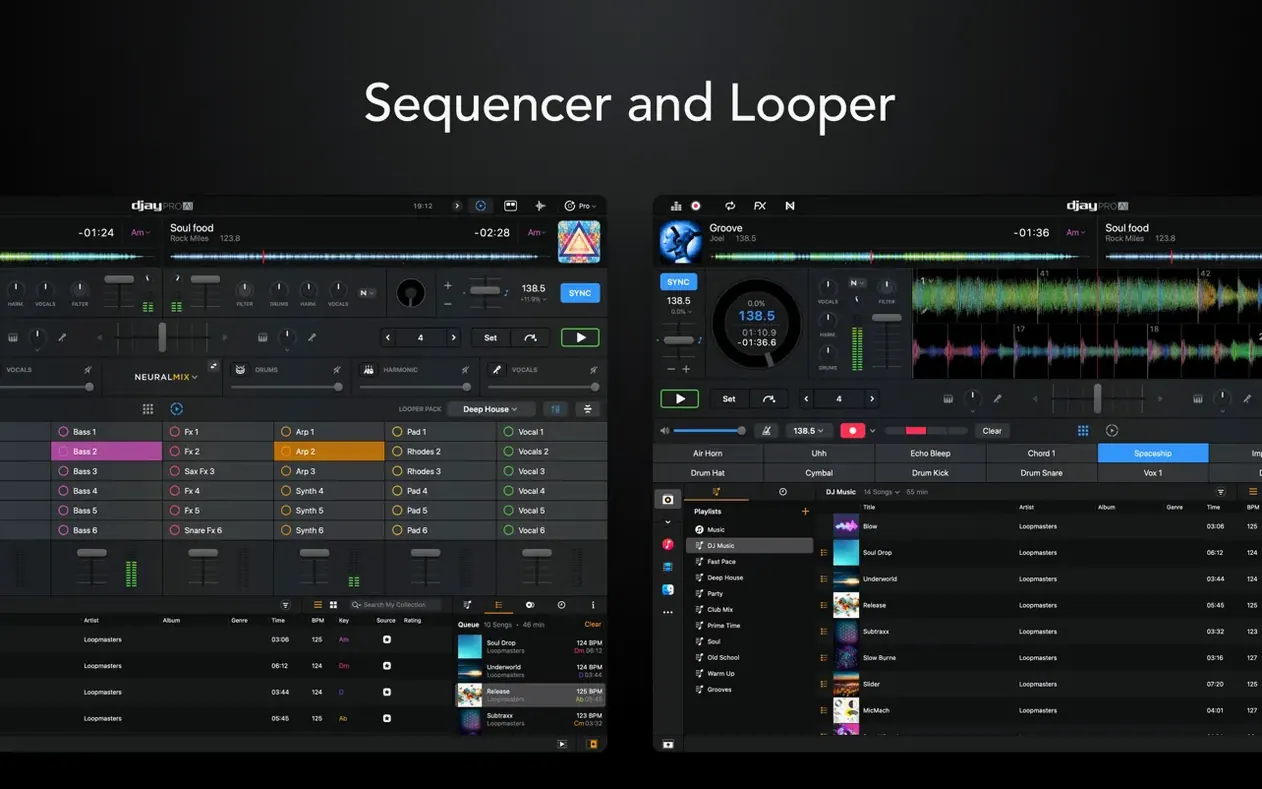
Layering with the sequencer. Mid-set, you open the sequencer panel. You load a kick, a snare, and a hi-hat from the factory sample pack into three channels, tap out a 16-step pattern, and route the sequencer output to deck C. The sequencer syncs to the master BPM automatically. Now you've got a live beat running under the track on deck A, and you pull the vocals from deck A using Neural Mix so they float over your own drums. A one-bar looper capture on the vocal phrase keeps it going while you cue the next track.
Automix for a break. You need to step away. You drag a calm mid-tempo track into deck D, activate automix, and set the transition style to "Smart." The app blends out of deck A and into deck D smoothly. When you come back, you tap automix off and pick up where it left off — the waveform shows exactly where the transition ended.
Wrap up. You hit record before the last three tracks. The master output, including the sequencer layer and all effects, writes to a 24-bit WAV file in your ~/Music/djay Pro/Recordings folder. You close the app, eject the controller, and the file is ready to post.
How it sits alongside other Mac DJ apps
Three other names come up when Mac DJs compare setups: Serato DJ Pro, Traktor Pro, and VirtualDJ. Each has its own center of gravity, and djay Pro's place in the conversation depends on what you need from your software.
djay Pro vs. Serato DJ Pro. Serato's strength is rock-solid stability on Pioneer and RANE hardware, and its expansion packs for DVS and video are mature. djay Pro's advantage is stem separation that doesn't require a separate plugin or pre-analysis — Neural Mix runs on any track from any source in real time. Serato introduced its own stem feature in version 3.0, but it's still a pre-analysis step that writes separated files to disk. djay Pro does it on the fly, which means your library doesn't double in size. On the controller side, Serato maps more units, but djay Pro covers the most common ones and now, with the RANE System One display integration in 5.6.9, the gap on premium hardware is narrower than it was. If you rely on Serato's Flip cue-point sequencer or Pitch 'n Time expansion, Serato still has those. If you want stems without extra steps, djay Pro pulls ahead.
djay Pro vs. Traktor Pro 3. Traktor is the app for people who think about routing the way modular synth users think about patch cables. Its remix decks, stem deck format, and MIDI mapping depth are unmatched for custom setups. But that depth comes with a steep learning curve, and Traktor's development pace has been slow — the interface still looks like it shipped in 2014. djay Pro's four-deck view, looper, and sequencer cover a lot of the same creative ground with a friendlier interface, and the automix mode is something Traktor simply doesn't have. Where Traktor still wins: the remix deck concept lets you trigger one-shot samples and loops in a grid that's independent of the track decks, while djay Pro's sampler works more like a traditional SP-404 style pad bank. Different philosophy, not a flaw. If you want a clean, modern interface and real-time stems, djay Pro is the smoother ride. If you want maximum MIDI control and don't mind an older UI, Traktor still rewards the effort.
djay Pro vs. VirtualDJ. VirtualDJ does a lot, and it often does it first — real-time stem separation appeared there before most competitors. But the Mac version carries a different design sensibility. VirtualDJ feels like a toolkit: powerful, customizable, and visually busy. djay Pro feels like an instrument designed for macOS first. The type rendering, the waveform crispness, the way the library scrolls — on a Retina display the difference is noticeable. Both apps support a huge controller list, both do video mixing, and both can pull from streaming services. The deciding factor usually comes down to which one you enjoy looking at for three hours at a gig. If you value a native Mac aesthetic and Apple Silicon optimization, djay Pro fits the platform in a way that VirtualDJ's cross-platform framework
Version 5.6.10 [MAS] is available with the changes detailed on the developer's site.
- Version: 5.6.10 [MAS]
- macOS: 10.15 or later
- Architecture: Apple Silicon, Intel 64-bit
$ man djay-pro | grep -A2 "?"
What is Neural Mix in djay Pro?
Neural Mix is Algoriddim's real-time machine learning engine that separates any track into vocals, drums, bass, and instrumental components directly on your Mac.
Comments 0
Sign in or create an account to leave a comment.
No comments yet. A codec, a slice, a machine — they appear after moderation.