QLab for macOS
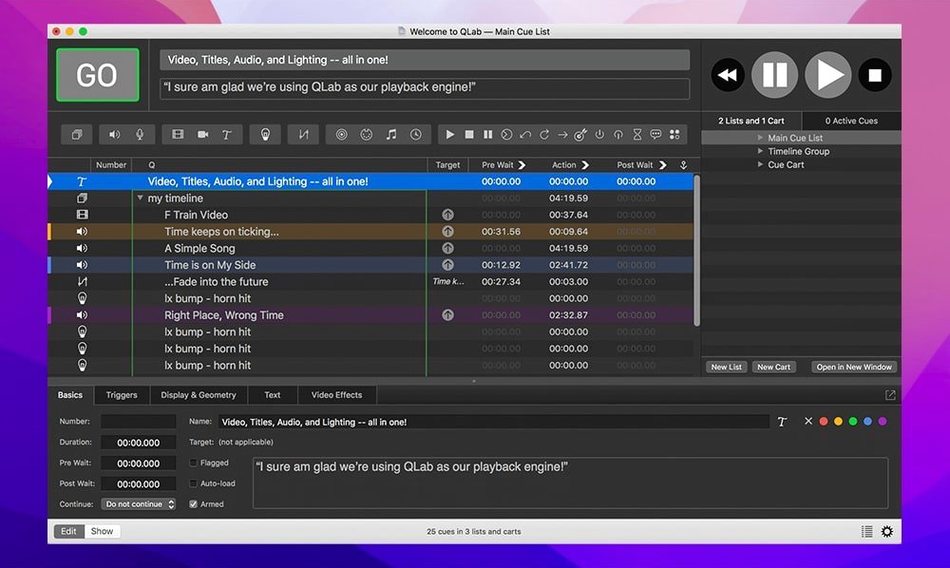
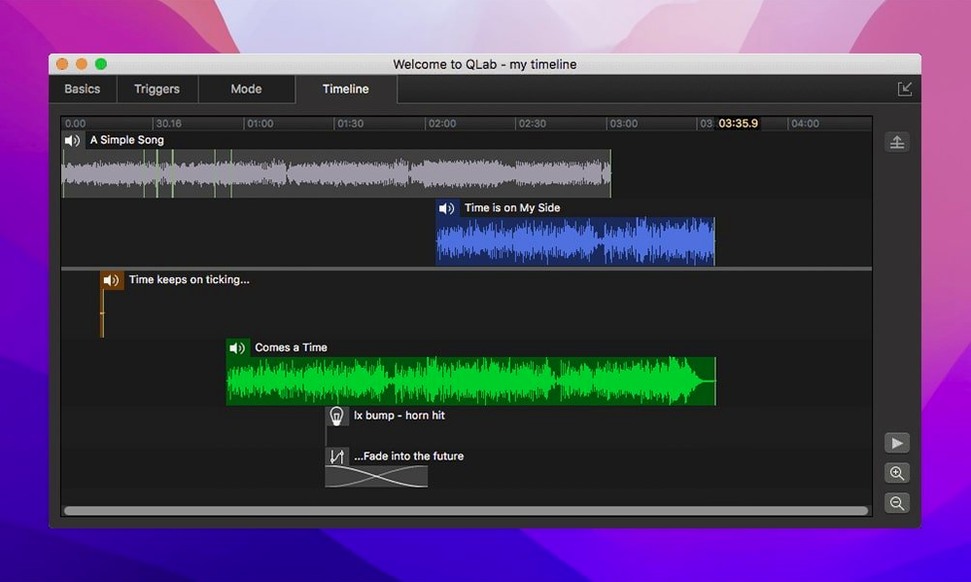
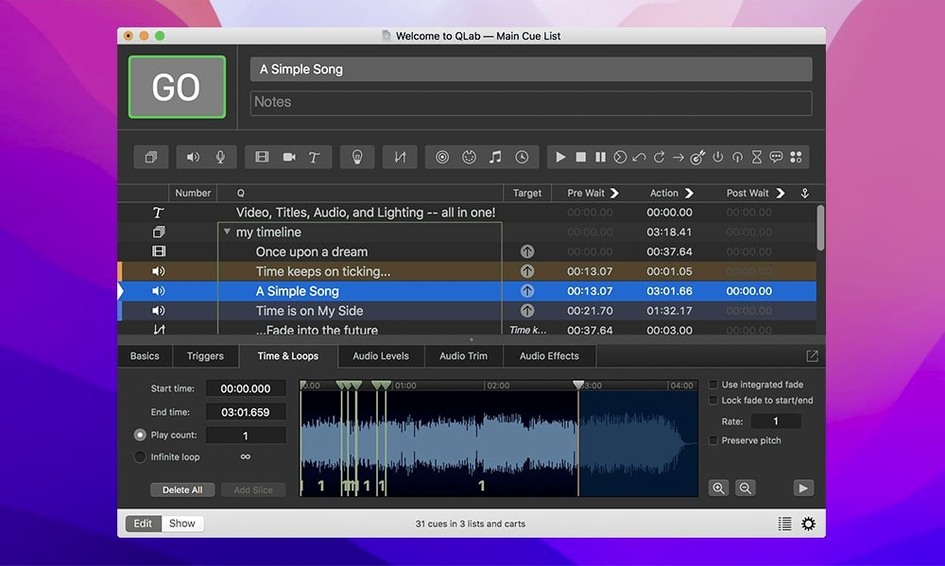
QLab is a macOS application that lets you design and run live show cues—audio, video, lighting, and external control—from a single timeline. It is built for theatre sound designers, live event technicians, and anyone who needs frame-accurate playback without juggling separate tools.
Play back multitrack audio and video
Route up to 48 discrete audio outputs and pull from 24 inputs while running video to external displays. The workspace includes an integrated audio editor for trimming heads and tails, plus built-in audio and video faders so you shape levels directly on the cue.
Add titles and real-time effects
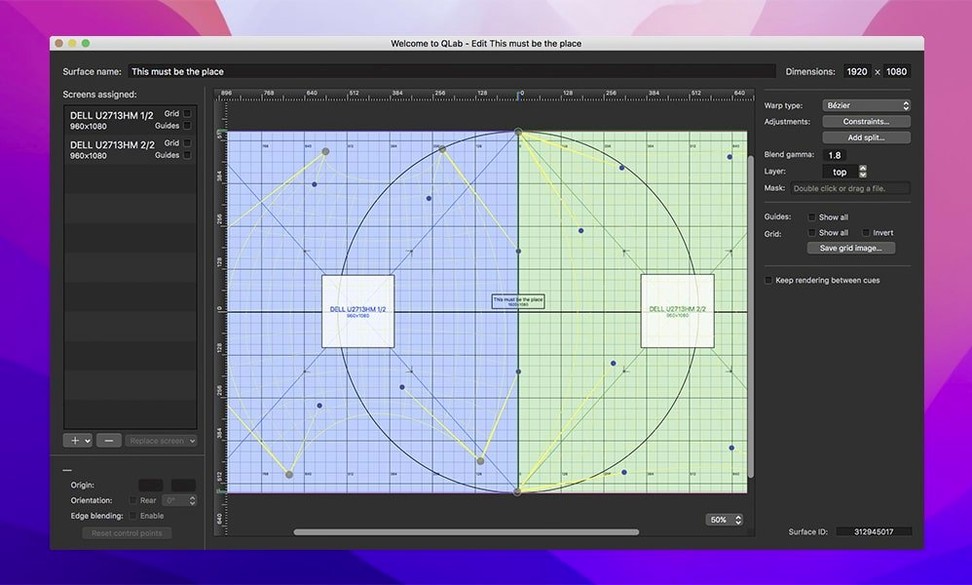
Overlay text onto video surfaces, apply bundled audio and video effects, and route video through Syphon for integration with other apps. Everything stays editable in a timeline where undo works across the session.
Coordinate lights and external protocols
Send DMX via Art-Net or sACN, fire MIDI notes, and dispatch OSC messages to synchronise consoles, media servers, and motor controllers—all from the same cue list that drives your sound and picture.
Does QLab run natively on Apple Silicon?
Does QLab run natively on Apple Silicon? Yes. The 5.6.3 build is a universal binary—one .dmg, two architectures. It loads as an arm64 process on M1/M2/M3 machines without Rosetta, and as x86-64 on older Intel hardware. You get the same feature set either way.
Will it mess with my existing audio routing? It asks macOS for permission to use the microphone on first launch—that is just the standard privacy prompt for any app using Core Audio input channels. You can deny it if you only need output. QLab talks to Core Audio directly and does not install kernel extensions or virtual devices unless you explicitly add a Loopback-style utility yourself.
Can I open old workspaces? Workspaces from QLab 4 and later open in 5.6.3. The format changed at version 5, so files saved in 5.x cannot go backwards to 4.x—make a duplicate before upgrading. The 5.6.3 update also migrates pre‑5.6.2 workspaces that used Right On Cue Services Stage|Tracks to a built‑in network device definition, so those cues come across automatically.
Do I need a licence to open and play a workspace someone sent me? The free layer handles playback of existing workspaces and lets you edit basic audio and video cues. Some output counts, video surfaces, and lighting features stay read‑only until you add a licence—but nothing locks you out of simply running a show file.
Gatekeeper blocked the app after mounting the disk image
“I mounted the disk image and macOS blocked the app.” The .dmg ships with an Open Gatekeeper friendly script. Double‑click it, Terminal opens, you press Enter, and Gatekeeper exceptions get written. After that, drag QLab into /Applications and launch normally. The one‑time extra step is a side effect of how notarisation works on unsigned bundles—not a problem with the app itself.
“QLab sees my interface but won’t send audio past outputs 1–2.” Check the workspace audio settings (Workspace Settings → Audio) and bump the output patch count. QLab defaults to a stereo patch. Drag outputs 3–48 from the device list onto the patch grid, then assign cues to those device outputs in the routing tab of each Audio cue.
“Video fades stutter on an external display.” Almost always a GPU scheduling issue, not QLab. Set the external display as the primary video surface (Workspace Settings → Video), disable “Displays have separate Spaces” in System Settings → Desktop & Dock, and quit any app that overlays the menu bar (Bartender, Magnet, BetterSnapTool). A clean restart after changing Spaces is worth doing.
“The Light Library row turned red and says Broken.” That is the 5.6.3 misconfiguration indicator. A red row means the instrument definition references a mode or channel count that does not match the patch. Open the Light Definition editor for that row, check the mode dropdown, and re‑patch the fixture. The red colour disappears the moment the definition becomes consistent.
“MIDI cues fire late when the workspace first opens.” MIDI scheduling in QLab ties to the audio clock. If no audio device is assigned or the sample rate mismatches, timing drifts. Assign a device in Workspace Settings → Audio → Clock Source, even if you are only sending MIDI—QLab uses the audio clock as its master timer.
Building a theatre cue stack from scratch with audio, video, and lighting
Imagine a small theatre load‑in. You have a MacBook Pro (M2 Pro) connected to a Focusrite Scarlett 18i20 over USB‑C, a projector on HDMI, and an ETC Element console reachable over Ethernet via Art‑Net.
1. Workspace setup. You open QLab and hit File → New Workspace. In Workspace Settings you name the audio patch: eighteen outputs mapped to the Scarlett, leaving two for the Mac’s headphone jack as a cue‑preview bus. Under Video you set a single surface at 1920×1080 on the projector, stage‑left. Network gets an Art‑Net output for universe 1 at the lighting console’s static IP.
2. Building the cue list. You drag a pre‑show music file from Finder into the cue list—QLab creates an Audio cue and auto‑detects the file’s length. You trim the applause tail in the integrated editor (double‑click the cue, drag the end marker to the right spot, click Trim). Next, you build a Group cue that fires three things at once: a Video cue with the show logo, a MIDI cue that sends a GO command to the lighting desk, and a Fade cue that brings the house music down over four seconds while the logo fades up.
3. Timing and follow‑on. You set the pre‑show cue to auto‑follow with a 0.2‑second gap after the house lights dim. You right‑click the logo video, choose Live Video Settings, and nudge the keystone sliders until the image sits square on the slightly off‑axis projector.
4. Show run. During the performance, the stage manager calls cues over headset. You press the spacebar for the next cue, watch the waveform preview for the audio crossfade, and glance at the video surface on the confidence monitor. Between scenes, you undo a mistimed fade with ⌘Z—undo works inside an open workspace without disrupting the running cue stack.
5. Strike. After the show you save the workspace, quit QLab, and the Scarlett switches back to system audio. Nothing lingers in the background.
Set your default fade to 0.3 seconds before dropping in the first cue
Set the default fade time in QLab → Preferences → Cues to something short—0.3 seconds—so every new cue you drop in already has a smooth transition. You can override it per cue later. Nothing is worse than a hard cut you forgot to ease.
Use the Audition button (the play icon in the bottom‑left of the toolbar) to preview a cue without advancing the cue list. It routes to the preview output pair you set in Workspace Settings, so you hear it in headphones while the house hears something else.
Colour‑code your cues early. Right‑click a cue, pick a colour, and let that colour mean something—green for sound, blue for video, amber for lighting. After thirty cues you will read the list at a glance instead of reading every label.
Before you build twenty cues with the same routing, create a template cue that has the right audio outputs, video surface, and MIDI destination configured, then copy‑paste it. Changing routing on the template updates nothing downstream—it just saves you setup clicks on each new cue.
Lock your workspace (File → Lock Workspace) before handing the Mac to a board op who should not accidentally delete a cue. Locking disables editing but leaves playback and fader control live.
How QLab fits with other apps and macOS
QLab sits in the middle of a show‑control stack, not at the edge. It talks Core Audio, Core Video, Core MIDI, and the IOKit HID layer, so anything macOS recognises as an audio interface, MIDI port, or USB HID device becomes a candidate for patching.
Digital audio workstations. You can bounce stems from Logic Pro or Reaper and drop them straight into QLab as cues—just export as .wav or .caf at 48 kHz, the sample rate QLab prefers when syncing to video. If you run Ableton Live alongside QLab for live processing, send MIDI notes from QLab to Ableton to trigger scenes, or route audio back into QLab via Loopback or an aggregate device in Audio MIDI Setup.
Lighting consoles and visualisers. An Art‑Net or sACN patch in QLab works alongside ETC Eos, grandMA3, or ChamSys desks—QLab does not replace a lighting console, it supplements it by firing cue‑level triggers. For pre‑vis, Capture or L8 can receive the same Art‑Net stream QLab outputs, so your screen‑only rehearsals look like the real rig.
Video pipelines. Syphon integration lets QLab push frames into MadMapper, TouchDesigner, or Resolume for projection mapping and live effects. The Syphon server checkbox lives under Workspace Settings → Video → Syphon—tick it and every video surface broadcasts a named Syphon stream that appears in other apps automatically.
macOS Shortcuts and AppleScript. QLab exposes a limited AppleScript dictionary for workspace operations (open, close, GO, stop). You can tie a Shortcut to a Stream Deck key or a macOS Hot Corner that sends tell application "QLab" to GO, giving you a panic‑button cue advance without touching the trackpad.
Finder and backups. QLab workspaces are self‑contained bundles (like .qlab4 or .qlab5 files) that you can right‑click in Finder and choose Show Package Contents to see embedded media, patch files, and the cue list XML. Time Machine backs them up like any other document, and because they are bundles, incremental backups only copy the changed bits inside.
- Rows in the Light Library or Light Definition editor now change color when an instrument definition is misconfigured, so bad patches surface immediately.
- Workspaces saved in 5.6.2 or earlier migrate automatically to the built-in network device definition for Right On Cue Services Stage|Tracks.
- macOS 11 or later
- Intel or Apple Silicon Mac
$ man qlab | grep -A2 "?"
What does QLab run on?
Version 5.6.3 requires macOS 11 or later and runs natively on both Intel and Apple Silicon Macs.
Does QLab include video playback?
Yes—it plays video cues with real-time effects, title overlays, Syphon output, and the current update fixed a rare crash when stopping video playback.
Can I edit audio inside QLab?
You can trim the start and end of audio tracks with its integrated editor and apply fades using the built-in audio fader controls.
Comments 0
Sign in or create an account to leave a comment.
No comments yet. A codec, a slice, a machine — they appear after moderation.