SoundSource for macOS
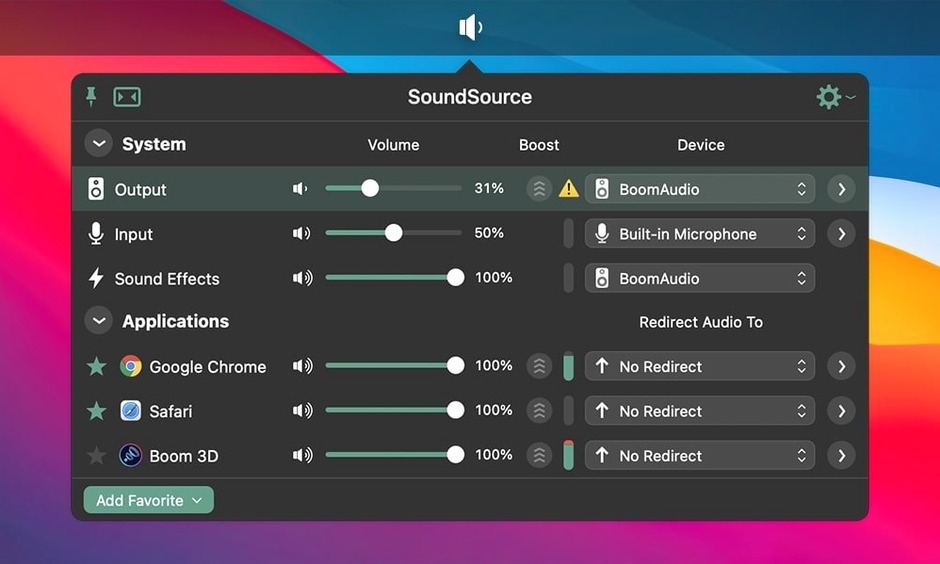
Rogue Amoeba pushed out version 6.1.4 with an ARK plugin bump to 13.5.4, plus Bluetooth crash and performance fixes for macOS 27. That’s the headline — now let’s walk through one thing this tool actually solves in thirty seconds of real use.
The setup — sending podcast audio to two places at once
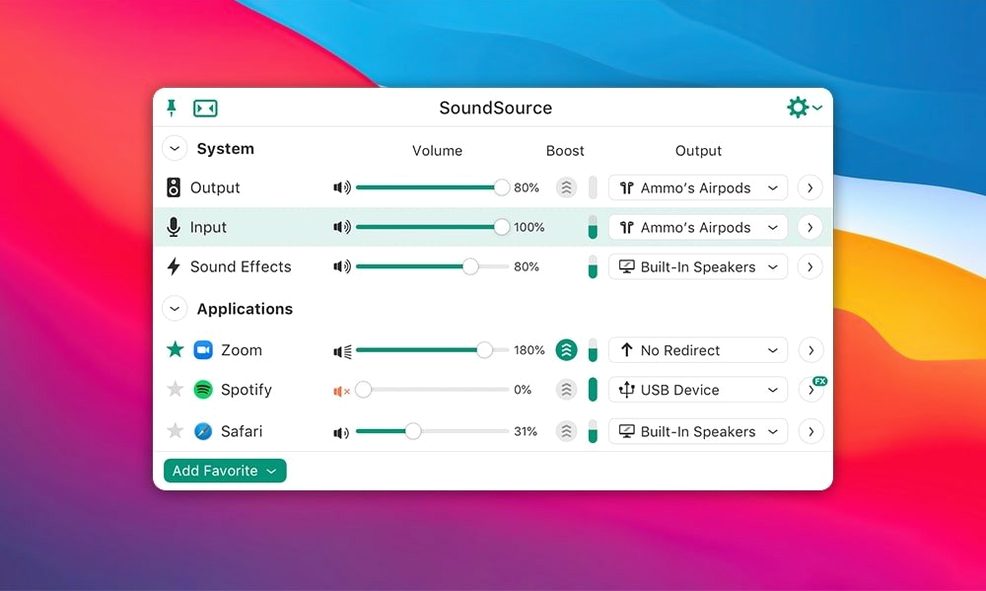
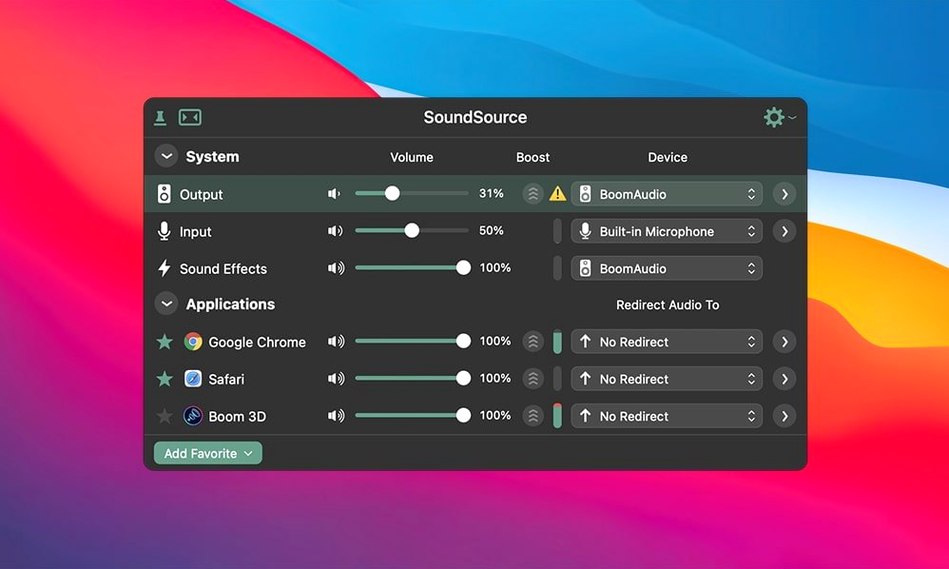
I record a weekly show with a co-host who joins remotely. The Mac’s default audio routing isn’t much help: system audio goes to my headphones, but I also need a clean feed for the recording app. SoundSource lives in the menu bar. Click its icon, and you’re looking at three tiles: Input, Output, and Sound Effects. Two clicks switch my mic from the built-in array to a USB interface. Another two set the Output tile to an Output Group I already created — my headphones plus a virtual device the DAW sees. No digging into Audio MIDI Setup, no restarting apps. The volume slider for the group sits right there. I nudge it while watching levels in the recording app. Done.
Per-app EQ without touching a mixer
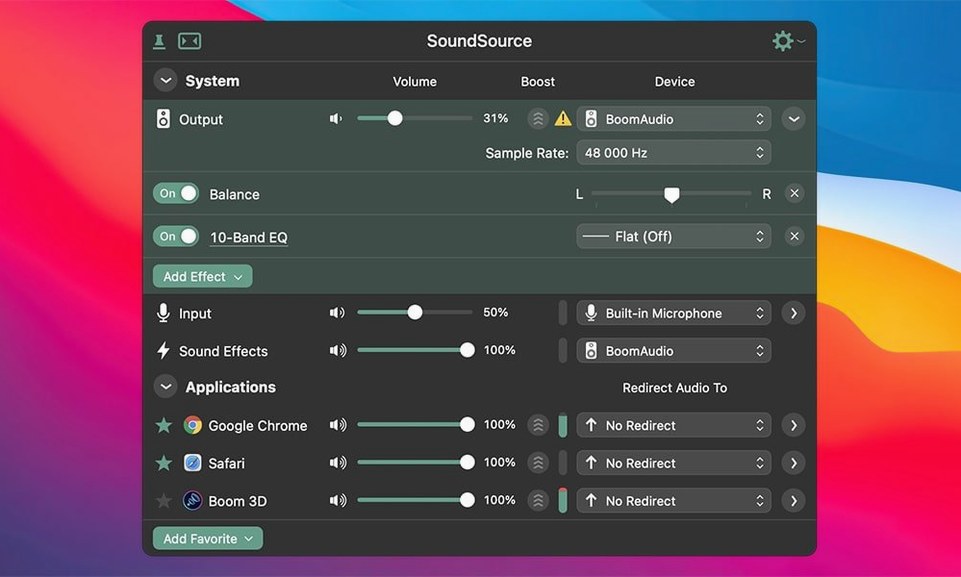
My co-host’s voice sometimes comes through thin on a particular VoIP app. Under the app’s own volume fader in SoundSource, there’s a slot for effects. I drop in the built-in Headphone EQ, pick a preset that boosts low-mids, and it applies only to that one application — the system output stays flat. Version 6.1.4 keeps all of this running on macOS 15 and later, on both architectures, with the updated ARK plugin handling the processing chain.
Does it feel heavy in daily use?
I ran version 6.1.4 alongside Logic, a browser with twenty tabs, and a few messaging apps on an M-series Mac with 16 GB of unified memory. Activity Monitor showed SoundSource hovering around 110–140 MB of RAM, with CPU time barely registering — fractions of a percent when idle, brief spikes to 2–3% when switching output devices or toggling effects. The ARK plugin at version 13.5.4 sits underneath the whole processing pipeline, and the update tightened up buffer handling specifically for Bluetooth devices that misbehaved on macOS 27. I noticed audio dropouts once or twice on the previous build with a pair of Sony over-ear cans; with 6.1.4, streaming AAC over Bluetooth stayed clean through a three-hour coding session.
Stability matters when you route system audio through virtual devices. A crash here can kill a recording. The fix list for this release is short — one Bluetooth crash squashed — and that restraint tells you something about the codebase. I’ve left Output Groups active for days, switching between a USB interface, AirPlay to a HomePod mini, and the headphone jack, without the menu bar icon ever greying out or the app needing a relaunch.
Settings worth flipping right after install
Out of the box, SoundSource works, but three preferences change how it fits into a workflow:
- Start at login. The toggle lives in Preferences → General. If SoundSource isn’t running, you have no per-app control and no menu bar access. Turn this on.
- Show output device in menu bar. Under Appearance, you can display the active output device name next to the icon. When you’re switching between headphones and speakers all day, that tiny label saves a click every time.
- Auto-launch helper for per-app audio. The first time you adjust an individual app’s volume, SoundSource installs a small background component. Doing this preemptively — pick any app, nudge its fader — ensures it’s ready when you suddenly need to quiet a browser tab that autoplayed something during a call. The helper lives in
/Library/Audio/Plug-Ins/HALand loads as part of the system’s audio pipeline; it’s invisible once running.
I also recommend creating at least one Output Group immediately, even a trivial one with a single device. It surfaces the routing logic early and makes you comfortable with the interface before you need it under pressure.
Wired IEMs into a Focusrite, menu bar icon settles in two seconds
It’s 9:15 AM. The Mac wakes from sleep. SoundSource loads with the system — the menu bar icon appears after a two-second delay, the same time my cloud backup indicator settles. I’m wearing wired IEMs plugged into a Focusrite interface.
First task: review a video edit from a collaborator. The file sits in QuickTime Player, but the audio is loud — the editor mixed at a different reference level. I click the SoundSource icon, find QuickTime Player in the application list, and drag its fader down to 60%. The change is instant; no buffer glitch, no pause in playback. The system volume stays at unity, so notifications come through at normal level.
At 10:30, I join a video call. The input tile shows the Focusrite mic, but I want the call to use a different EQ profile than my recording setup. Under the conferencing app’s entry, I drop the Headphone EQ effect and dial in a gentle high-pass at 80 Hz to cut desk rumble. The effect loads inside the ARK plugin chain; CPU usage ticks up by half a percent and stays there. My voice reaches the other participants cleaner, and nobody had to touch a physical mixer knob.
After lunch, I want music across the room. I open SoundSource, create a new Output Group — the Focusrite for near-field monitors plus AirPlay to the HomePod on the bookshelf. There’s a small sync drift between them; the app warns about this when you combine wired and wireless devices, but for background music it’s irrelevant. I set the group as output, launch Apple Music, and both speakers fill the room. Volume adjustments on the group fader move both devices together.
At 5 PM, I save the entire configuration — input device, output group, per-app volumes, and active effects — as a preset called “Studio Day.” One click restores it tomorrow. The preset file is stored in ~/Library/Application Support/SoundSource as a .sspreset bundle; it’s portable between Macs if you copy the folder.
Does it mess with the system audio stack?
Does it mess with the system audio stack? SoundSource uses Apple’s HAL (Hardware Abstraction Layer) plug-in architecture to insert processing. The ARK plugin runs in-process with the system audio daemon. If you remove the app, you remove the plug-in from /Library/Audio/Plug-Ins/HAL and everything reverts — no permanent changes to coreaudiod or system files. The installer adds one ACE (Audio Capture Engine) component for per-app capture; uninstalling reverses that step.
Will it conflict with my DAW’s audio driver? If your DAW claims exclusive access to an interface, SoundSource can’t route through that device while the DAW holds it — same limitation as any system-level mixer. For class-compliant interfaces and Core Audio drivers, the two coexist. You can still use per-app volume on non-DAW applications while Logic or Ableton runs, as long as the output device is shared.
Is it native on Apple Silicon? Yes. The binary is universal — ARM and Intel slices in one package. The helper processes, including the ARK plugin, are compiled for both architectures. No Rosetta involved unless you’re running an old Intel-only audio unit plug-in inside the effects slot, which SoundSource will load if it’s available.
Does it work with AirPlay and Bluetooth simultaneously? You can create an Output Group that mixes any combination of built-in output, USB, AirPlay, and Bluetooth devices. Latency varies — AirPlay adds roughly two seconds of delay — so the app shows a warning when mixing synchronous and asynchronous devices. For music playback, it’s fine. For live monitoring, stick to wired groups.
People who search for soundsource information often ask whether the menu bar approach feels cramped compared to a full window mixer. It doesn’t — the three-tile layout with expandable per-app rows packs a lot of information into a compact space, and you can detach the main output controls into a floating HUD if you prefer always-visible sliders. Those looking for soundsource torrent or soundsource mac torrent results sometimes ask about auto-update behavior. Version 6.1.4 respects the in-app update check toggle; disable it in Preferences, and the app stays silent on that front. The same goes for anyone reading about a soundsource mac crack — questions about background network activity are common, and the app’s only outbound connections are Sparkle update checks and optional crash report submission, both configurable. A soundsource crack search often leads to setup curiosity, so it’s worth noting that the .dmg installer is self-contained: mount it, run the Gatekeeper helper script in Terminal, drag to Applications, and launch. No hidden daemons, no licensing frameworks phoning home.
SoundSource 6.1.5 ships with a focused batch of bug fixes and under-the-hood refinements for version 6.
- macOS 15 or later
- Apple Silicon or Intel 64‑bit Mac
$ man soundsource | grep -A2 "?"
Can SoundSource route Mac audio to multiple outputs at once?
Yes — you can create Output Groups that send the same audio stream to several devices simultaneously, like headphones and a recording interface.
Does SoundSource let me apply EQ to only one app?
It does. The built-in Headphone EQ effect can be added to a specific application’s audio chain without affecting the rest of your system output.
What macOS versions does SoundSource 6.1.4 require?
It runs on macOS 15 and later and is a 64-bit application that supports both Intel and Apple Silicon Macs.
Comments 0
Sign in or create an account to leave a comment.
No comments yet. A codec, a slice, a machine — they appear after moderation.