
Folx Pro for macOS
Will it run on your Mac?
The current build, 5.34.14042, requires macOS 10.13 (High Sierra) or later. The binary is universal — it runs natively on both Apple Silicon and 64-bit Intel hardware, so there is no Rosetta 2 translation overhead on M-series chips. The interface ships in ten languages: English, Russian, German, French, Spanish, Italian, Japanese, Korean, Simplified Chinese, and Vietnamese.
What do you actually get?
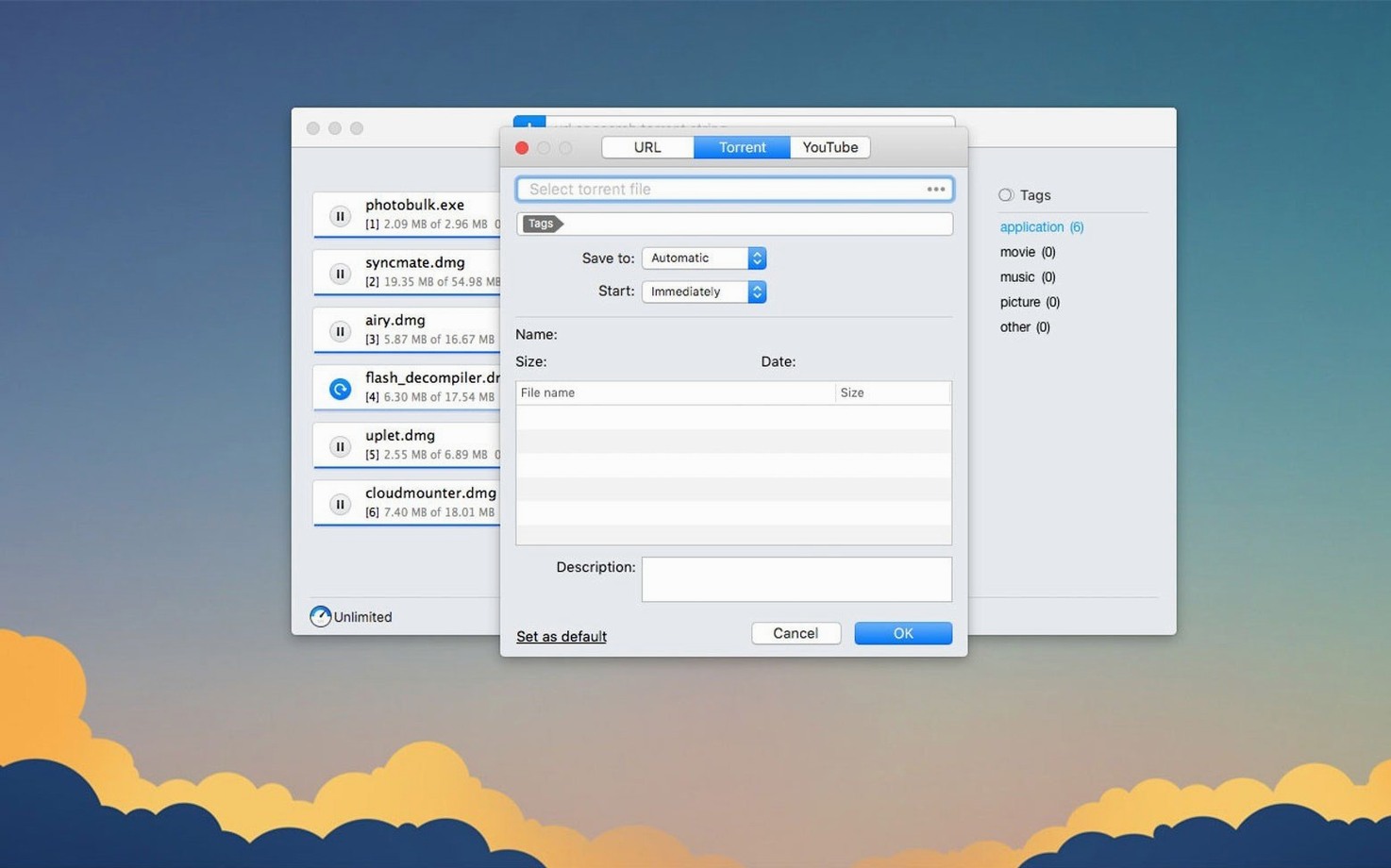
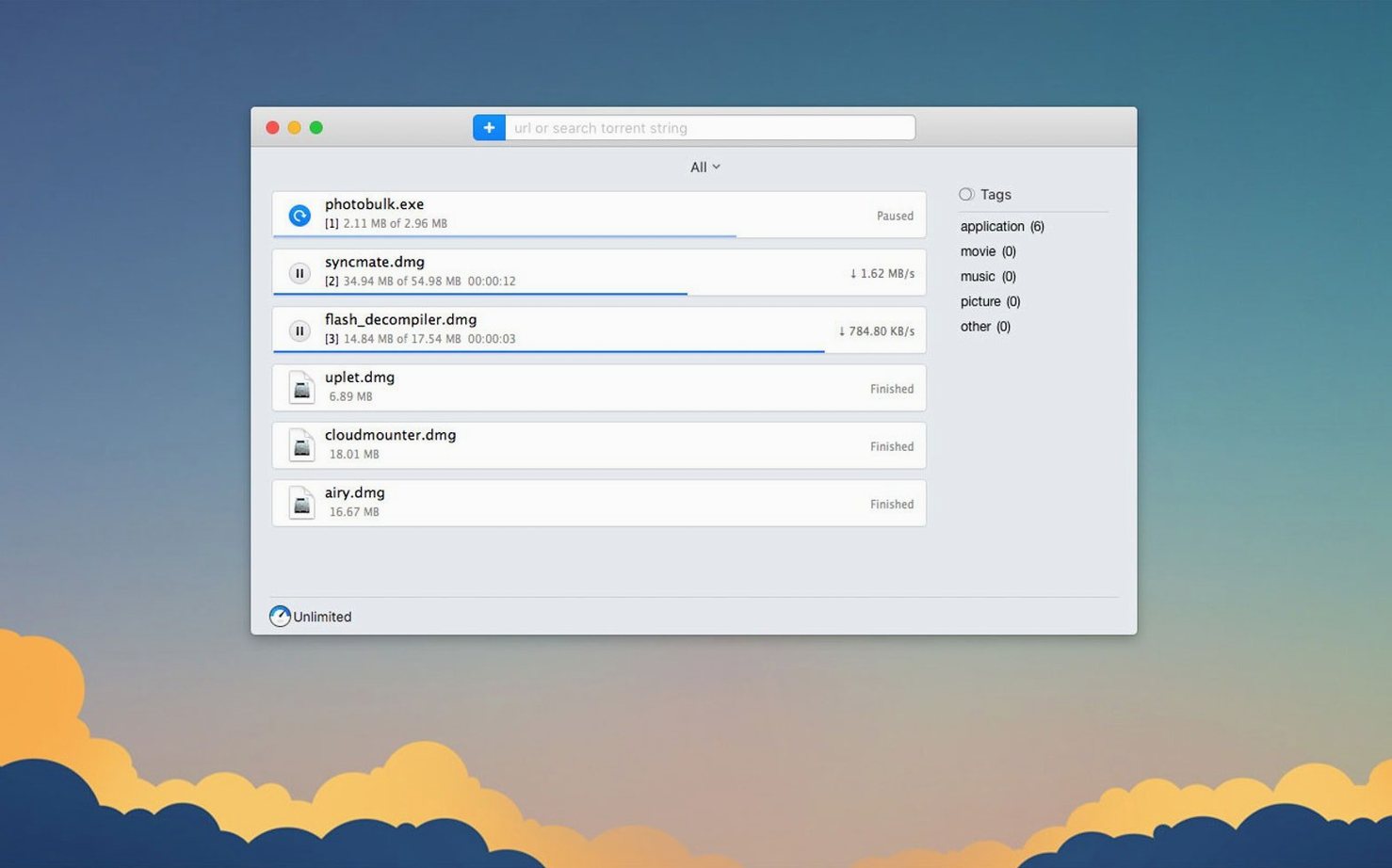
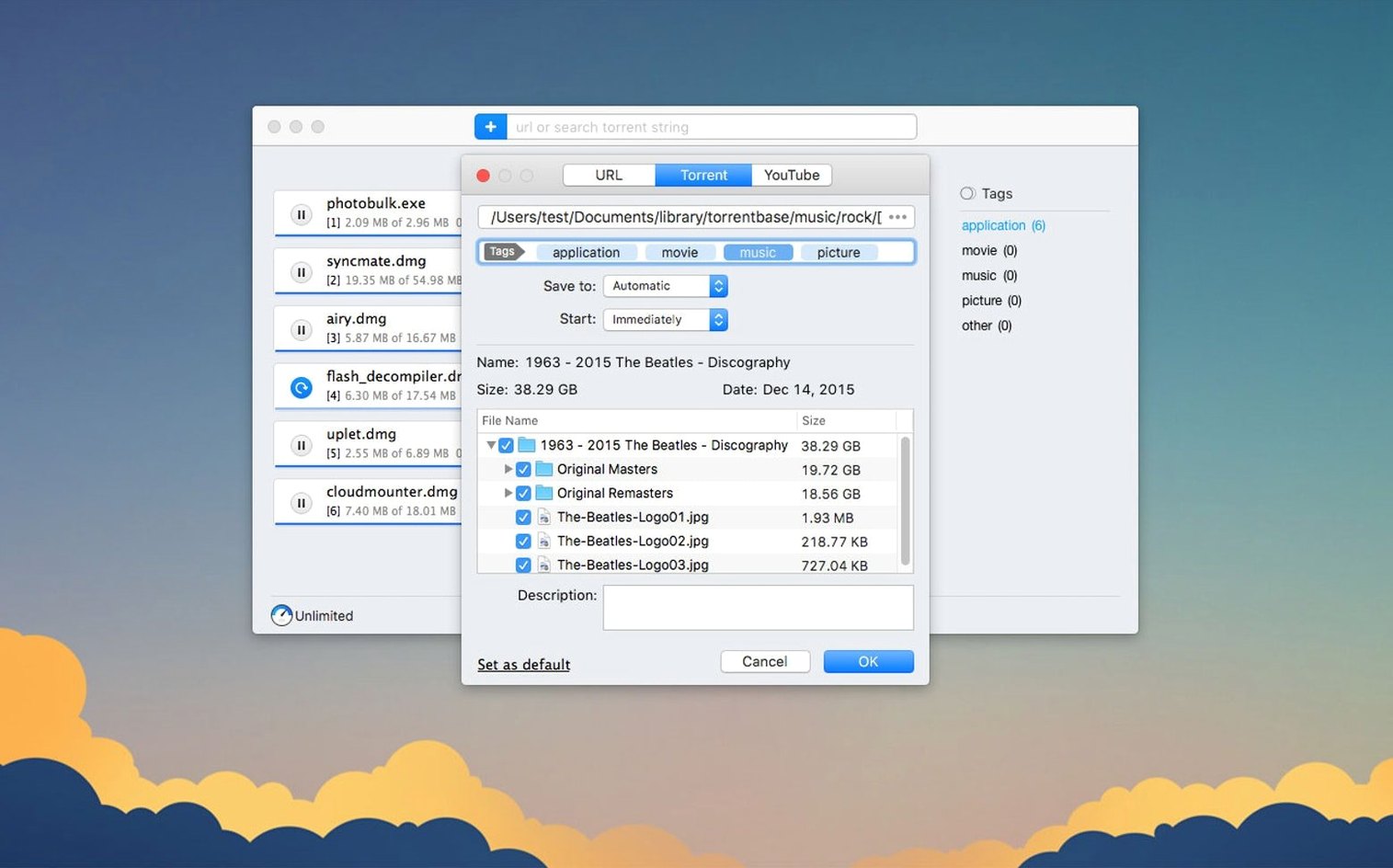
Folx Pro combines a segmented download manager with a full BitTorrent client. It accelerates direct downloads by splitting them into multiple threads. On the torrent side, you get selective file downloading within a torrent, magnet link support, and storage handling that was reworked in 5.34. A built-in YouTube downloader handles video grabs without a separate browser extension.
How does the torrent engine work?
It is a standard BitTorrent implementation. You can load .torrent files or magnet links. The 5.34 update fixed a crash when adding certain magnet URIs and improved how completed torrent tasks are stored on disk. Proxy support is available and was refined in this release for more stable seeding and leeching through SOCKS5 or HTTP proxies.
What about authenticated downloads?
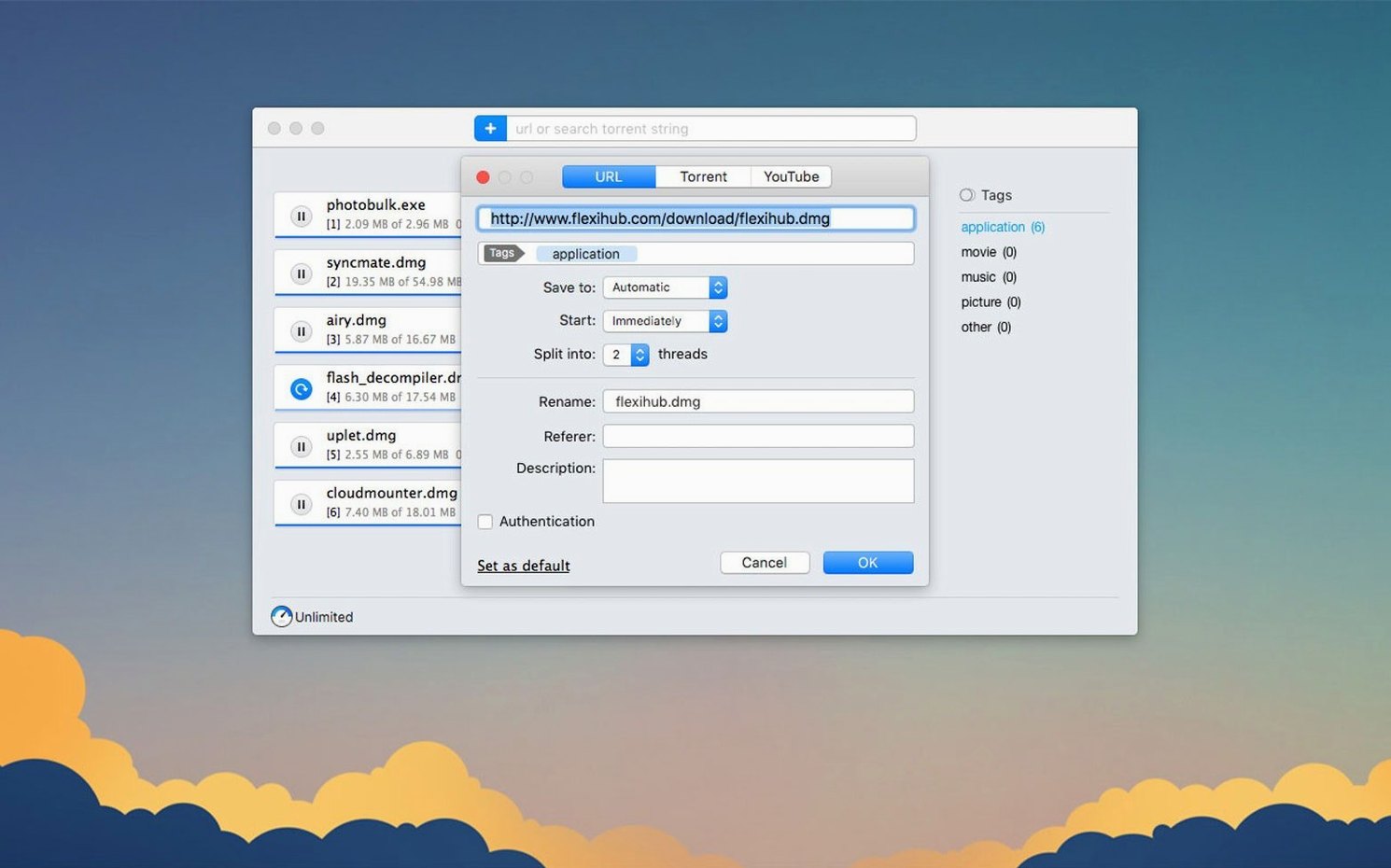
Folx can remember logins and passwords for sites that require authorization. This lets you queue downloads from password-protected servers without re-entering credentials for each file. The feature works for both direct downloads and some video sources, provided the site uses standard HTTP authentication.
What changed for everyday use in 5.34?
Version 5.34 is not a flashy redesign — it's a stability pass. The torrent engine received the bulk of the work. If you download multi-file torrents and routinely deselect half the contents before the transfer starts, the selective file downloading logic is noticeably more predictable now. Earlier builds sometimes got confused about which pieces to fetch when you unchecked large files mid-metadata load; the 5.34 improvements make the piece-picking algorithm stricter about honoring your selection from the start.
Proxy users got a quiet but important fix. With a SOCKS5 proxy enabled, the client used to occasionally drop the connection during torrent metadata exchange, leaving the task stuck at "connecting to peers." That state no longer hangs indefinitely — the handshake retry is faster, and the UI reflects the actual status instead of spinning silently.
Two crash fixes affect everyday reliability. Adding a magnet link with a malformed dn (display name) parameter no longer brings the app down, and the torrent search pane doesn't crash when results return empty metadata from a tracker that has gone offline. The minimum macOS requirement moved to 10.13, which means the codebase finally shed legacy compatibility shims for older versions of the network framework. For anyone on a modern Mac, that translates to slightly leaner memory use during large batch downloads.
Handling and storage of completed torrent tasks also got reworked. Downloaded torrent data is now moved atomically from the temporary directory to the final destination — a small change that prevents partial file corruption if the Mac loses power or the disk ejects mid-move.
Mistakes beginners make with Folx Pro
- Trusting the default download location blindly. Folx drops completed files into
~/Downloadsunless you change it. People who download large torrents there fill their boot drive fast. Set a custom folder on an external volume before the first multi-gigabyte transfer. - Ignoring the thread count for direct downloads. Splitting a small file into 20 threads doesn’t make it faster — it adds overhead. For files under 50 MB, drop the split count to 4 or 5. Save 20 threads for ISO-sized downloads from servers that actually support range requests.
- Assuming the built-in browser catches everything. Folx can intercept clicks from Safari and Chrome, but it won't auto-capture downloads from apps that use their own HTTP clients — think game launchers or Adobe Creative Cloud. Drag links manually or copy them to the clipboard and let Folx pick them up from there.
- Forgetting to sort torrent search results. The built-in search pulls from multiple trackers. Results are not ranked by quality out of the box — click the seeds column header to sort. A torrent with 300 seeds and zero comments is usually healthier than one with 12 seeds and a long comment thread.
- Confusing the YouTube downloader with a general video ripper. It handles YouTube specifically. Pasting a Vimeo, Dailymotion, or Twitter video URL into the same dialog does nothing useful. For those, grab the direct download link from the source and add it as a regular download task.
Questions that come up before installing
Does it replace my browser's download feature entirely?
That depends on how you configure the browser extension. Folx can register itself as the default handler for common file types — .dmg, .zip, .torrent, magnet links — and intercept clicks in Safari and Chrome. You can also leave it in manual mode and only send specific downloads to Folx when you need the thread splitting or scheduling. The two modes coexist; you are not locked into one behavior.
Will it conflict with a VPN or Little Snitch?
No, but proxy settings inside Folx sit one layer above your VPN connection. If you have a system-wide VPN active and also configure Folx to use an HTTP proxy, traffic routes through the proxy tunnel inside the VPN tunnel. That is not a conflict — it is just double encapsulation, which adds latency. Most people run either a VPN or the built-in proxy, not both.
Is the torrent client safe for private trackers?
Folx announces itself with a standard client ID string. Most private trackers whitelist specific clients by peer ID prefix — qBittorrent, Transmission, Deluge, and a few others. Folx is not on every whitelist. Check your tracker's rules before you rely on it for ratio-accounted downloads. The client respects the private flag in torrent metadata and disables DHT and PEX when it is set, which is the correct behavior for private tracker torrents.
How Folx Pro compares with similar Mac apps
Next to Neat Download Manager, Folx has the broader feature footprint. Neat handles direct downloads well and offers browser integration, but it has no torrent engine and no built-in search. If your use case is purely grabbing video files from streaming sites and accelerating HTTP links, Neat is lighter on resources. If you want one app for direct downloads, torrents, and YouTube grabs, Folx covers all three without external helpers.
Against Transmission, the comparison is narrower because Transmission is a torrent-only client. It is lighter, open-source, and widely trusted by private trackers. Folx adds the download manager and video grabber on top, so it appeals to someone who would otherwise run Transmission plus a separate download utility. The 5.34 proxy improvements bring Folx closer to Transmission's stability behind SOCKS5, though Transmission still edges it out in raw torrent throughput on very large swarms with thousands of peers.
Compared with Free Download Manager, Folx has a more native macOS feel — FDM's Mac port carries interface conventions from Windows and Linux that feel slightly out of place. Both split downloads into threads, both handle torrents, and both offer scheduling. Folx's YouTube downloader is more polished, with quality selection and filename editing built directly into the grab dialog. FDM requires a browser extension for that part of the workflow.
- Torrent downloading speed and stability improved.
- Reworked storage handling for completed torrent tasks.
- Proxy functionality now behaves correctly when enabled.
- Selective file downloading within torrents is more reliable.
- Fixed a crash when adding certain magnet links.
- Fixed a crash that occurred during torrent search.
- Minimum macOS requirement bumped to 10.13 or later.
- macOS 10.13 (High Sierra) or later
- Apple Silicon (native) or 64-bit Intel processor
$ man folx-pro | grep -A2 "?"
Does Folx Pro run on Apple Silicon Macs?
Yes. Version 5.34 includes a universal binary with native ARM code for M1, M2, and M3 Macs.
What changed in the torrent handling in 5.34?
Eltima improved how completed torrent tasks are stored, fixed a crash when adding some magnet links, and made selective file downloading within torrents more reliable.
What is the minimum macOS version for Folx Pro?
macOS 10.13 High Sierra. The 5.34 update officially dropped support for older releases.
Comments 0
Sign in or create an account to leave a comment.
No comments yet. A codec, a slice, a machine — they appear after moderation.