
Ample Guitar M for macOS
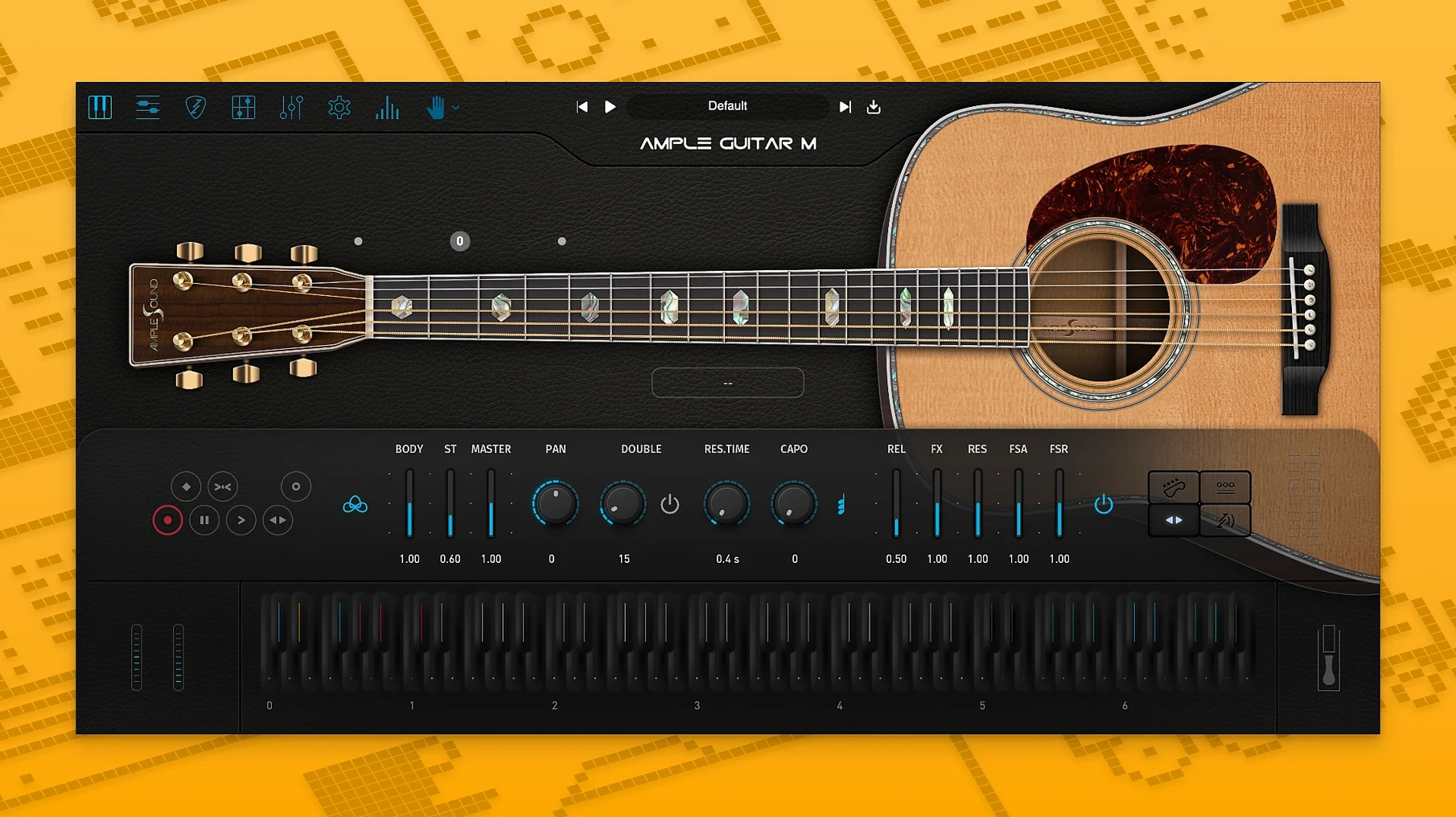
If you have ever loaded a raw DI track into an amp sim, you already understand the logic Ample Guitar M brings to the acoustic world — a clean, malleable source you shape with the room and the board. Here, that source is a deeply sampled Martin D-41 steel-string, and the controls let you move from fingerpicked detail to full strummed beds without touching a microphone.
Dialing in the strum
The Strummer panel is where the rhythm section lives. You paint chords across a timeline and shape the performance with velocity-sensitive down/up strokes, palm mutes, and release noises — it feels less like programming and more like blocking out a take.
Playing the neck
Switch to the Riffer and the plugin turns into a tablature workstation. It reads Guitar Pro files directly, so a riff you sketched on a laptop during a session can drive the sampled instrument with all its articulations intact.
Placing it in a mix
Because the DI signal is modeled before any baked-in room sound, you can push it through your own reverb and EQ chains and it behaves like a recorded source — just one that never clips your preamp.
Loading it as a stereo instrument in Logic after a clean AU scan
I open Logic with a scratch piano track already mapped out. Ample Guitar M loads as a stereo instrument track — the .component passed AU validation on first scan, so it’s sitting in the plug-in menu right where you’d expect. I drag a four-bar chord progression from the Strummer panel onto a MIDI region and hit play. The first pass is too rigid, so I open the velocity lane and pull the upstrokes down by about fifteen percent. That alone breaks the machine-gun feel. Next I switch to the Riffer and load a .gp5 file a guitarist sent over last week. The tab translates cleanly: slides land where they should, hammer-ons trigger from the right strings, and the vibrato depth follows the curve I set in the Auto Vibrato panel. I bus the track to a convolution reverb on an aux and spend maybe three minutes nudging the mic blend in Ample Guitar M’s mixer — close mic for attack, room mic for body. By the time the coffee’s cold I have a fingerpicked verse, a strummed chorus, and a bridge that leans on harmonics I’d never have placed by hand.
Where the separate sample library lands outside the plug-in bundle
People want to know whether the sample library lives inside the plug-in bundle or sits elsewhere. It’s separate — the .pkg installer drops the plug-in into the standard Audio Unit or VST3 paths, and the sample content goes into a folder you point the plug-in to on first launch. That means you can keep the library on an external drive if your internal storage is tight. Another common question is about iLok. Activation uses the iLok License Manager, but a physical dongle isn’t required — machine-based activation works fine. You get two activations per license, which covers a desktop and a laptop without juggling hardware. The last thing everyone asks is whether it handles alternate tunings. It does, right from the main tuning panel: drop D, open G, DADGAD, whatever you need, and the fretboard display updates to match.
Hitting a chord and hearing only one note until you engage the Strummer
The most frequent mistake is loading Ample Guitar M, hitting a chord on a keyboard, and thinking the plug-in is broken because it sounds like a single-note line. The instrument defaults to solo mode. You need to engage the Strummer or switch to chord detection for polyphonic input to map across strings the way a real fretboard would. Another one: ignoring the velocity map. Out of the box, velocities below about forty trigger soft fingerpicking, while anything above a hundred and ten pushes into aggressive strum territory. If your MIDI controller sends a narrow velocity range, you’ll hear only one articulation and blame the library. Spend ten minutes with the velocity curve settings and the whole instrument opens up. The third gotcha is the tab reader — it expects standard Guitar Pro formatting, so if the file uses non-standard track names or percussion staves, the Riffer will skip them silently. Flatten the track to a single six-string guitar part before exporting from Guitar Pro and you’ll never see the problem.
MIDI composers blocking out acoustic parts without a guitarist
MIDI composers who don’t play guitar get the biggest leap forward. They can block out convincing acoustic parts without asking a guitarist to interpret a piano-roll sketch. The Strummer’s pattern library covers enough ground — folk, pop, light rock — that a few pattern swaps and velocity tweaks produce something that sits in a mix like a played take. Producers mixing hybrid tracks benefit for a different reason: the DI-modeled output means they aren’t stuck with a baked-in room tone. That makes it easy to match the guitar to the rest of the production’s space, whether it’s a tight booth sound or a washed-out ambient bed. Guitarists themselves use it as a scratchpad. If you write riffs in Guitar Pro, being able to hear them through a Martin D-41 model the moment you open the file is faster than tuning up and setting a mic. It’s not a replacement for the real instrument, but it’s a remarkably useful bridge between notation and sound. Anyone searching out an ample guitar torrent or an ample sound torrent to test the workflow usually discovers the sample library is the real download bottleneck — the plug-in itself is compact, but the library is several gigabytes, so plan your disk and your network accordingly. If you found an ample guitar crack floating around, the activation step is where things get interesting; making sure your iLok License Manager is up to date before launching the plug-in helps everything resolve cleanly. Some users land here from an ample guitar m torrent link, fire up the Riffer, load a tab, and within an hour they’re auditioning chord voicings they’d never have tried on a physical fretboard. That exploratory mode — drag a chord shape, hear it ring, move on — is where the plug-in earns its keep for the widest range of Mac users.
- The sampler engine got a rewrite under the hood — loading and playback are noticeably snappier in 4.1.0.
- Riffer now includes an Auto Vibrato Curve and Swing Quantization, giving programmed lines a more human feel without manual tweaking.
- macOS 10.13 or later
- Apple Silicon or Intel 64-bit processor
- Separate sample library download required
$ man ample-guitar-m | grep -A2 "?"
Does Ample Guitar M work natively on Apple Silicon?
Yes. The current version ships with a universal binary that runs natively on both Apple Silicon and Intel 64-bit Macs.
Can it load existing guitar tabs?
Absolutely. The built-in Riffer can import standard Guitar Pro files, letting you drive the virtual instrument with notation you already have.
Comments 0
Sign in or create an account to leave a comment.
No comments yet. A codec, a slice, a machine — they appear after moderation.
More in VST Plugins
cd ../ Ample Sound Ample Guitar LP III
VST Plugins 9.2 GB
 Analog Realism Sphinx 101
VST Plugins 82 MB
 Arturia Analog Lab V
VST Plugins 2 GB Updated
 Arturia Augmented BRASS
VST Plugins 2.3 GB
 Arturia Efx AMBIENT
VST Plugins 285 MB
 Arturia Emulator II V
VST Plugins 700 MB
 Arturia FX Collection
VST Plugins 16.1 GB
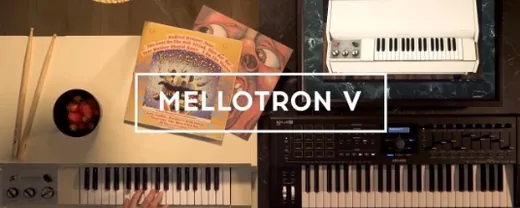 Arturia Mellotron V
VST Plugins 2.1 GB