
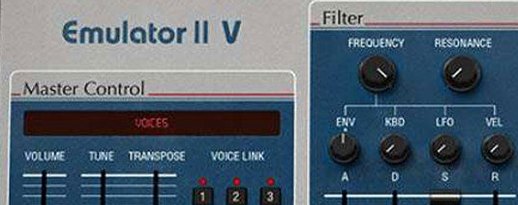
Arturia Emulator II V for macOS
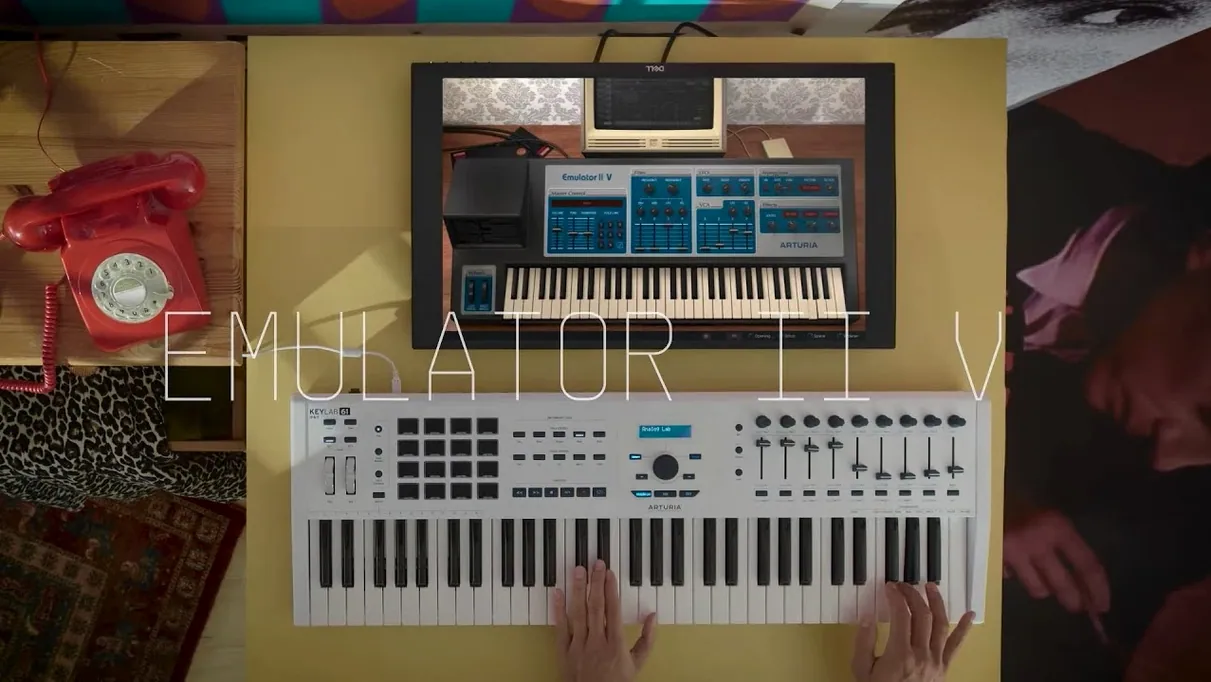
Dial in the grit with the Sample Rate control
Pull the internal sample rate down from its native 27.7 kHz. The top end folds into a dark, lo-fi crunch that sits perfectly behind a vocal without eating up headroom—instant character without touching an EQ.
Shape the transient punch via the analog VCA envelope
The TAE-modeled VCA envelope grabs hold of a snare or bass transient in a way that purely digital curves miss. A tiny nudge on the decay slider goes from a tight click to a smeared thud that glues a sparse rhythm track together.
Animate a pad with the arpeggiator and modern modulation
Route one of the extra LFOs to the filter cutoff while the arpeggiator cycles through a chord stab. The 8-bit companding engine keeps the movement crunchy while the 32-voice polyphony lets sustained notes ring out without stealing each other.
Four hours later, twelve tracks deep in a 1986 dust storm
I sat down around two in the afternoon intending to sketch a quick lo-fi beat. Nothing serious. Four hours later I had twelve tracks and a half-finished arrangement that sounded like a dusty studio session from 1986.
The session started with a kick drum. I loaded one of the factory bass drum samples from the curated library—something originally from an Emulator library, judging by the filename. The sample hit hard but clean. I pulled the sample rate knob down to about 18 kHz and the transient softened into a round, woolly thump. That one adjustment took maybe ten seconds and set the tone for everything that followed.
Next came a snare. The same trick—drop the rate, tighten the VCA decay until the tail snapped shut. I layered a second snare from the Synclavier section of the library, tuned it down a minor third, and panned the two slightly apart. The combination felt like a single drum kit recorded through two different signal chains. No external processing yet.
For the bass line I grabbed an Emulator II factory preset—something called "Fretless"—and turned the filter cutoff down until the attack softened. The TAE-modeled VCF responded exactly the way analog-modeled filters should: the resonance peak stayed musical even when I pushed it, and the low end didn't collapse. I added a touch of chorus from the modern effects section. The arpeggiator wasn't part of the plan, but I switched it on out of curiosity, set it to a simple octave-jumping pattern, and suddenly the bass line had a hypnotic rhythmic pulse that dictated the tempo of the whole track.
Pads came last. I loaded a choir sample, stretched the release time on the VCA ADSR, and routed an LFO to the filter cutoff for slow sweeps. With 32-voice polyphony available, I held down six-note chords without a single voice-stealing crackle. The 8-bit companding engine gave the sustained chords a grainy halo that modern samplers just don't produce on their own. By six o'clock I had a dense, textured arrangement that sounded cohesive—every element sharing the same lo-fi DNA because the Emulator II V's engine colored everything that passed through it.
Why patches snap into place on an Apple Silicon Mac
On an Apple Silicon Mac the instrument loads patches almost instantly—faster than some much simpler sample players I use. The GUI redraws at a smooth frame rate even when the arpeggiator is running and three modulation lanes are animating parameters in real time. I never saw a beach ball during that entire four-hour session.
Resource usage sits in the moderate range for a modern software instrument. A single instance with a layered patch and the arpeggiator active consumes roughly the CPU budget you'd expect from a detailed analog-modeled synth. Stacking eight or ten instances in a dense Logic project did push the meter, but freezing tracks solved that without disrupting the creative flow. The 8-voice multitimbral architecture means you can also house multiple sounds inside one instance and switch between them via MIDI channels, which keeps the plug-in count manageable in larger arrangements.
Stability was uneventful—exactly what you want from a daily-driver instrument. No crashes during patch browsing, no dropouts when switching between the factory library and user samples, and the plug-in remembered its state correctly every time I reopened the project. The AU and VST3 versions behaved identically in testing.
Chasing one sampler engine instead of modeling many
The obvious comparison is with TAL-Sampler, another plug-in that chases vintage sampler character. TAL-Sampler models several classic sampling engines—the Emulator II among them—and gives you per-sample control over DAC emulation and jitter. The Emulator II V takes the opposite approach: it commits deeply to one specific instrument, modeling its circuits rather than offering a menu of sampler flavors. The result is a tighter, more focused sound. If you want to dial in the exact sonic signature of the E-Mu hardware, the Arturia instrument gets you there faster. If you want to mix and match sampler characters inside a single plug-in, TAL-Sampler is the broader tool.
Inphonik RX950 recreates the Akai S950's 12-bit engine—a different flavor of vintage grit. The RX950 is simpler, cheaper, and purely an effect processor rather than a full instrument with a sample library and synthesis architecture. Pairing the RX950 after the Emulator II V in a signal chain produces a fascinating hybrid texture: the 8-bit companding crunch feeding into 12-bit warmth. The two complement each other well, but the RX950 can't replace the Emulator II V's patch management, arpeggiator, or modulation system.
Native Instruments' Kontakt with third-party Emulator II libraries gets you the sample content but not the circuit behavior. You're playing 8-bit samples through a clean modern engine, which misses the VCF saturation, the VCA envelope curves, and the companding artifacts that define the hardware's sound. The Emulator II V models those downstream components, and the difference is immediately audible—especially when you push the filter resonance or drive the output stage.
The Apple Silicon jump that made patch browsing snappy
Version 1.6 brought native Apple Silicon support, which matters most during project loading and patch browsing—operations that previously felt sluggish under Rosetta now complete without any translation overhead.
The preset browser received a usability overhaul that makes the 250 factory patches easier to navigate by category and timbre. This change seems minor on paper but genuinely speeds up the "let me find the right pad" phase of a session. The VST3 implementation also matured: earlier versions occasionally lost MIDI mapping assignments after a project reload, and that behavior appears resolved in the current build.
Arturia's incremental updates since the initial release have focused on stability rather than feature additions. The arpeggiator timing improved slightly—tight sync with DAW transport now holds through tempo changes without drifting. The modulation routing display gained clearer visual feedback for active connections, which helps when you revisit a patch weeks later and need to understand what's modulating what.
- macOS 11 or later
- Apple Silicon or Intel processor (native ARM and x86 64-bit support)
- Works in AU, VST3, and AAX formats
Comments 0
Sign in or create an account to leave a comment.
No comments yet. A codec, a slice, a machine — they appear after moderation.
More in VST Plugins
cd ../ Arturia Efx AMBIENT
VST Plugins 285 MB
 Arturia FX Collection
VST Plugins 16.1 GB
 Arturia Mellotron V
VST Plugins 2.1 GB
 Arturia Augmented BRASS
VST Plugins 2.3 GB
 Arturia MiniFreak V
VST Plugins 468 MB Updated
 Arturia Analog Lab V
VST Plugins 2 GB Updated
 Arturia Pigments
VST Plugins 1.8 GB
 BABY Audio Humanoid
VST Plugins 39 MB