
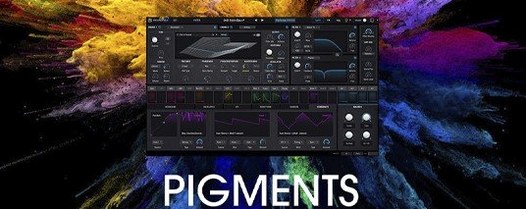
Arturia Pigments for macOS
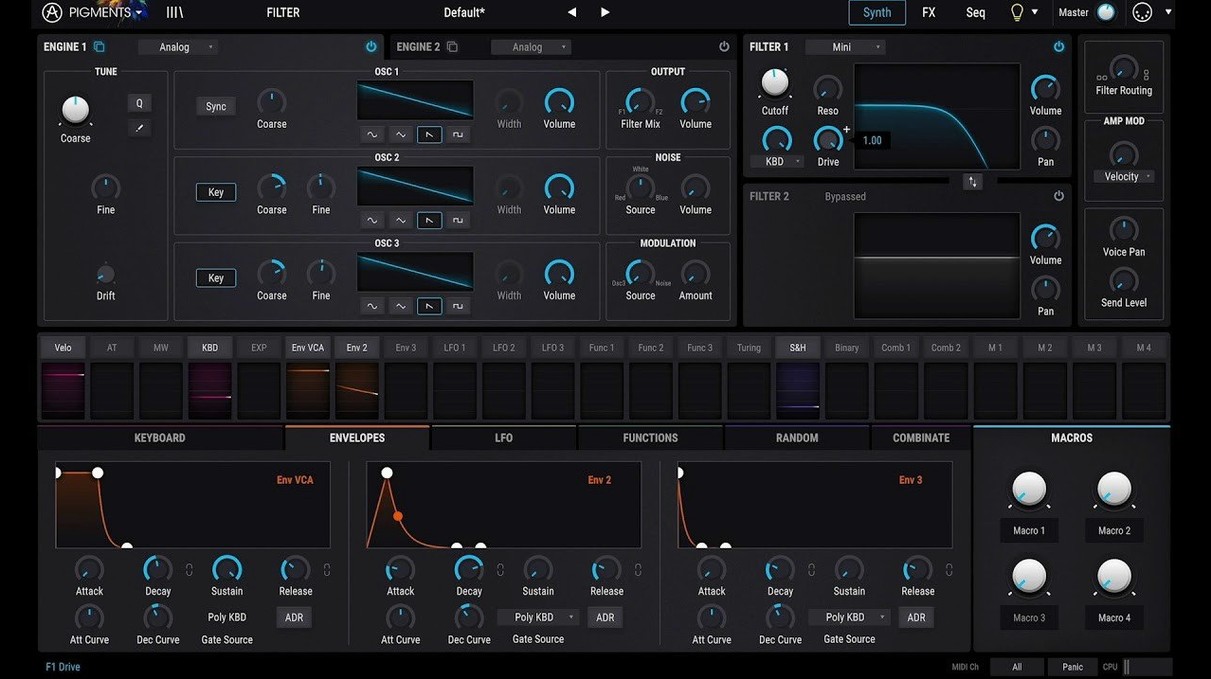
The 7.0 update rethinks the front door. Pigments now opens onto a redesigned Play Page — a cleaner, macro-focused view that invites you to shape a sound without diving into the engine bay right away. It ships with 150 new factory presets, three new filter types (Rage, Ripple, Reverb), and a Corroder effect for textured degradation.
Where should a beginner start?
Open the Play Page and browse the new factory presets. The color-coded interface maps synthesis engines, filters, and modulation sources to consistent hues, so you can read the signal flow at a glance even before you know what every knob does.
What do the new filters do?
Rage adds aggressive, distorted filtering. Ripple is a liquid, phasing filter that responds well to slow modulation. Reverb places the filter inside a reverberant space, blurring the line between timbre and ambience.
How do the engines work together?
Pigments combines six synthesis engines — analog, wavetable, sample, granular, harmonic, and utility — in parallel. You can route them into the dual-filter section and the built-in effects chain, then use the extensive modulation system to animate any parameter.
Patch loading and CPU feel on M-series Macs
On an Apple Silicon Mac, Pigments 7 sits comfortably alongside other instruments in a busy session. Patch loading is quick — even the heavier granular and sample-based presets populate in under a second on most M-series machines. CPU usage varies widely depending on voice count and effects, but a typical four-voice pad with the Corroder and Reverb filters engaged hovers around 15–20% on a single core. Bump the unison to eight voices and add the multiband compressor from the effects rack, and you might see spikes near 40%. That is still workable without freezing the track in most DAWs.
Stability under Logic Pro and Ableton Live has been uneventful in the best sense — no sudden UI freezes, no plugin scans that hang, no mysterious dropouts when switching presets mid-playback. The .component and .vst3 bundles both load cleanly on ARM-native hosts. Memory pressure stays modest; the standalone app idles around 280 MB, and the plugin instances rarely push past 400 MB even with samples loaded into the utility engine.
The one resource worth watching is the reverb. The new Reverb filter type is lush but greedy — stacking it on both filter slots with long decay times can turn a simple sequence into a crackle-fest on older Intel machines. Dialing the quality setting down one notch in the backend .xml preferences (found inside ~/Library/Arturia/Pigments/) tames it without obvious sonic compromise.
A workflow: designing a degraded melodic pluck
Say you need a short, textured pluck that cuts through a dense mix but sounds like it has already lived a hard life. Here is one path through Pigments 7 that takes about ten minutes once you know the layout.
- Initialize a blank patch from the utility engine. Switch engine two to the sample engine and drag in a short mallet transient — one of the 30 new samples works, or any
.wavunder a second. - Blend the utility engine’s noise oscillator low in the mix, selecting one of the 20 new noise types with a grainy texture. Set its amplitude envelope to a fast decay.
- Route both engines through Filter 1 set to the Rage type. Push the drive to about 60% and assign a slow random LFO to the cutoff — just enough movement to keep each hit slightly different.
- Send Filter 2 to the Reverb type with a short decay and low mix. This adds body without washing out the transient.
- Insert the Corroder in the first effects slot. Set it to taste — a subtle bit-crush and a touch of wow-and-flutter modulation make the pluck feel unstable.
- On the Play Page, map the Corroder depth and the Rage filter resonance to the two macro sliders. Name them “Decay Age” and “Bite.”
- Play a few notes, ride the macros, and save the patch.
The whole process leans on the drag-and-drop modulation more than menu diving. Right-clicking any parameter and choosing a modulator opens a short list; you can also drag the little colored orb from the modulation panel directly onto a knob. The color coding holds up — mod sources and destinations share hues, so tracing what is driving what stays legible even when the modulation matrix grows dense.
Drag-and-drop Scala tuning and Option-drag tricks
Several quality-of-life features are easy to overlook on first pass. The tuning panel lets you import Scala .scl files directly — drag one onto the interface and the keyboard remaps instantly, which microtonal composers will appreciate.
Holding Option while dragging a knob enters fine-adjustment mode, useful for dialing in exact filter cutoff values without overshooting. Shift-clicking any parameter resets it to its default, and Command-clicking a modulation slot bypasses the modulation without deleting the routing. These shortcuts are not advertised loudly but save real time once they become muscle memory.
The in-app tutorials added in 7.0.1 are context-sensitive — open one from the menu while hovering over the wavetable editor, and it walks you through wavetable manipulation steps with visual overlays. They are short, specific, and skippable paragraph by paragraph rather than all-or-nothing video playbacks.
The preset browser respects a few unspoken rules: typing “pad slow” filters by both category and descriptor, and the search field accepts partial matches across preset names and author tags. Favorites can be flagged with a single click, and the browser remembers your last sort order between sessions if you quit the plugin cleanly rather than just closing the DAW project.
Questions before installing
ARM64 slices in the .component, .vst3, and standalone app
Yes. The .component, .vst3, and standalone app all include ARM64 slices. There is no Rosetta translation needed unless your DAW host forces it. The installer package (.pkg) places the binaries where you would expect — /Library/Audio/Plug-Ins/Components/ and /Library/Audio/Plug-Ins/VST3/ — and the standalone lands in /Applications/Arturia/.
How much drive space does it need?
The plugin binaries are compact — roughly 120 MB — but the factory content (presets, wavetables, samples, noises) pushes the total closer to 2.5 GB. If you are hunting for a pigments plugin free download you might find stripped-down archives floating around, but those are often missing the sample content that makes the granular and sample engines useful. The full factory library is worth the disk real estate.
Performance on a quad-core i7 from 2015
Any 64-bit Intel Mac running macOS 11 or later is supported. A quad-core i7 from 2015 can handle moderate patch complexity, though you will want to keep voice counts conservative and avoid stacking the Reverb filter type on both filter slots. The plug-in does not use AVX-specific instructions, so even older Xeons in Mac Pro towers stay compatible.
Is the Play Page just a dumbed-down view?
Not exactly. It exposes four macro controls, a simplified envelope, and quick-access performance parameters — but those macros can be reassigned to any destination in the modulation matrix, including deeply buried engine parameters. You can build an entire live set controlling complex sound transformations from four sliders, which is more about focus than dumbing down.
What plug-in formats are included?
The Mac package installs AU (.component), VST3 (.vst3), and AAX. There is no VST2 version, and there is no separate pigments vst crack floating around that magically adds it — the format lineup is fixed by Arturia’s build pipeline. All three formats are ARM-native where the host supports it.
- Redesigned Play Page for macro-level sound shaping.
- New Rage, Ripple, and Reverb filter types.
- Corroder effect added to the effects section.
- 150 new factory presets, 50 wavetables, 30 samples, and 20 noise sources.
- macOS 11 or later.
- Apple Silicon or Intel 64-bit processor.
$ man arturia-pigments | grep -A2 "?"
Is Pigments native on Apple Silicon?
Yes. Version 7.0.1 runs natively on Apple Silicon and Intel 64-bit Macs under macOS 11 or later.
What content was added in the 7.0.1 update?
The update added 150 factory presets, 50 wavetables, 30 samples, and 20 noise sources.
What plug-in formats does Pigments use on Mac?
It runs as a VST, AU, and AAX plug-in, plus a standalone application.
Comments 0
Sign in or create an account to leave a comment.
No comments yet. A codec, a slice, a machine — they appear after moderation.
More in VST Plugins
cd ../ Arturia MiniFreak V
VST Plugins 468 MB Updated
 Arturia Mellotron V
VST Plugins 2.1 GB
 Arturia FX Collection
VST Plugins 16.1 GB
 Arturia Emulator II V
VST Plugins 700 MB
 Arturia Efx AMBIENT
VST Plugins 285 MB
 Arturia Augmented BRASS
VST Plugins 2.3 GB
 Arturia Analog Lab V
VST Plugins 2 GB Updated
 BABY Audio Humanoid
VST Plugins 39 MB