
Arturia Mellotron V for macOS
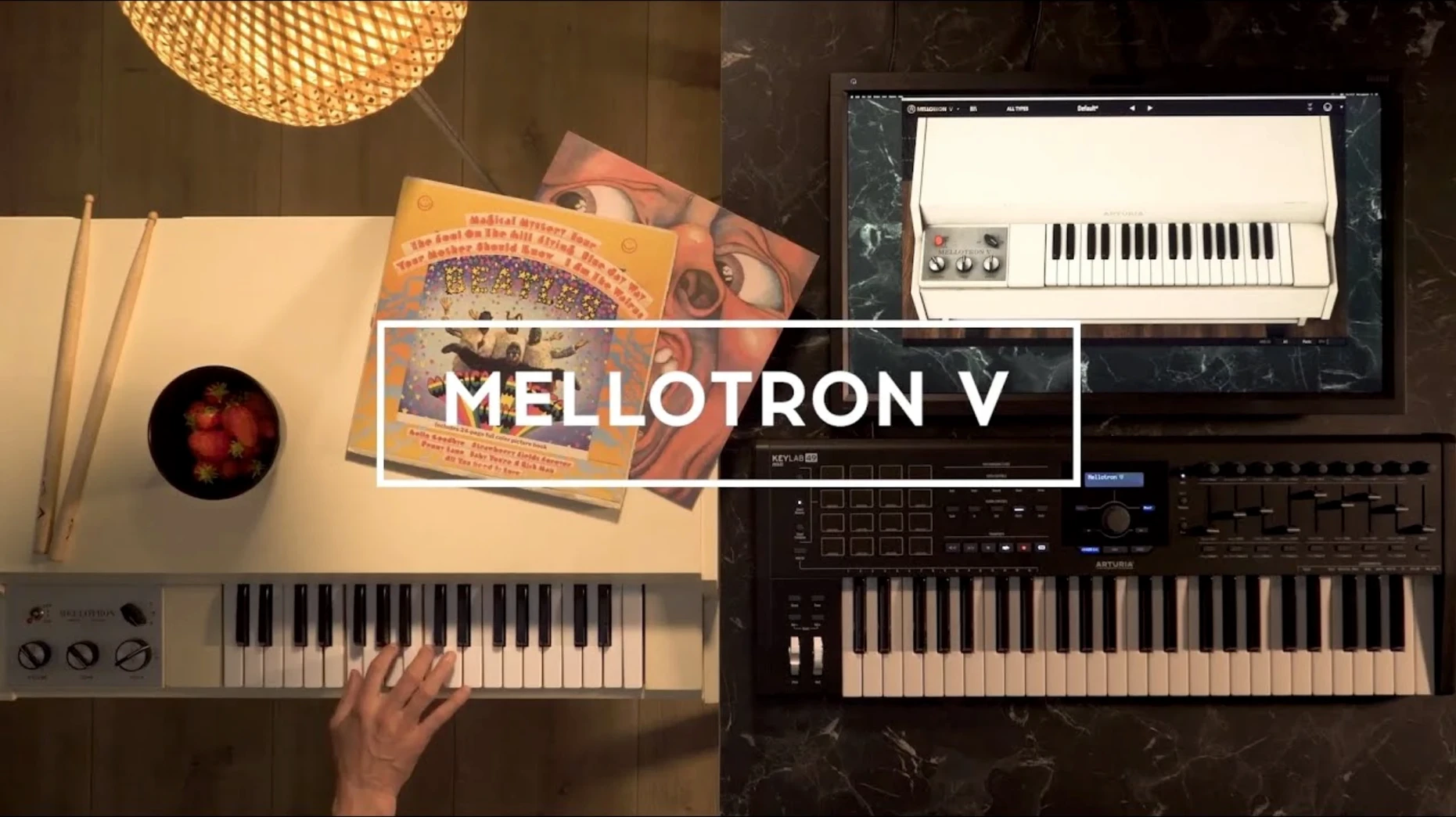
Getting the classic tape-replay sound used to mean maintaining a temperamental electromechanical keyboard and a library of fragile tape strips. Arturia Mellotron V solves that by modeling the entire signal path in software—from the playback heads and pinch rollers right through to the amplifier.
Check Mac compatibility
The plug-in is 64-bit only and needs macOS 11 or later. It runs natively on both Intel and Apple Silicon machines, so Rosetta is not required.
Open the plug-in in your DAW
Once installed, Mellotron V appears as an Audio Unit, VST, or AAX instrument. You can also launch it standalone without a host.
Load your own tape samples
Each track holds up to eight user samples in WAV, AIFF, or FLAC format, split across the 96 chromatic semitones that make up a track row. The mechanical noise, tape artifacts, and ADSR envelope let you shape how those samples sit in a mix.
Film composers get 65 tape banks for instant sci-fi beds
Film and game composers get immediate value from the 65 factory tape banks. A single instance can deliver the choir-and-strings bed that defined late-60s sci-fi scores, and the modeled wow-and-flutter controls let you push a cue from clean to distressed without external processing. Keyboard players coming from hardware workstations will recognize the layering logic immediately: assign two factory tapes to a track row, blend them with the balance slider, and you have a combination that would take two physical Mellotrons and a patchbay to reproduce.
Sound designers often overlook tape-replay instruments in favor of granular engines, but the per-track user sample loading changes the equation. Loading field recordings or synth drones into the eight user slots per track and mapping them across 96 semitones turns the Mellotron V into a chromatic resynthesizer with built-in mechanical degradation. The noise section—hiss, motor rumble, key clack—becomes a controllable texture layer rather than an artifact to clean up.
First-day practical tips
After installation, a few habits make the first sessions smoother.
- Store user samples in a dedicated folder outside the system library—something like
~/Audio/MellotronV_UserTapes. The plug-in remembers the last directory you browsed, but keeping samples in one place avoids hunting through project folders later. - Check the voice allocation early. The original Mellotron was paraphonic: all keys shared a single tape set, so held notes would steal voices from new ones. The plug-in defaults to a more forgiving polyphonic mode, but switching to the limited-voice setting in the back panel gets you closer to the authentic behavior when that matters.
- Save a template preset with the noise section bypassed. On headphones, the default mechanical noise can mask low-level detail during sound design. Having a clean starting point speeds things up.
- Try loading the same factory tape bank into two track slots and detuning one by a few cents with the fine-pitch control. The beat frequency between them produces a natural chorusing that the built-in modulation effects cannot replicate exactly.
A producer's first hour with it
Consider a producer working on an ambient track who wants something organic beneath a digital piano part. She opens Mellotron V, loads the MkII Flute bank into track A of row one, then browses to a folder of rain-on-glass recordings she made the previous week. Dropping six of those into the user sample slots and spreading them across the lower three octaves gives her a damp, breathy pad that shifts texture depending on which range she plays.
She opens the tape age control and pushes it to about forty percent—enough to introduce subtle pitch drift and a slight high-frequency roll-off without the sample becoming unrecognizable. The motor noise knob goes up to roughly twenty percent, just audible when nothing else is playing. In the ADSR section, she lengthens the release to 900 milliseconds so notes blur into each other. The result sits behind the piano part without masking it, and because the rain samples are her own, the texture is unique to that session.
Where the modeled flutter control pushes cues to distressed
Tape age and mechanical noise
The default tape age setting lands near zero, which gives you a playback head with minimal wear. Pushing it higher models tape stretching, oxide shedding, and head-gap degradation. For melodic parts, values between 20 and 45 add character without losing pitch stability. For drones and beds, going above 60 introduces unpredictable pitch warble that can work in your favor. The mechanical noise section includes separate controls for motor rumble, hiss, and key mechanism sounds—reducing key clack is often the first adjustment when playing staccato parts, as the default level can clutter fast passages.
Voice mode and envelope shape
The back-panel voice mode toggle deserves immediate attention. Modern polyphonic mode assigns independent voices to each key. The vintage-limited mode mimics the original instrument's tape-sharing architecture: play a chord, then add a melody note, and the melody may steal a voice from the chord. This limitation defined how players voiced chords on the hardware, so if you are replicating a period-correct arrangement, switch it on.
The ADSR envelope defaults to a fast attack and medium decay. For pad work, increasing the attack to around 200 milliseconds and extending the release to at least 800 milliseconds transforms even a short brass stab into a usable swell. The amplitude section also includes velocity-to-volume routing, which is on by default—worth verifying if your MIDI controller transmits consistent velocity values.
User sample mapping strategy
When loading your own WAV or FLAC files, the plug-in maps them chromatically from a root key you specify. Spend a minute setting the root note correctly per sample. A vocal phrase mapped with the wrong root will transpose into unnatural ranges quickly. For multi-sampled instruments, use the two factory plus six user layout: keep a stable factory tape as the foundation across the full range, then layer user samples on specific octaves to add variation where it matters most.
- Preset and preset playlist naming now works reliably—naming a preset no longer causes a crash.
- Playlist edition and preset search received workflow polish.
- Favorite preset management is smoother.
- Several under-the-hood bug fixes.
- macOS 11 or later
- Intel or Apple Silicon processor (native 64-bit)
- Standalone, VST, Audio Unit, or AAX host
$ man arturia-mellotron-v | grep -A2 "?"
What plug-in formats does Arturia Mellotron V support on Mac?
It runs as a standalone application, VST, Audio Unit, or AAX instrument.
Comments 0
Sign in or create an account to leave a comment.
No comments yet. A codec, a slice, a machine — they appear after moderation.
More in VST Plugins
cd ../ Arturia FX Collection
VST Plugins 16.1 GB
 Arturia MiniFreak V
VST Plugins 468 MB Updated
 Arturia Pigments
VST Plugins 1.8 GB
 Arturia Emulator II V
VST Plugins 700 MB
 Arturia Efx AMBIENT
VST Plugins 285 MB
 Arturia Augmented BRASS
VST Plugins 2.3 GB
 Arturia Analog Lab V
VST Plugins 2 GB Updated
 BABY Audio Humanoid
VST Plugins 39 MB