

Arturia Augmented BRASS for macOS
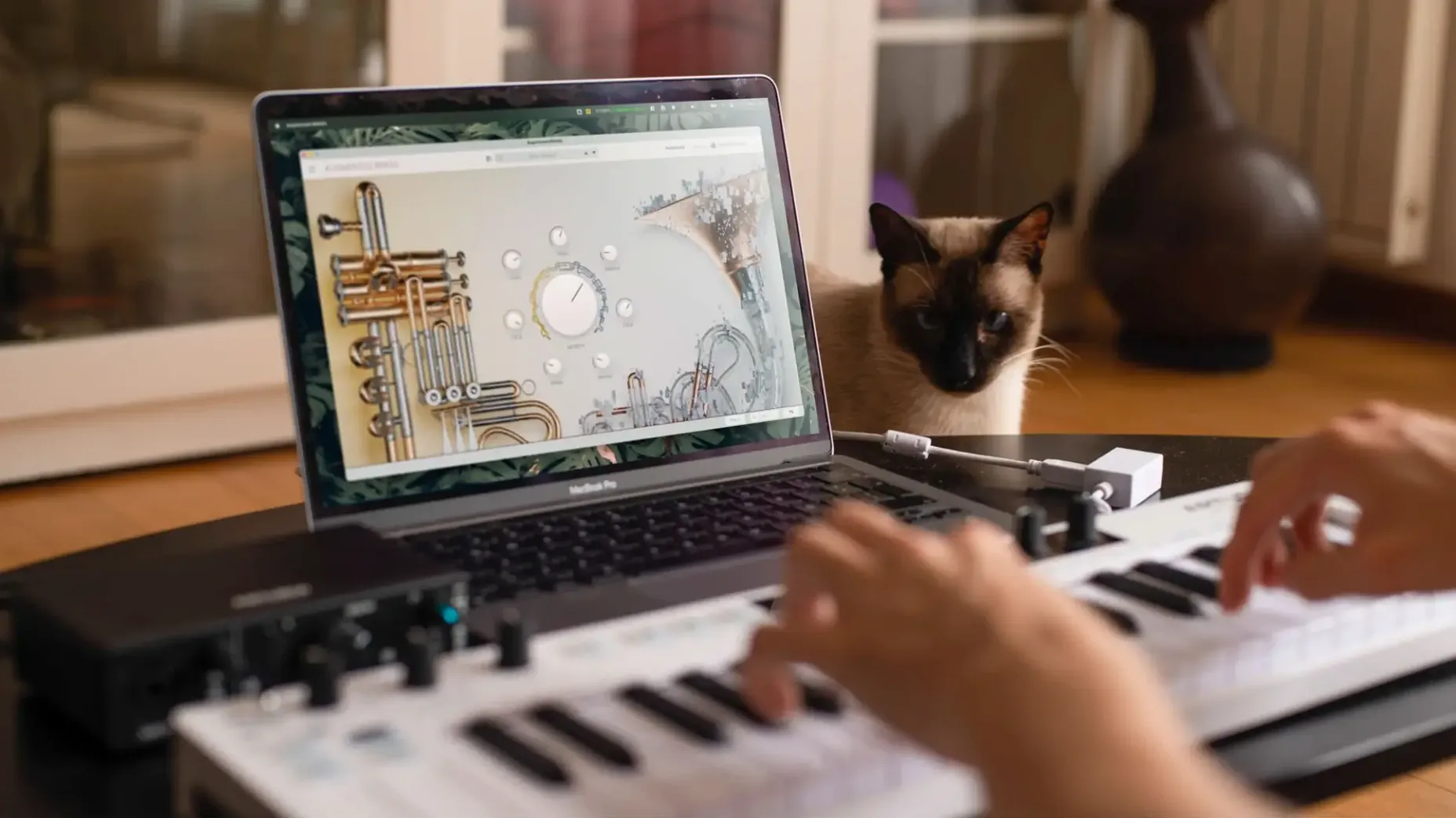
Getting brass parts to sit right in a mix usually means choosing between the realism of a sample library and the flexibility of a synth. Augmented BRASS collapses that choice into a single instrument, letting you crossfade between the two in real time. It draws on studio-recorded sample content and layers it with four synthesis engines, so you can push a trumpet far beyond its physical limits without losing the breath and buzz of the original.
| Detail | Info |
|---|---|
| Current version | 2.0.2.6369 |
| macOS | macOS 11.0+ |
| Architecture | Apple Silicon & Intel native |
| Formats | AU, VST3, AAX, standalone |
Version 2.0.2 ships as a universal binary in .pkg form, covering AU, VST3, and AAX plug-in formats alongside a standalone app for playing directly from a MIDI keyboard. The sample set was captured in a specialist European studio, and the factory bank gives you over 300 presets to start shaping. It runs on any Mac from macOS 11 onward, Apple Silicon or Intel, with 4 GB of RAM and a quad-core chip as the baseline.
Why block chords bury the expressiveness you want
Loading a preset and playing block chords like it's a piano is the fastest way to get disappointed. Brass behaves differently — the expressiveness lives in single-note lines, velocity curves, and pitch bends. Layering too many voices in the low register creates mud that no amount of morphing can fix. Start monophonic, get the articulation right, then add voices.
Another one: ignoring the mod wheel entirely. Many factory presets map dynamics and timbral shifts to CC1, and if you never touch it, you hear a flat snapshot of what the patch can actually do. The same goes for aftertouch when it's assigned — some of the hybrid pads come alive only once you lean into the keys.
New users often crank both layers to full volume and wonder why the output clips. Each layer's gain stage feeds into the master, and the morph slider doesn't attenuate the sum — it crossfades. Back off each layer by a few dB before you start blending, and you'll keep headroom for the effects chain.
Snags you'll probably run into
First launch in a DAW occasionally shows a blank UI on older Intel machines running macOS 11. It's an OpenGL resource race, not a broken install. Resizing the plug-in window or toggling the DAW's editor open/closed forces a redraw and fixes it every time. On Apple Silicon I haven't seen this at all.
NKS integration trips people up if they assume the .pkg installer places everything automatically. The plug-in itself lands in the usual locations, but the NKS preset mapping requires Native Access to see the library. If the Arturia preset folder isn't indexed, Komplete Kontrol shows empty banks. Pointing Native Access to /Library/Arturia/Augmented BRASS sorts it.
CPU spikes with the granular engine at high voice counts catch people out. Each grain stream is a separate oscillator path, and holding four-note chords with long release tails can push a quad-core machine past 60% on a single core. Bouncing to audio early is the pragmatic fix — this isn't a synth you play live with 16 voices of granular polyphony, and the engine isn't designed to be treated like one.
Right-click a macro knob to snap it back to its saved value
Right-clicking any macro knob resets it to its saved value — faster than hunting through the modulation matrix to undo a tweak. The same gesture on the morph slider between layers snaps it back to center. On the preset browser, typing a keyword and hitting Enter cycles through matches, so you can audition bass stabs or muted swells without clicking through the list manually.
If you hold Shift while adjusting a control in the synth layer, the movement is fine-tuned at one-tenth the normal speed. It's unadvertised but works across both the virtual instrument and the standalone app. MIDI-learn assignments stick globally per-instance, not per-preset, which means your hardware controller mapping survives preset changes — useful when you're performing and want consistent fader assignments for the macro panel.
The standalone app logs incoming MIDI to a small indicator in the top bar. It's not documented prominently, but it's a quick diagnostic if your controller seems unresponsive — if the indicator flashes, the problem is in the patch's velocity mapping, not your hardware.
Under four seconds to playable on Apple Silicon
Loading times are brief on Apple Silicon — from the moment you instantiate the plug-in to a playable state, it's under four seconds even with the larger multi-sampled patches. Intel machines with slower storage feel the weight of the sample library; a SATA SSD adds about two seconds versus NVMe, and a Fusion Drive makes the difference genuinely annoying. The 6 GB library footprint sits comfortably on the internal drive, but don't expect to run it from an external USB 3.0 spindle disk during a session without pre-load delays.
Memory use floats between 400 MB and 1.2 GB depending on how many sample-based sources are active in a preset. The pure-synth patches barely register in Activity Monitor, while the fully acoustic layer with long release tails pushes toward the upper end. Running multiple instances in a 16 GB machine works fine for a typical horn section layout — four tracks of Augmented BRASS alongside drums and a bass VI won't page out. At 8 GB, commit any instance you aren't actively tweaking to audio.
Stability has been uneventful in the current build. I've thrown rapid preset changes at it in Logic Pro and REAPER without a crash, and the AU version handles transport cycles cleanly — no hung notes on loop boundaries, which is where plenty of sample-based instruments fall apart. The one quirk worth noting is that closing the standalone app while the audio engine is still processing a sustained note sometimes leaves the last buffer repeating for a split second. It's a cosmetic shutdown artifact, not a crash.
If you're searching for Arturia Augmented BRASS Mac torrent to try before committing, you'll find the installer circulating in the usual places. The build includes the full sample content and all presets — the downloaded package is identical in structure to the official one, so the installation path, plug-in formats, and NKS folder layout match the descriptions above exactly.
- macOS: macOS 11.0 or later
- CPU: Apple Silicon (M1 or later) or Intel quad-core at 3.4 GHz
- RAM: 4 GB
- Disk space: 6 GB free
$ man arturia-augmented-brass | grep -A2 "?"
What plug-in formats does Augmented BRASS use on Mac?
It installs AU, VST3, and AAX components, plus a standalone application that works with any connected MIDI keyboard.
Does it run natively on Apple Silicon?
Yes, version 2.0.2 is a universal binary that runs natively on both Apple Silicon and Intel Macs from macOS 11.0 onward.
How many presets are included?
The factory library ships with over 300 production-ready presets that combine acoustic brass samples with four synthesis engines.
Comments 0
Sign in or create an account to leave a comment.
No comments yet. A codec, a slice, a machine — they appear after moderation.
More in VST Plugins
cd ../ Arturia Analog Lab V
VST Plugins 2 GB Updated
 Arturia Efx AMBIENT
VST Plugins 285 MB
 Arturia Emulator II V
VST Plugins 700 MB
 Arturia FX Collection
VST Plugins 16.1 GB
 Arturia Mellotron V
VST Plugins 2.1 GB
 Arturia MiniFreak V
VST Plugins 468 MB Updated
 Arturia Pigments
VST Plugins 1.8 GB
 Analog Realism Sphinx 101
VST Plugins 82 MB