
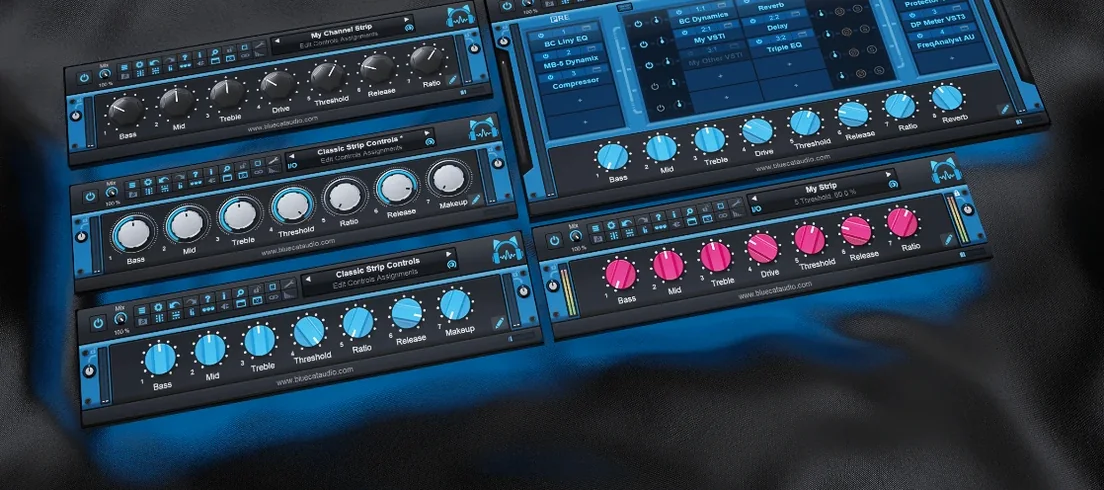
Blue Cat Audio Blue Cats PatchWork for macOS
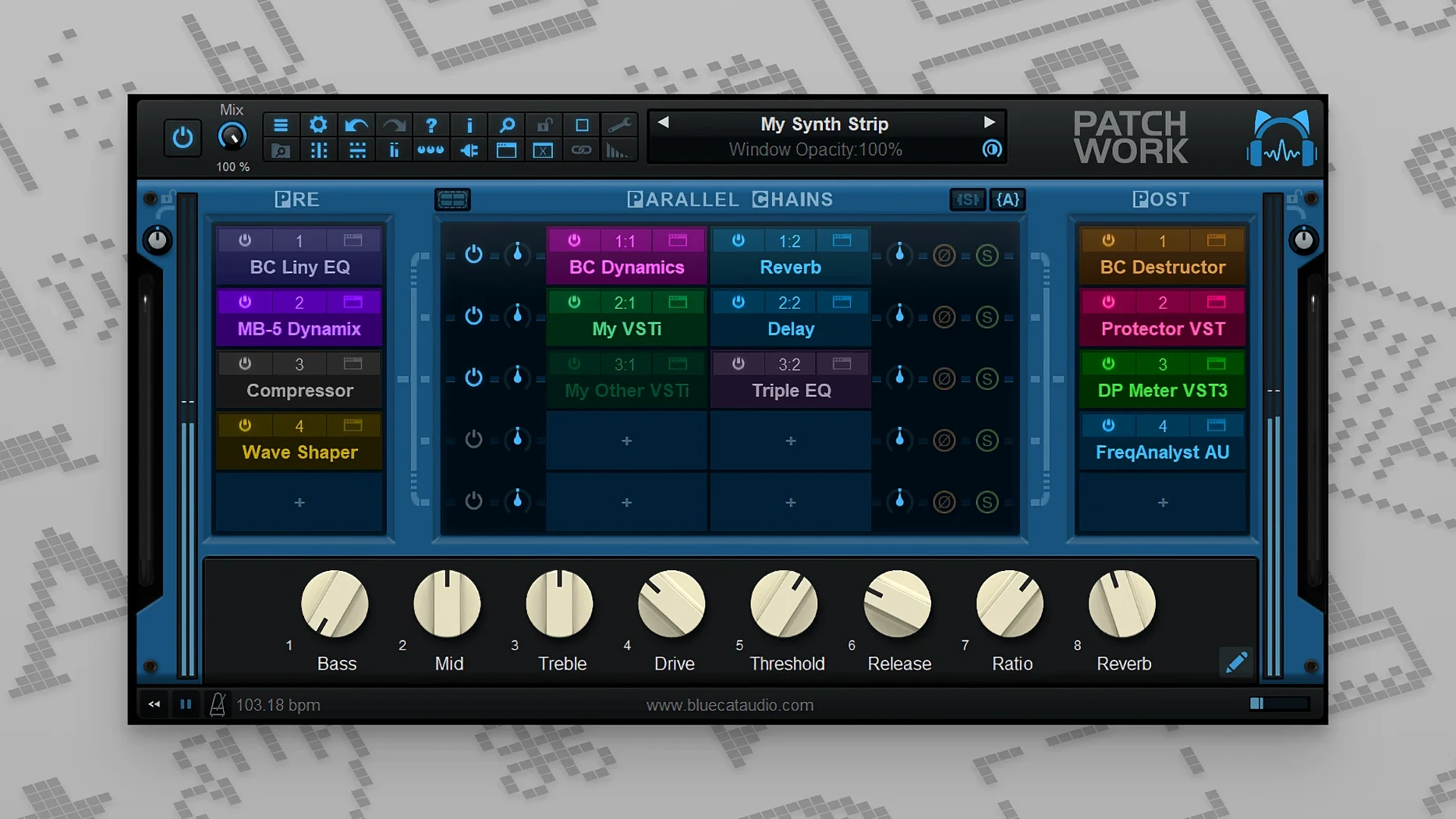
Chain copy, paste and reload landed in the 2.7x cycle. It's the kind of detail that makes Blue Cat's PatchWork more than a simple wrapper — it's a recallable multi-effects routing grid that lives inside whatever DAW you're already using. The core job is straightforward: host up to 64 plug-ins in one slot, chained in series or split across parallel paths, and save the whole mess as a single preset. That means a stack of third-party VST, VST3 and Audio Unit processors — including instruments — treated as one patch.
Which plug-in formats can you open inside it on a Mac?
| What | Detail |
|---|---|
| Host formats | VST, VST3, Audio Unit (also standalone app) |
| Loads | VST, VST3, Audio Unit plug-ins + built-in effects |
| Architecture | Apple Silicon native, Intel native, 64-bit only |
| macOS | 10.9 and later |
On a Mac you can open Audio Unit plug-ins inside a VST slot, or chain VST3 effects behind an AU instrument — the wrapper translates the format for the host. The plug-in browser includes full-text search across everything you've got installed, and you can drag .component or .vst3 bundles straight from the Finder into a slot. Related Blue Cat hosts like MB-7 Mixer and Late Replies share the same loading engine, but PatchWork keeps the focus on the routing grid and chain management.
Can you really rebuild a Pultec chain from the search bar?
You open PatchWork inside your DAW — let's say it's on a bass track that needs serious help. The grid starts empty. You type "pultec" in the plug-in browser's search bar and before you finish the word, a handful of EQs appear. Dragging the AU version into slot 1 takes less than a second. The interface pops open, and you dial in a low-end boost. Slot 2 gets a compressor — something fast, 1176-style — grabbed the same way, no menus, no wrapper windows fighting you.
Now you want the low end to stay clean while the mids get mangled. You right-click the empty area below slot 2, add a parallel path, and drop a distortion plug-in there. A few seconds of dragging virtual cables in the routing view connects the split. The dry signal stays untouched in the top row; the bottom row gets a fuzz pedal emulation, then a narrow band-pass filter that keeps the distortion focused around 400 Hz. Both paths merge before hitting a limiter in the last slot. You save the whole chain as Bass Grit Parallel — 7 plug-ins, two parallel lanes, one preset file. Next session, you type the preset name, hit Enter, and the whole thing rebuilds instantly.
Mid-session, you realize the distortion plug-in's output clips the band-pass filter. You bypass just that row with one click while you tweak levels. PatchWork's MIDI learn lets you map the bypass toggle to a pad on your controller, so you A/B without touching the mouse. By the end of the hour you've built three chains and copied the compressor section from one to another using the chain copy-paste added in 2.75 — no reloading, no re-dialing attack and release times.
Why does stacking 40 plug-ins in one instance choke the CPU?
The biggest one is throwing 40 plug-ins into a single PatchWork instance and wondering why the DAW's CPU meter spikes. PatchWork spreads processing across cores where it can, but it's still one plug-in slot from the host's perspective — your DAW can't schedule across threads the way it would if those same plug-ins were on separate mixer channels. If you're running a heavy convolution reverb and three amp sims inside one PatchWork slot, you're asking one core to do all of it. Split into two or three instances on separate tracks and things breathe again.
Another common slip: loading an AU instrument, then dropping effects into slots after it and expecting MIDI to pass through automatically. PatchWork routes audio, but MIDI flow depends on how the host DAW sends it. If the instrument slot goes silent, check that your DAW's track is armed and that MIDI is reaching the plug-in instance — sometimes the wrapper needs a nudge from the host's routing panel.
The plug-in scanner trips people up too. After installing new plug-ins, PatchWork won't see them until it rescans. The scanner runs on demand, not automatically on launch, so if you just dropped a fresh .vst3 into your system folder and it's missing from the browser, hit the rescan button in preferences. On macOS, it's also worth knowing that system-level plug-in validation failures — especially with older unsigned Audio Units — can keep a plug-in out of the list even after scanning, with no obvious error message in PatchWork's UI.
How does the standalone app turn it into a live effects rack?
The standalone application turns PatchWork into a live effects rack without a DAW running. You route audio in via your interface, load up chains, and perform. On macOS, you can use it alongside an aggregate device set up in Audio MIDI Setup — feed system audio from a browser or media player into PatchWork through BlackHole or Loopback, process it through a chain of EQs and compressors, and send the output to your monitors. That's a software-based version of what used to require a hardware insert chain.
Inside a DAW, PatchWork plays nicely with hosts that support sidechain inputs on plug-in slots, because the wrapper passes multi-channel audio through. If your DAW sends channels 3–4 as a sidechain key signal, plug-ins inside PatchWork that listen on those channels — like dynamics processors — can use them. It also respects the macOS file system: presets are stored as plain .preset files you can back up, sync across machines with iCloud Drive, or drop into a shared folder for collaboration.
For sound designers working across multiple audio tools, the chain copy-paste workflow bridges PatchWork with Blue Cat's own ecosystem. A chain built in PatchWork can be saved to disk and reloaded in Late Replies or MB-7 Mixer if the plug-ins in the chain exist on that system. That means your custom parallel compression rack doesn't have to be rebuilt when you switch from mixing in one host to sound design in another. It's not automatic cross-product sync — you're still saving and loading files — but the shared preset format cuts out the drudgery of manual duplication.
- Copy, paste, save and reload for complete effects chains
- macOS 10.9 or later
- Apple Silicon or Intel processor
- 64-bit only
$ man blue-cat-audio-blue-cats-patchwork | grep -A2 "?"
How many plug-ins can I load at once?
Up to 64 VST, VST3, Audio Unit or built-in plug-ins in a single PatchWork instance, arranged in series or parallel paths.
Can I save and recall whole effect chains?
Yes. The 2.7x releases added copy, paste, save and reload for entire effects chains, and presets let you store everything as one recallable patch.
Does it work as a standalone app?
Yes — PatchWork is available as both a standalone application and in VST, VST3 and Audio Unit plug-in formats.
Comments 0
Sign in or create an account to leave a comment.
No comments yet. A codec, a slice, a machine — they appear after moderation.
More in VST Plugins
cd ../ Bogren Digital Ampknob BDH 66o6 Plus
VST Plugins 253 MB
 Black Rooster Audio The ALL Bundle
VST Plugins 3.5 GB
 Cableguys Snapback
VST Plugins 37 MB
 BABY Audio Humanoid
VST Plugins 39 MB
 Arturia Pigments
VST Plugins 1.8 GB
 Arturia MiniFreak V
VST Plugins 468 MB Updated
 Arturia Mellotron V
VST Plugins 2.1 GB
 Arturia FX Collection
VST Plugins 16.1 GB