
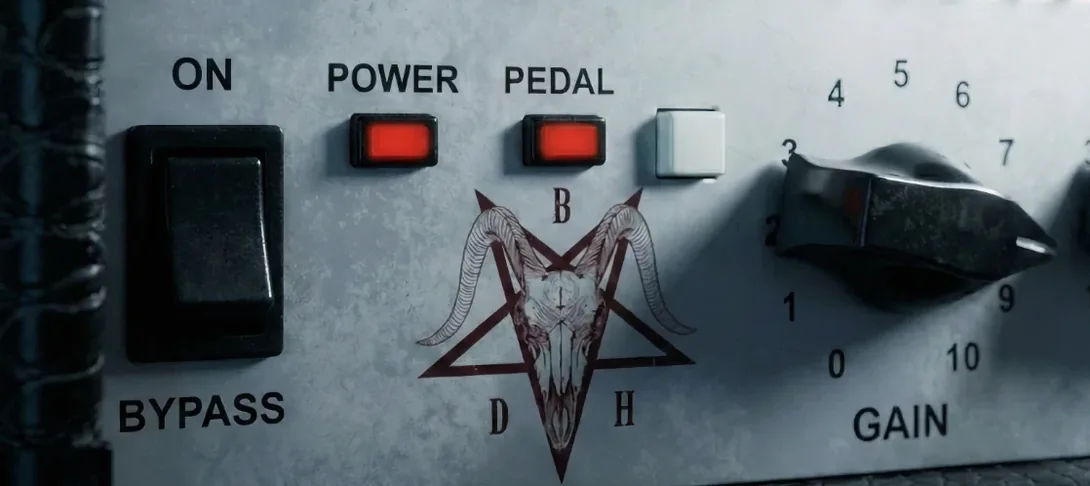
Bogren Digital Ampknob BDH 66o6 Plus for macOS
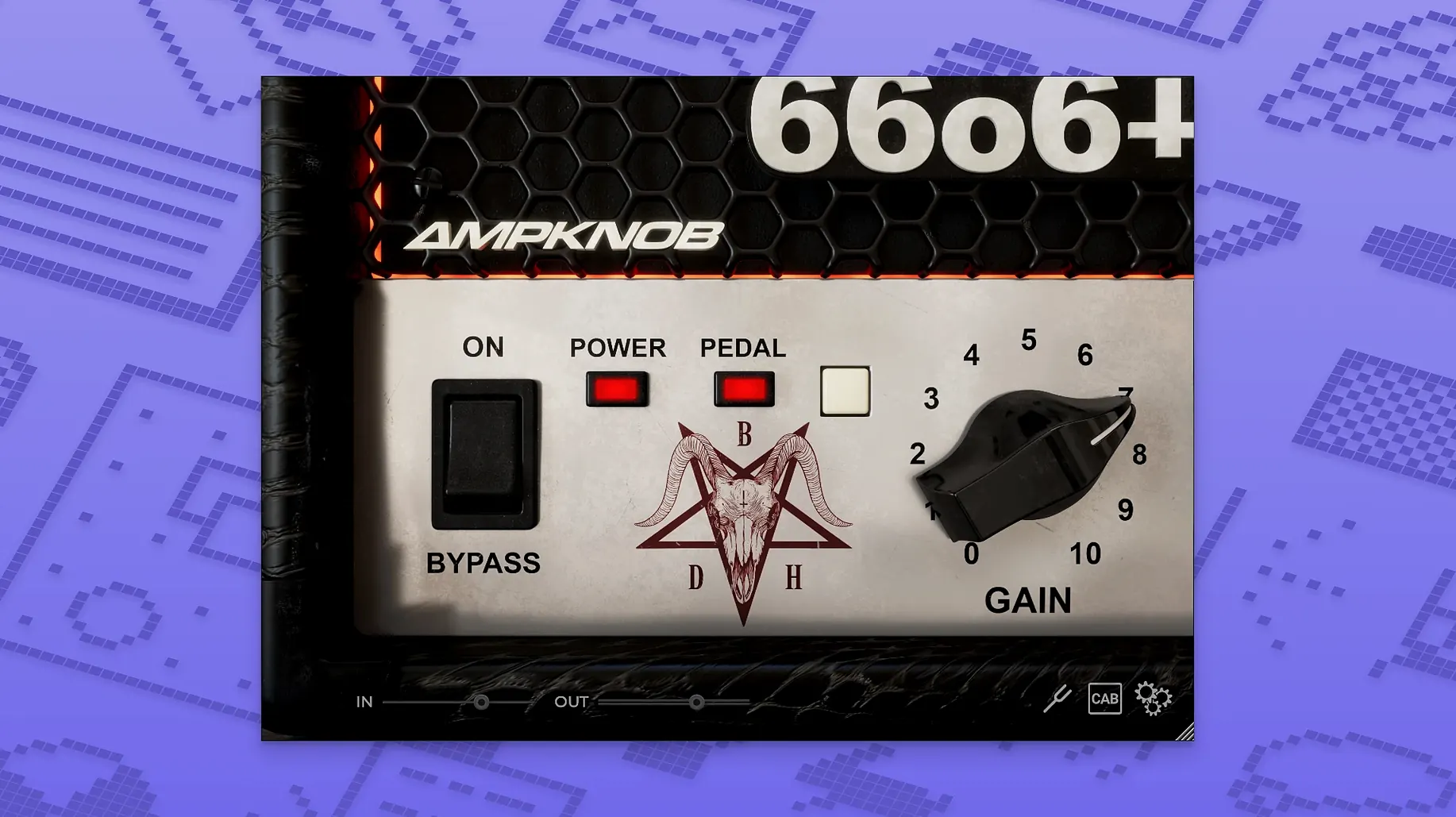
If you have spent any time with the original Ampknob BDH series, you already know the core idea: a single knob doing heavy lifting for a specific high-gain sound, designed by Jens Bogren. The 66o6 Plus takes that foundation and gives you a few more deliberate moves without turning it into a sprawling interface. It is still a tone-shaping tool first, but the additions push it beyond a one-sound trick. You get a denser midrange, more clarity in the top end, and an attack that feels quicker under the fingers — the kind of thing that keeps palm mutes articulate even when the gain is piled on.
Where does the tight low end come from?
- Dialing in a modern high-gain tone with a minimal set of controls.
- Adding a fast, defined attack to rhythm tracks without an external overdrive pedal.
- Pushing a mix-ready guitar sound where the low end stays tight and the top cuts through.
How much amp tweaking do you actually lose?
- The simplified layout means you shape the sound through the main character switch and pedal toggle rather than deep amp tweaking.
- The plugin is available as a 64-bit build for both Apple Silicon and Intel Macs, running on macOS 10.13 and later.
Does the installer still cover Intel Macs?
One thing that comes up a lot is whether the 66o6 Plus works on a machine that still runs an older Intel Mac. It does — the .dmg ships a universal binary, so you get native code on both Apple Silicon and Intel 64-bit. macOS 10.13 is the floor, which covers a pretty wide range of machines still in use. Another question is about plugin formats. The installer drops in AU and VST3 components. There is no AAX bundle here, so if you work entirely inside Pro Tools you will want to wrap it or run it through a host that bridges VST3. People also ask if it needs a separate IR loader. It does not — the cabinet simulation is baked in, and the single knob plus the pedal switch are your whole signal chain. That also means you are not auditioning impulse responses; the sound is what Jens Bogren dialed in, ready to track.
Activation trips up a few first-timers. The included instructions walk through it, but the key point is that the plugin expects the license file in a specific location before the DAW scans it. If you launch your host and the plugin does not appear, the scan probably skipped it because the license was not placed first. Quit the DAW, drop the file where the readme says, then rescan. On Apple Silicon hosts running in native mode, AU validation sometimes takes a second pass — Logic’s Plugin Manager will flag it, you click “Reset & Rescan,” and it picks it up cleanly the second time around.
What happens when you sweep the main voice switch in a mix?
The main switch changes voice more than you might expect from a single control. Spend ten minutes running a short DI loop through it and sweep the knob while you listen in the context of a rough mix. You will hear a spot where the low mids go from “restrained” to “aggressive” — that threshold is where the amp starts to saturate differently, and it is useful to know exactly where it lives before you commit a tone to a session. The pedal toggle is not just a boost; it shoves the front end harder and adds a little grit of its own. On a track that already has dense double-tracked guitars, try the pedal off first. Where a single rhythm part needs to poke through a busy chorus, the pedal on can be the difference without reaching for another EQ.
A practical snag: the output can come in hot. Keep an eye on your channel meter the first time you insert it. The internal gain staging is set to push, and some interfaces will clip the input of the next plugin in the chain. A trim plugin right after the 66o6 Plus keeps things under control. Also, the high end has a lot of presence by design. On a dark cabinet impulse or a muddy DI it sounds immediate; on an already-bright pickup, back off your interface preamp gain a little before the signal hits the plugin. That small adjustment at the source cleans up the top end more effectively than pulling it down with a post EQ.
A rhythm tracking workflow, start to finish
Here is a real scenario: you have a DI track from a humbucker-equipped guitar, a riff with fast palm mutes on the low string, and you want a tone that stays tight in a mix with bass and drums already running. Insert the 66o6 Plus on the guitar channel. Start with the knob at 9 o’clock — that is the tighter, more restrained side. Leave the pedal off for now. Hit play and listen to how the low-end transients sit against the kick drum. If the palm mutes lose definition, nudge the knob clockwise in small increments until the attack sharpens. You are listening for the point where the note separation is clear without the low end bloating.
Once the basic tone works, loop the heaviest section and toggle the pedal on. The gain structure shifts noticeably; the transients push forward. Record a second pass with the pedal engaged and pan the two takes hard left and right. The contrast between the pedal-off and pedal-on performances adds width because the transient shapes differ — one stays a little rounder, the other has more edge. If the combined stereo image feels too wide in the low mids, pull both tracks into a group bus and apply a gentle low-mid cut around 250 Hz. That is all the processing the tone usually needs outside the plugin itself.
For a lead line layered over the top, try the knob past 3 o’clock with the pedal on. The saturation thickens enough that the single-note line sustains without a compressor in front. Automate the pedal off for quieter passages where you want the note to decay more naturally, then kick it back on for the louder sections. Because the plugin responds fast to automation in any AU or VST3 host, the toggle becomes a performance tool, not just a set-and-forget switch.
- macOS 10.13 or later
- Intel 64-bit or Apple Silicon processor
- AU or VST3 host
Comments 0
Sign in or create an account to leave a comment.
No comments yet. A codec, a slice, a machine — they appear after moderation.
More in VST Plugins
cd ../ Blue Cat Audio Blue Cats PatchWork
VST Plugins 587 MB
 Black Rooster Audio The ALL Bundle
VST Plugins 3.5 GB
 Cableguys Snapback
VST Plugins 37 MB
 BABY Audio Humanoid
VST Plugins 39 MB
 Arturia Pigments
VST Plugins 1.8 GB
 Arturia MiniFreak V
VST Plugins 468 MB Updated
 Arturia Mellotron V
VST Plugins 2.1 GB
 Arturia FX Collection
VST Plugins 16.1 GB