
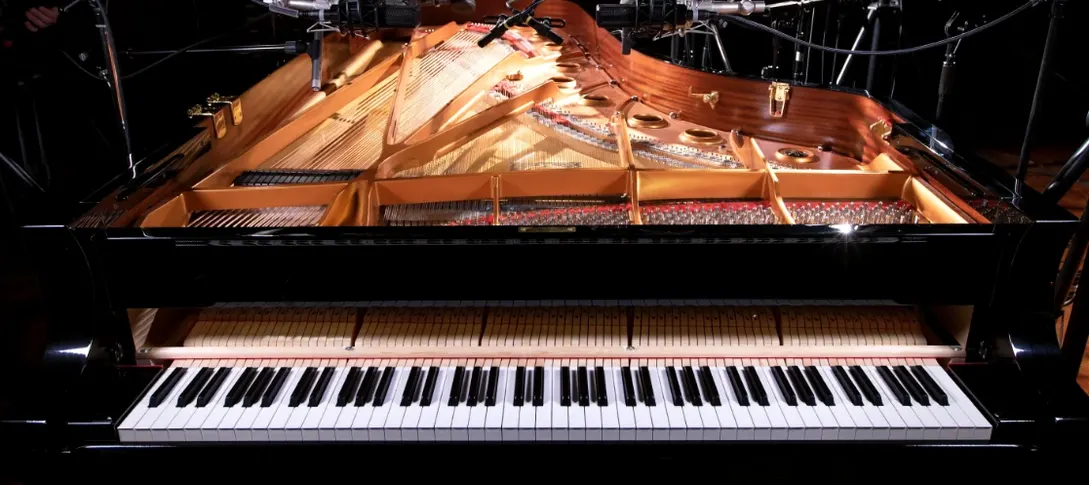
Native Instruments Noire KONTAKT for macOS
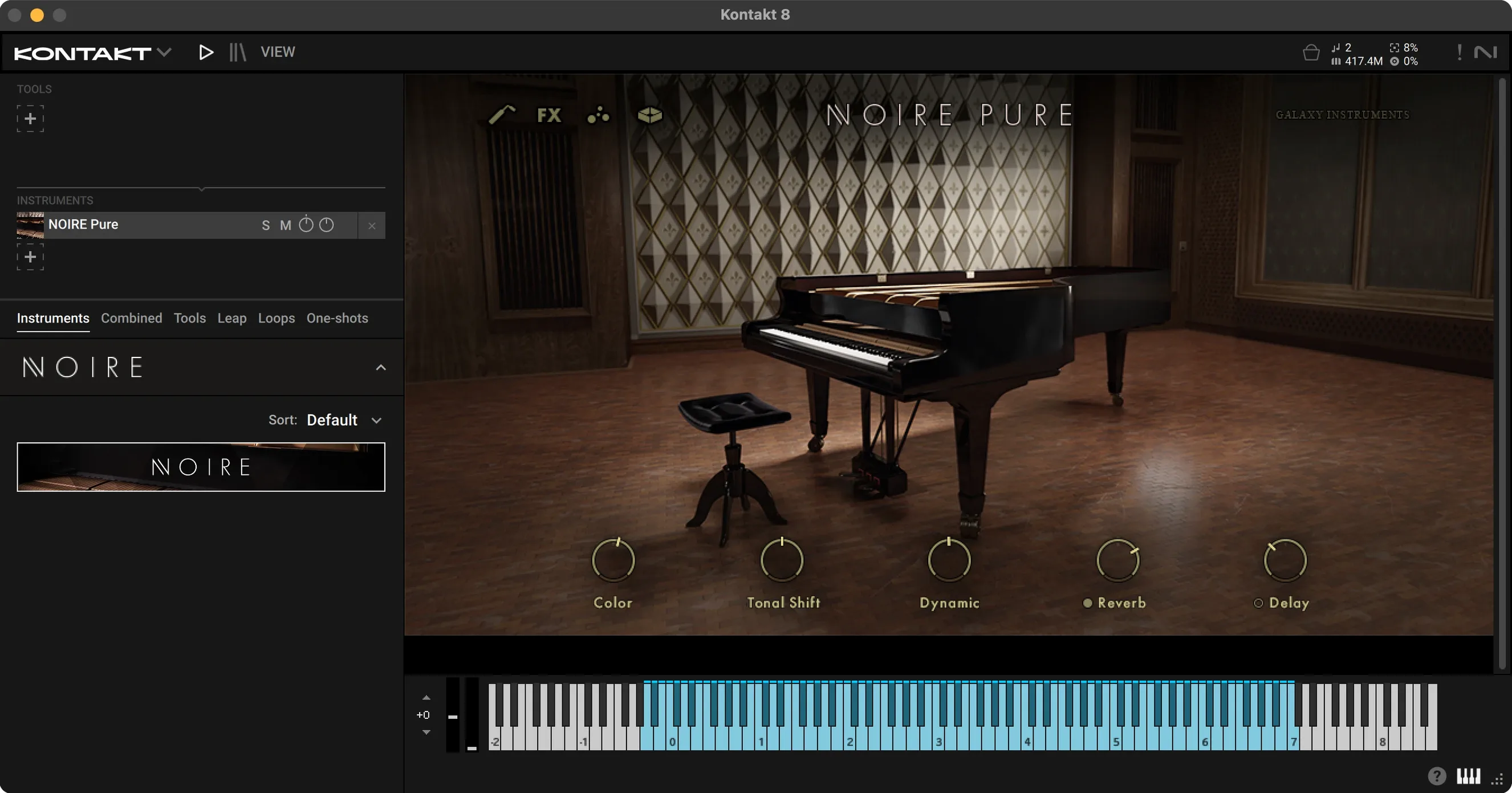
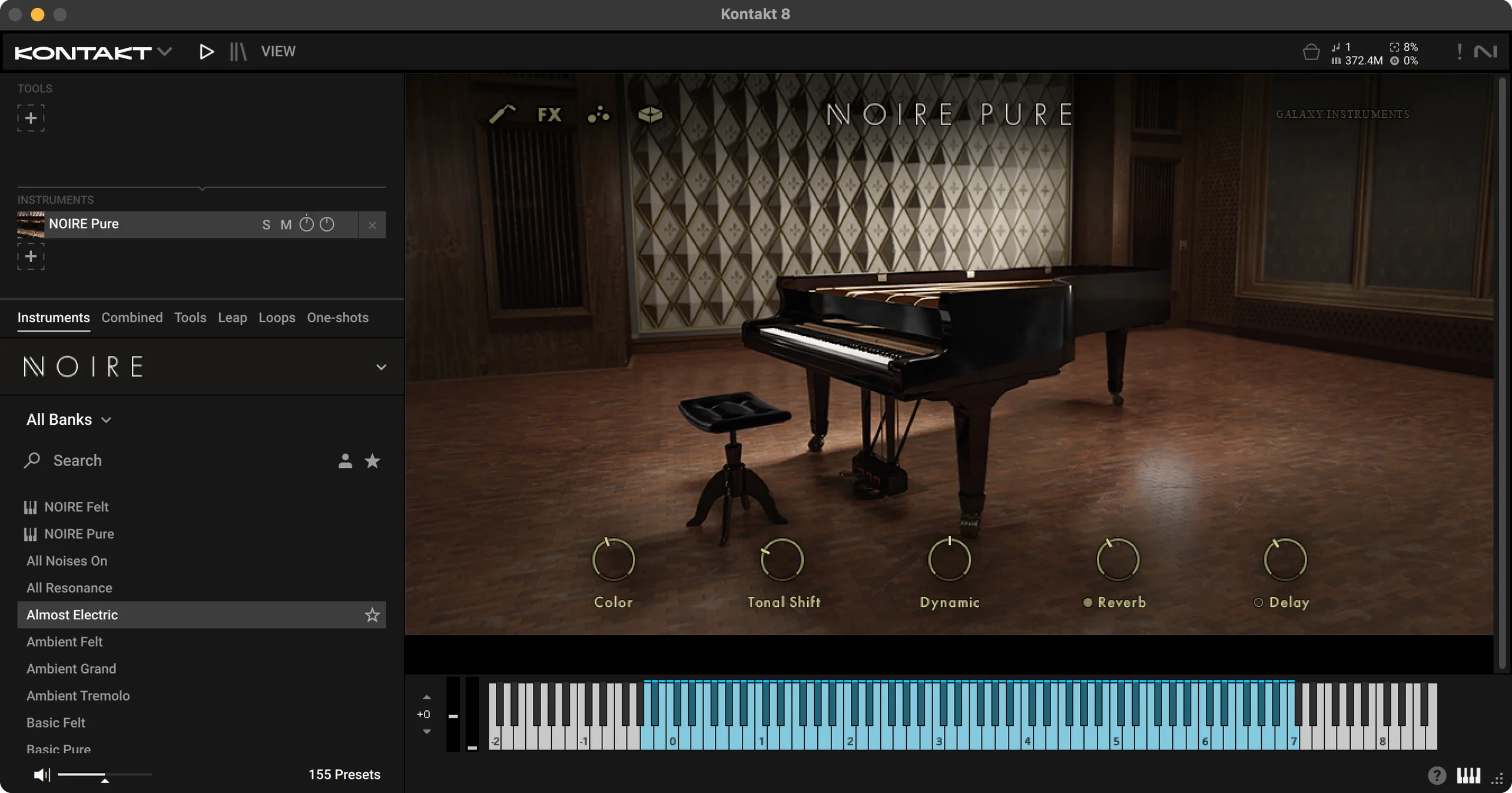
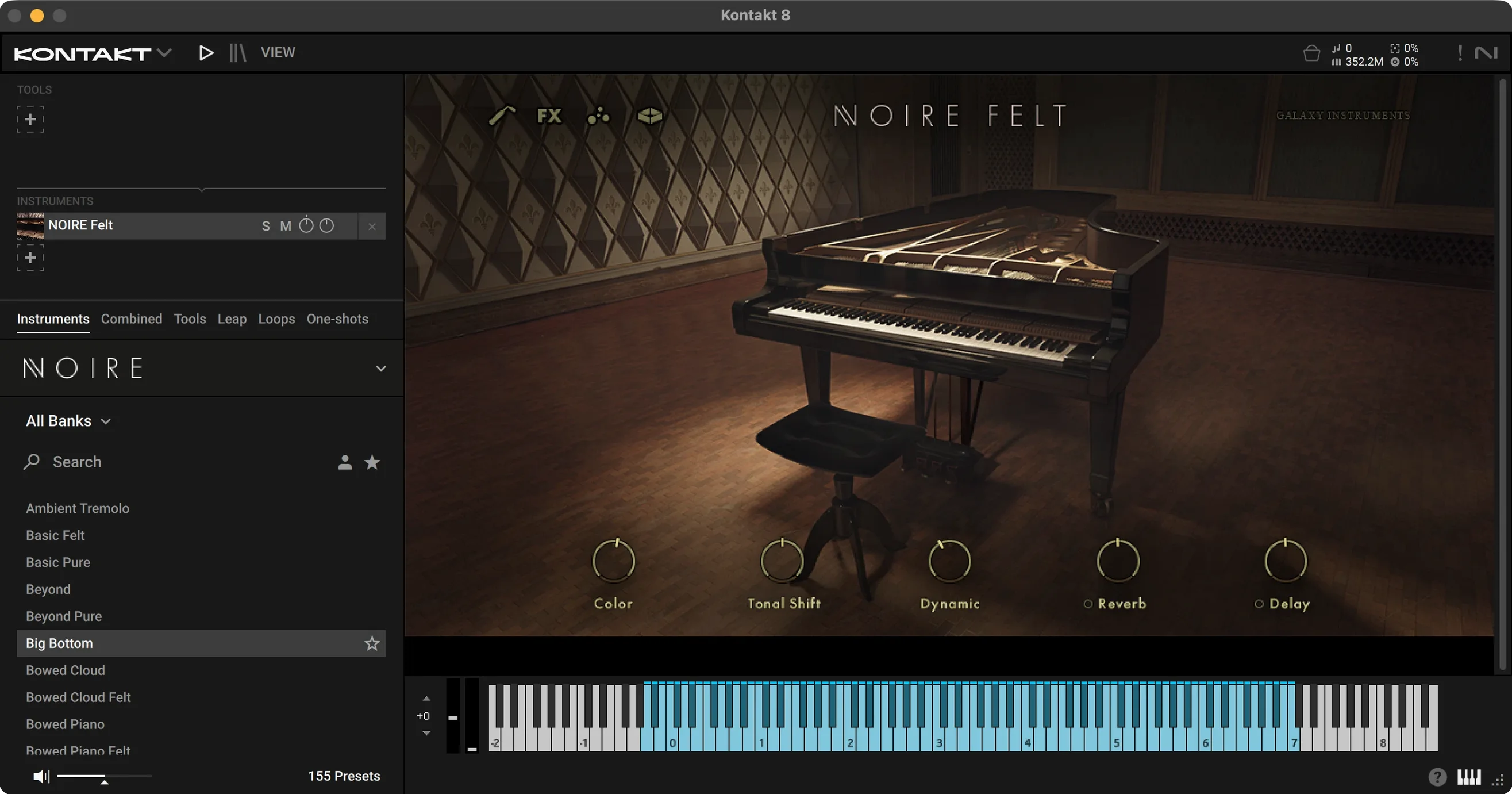
Fitting a 9-foot concert grand into a dense mix is usually an exercise in fighting resonances you never asked for. Noire takes a different route: it gives you the raw instrument, then hands you the tools to shape how much of that piano actually reaches the track.
Two pianos and a felt flavour in one software instrument track
As a KONTAKT instrument, it loads into Kontakt Player or full Kontakt on a software instrument track. The 16 GB library includes two NKIs — one for the clean piano, one for the felt version — plus a third flavor in the form of sound-design patches built from the same samples.
Which version suits which job?
The pure piano covers exposed parts, solo passages, and anything that needs a clear transient. The felt version softens the attack and surrounding tone, which sits further back in a mix without extra EQ. The 100 Snapshots give you starting points for both directions.
What can you adjust without leaving the instrument?
Attack, decay, resonance, overtones, velocity curve, and tuning are all available from the interface. That means the felt piano can be made even rounder for pads, or the pure piano tightened up for rhythmic parts.
Komplete Kontrol browsing and native Apple silicon support
It is built to integrate with KOMPLETE KONTROL keyboards, so browsing Snapshots and controlling the main parameters works directly from the hardware. On the Mac side, it runs natively on both ARM and 64-bit x86 under macOS 12 or later.
Why film composers keep the felt piano under dialogue
Film composers who need a piano that sits under dialogue without fighting it tend to reach for the felt version first. The softened transient leaves room for voices while still carrying the harmonic weight of a concert grand — and the particles engine can add motion without crowding the center channel.
Pianists who perform with a KOMPLETE KONTROL S88 get the tightest integration. The weighted keys map naturally to the velocity response, and browsing the 100 Snapshots from the hardware means you stay at the instrument rather than clicking around with a mouse. If you already own other KOMPLETE instruments, Noire shares the same folder structure and install conventions, so it slots into an existing library without reconfiguring anything.
Sound designers who treat a piano as raw material rather than a finished sound are the third group. The particles engine turns played notes into swirling, pulsing textures — and when you combine that with the sub-bass control and tonal shifting, the source sample barely matters anymore. You are not playing a piano at that point; you are triggering a harmonically rich oscillator built from one.
Producers working in dense electronic or pop mixes benefit most from the noise and EQ sections. Adding a little mechanical noise — key bed, hammer mechanism — gives the piano a physical presence that cuts through synthetic layers without turning up the volume.
Apple silicon support that reshapes daily use
Version 1.2.1 is a maintenance release, so the functional changes are under-the-hood fixes rather than new features. But the move to native ARM support — which arrived in an earlier update — is the one that reshapes daily use if you have been running Noire under Rosetta 2. The instrument loads faster, the interface snaps open immediately, and the particles engine runs with lower CPU overhead on Apple silicon machines.
Practically, that means you can leave multiple instances open in a larger template without the session grinding to a halt during playback. Before the native ARM build, users on M1 and M2 machines sometimes saw spikes when switching between the pure and felt NKIs quickly; those are gone now.
For KOMPLETE KONTROL users, the tighter integration with the latest Kontakt Player updates means the Snapshot browser responds more reliably from the keyboard encoder. Scrolling through patches no longer lags behind the knob turns — a small fix that removes a frequent friction point during sound selection.
Loading the library from the Komplete instruments pane
You open a project in your DAW and load Kontakt Player on a software instrument track. The library pane shows Noire under the KOMPLETE instruments — if you have not installed it yet, the package includes its own activation instructions, and the 16 GB library lands wherever your Kontakt content path points.
You start with the pure NKI. The first thing you hear is a clean, unembellished concert grand: the room at Saal 3 in the Funkhaus complex gives it a natural decay that does not need reverb added immediately. You play a few chords in the middle register to check the velocity response, then open the curve editor and pull the low-velocity end up slightly — your controller tends to send softer values than you intend, and this compensates without touching the DAW's MIDI transform.
The part you are writing is a verse accompaniment, so you switch to the felt NKI. The attack softens, the highs lose their edge, and suddenly the piano sits behind the vocal scratch track without a single EQ plug-in. You dial back the decay a little to keep the chords from bleeding into the next bar, then open the resonance control and boost it one notch — just enough to give the sustain pedal some character without muddying the low mids.
For the bridge, you want motion. You load a Snapshot from the sound-design category, which engages the particles engine. The notes you hold now generate a shifting halo of harmonics that pulses in tempo because you have your DAW's clock sent to Kontakt. You add a touch of the built-in delay, synced to dotted eighths, and suddenly the piano is a rhythmic texture rather than a chordal pad.
Before you close the session, you save the adjusted NKI as a new Snapshot so the velocity curve, resonance tweak, and delay setting survive the next time you open the project.
Option-drag resets any knob to its default
- Holding
Optionwhile dragging any knob resets it to its default. The tuning and velocity curve controls in particular benefit from this — it is easy to nudge tuning a few cents sharp and not notice until the next day. - The particles engine syncs to host tempo automatically if your DAW sends transport to Kontakt. If it does not, you can set the rate in milliseconds from the interface, and odd values like 340 ms often create more organic movement than strictly tempo-locked settings.
- Both NKIs share the same sample pool but present different front panels. Switching between them does not reload the 16 GB library — it reconfigures the playback engine, so the change is nearly instant.
- The sub-bass control is easy to overlook because it sits outside the main piano parameter group. Dialing in even a small amount — 10 to 15 percent — adds weight that the felt version sometimes lacks below 80 Hz, and it stays monophonic by design, so it never turns chord roots into mud.
- The noise section has separate level controls for mechanical noise and ambient room tone. Reducing the room tone to zero while keeping key-bed noise gives you a close-miked, intimate character that works beautifully for Native Instruments Noire KONTAKT torrent Mac users who want a dryer starting point before adding their own reverb.
- If you use the KOMPLETE KONTROL browser, tagging a custom Snapshot with the right sound category ensures it appears in filtered searches alongside the factory Snapshots — no need to dig through the file system later.
- macOS 12 or later
- Apple Silicon (ARM) or 64-bit Intel
- Kontakt Player or full Kontakt
- 16 GB free disk space
- Interface: English
$ man native-instruments-noire-kontakt | grep -A2 "?"
Which KONTAKT versions can load Noire?
Noire runs in both Kontakt Player and the full version of Kontakt.
How large is the Noire library?
The installed library takes up 16 GB and includes 100 Snapshots across two NKIs.
Comments 0
Sign in or create an account to leave a comment.
No comments yet. A codec, a slice, a machine — they appear after moderation.
More in VST Plugins
cd ../ Native Instruments Massive X
VST Plugins 1.6 GB
 Neural DSP Archetype Petrucci
VST Plugins 745 MB
 Neural DSP Archetype Rabea X
VST Plugins 742 MB
 Neural DSP Parallax X
VST Plugins 179 MB
 Neural DSP Soldano SLO-100 X
VST Plugins 340 MB
 noteGRABBER
VST Plugins 35 MB
 Nudist Audio Nudistort
VST Plugins 45 MB
 oeksound soothe2
VST Plugins 128 MB