
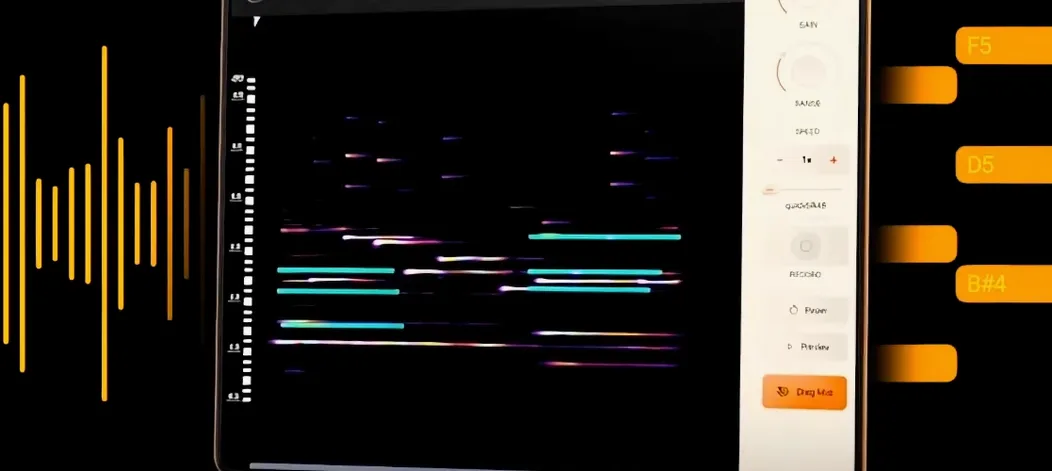
noteGRABBER for macOS
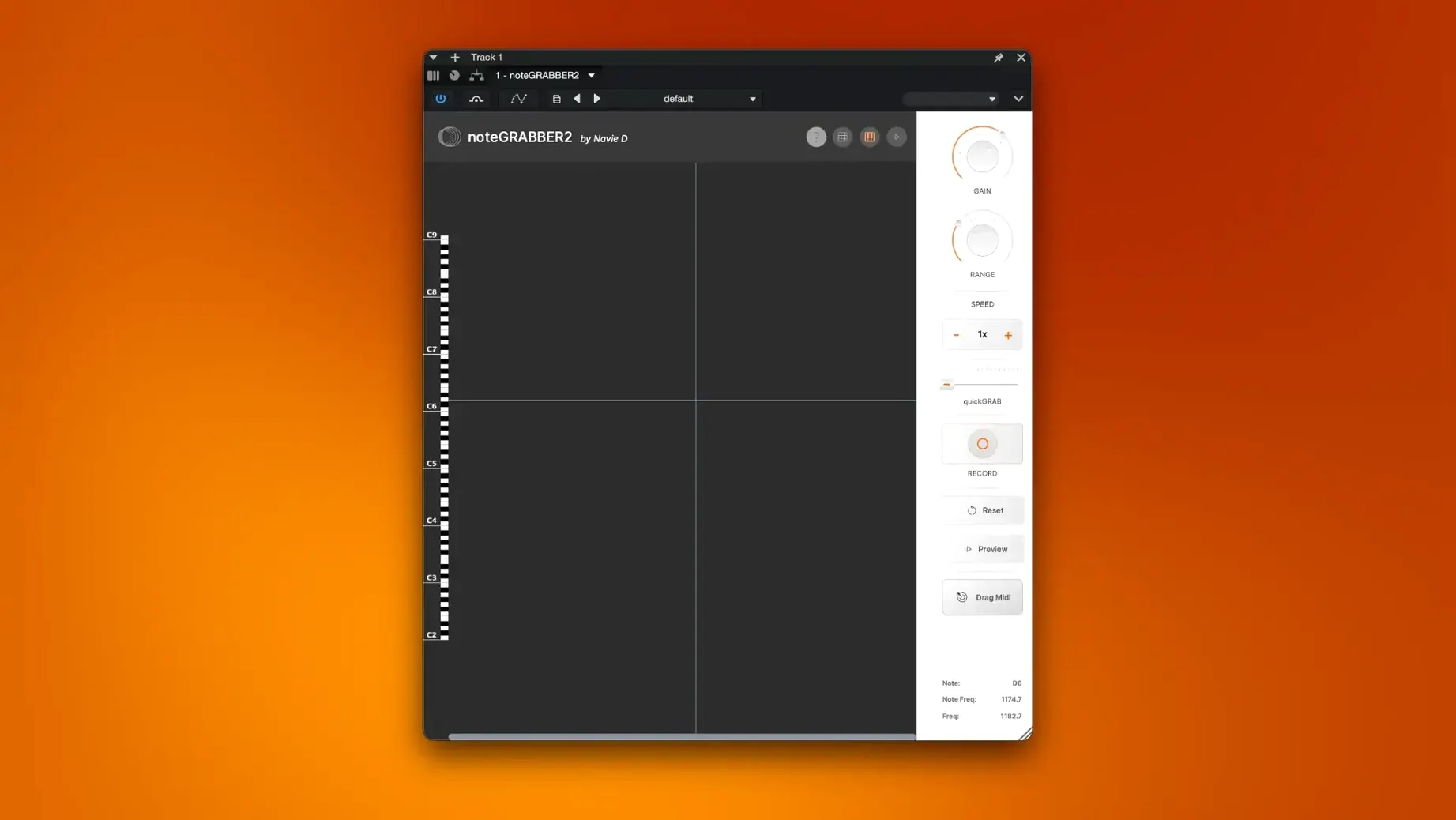
Samplers give you slices, but noteGRABBER gives you the notes inside those slices. If you’ve ever dragged a sample into a DAW and wished you could pull the melody straight out of it, this plugin is designed for exactly that workflow—it reads pitch information from audio and outputs MIDI.
Where does its component actually land?
It’s a macOS plugin distributed as a standard installer package (.pkg). The developer hasn’t published an explicit AU/VST3 list, but the package structure suggests it drops a component where your DAW can find it. Check the included instructions for the exact plug-in format and activation steps.
It turns a monophonic sample into raw MIDI data
noteGRABBER listens to monophonic audio and tracks the pitch of individual notes in the sample. It then converts that analysis into a stream of MIDI data—note on, note off, and pitch—that you can send to any software instrument.
What’s the creative use for this?
Grab a vocal hook, a guitar riff, or a synth stab, and pull the melody into MIDI so you can rewrite it, harmonize it, or swap in a completely different sound. It turns a static audio file into editable musical ideas without manual transcription.
Unlike Flex Pitch, it’s a plug‑in you can drop on any channel strip
Logic’s built‑in Flex Pitch does a solid job on vocal lines and monophonic material, but the editing happens inside a track editor—it’s not a plug‑in you can drop onto any channel strip. noteGRABBER gives you the same core idea in a self‑contained processor that works across DAWs.
Melodyne is the obvious heavyweight, and its polyphonic DNA separation runs circles around what any monophonic grabber can do. For a quick, single‑line extraction though, the workflow in noteGRABBER feels lighter: you insert the plug‑in, hit play, and MIDI spills out into your instrument track. No ARA‑dependent routing, no standalone window that needs to be synced.
Waves Tune Real‑Time is more of a pitch‑correction tool that happens to output MIDI; it tracks live input and bends what it hears. noteGRABBER is sample‑oriented—it wants a piece of audio already sitting in your timeline, and it’s built to feed the resulting MIDI straight into a new instrument layer.
It runs natively on Apple Silicon—no Rosetta required
Will it work on an M1 or M2 Mac? Yes. The package is a universal binary that runs natively on Apple Silicon and Intel 64‑bit. There’s no Rosetta‑only fallback to worry about.
Does it handle chords, or just single notes? Monophonic lines only. Feed it a piano chord or a full mix and you’ll get a jumble of false triggers. The algorithm expects one pitch at a time.
What kind of audio gives the cleanest result? Dry, close‑mic’d sources with a clear fundamental—think a trumpet line, a clean electric guitar, or a sine‑based synth lead. Reverb tails and heavy vibrato can confuse the pitch tracker, so a little pre‑processing with a gate or EQ goes a long way.
Is there any way to grab audio from a video or a streaming source? noteGRABBER listens to the audio passing through its own track. As long as your DAW can route that audio into the plug‑in slot—via a bounced‑in sample, a loopback device, or a freeze—the source doesn’t matter.
Isolate a dusty horn phrase and feed it straight to a soft synth
You’ve pulled a dusty soul sample off a record. The horns play a short, catchy phrase that would sit perfectly under a soft synth pad.
First step: isolate the horn phrase on its own audio track. Trim the region tightly, then drop a gain plug‑in before noteGRABBER to keep the level steady. Insert noteGRABBER on the same track, and open a software instrument on a second track—something simple, like an init‑patch sine wave—so you can hear what the MIDI stream is actually playing.
Set the instrument track’s input to receive MIDI from the noteGRABBER instance. Hit play in your DAW. The sine wave picks up the horn melody in real time, and while a few notes need a velocity tweak, the pitch contour is spot‑on. You drag the MIDI clip onto the instrument track, delete the plug‑in, and start layering a soft Wurlitzer underneath the original horns. Twenty minutes later the phrase has become a call‑and‑response section with a completely different texture.
For rhythmic ideas, the same flow works on a percussive sample. Load a tabla loop, let noteGRABBER map the transients to MIDI notes, then feed those notes into a drum machine. The groove stays; the sounds change entirely.
Gate your audio first to kill ghost triggers
- Gate your audio before the plug‑in. Low‑level noise between phrases creates spurious MIDI notes. A simple threshold gate cleans the input and gives you far fewer ghost triggers.
- Start with a simple synth patch for monitoring. A pure sine or triangle wave lets you hear exactly what pitch the tracker is returning; if the MIDI warbles on a held note, you know the sample has vibrato or noise that needs taming.
- Temporarily pitch‑shift tricky samples up or down. Low bass lines or very high piccolo phrases sometimes track cleaner when shifted an octave into a range where the pitch detector is more confident. Do the shift with your DAW’s built‑in processor, capture the MIDI, then transpose the notes back.
- Don’t expect it to replace a transcription tool for full arrangements. noteGRABBER excels at quick single‑line grabs. If you want to reverse‑engineer a whole song, you’ll need multiple passes and some manual cleanup.
- Audition the MIDI through different instruments before editing. A melody that sounds stiff on a piano might feel natural on a plucked string; hearing the raw MIDI through a few sounds stops you from over‑quantizing something that already has character.
- Combine it with your DAW’s slice‑to‑MIDI function. Use noteGRABBER for pitch, then let the sampler handle timing and groove—the two approaches complement each other well in sample‑based productions.
If you’re looking around for a quick way to grab melodies from audio, you might run into searches like note grabber vst free or noteGRABBER torrent. The plug‑in you’ll find under those terms is exactly what’s described here—a focused sample‑to‑MIDI processor that does one job and stays out of the way. The same goes for noteGRABBER 2 crack and noteGRABBER free download queries; the version floating around is the 2.0.0 build covered in this walkthrough.
- macOS 10.12 or later
- Intel and Apple Silicon Macs
- Interface language: English
Comments 0
Sign in or create an account to leave a comment.
No comments yet. A codec, a slice, a machine — they appear after moderation.
More in VST Plugins
cd ../ Nudist Audio Nudistort
VST Plugins 45 MB
 oeksound soothe2
VST Plugins 128 MB
 Neural DSP Soldano SLO-100 X
VST Plugins 340 MB
 Omnisphere
VST Plugins 205 MB
 Neural DSP Parallax X
VST Plugins 179 MB
 Neural DSP Archetype Rabea X
VST Plugins 742 MB
 Neural DSP Archetype Petrucci
VST Plugins 745 MB
 Output Portal
VST Plugins 319 MB