

Output Portal for macOS
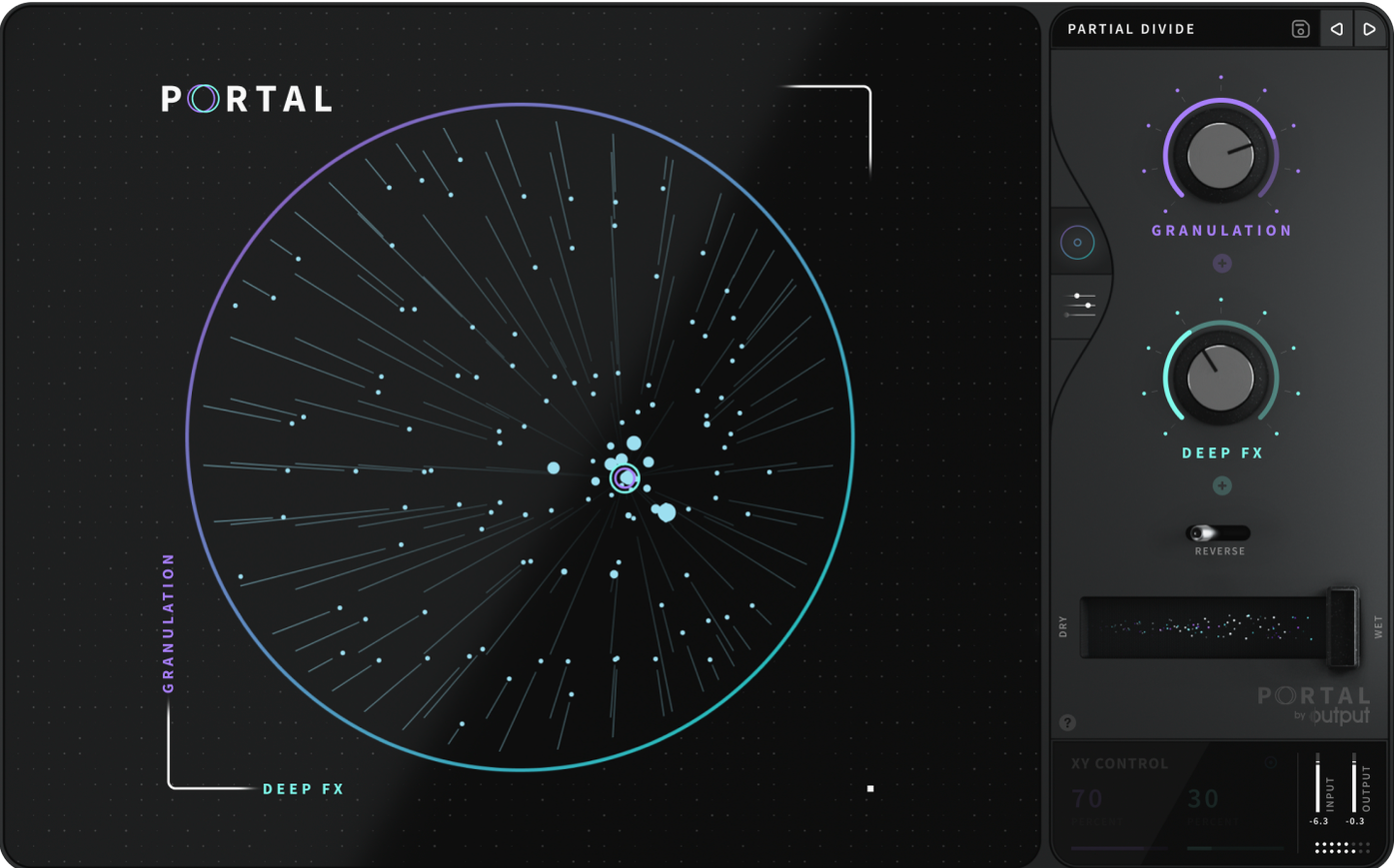
If you’ve spent any time dialing in Output’s Thermal or Movement, you already know the company likes effects that treat your audio as raw material, not just something to EQ and slap reverb on. Portal takes that further: it’s a dedicated granular engine built to stretch, pitch-shift, and re-synthesize whatever you feed it, all while keeping the result close to the original source.
- Locks pitch to a user-defined scale so time-stretched grains stay musical.
- Shifts pitch independently of duration — no chipmunk effects or tempo drift.
- Adds organic, non-repeating variation to grain envelopes for a less static texture.
- Re-synthesizes the input to preserve source character even at extreme settings.
- Slows and stretches audio into evolving pads or rhythmic stutters.
The real trick is how Portal walks the line between fidelity and mangling. The re-synthesis path means you can push the grain size and density into abstract territory without losing the tonal imprint of the original signal — something older granular tools struggle with. When you lock pitch to a scale, the randomization stays inside harmonic boundaries that make sense, so even glitchy results sit in a mix rather than fighting it.
Why won’t Portal show up in my DAW after installing?
This comes up often enough that it’s worth walking through the checklist. First, confirm you’re looking in the right spot — Portal installs as an effect, not an instrument, so it lives on an audio track or an aux channel, never a MIDI/instrument slot. If you scanned and it’s still missing, check what you actually installed. The installer places an AU in ~/Library/Audio/Plug-Ins/Components/ and a VST3 in ~/Library/Audio/Plug-Ins/VST3/. Some hosts only look in the system Library at /Library/Audio/Plug-Ins/, so if your DAW isn’t seeing it, try copying or re-running the installer with the system-wide location selected. A full rescan never hurts — Logic users can force one by deleting the AU cache at ~/Library/Caches/AudioUnitCache/ and relaunching.
CPU spikes and grain glitches
Granular processing chews through cycles, especially when grain density is high and you’ve got the re-synthesis engine working on a stereo source. If you’re getting dropouts or the UI turns sluggish, drop the number of grains in the Density section — even a small reduction frees up a surprising amount of headroom. Running Portal on a bus instead of an insert across multiple tracks is another solid move; you send a few channels to one instance and glue them with the same grain cloud. Turning down the grain envelope’s release time also reduces overlap, which eases the CPU load without changing the texture much.
Sometimes the glitch isn’t performance-related at all — it’s a tempo sync mismatch. When Portal is locked to your DAW’s clock and you’re stretching material far from the original BPM, clock jitter can cause stutters that sound like buffer underruns. Switching to unsync mode and dialing in the stretch amount by ear typically clears it up.
Where Portal sits in a real signal chain
Portal isn’t a one-stop shop — it’s at its best when it’s fed by something interesting and followed by something that tames or complements the output. You’ll see it paired with Thermal a lot, since Thermal’s multiband saturation and distortion can add warmth back to grains that feel too clinical. A typical chain on a vocal send: dry vocal into Portal for a pitched-down, scale-locked shimmer, then into Thermal with a gentle tube stage, then a touch of reverb to push it back in the stereo field.
On the macOS side, Portal plays nicely with Audio Unit hosts that support sidechain input — drop it on a bus, feed it a drum loop as the main input, and sidechain a synth pad so the grains trigger from the pad’s envelope. Logic’s Track Stacks make this a quick routing job, and Ableton’s Audio Effect Racks let you map the grain density to a macro knob for hands-on morphing.
Since Portal is both ARM and x86 native, it runs without Rosetta overhead on Apple Silicon machines, which matters when you’re stacking instances. The AU and VST3 versions share the same preset format, so a sound you design in Logic opens identically in Ableton Live or Cubase — no export path needed, just save the preset from Portal’s own browser.
Dropping Portal onto a dry breakbeat
Let’s say you’ve got a dry breakbeat sitting on an audio track — tight, clean, and completely uninspiring. You drop Portal onto the track as an insert. Right away, the default patch is doing something: grains are firing, but it’s too polite. Here’s how a real tweaking session tends to go.
First, you pull the grain size down to around 40 ms and raise the density until the hits blur into a continuous stream. The original transient attack is gone now, replaced by a metallic wash. That’s the re-synthesis engine grabbing slices and layering them — you can hear the original kick and snare in there, but they’re smeared across time. You unsync from tempo and drag the stretch knob left, slowing everything until the loop feels like a drone with rhythmic remnants poking through.
Now the scale locking. You open the pitch section and set the scale to D minor pentatonic — five safe notes that’ll never clash with the bassline you’ve got running underneath. Portal randomizes grain pitch within those boundaries, so every few milliseconds a grain lands on a different note in the scale. The breakbeat is now a melodic pulse rather than a percussion loop.
The last touch is envelope variation. You nudge the attack randomization up just a hair — maybe 15% — so grains don’t all click in at the same point. The texture breathes. You send a copy of the dry loop to a separate bus for a subtle low-end thump underneath, and suddenly you’ve got a hybrid that’s half-drum, half-pad, entirely usable.
This whole process took maybe four minutes, and you never once opened a sampler or sliced a transient by hand. That’s the workflow Portal is built for: fast, iterative sound design where you’re shaping the grain engine in real time while the transport runs.
Soundtoys Crystallizer vs. Portal for pitch-shifted grains
If you’re browsing for an output portal torrent or a portal torrent in general, you’re probably also looking at a few alternatives. Soundtoys Crystallizer is the obvious comparison — it does pitch-shifted granular echoes with reverse grains and a lot of character. Crystallizer is simpler, though: its granular section is really a delay line with pitch manipulation, not a full re-synthesis engine. You get that signature Soundtoys color, but you don’t get scale locking, grain density control, or the envelope variation that makes Portal feel organic. Crystallizer is a spice; Portal is an instrument you build inside your mix.
Native Instruments Straylight runs in Kontakt and leans more toward cinematic textures and playable grain clouds. Straylight gives you two grain layers with independent modulation, a dedicated grain oscillator, and a library of source material baked in. It’s a deeper sound design environment in some ways, but it’s also a virtual instrument — you can’t feed it live audio from a track in real time the way you can with Portal. For processing your own guitar take or a synth line mid-session, Portal wins on immediacy. For building a granular pad from scratch with a keyboard, Straylight pulls ahead.
Glitchmachines Palindrome is the wild card: four granular samplers in a labyrinth of modulation, feedback, and morphing filters. It’s brilliant for aggressive, sci-fi sound design where you want chaos you can tame. But it’s also a CPU furnace and has a learning curve that makes Portal look like a utility plugin. Portal’s interface is almost sparse by comparison — grain size, density, pitch, envelope, done. That’s by design. You sacrifice Palindrome’s modular insanity for a plugin you can dial in while the vocalist is still in the booth.
When someone grabs a portal mac torrent or an output portal mac torrent because they want a specific sound — stretched vocals that stay in key, drum loops turned into melodic textures, a guitar line that evaporates into grain dust — Portal delivers exactly that without asking you to become a granular synthesis expert first. To get everything running smoothly, check that your DAW has full mic permissions and the plugin is properly authorized in your system’s security settings. The alternatives each have their own strengths, but none of them combine real-time input processing, scale-locked pitch randomization, and envelope variation in quite the same focused package.
- macOS (exact version not specified by the developer).
- Runs natively on both Intel and Apple silicon Macs.
- Plug-in formats: AU, VST3, AAX.
- Interface language: English.
$ man output-portal | grep -A2 "?"
What plug-in formats does Portal use on macOS?
Portal runs as an AU, VST3, and AAX plug-in, with native support for both Intel and Apple silicon Macs.
Can Portal change pitch without affecting playback speed?
Yes, its granular engine separates pitch and time, so you can transpose grains freely without altering the duration or synchronization of the original audio.
Comments 0
Sign in or create an account to leave a comment.
No comments yet. A codec, a slice, a machine — they appear after moderation.
More in VST Plugins
cd ../ Omnisphere
VST Plugins 205 MB
 oeksound soothe2
VST Plugins 128 MB
 Nudist Audio Nudistort
VST Plugins 45 MB
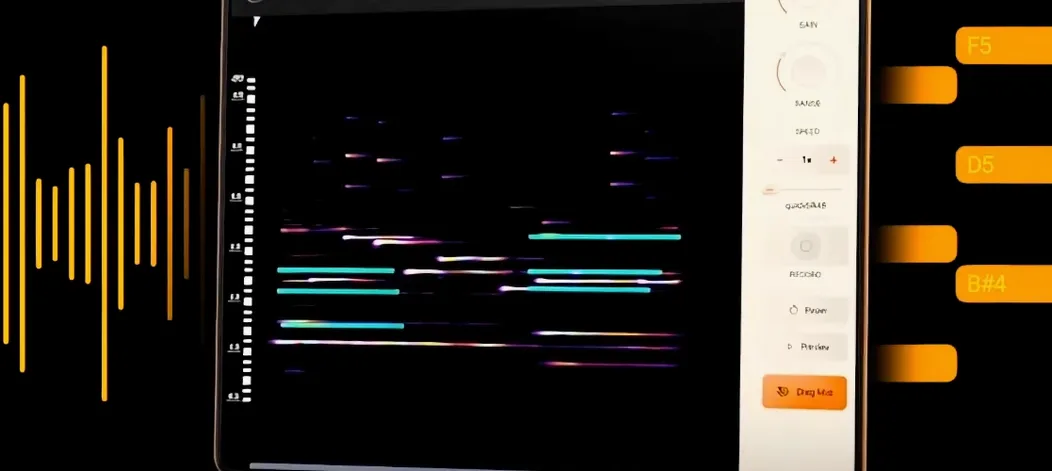 noteGRABBER
VST Plugins 35 MB
 Neural DSP Soldano SLO-100 X
VST Plugins 340 MB
 Neural DSP Parallax X
VST Plugins 179 MB
 Neural DSP Archetype Rabea X
VST Plugins 742 MB
 Neural DSP Archetype Petrucci
VST Plugins 745 MB