
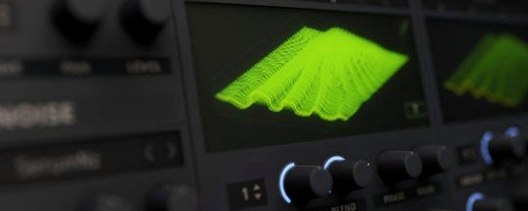
Serum for macOS
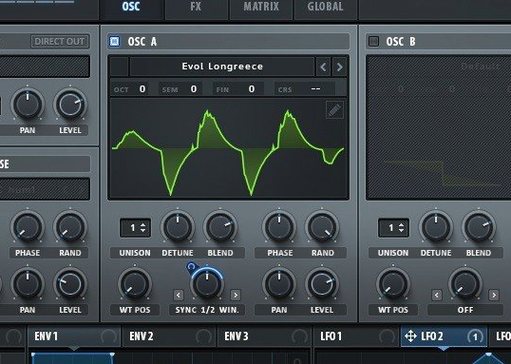
Unison Warp alone changes the conversation. Instead of stacking detuned copies of the same waveform, you can assign a completely different wavetable position to each unison voice. Start with an init patch, set voice count to 7, and map Unison WT Pos to a slow LFO. Suddenly a single note pushes through seven distinct spectral slices—thick, moving, and nothing like a standard supersaw. That behavior sits at the center of Serum 2’s architecture. Xfer built it as a wavetable synthesizer that creates, imports, edits, transforms, and modulates wavetables in real time, and version 2 folds in filter types borrowed from LFOTool alongside new ones, including sample‑rate reduction applied as a filter process.
Building a patch that moves
Pick a wavetable with stark frame changes—something with a vocal formant sweep works well. Load it into Osc A. Enable Unison and set Unison WT Pos to a mod wheel or a random‑stepped LFO. Each voice grabs a different slice. Now route Osc A through one of the new chaotic filters, drop the cutoff, and push the resonance until the filter almost self‑oscillates. Add a second LFO modulating the filter drive at audio rate. The result is a sound that shifts timbre per voice and then gets chewed up by a nonlinear filter stage.
Keeping it under control
The modulation system handles this without breaking a sweat. Drag an envelope onto the global amplitude, assign a macro knob to Unison Warp depth, and tie another macro to the sample‑rate reduction filter mix. With three knobs you can go from a clean wavetable pad to a crushed, unstable texture. Serum 2 runs natively on Apple silicon and Intel, back to macOS 10.13, so the CPU hit stays manageable even with high voice counts.
Why does Serum 2 stay silent after AU validation passes?
Double-clicking a .dmg and dragging the component file into /Library/Audio/Plug-Ins/Components usually works, but Serum 2 sometimes sits in silence until you check a few things. The most frequent support thread repeats the same story: the AU passes validation in Logic, yet the plugin window stays blank. That is almost always a code-signing issue on Apple silicon. Open Terminal and run codesign --force --deep --sign - /Library/Audio/Plug-Ins/Components/Serum2.component, then restart your DAW. The blank window disappears.
Another recurring headache involves the noise oscillator and the sub oscillator both sounding when only one should be active. Check the global routing panel; Serum 2 defaults to sending the sub through the main filter path in dual-filter mode. If the second filter is bypassed, the sub still passes through the first filter slot and hits the output. Toggle the sub routing to Direct Out and it behaves as expected.
Presets from Serum 1 load with missing wavetables if you moved your old library folder. Serum 2 looks inside ~/Documents/Xfer/Serum Presets for user tables, not the old factory path. Copy your custom .wav table collection there, then do a rescan from the menu bar inside the plugin. The preset browser picks them up immediately.
Clicking through the wavetable editor and hearing nothing often means the wavetable oscillator itself lost its routing to the filter section. Serum 2 allows per-oscillator output assignment, and a blank slot in the routing matrix silences Osc A entirely. Open the matrix view with the button near the master volume and confirm Osc A points to Filter 1.
How do you give a sine wave sub-weight for a kick?
Start from the init patch. Set Osc A to a sine-based wavetable—the default "Basic Shapes" folder has a clean Sine table. Drop the octave two steps, because a kick needs sub-weight. Enable the Mono voice mode and set glide time to zero; you want no overlap between hits. Now open the wavetable editor, grab the first frame, and add a slight phase distortion by dragging the bend tool about 15% to the right. That gives the initial transient a harder, more digital click without adding a separate noise layer.
Assign Env 1 to Osc A's pitch. Shape it so the decay drops from +24 semitones to zero in roughly 60 milliseconds. Set the sustain to zero and release to zero. That pitch dive is your punch. Now route Osc A through Filter 1, set to the new Vintage Ladder 24 dB type, and assign Env 2 to cutoff. Start from 200 Hz, peak it briefly, and let it fall to maybe 40 Hz over the same 60 ms window. The filter envelope tightens the body.
Engage the sub oscillator on a clean sine, same octave as Osc A, and blend it to about 30% of the mix. Now go to the FX tab and insert a short reverb—decay under 300 ms, fully wet only during the first 20 ms with an envelope follower. That gives a sense of space without muddying the tail. Finally, map macro 1 to pitch envelope depth, macro 2 to filter envelope depth, and macro 3 to noise oscillator mix. Three knobs now dial in the kick from tight and clicky to long and boomy.
Why raise the global pitch-bend range from ±2 to ±12 immediately?
Open the Global tab before doing anything creative. The default master tuning is 440 Hz, but the global pitch-bend range defaults to ±2 semitones. Raise it to ±12 immediately if you play melodic lines with a pitch wheel. While you are there, enable Disable Warm-Up on Load if you browse presets quickly; it stops Serum 2 from calculating a full buffer of audio before playback, which shortens the silence between preset changes to near zero.
Switch the Oversampling setting from 1x to 2x for any patch that uses heavy unison or the new chaotic filters. The difference at 44.1 kHz is audible—aliasing folds back into the low-mids when unison count climbs past 5 voices and warp depth pushes the wavetable index near its extremes. Serum 2 handles 2x oversampling on Apple silicon without a noticeable CPU spike; on older Intel Macs, leave it at 1x for tracking and switch to 2x during export.
The Modulation Depth Readout defaults to a percentage-only display in the matrix. Open the preferences menu and set it to Absolute Values instead. When you drag an LFO onto filter cutoff, seeing "824 Hz" is more useful than "34%" because you can correlate the modulation range with the actual frequency band you are targeting.
In the MIDI tab, map a controller to the Macro bank page switch. Serum 2 ships with four macro pages, but the factory mapping only assigns CCs to the knobs themselves. If you use a hardware controller with limited knobs, setting a CC to page switching effectively gives you 16 macros under four buttons without menu diving.
What happens when you analyze the Init patch sub at C3?
Drop a spectrum analyzer after Serum 2 in your channel strip and load the Init patch. Play a single note at C3 and watch the sub oscillator. It ships with the sub level at 0 dB and routed straight to the output post-filter. That means every init patch adds a pure sine fundamental you may not hear on small speakers but will definitely feel on a club system. Turning it down to -6 dB while you design keeps headroom predictable.
Create a short test MIDI clip that plays a low note, a mid note, and a high note with long gaps between them. Loop it while auditioning wavetables from the factory library. Serum 2's wavetable browser previews the raw waveform, not the full patch, so hearing a table across three octaves tells you more about its harmonic range than any waveform display. Flag the tables that hold together in the low end and stay clean in the highs; those become your go-to starting points.
Build a simple patch with two macros mapped and save it as your own default. Call it My Init and store it in the user presets folder. Serum 2 loads the last-used preset on startup, not a fixed init patch, so having a known-clean starting point with your preferred macro assignments saves five minutes of setup every session.
If you grabbed a version labeled serum 2 vst mac from a forum, confirm the component file sits in both /Library/Audio/Plug-Ins/Components and that the VST3 lives in /Library/Audio/Plug-Ins/VST3. Some DAWs—Ableton Live on Apple silicon especially—default to the VST3 version even when an AU is present. Having both installed prevents "plugin not found" errors when opening old projects that referenced a specific format.
A real-world scenario: a sound designer prepping a game asset pack
A sound designer working on a sci-fi game needs ten UI confirmation sounds—short, tonal, and distinct—by end of day. She opens Serum 2, loads a glassy formant wavetable, and stacks two voices with Unison WT Pos mapped to velocity. Each time she strikes a key at a different speed, the voice grabs a different formant slice. No two hits sound identical, which is exactly what the developer asked for: variation without extra work.
She routes the output through the comb filter set to track keyboard pitch. The comb's resonant peaks align with the note played, so every sound gets a tuned metallic ring that sits in the same frequency neighborhood. She maps macro 1 to comb feedback and macro 2 to the sample-rate reduction filter mix. Recording a quick pass while twisting both knobs yields 45 seconds of raw material.
Back in the DAW, she slices the recording into ten 0.4-second hits, trims the tails with short fades, and exports. The whole session took under an hour. The pack sounds cohesive because everything shares the same wavetable source and filter topology, but each hit reads as a distinct event. A folder named serum 2 free download on her backup drive holds a collection of user wavetables she pulled from community forums, and the glassy formant she used came from that folder. Having a quick way to audition raw tables let her skip the patch-browsing rabbit hole entirely and work from the oscillator up.
Version 2.1.5 brings a focused set of workflow and compatibility fixes:
- Added an option to restore parameter lock states when the host loads a session.
- Right-clicking a modulation assignment now shows Show in Matrix, jumping straight to that parameter in the modulation grid.
- New setting to clamp a single note to one voice while respecting sustain pedal hold.
- Scroll position in the FX rack is now preserved when switching between rack slots and tabs.
- Serum 2 effects now support stereo output even when fed a mono input signal.
- The Scale tuning setting can now be applied to the Pitch Expression parameter.
- Envelope auto-zoom state is now saved with the patch.
- Hold Shift for fine adjustment of modulation amounts and output levels.
- New theme color parameters for active key and range displays in the oscillator views.
- Fixed arpeggiator notes cutting off when starting playback with tempo sync enabled.
- Loading Serum 1 presets no longer incorrectly switches chaotic LFOs out of free-running mode.
- Fixed crashes when loading impulse responses shorter than 256 samples into the Convolve effect, and when loading a
default.fxpfile. - Fixed distortion when reading 32-bit PCM WAV files.
- Expression and Mono Aftertouch values now update correctly at note start in mono legato mode.
- macOS 10.13 or later
- Apple Silicon or Intel 64-bit processor
$ man serum | grep -A2 "?"
What does Unison WT Pos actually do?
It lets you assign a different wavetable position to each unison voice at once, so a chord of voices can sweep through distinct waveforms simultaneously.
Which filter types were added in Serum 2?
It includes filter types previously found in Xfer’s LFOTool, along with additional new filters and the ability to apply sample‑rate reduction as a filter process.
What macOS versions does Serum 2 support?
It requires macOS 10.13 or later and runs natively on both Apple silicon and Intel Macs.
Comments 0
Sign in or create an account to leave a comment.
No comments yet. A codec, a slice, a machine — they appear after moderation.
More in VST Plugins
cd ../ Serato Sample
VST Plugins 612 MB
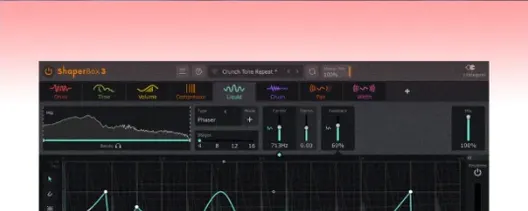 ShaperBox
VST Plugins 111 MB
 Serato Hex FX
VST Plugins 105 MB
 Slate Digital Fresh Air
VST Plugins 40 MB
 Slate Digital Murda Melodies
VST Plugins 179 MB
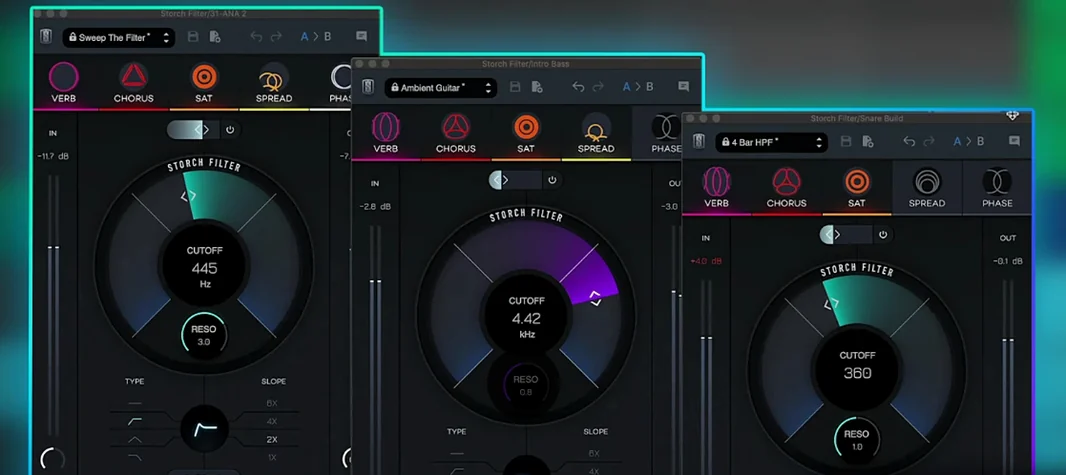 Slate Digital Storch Filter
VST Plugins 69 MB
 Scaler 3
VST Plugins 1.4 GB
 Sauceware Audio Scorch 2
VST Plugins 2 GB